I’ve been using the publish to web (online upload) gdevelop hosted playable links to help test mobile functions (haven’t learned enough yet to publish and test a standalone mobile app).
I’ve seen some weirdness when using these links between a desktop and a mobile device. Some times on the mobile the global variables don’t seem to be getting set correctly and I think I have something wrong with my button clicking logic.
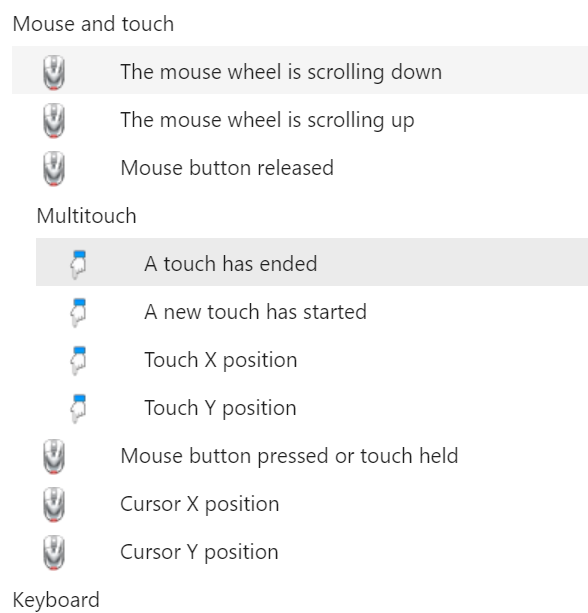
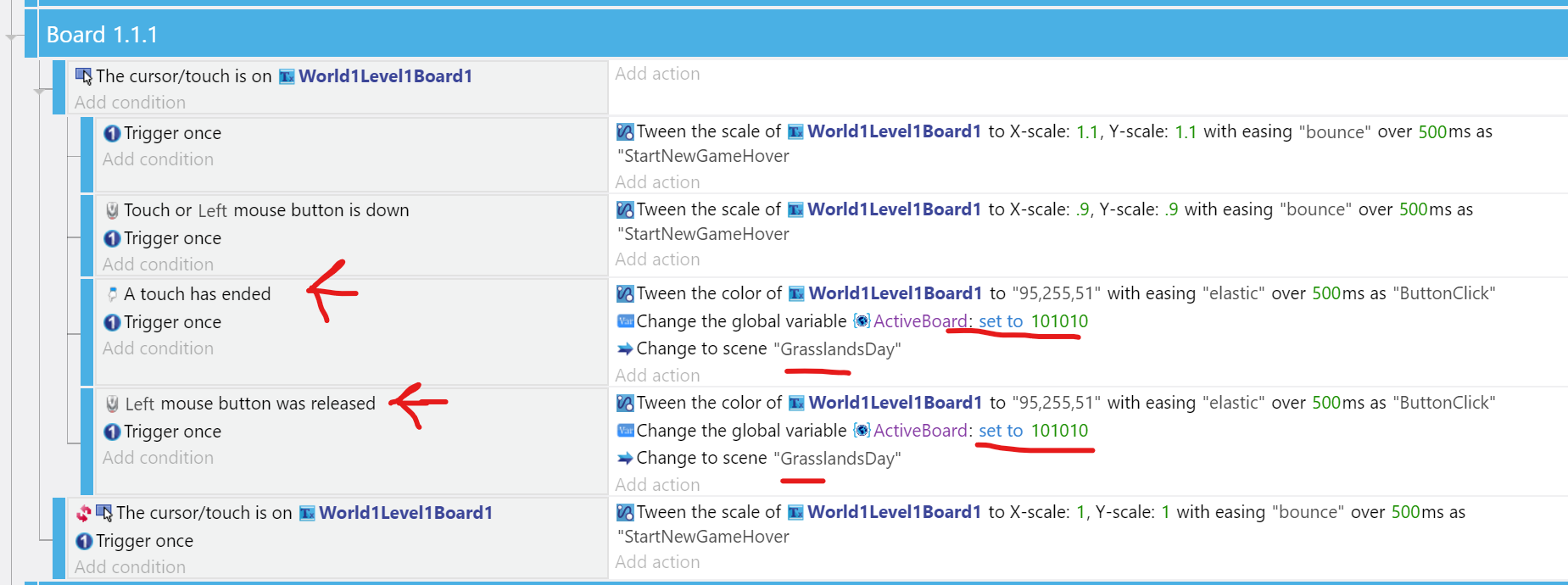
I’ve got a level selection page, in it there is some tween logic to make the buttons react to mouse or touch, then a I set a global “ActiveBoard” variable to the level they select. I then change to the correct scene when the “left mouse is released” or a “touch has ended”. At the beginning of the related scene I then load an external layer based on the ActiveBoard global variable.
This all works perfect on the desktop, and works most of the time on the mobile. However after the first time in to a level and back to the level select page the global variable seems to get stuck being assigned to the original selection when on a mobile. It is not always, but after going into a level and back the level select a few times it gets confused.
The mobile player actions also get stuck or confused randomly. Sometimes the player will get stuck forever jumping after a while, even after going to the level select and back to the level again the player is instantly jumping.
None of these bugs seem to occur when using a desktop.
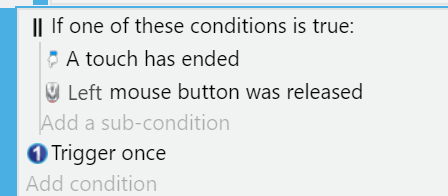
Here is the logic I use for the buttons and “activeboard” variable assignment. Most of the logic for the reactive tween buttons I learned from WishForge Games tutorials (they are awesome). At one point I had the “click released” and “touch ended” in the same condition with an OR but that didn’t work so I separated them:
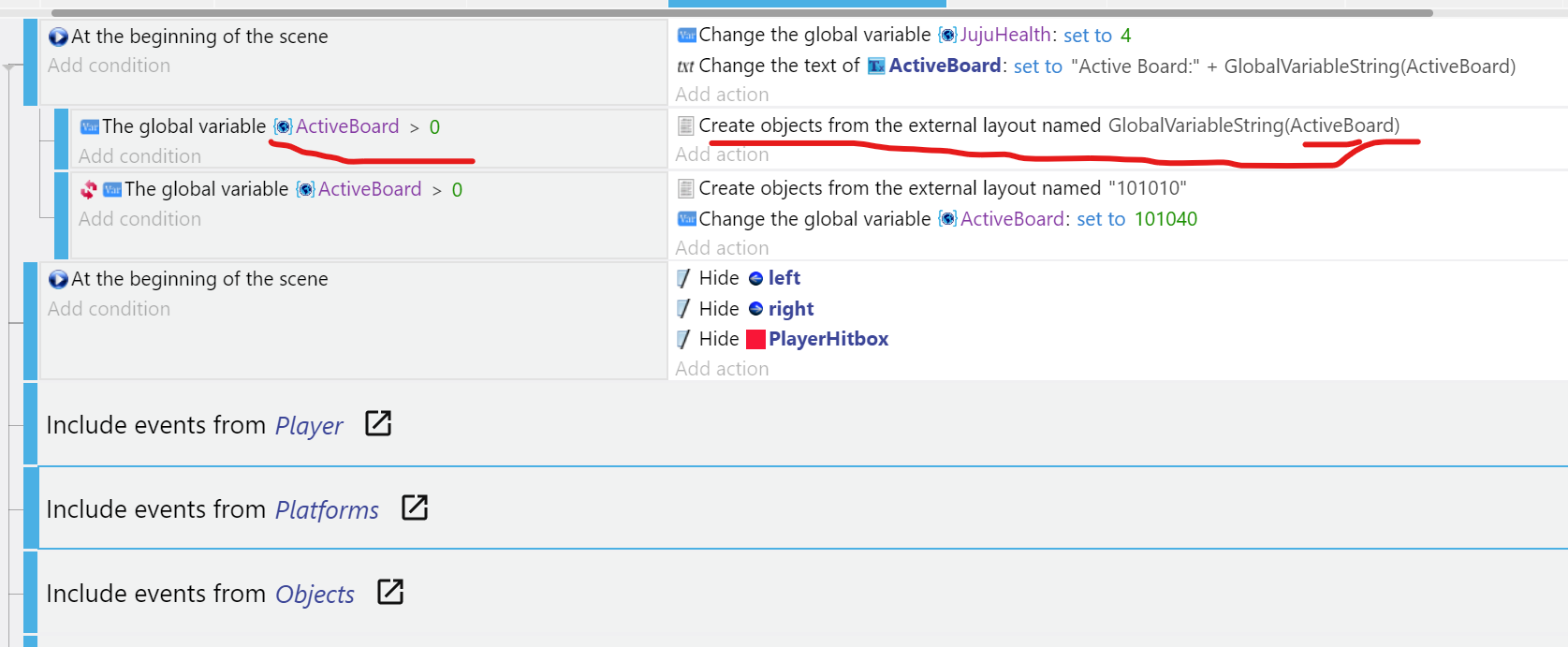
Then this is the logic for loading the external layout based on the value of the variable. I check to see if it is greater than 0 (making sure it is assigned to something), then I load the external layout. I had grouped the hiding of the enemy AI and hitbox all in the same “At the beginning of the scene” condition as the display of the activeboard and reset the players health, but it didn’t hide the sprites to I added a second one (not ideal I know)
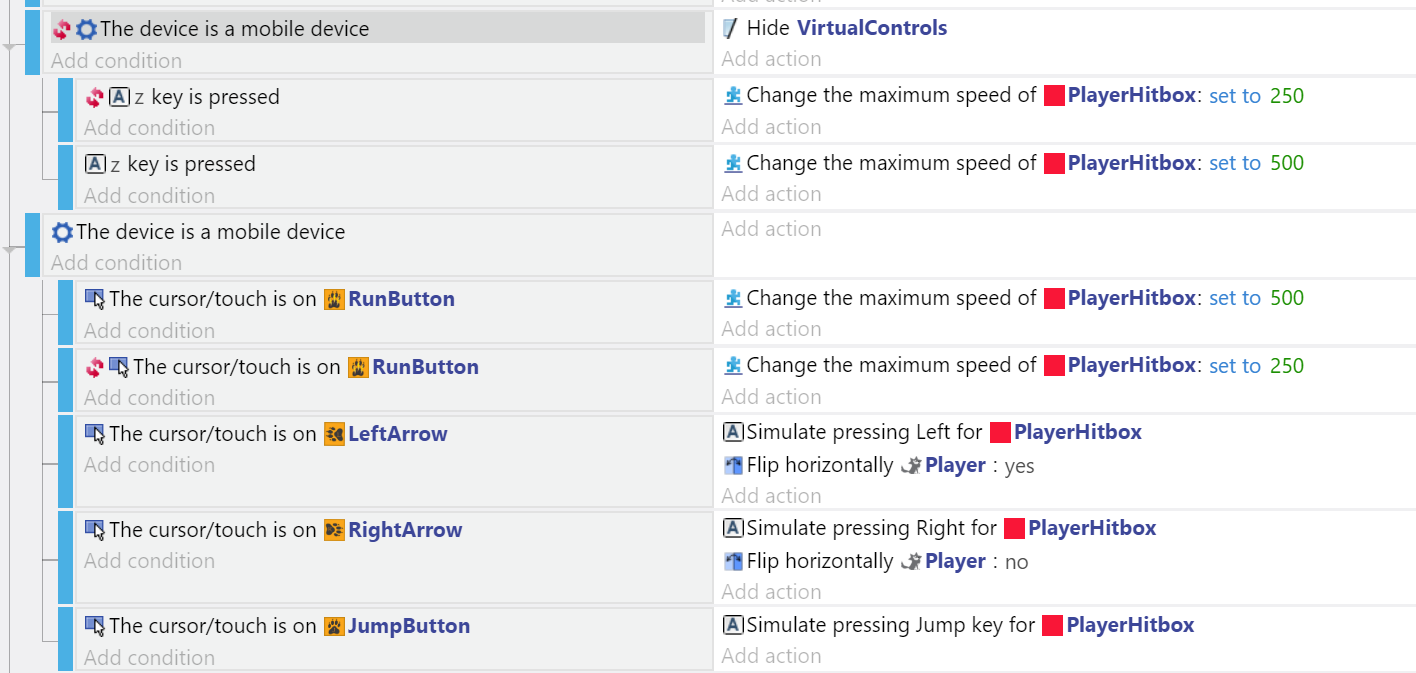
Here is all of my logic for the controls, mostly using the default controls when on desktop:
You can try it out if you want, here is the latest version of my game (very much in development, only level 1 and 2 are halfway built). From the desktop, Z is run, space jump, left right arrows move, press “L” to return to the level select page and “R” to reset your player. From a mobile, use the control icons and select the Menu button to return to the level select page.
https://games.gdevelop-app.com/game-0138c253-ca22-4222-964c-aaba63a66b48/index.html
In short:
Any known issues with online published games desktop vs. mobile?
Anything special I need to do with global variables here?
Anything about touch controls I need to do differently?
Can you even reproduce the issue?
Thanks as always for the help, hope you like the game.