How can i make sprites that behave like the Sprites in the Resource bar extension, when the sprite gets streched.
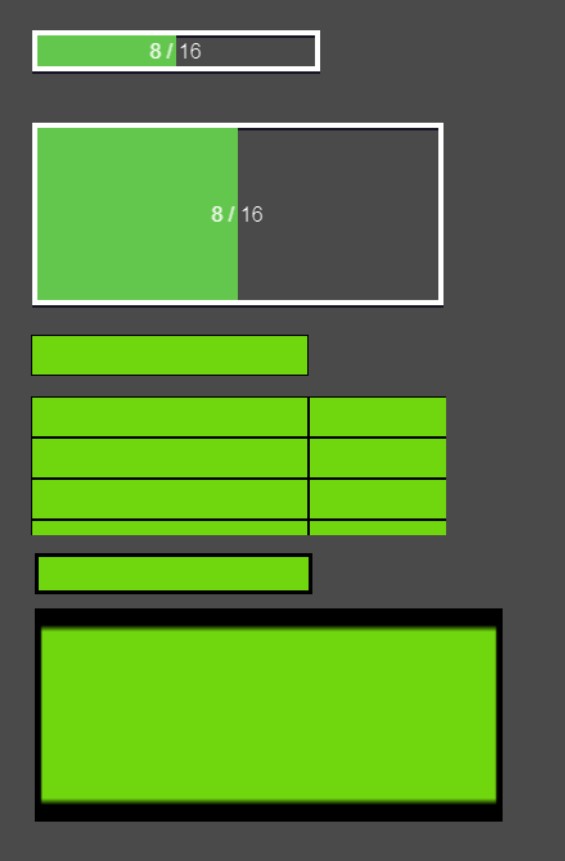
All i get is a repeated border or a streched border.
How can i make sprites that behave like the Sprites in the Resource bar extension, when the sprite gets streched.
All i get is a repeated border or a streched border.
Referring to your image
You have 2 types of bars
Ones with white outline which works as you want
And ones with black outline which do not work as you want
And what you see on bars with white outline are TWO images
1 is white outline which is NOT getting any modification to its width
2 green bar which have its width modified
Where your bars with black outline are just one image
As for 4th bar from the top you are using tiled sprite instead of sprite
So solution is to for example
Have green bar with default width 100
Placed on X 20 and Y 20 on scene
THEN you need image of outline (assuming it is 1 pixel thick outline)
Of width 102
102 and not 101 cause you need to account 1 pixel of outline on both left and right side of it
And now since green bar is at position X20 Y20
You place oultine in X19 Y19
Or to cheat your way trough it
Set outline X position to GreenBar.X()-1
Set outline Y position to GreenBar.Y()-1
Or actually it would make more sense to place your outline wherever you want
And now go with
Change GreenBar X Position set to Outline.X()+1
Change GreenBar Y Position set to Outline.Y()+1
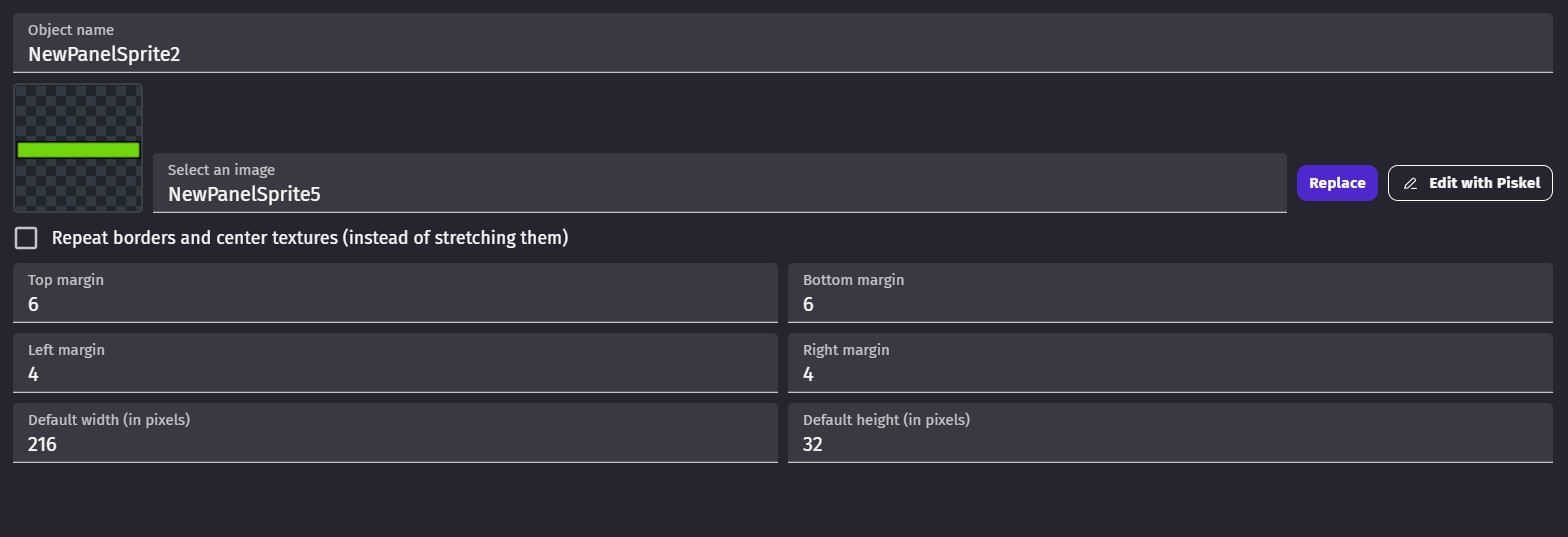
Thank you for your answer but this didnt help me, so i tested around a little bit more an the solution was to use a panel sprite and set margin values.
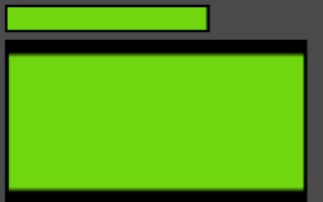
This is the behavior if the marign values are 0
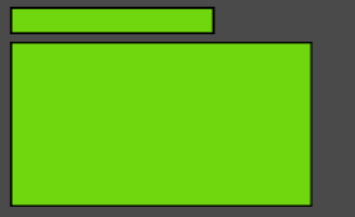
This are my settings now
And this is the behavior now
In your 1st post in image you provided 1st two bars are build from two images
And from your post i concluded you are referring to it
Not to have frame also proportionally shrink
But in the end good you found solution