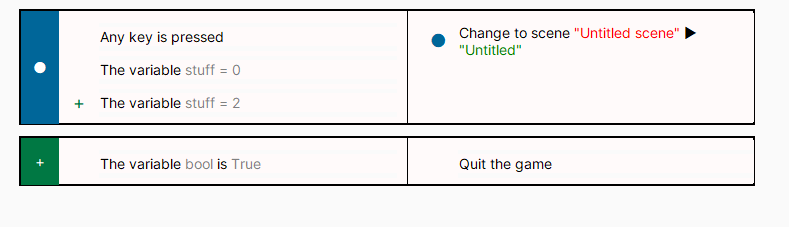
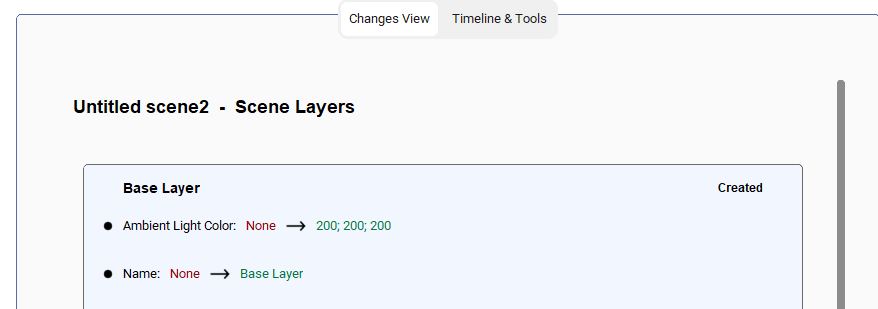
I present to you GDWisp. It’s a tool that allows you to diff your GDevelop project without looking at the raw JSON lines which is what all editors show.
and so much more (current feature list on the GitHub repo).
GDWisp has a lot of potential, and its main goal is to be an easy & efficient collaborative tool. You’re free to help test, build and share ideas on how to improve GDWisp.
You can check the repo at:
You can download the latest release on the Releases page.
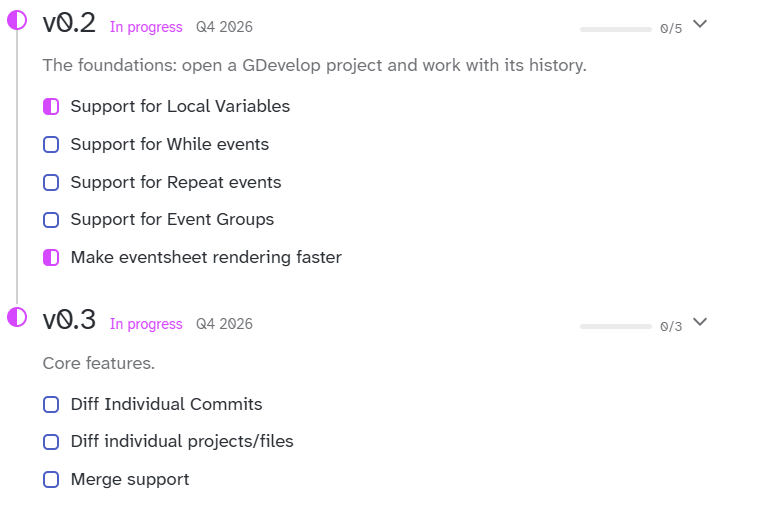
GDWisp also has a website were I’ll be hosting most stuff about the tool. The roadmap on the website shows the features I am aiming to release within the remaining of this year.
I’d love to hear your thoughts, feedback, or any feature requests you have! What do you think?
Wow, that is a great idea. I use GitHub Desktop and yeah the lack of a meaningful diff is a big negative so something made for GDevelop sounds perfect. I’ll try it later today with a small project and will give feedback.
For anyone wondering what GDWisp is, it’s a similar tool to what’s on, for example, github. It’s version control for your project. So if you want to go back to previous versions, say four versions ago then you just go back and open it while your current version is safe. Or just look at the old version to check something. It also acts as a record of what you’ve done and when. There’s more benefits than that though, for example, collaborations.
One of the things you can do is look at a ‘diff’ which will show you the differences between versions. But it will show you the json and while it’s often readable for non coders, there can also be things that don’t seem to mean anything and it doesn’t seem to be very efficient either, lots of scrolling. So, GDWisp plans to show those differences in the event style that we’re used to.
This looks great! I have used Github and yes highlighted changes to the JSON mean diddle squit to me and so this could be the solution. Once I’ve got my current project finished I’ll take a look at this i think!
Thanks.
I’ll be posting progress on the development right here. This week I’m focusing on lazy rendering for the diff window and a design for extra event properties and local variables.
For anyone trying this, it’s not until after you do your first commit that the app properly does what it’s meant to do.
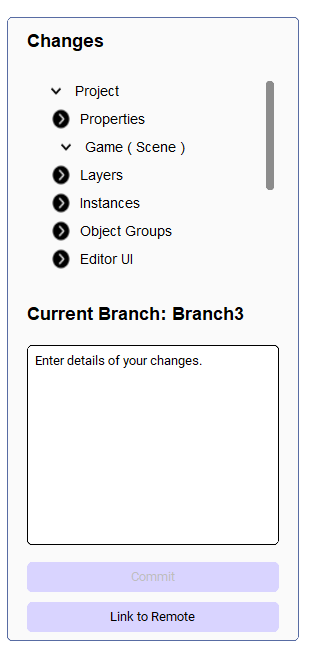
My experience before the first commit was ‘why was the changes panel full of things that hadn’t changed’, it had everything in it and made finding changes difficult.
But after the first commit, it ‘aligned itself’ and showed only the changes. My test of GDWisp was just a simple one and it did what it’s meant to do very well. I didn’t do any branch stuff.
I’ve secretly wished for some time that the GD team would modify/copy GitHub Desktop to work better with GDevelop. It will be interesting to see how far this project can go.
Thanks for the feedback. Was the overall experience of the app easy? I believe the UI can use a nice touch, but I am still looking for feedback first. Was there any bug or something that felt out of place?
No, I don’t think so. Visually it could be better if on the left hand side there was more room on the Changes section if needed over having such a big Current branch section but I’m sure that’s part of your future refining.
It’s hard for me to know if there’s any problems. I only ever care about diffs if I want to check what my changes were to make the commit name/comments more meaningful or to sort out what I can discard if I did something wrong and there’s a merge conflict.
One thing I noticed was I put two events into a group and it treated it as though I had deleted those events.
What I don’t know is what will it look like when there are dozens of changes in the list rather than the two or three in my tests. You’ll know better than me how it is. For the people who use event groups, me, it could help if GDWisp showed the events in the original groups that were also collapsible.
IDEA
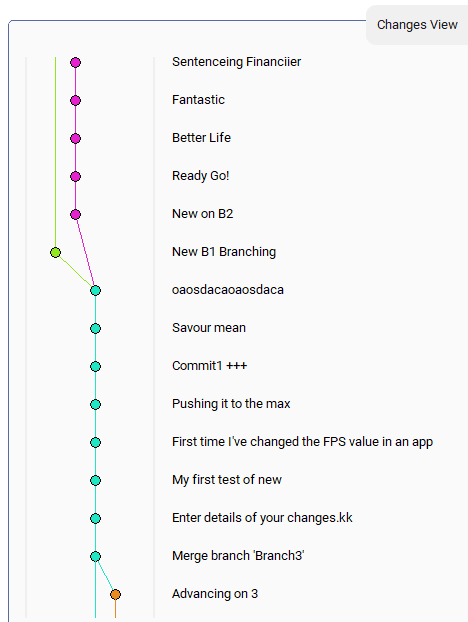
At the moment,GDWisp shows the diff, just like any other git thing but in a GD way. Here’s a thought, would it be possible/feasible to be able to check back on the diffs of old commits? Sometimes I create a branch from an old commit or just open the old branch if I still have it to see how I did something that I’ve since moved on from. It would be - select commit, look at that commit’s diff. Just something to think about, I’m not sure if it’s a winner or not.
Feedback that I forgot the first time. I didn’t like it that I couldn’t use it without providing an email address. I made up one and it accepted it.
Thanks for the feedback. Let me answer them one at a time.
Groups aren’t supported as of now. So, when you add it to an event group, they’ll disappear because unsupported events are ignored for now. It should be a simple 1-2 weeks work but I’ve not gotten there yet. I wanted to prioritize other useful event type like Repeat. But now you bring it up, it seems it’s also very common. I’ll add it to the roadmap
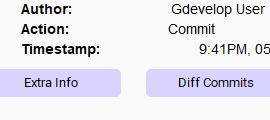
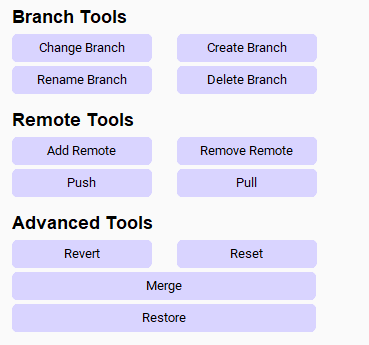
Yes, your idea of being able to check old diffs should be a feature. That’s what these buttons are for. (Diff tool in home)
(Diff commits in Timeline tools - This is for individual commits itself)
Maybe this can be after the next release, but it is a must-have.
The email (and name) part is needed by git not GDWisp itself so I just ask for it at the start. The email and name are added to the commit so it would show on commit msg / GitHub (if public). There are not validated in any way and can be any string longer than 0.
Hmm I see what you’re saying but it looks mostly okay though.
Added Lazy Loading (loading bits only when user scrolls to the ending). Applied it to only Resources, Scene variables and Global variables view as they have a tendency to have a lot of information.
Redesigned the branch label in the project view (Thanks @Bubble).
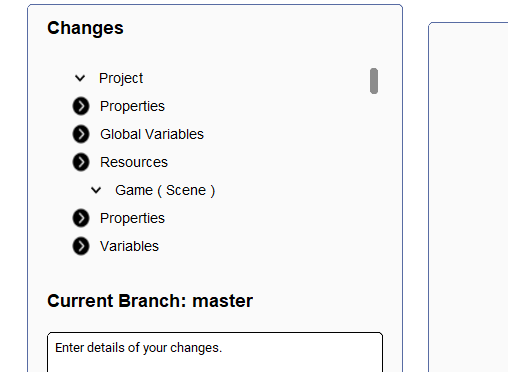
 (Diff tool in home)