Currently, there is only a “wait X seconds” event. To make a “Wait X seconds” condition, you need to make a scene timer, which can sometimes be confusing.
What it would do is the wait X seconds would start its own timer after being triggered. For example, with no condition it could be a looping timer and by adding an “at the beginning of scene” or “trigger once” it would only trigger at scene start.
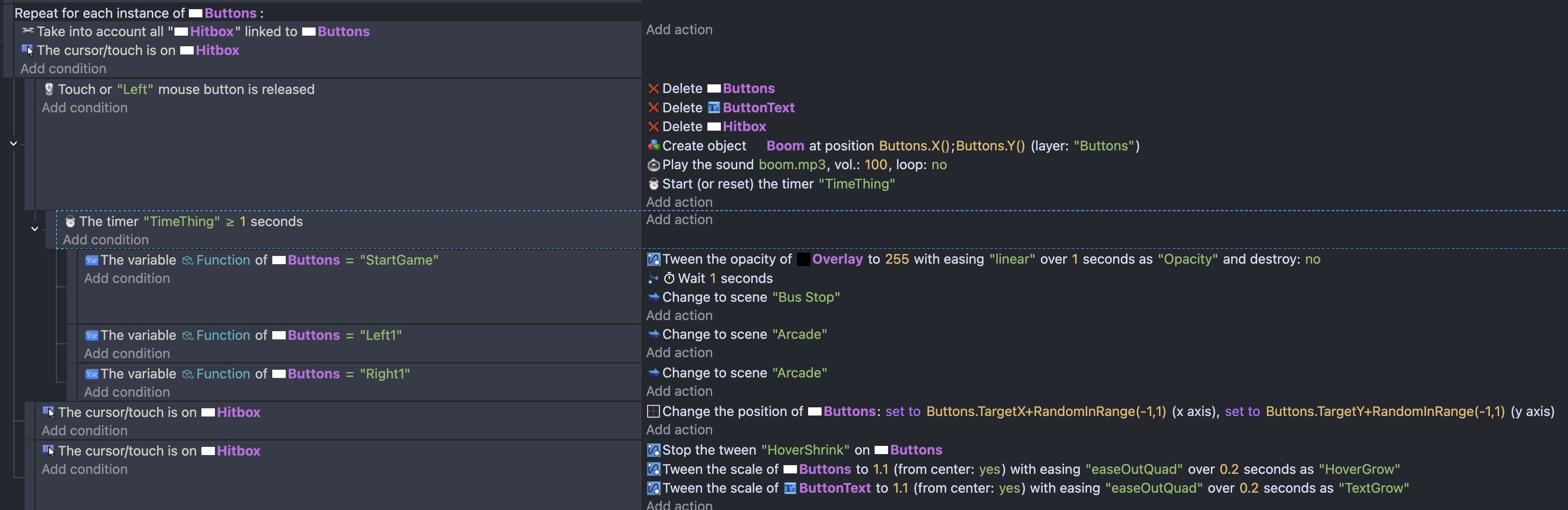
This could work well with sub events, as in the following screenshot (remove the 2 scene timer parts)
we could replace the “the timer “TimeThing” >= 1 seconds” with “Wait 1 second” and now every time the event above (touch or left mouse released) is triggered, it will wait 1 second before triggering the sub events below.
That’s incorrect you can use it inside a repeat event as long there is a trigger once. Problem is it gonna overcomplicate things if you dunno what are you doin
1 - Inside repeat for each object
Trigger once will work only for first object
So unless you have multiple objects BUT you want to do something only ONCE to one of them but not the rest
Then in that scenario you can use trigger once
So its not like you can’t use trigger once inside repeat for each object
But you need to know it works only for first object
2 - Then it is not required to have trigger once in your events inside repeat for each to use wait action
BUT it is required to limit event by condition not to spam itself each frame
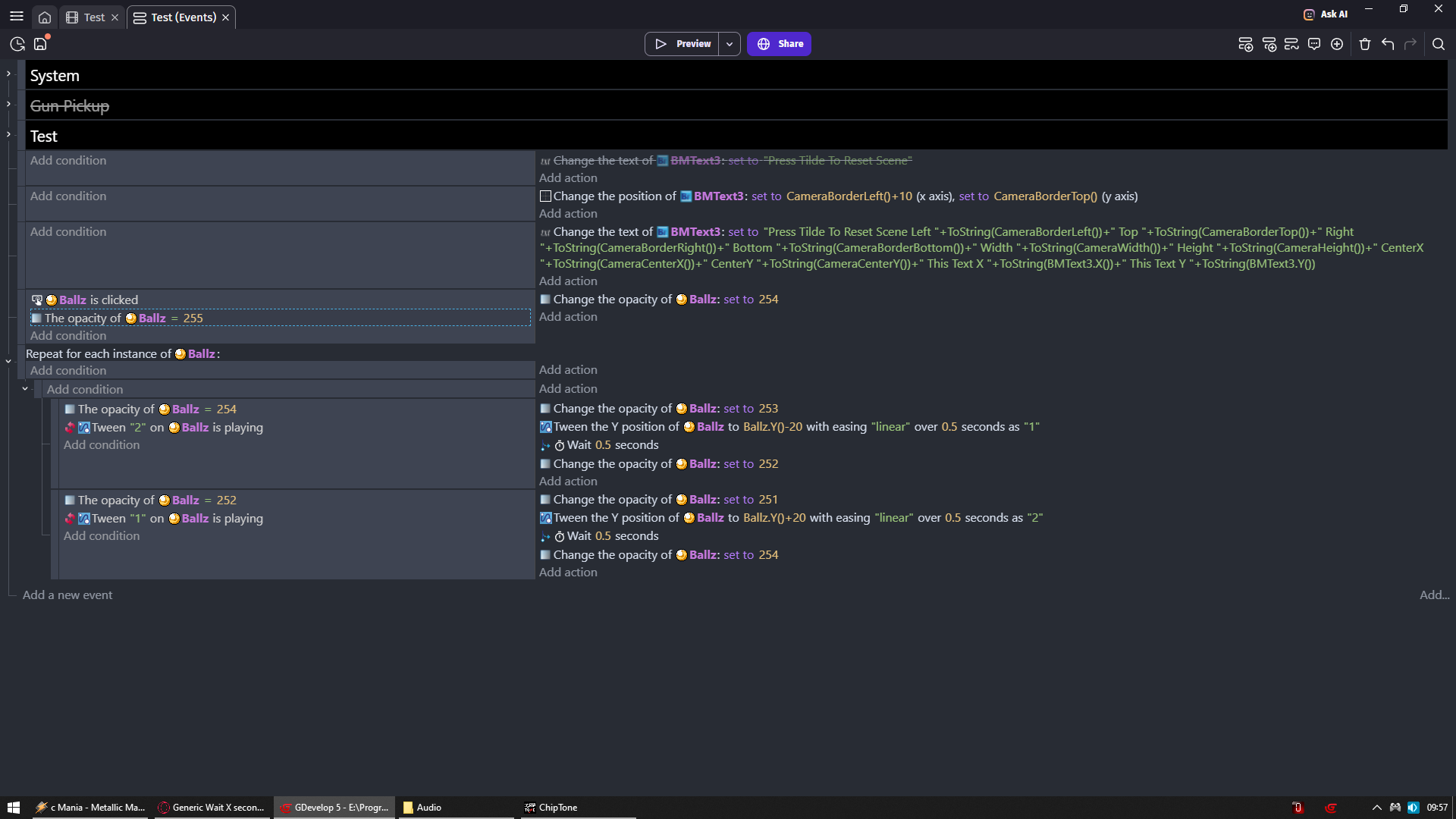
I did it by manipulating opacity but you could do it by using object variable
but another trick is to use repeat 1 time …it will works for all the objects…ofc trigger once not needed.
I use this when i want eg an animation which ofcourse lasts more than a frame