I’m trying to access a specific point in my structure, but it’s not working.
What I want:
Nonsense.ItemInventory[“index1 of Nonsense.ItemInventory”].Type
What I’ve tried:
Nonsense.ItemInventory[ToString(ArrayTools::IndexOf(Nonsense.ItemInventory, 1))].Type
but this doesn’t seem to work.
Also
I have a placement variable on my a object: ICON.Placement
I want the game to check this variable to know which item to grab from the inventory.
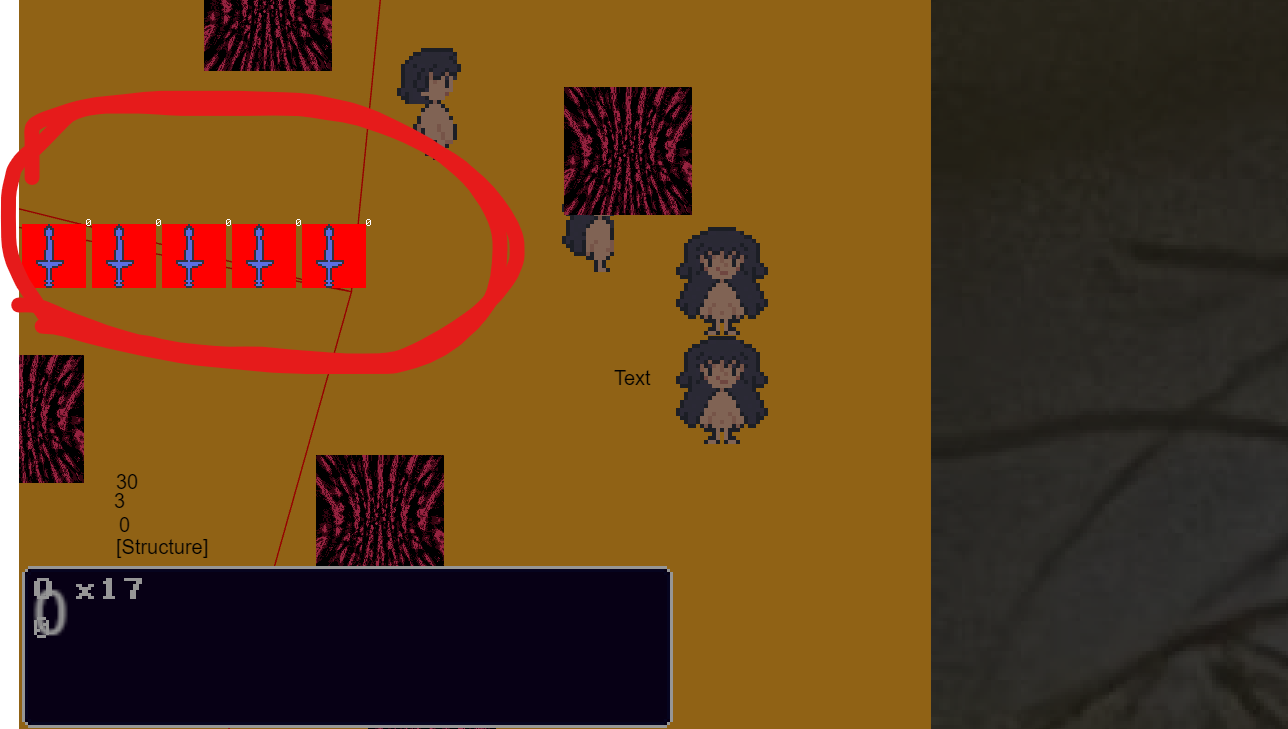
Here’s a screenshot of the Game for ref
Any guidance on the correct way to access an item in the inventory structure using either the index or the placement variable would be appreciated.
ALSO ALSO
The structures items are not saved in a way where its 1,2,3,4,5 its more like 70,85,19,45 this is so u can get dif loot at any time
I think you’re mixing structures and arrays. You don’t need to search for a structure unless you want to search for it’s value. Are you searching for the child name or the value?
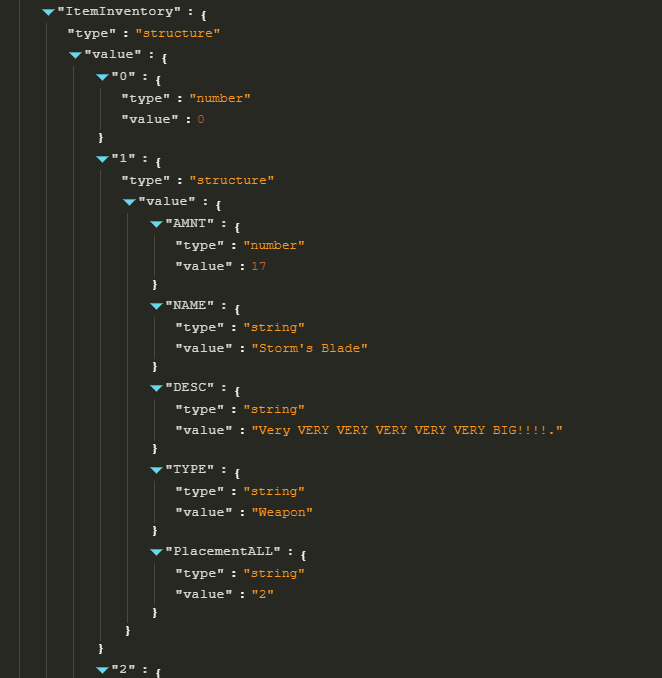
Can you post a screenshot of the structure. Either from the variable screen or debugger?
This will just use the text in quotes as the child name.
Nonsense.ItemInventory[“index1 of Nonsense.ItemInventory”].Type
The other is looking for a value in an array. IDK if it would search a structure.
yeah i am i just wanted to see if there was a way so i wouldn’t have to change all my structures
In the screenshot with a red circle im basically just trying to put this data onto text objects that are on the red squares? I have a variable called placement but idk if that can help get me the data??? idk “without reorganizing”
Which part art you trying to find? A child or the value of something or a child that may be a child of other children?
If you had a structure like
Inventory.wood.placement =7
Inventory.wood.disc =“It’s wood.”
Then it would be easy to get the placement.
But
Inventory.0.wood.placement =7
Inventory.1.corn.placement =6
Would be harder. You could use something like a for each child to go through the structure.
If the red boxes had an animation named wood or a variable like item that equaled wood then you could pick the object without the structure. It depends on your needs.
I need to get data for the icons
Since you can get items in any order I need a way to tell the game data
The way ItemInventory Works is
when u get a item it creates a child of iteminventory with the item id THIS CAN BE ANY NUMBER
Then children of the ID value is added amount,description,name,type,“placement”
placement was kinda just added but i dont know if itll be useful
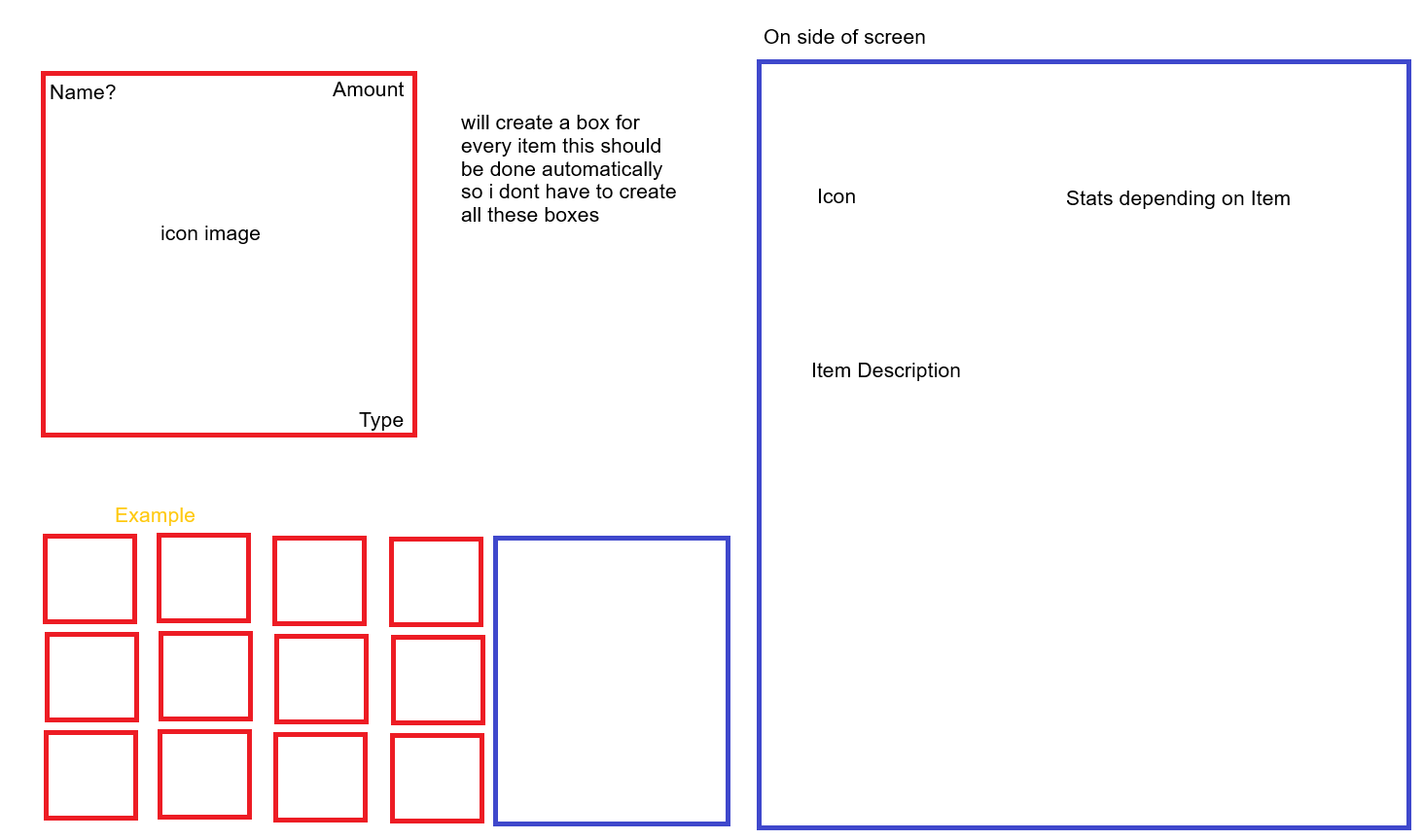
so im trying to take this data based on placement and put it in the correct red square
I COULD redo some stuff so it would have placement then ID? then the other children : /
If your red box are for inventory then you could pick the box by the animation name or an object variable. Otherwise, I’d reorganize the structure so that you could replace the item name with a variable.
Instead of
Inventory.wood.placement =7
Use
ItemVariable = “wood”
Inventory[ItemVariable].placement =7
I think ima have to do Inventory.Placement.ID.OTher children
 kinda lame I can just choose a childe placement in a structure
1 Like