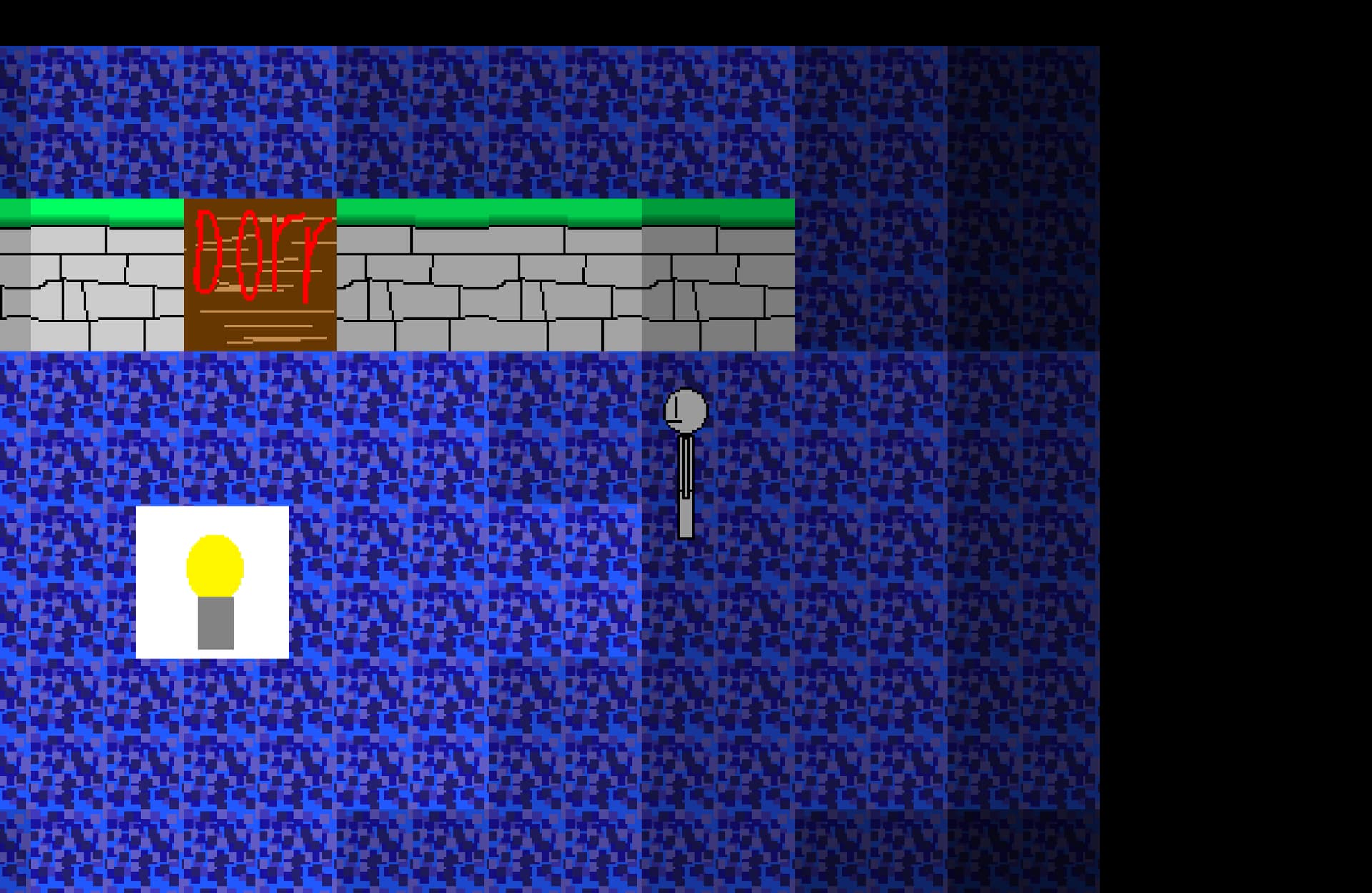
I made tiled lighting by making black squares get more opacity the farer they’re from light objects (just sprites), but i have to place each square by hand, how do i do that without placing a lot of objects by hand (it took me tons of time to make just this)
Hi …you can use repeat for each object at the beginning of the scene. Right click in actions to find it.
Set the opacity to something like 1/distance between(object.X(),object.Y(),light source.X(),light source.Y())*20000
At 100 pix distance it’s 200
At 500 pix it’s 40
1 Like
Object Masking behavior
It allows you to see trough other objects
Black makes something invisible
White makes you able to see trough it
So you would make mask image that have squares with gradually being darker further from the center
And now you could draw with shape painter rectangle at position CameraBorderLeft()-10 to CameraBorderRight()+10
To CameraBorderTopt()-10 CameraBorderBottom()+10
And you would mask sprite with shape painter or shape painter with mask i always confuse which to use
And you would get exactly what your screenshot shows
that’s not the question 
As far as I know, white can be used for 100% masking. I have done it just recently. My experience is it’s when you ‘dilute’ a pure color that you get degrees of transparency, for example if you use Red for invisible, pink for partially visible.
But I believe MetalPipeGames was asking about placing things in the scene editor and adjusting opacity individually. MetalPipeGames, I think both solutions offered to help you achieve what you want in events so that you don’t have to do things to individual sprites. However, perhaps you could use tiled sprites for what you want.
it doesn’t even mask, idk how to use masks
Also i can’t use the black block as mask
sorry - my bad - i didnt read it properly - i just did this…
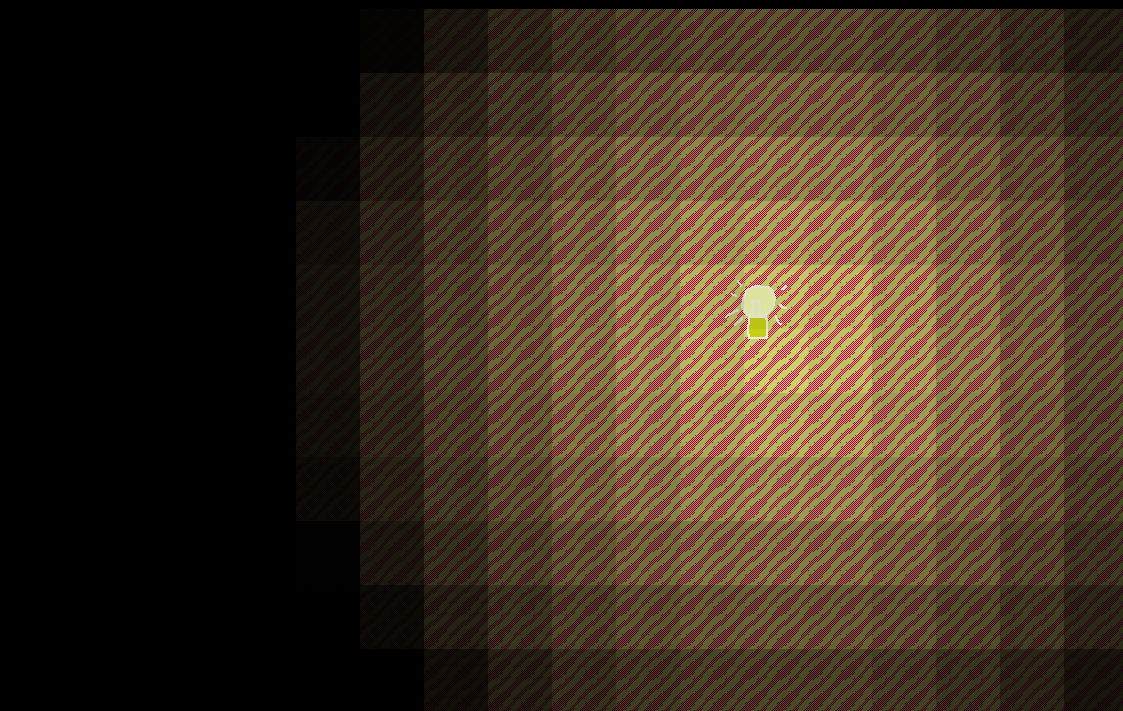
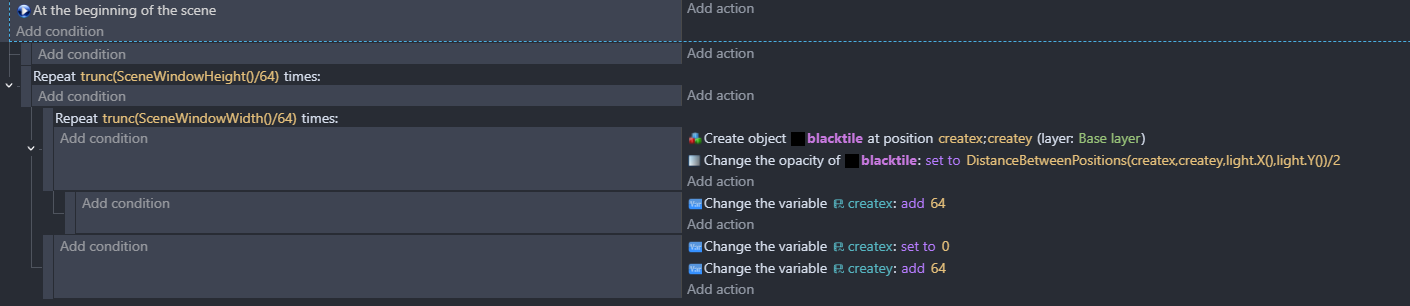
it’s not going to work with more than one light though!
but you could possibly use repeat for each light and use a variable called ‘light sum’
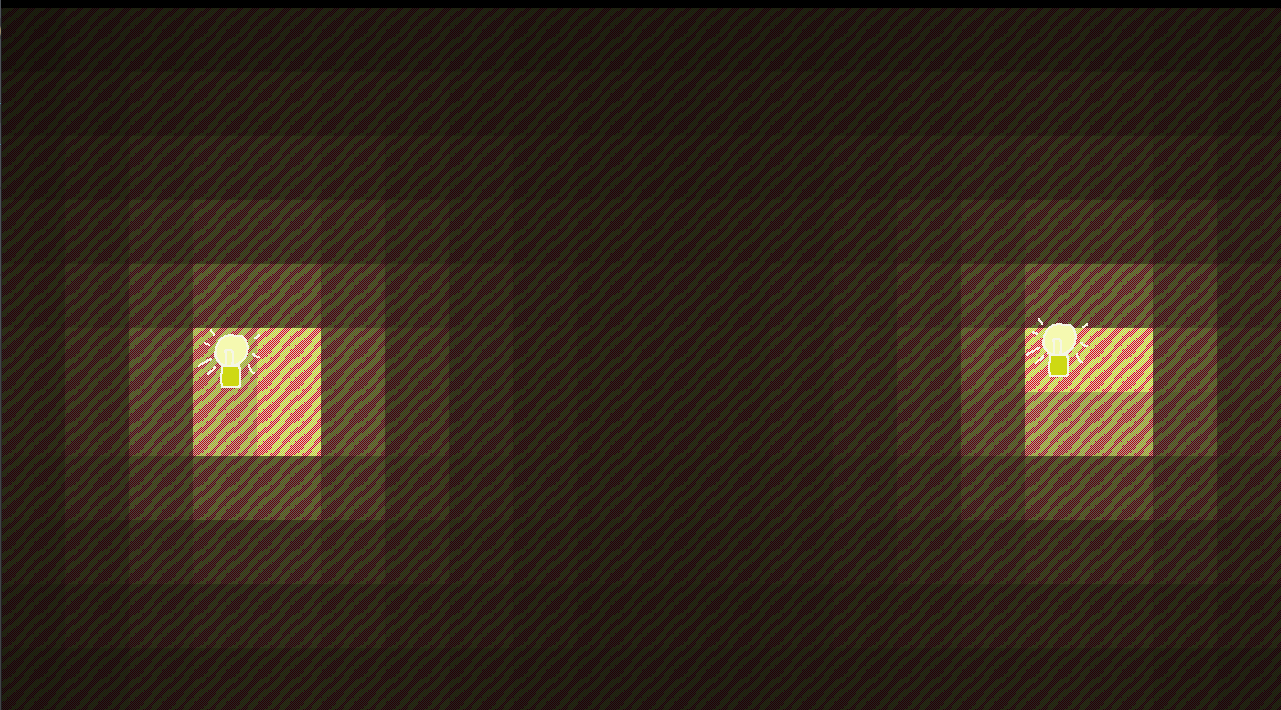
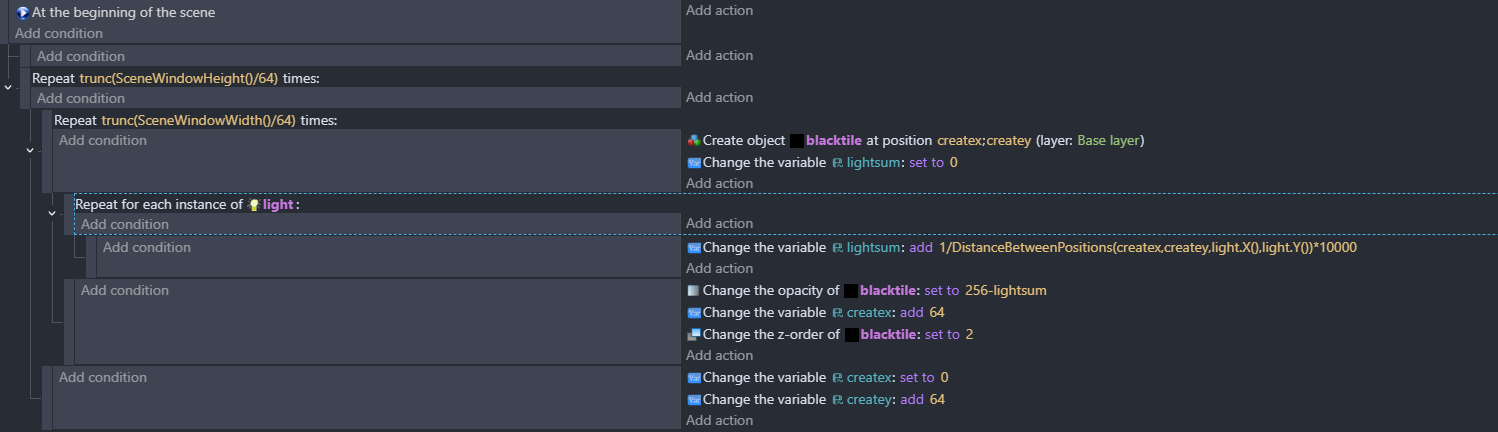
Exactly. I got extremely mixed up because I use masking to hide part of something that is ‘behind’ something else etc so I put the white mask where I want something to be seen! I was in some kind of inverse mask thinking loop before. Your idea is great, a use for masking I didn’t know about.
1 Like
Thx, it worked!!!
1 Like
I found a way to make it look the same way as before also, but it works at a very limited range ):
I forgot it works only for one object
So that kinda sux
You technically could go with multiple shape painters but that would be overkill
INSTEAD
Why not
IDK if you can make it squares
But circles should be good enough and you will be able to do this
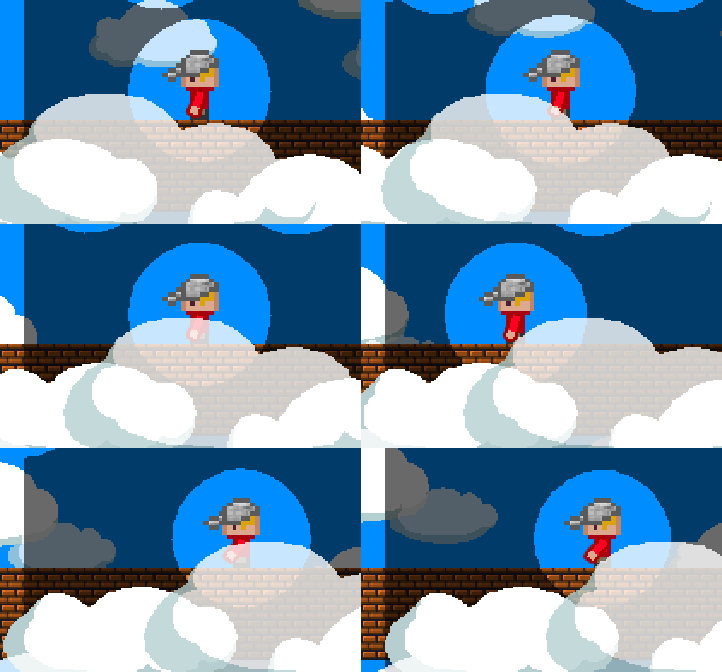
Its old gif but it works and you can see i did the same for objects that fly above player
You can see their circles above player
nope, they merge like water and look weird when cells are big
I cannot change how much shape painter to shows based on its opacity and/or color
So my apologies for tell you something is possible while its not
AND closest you would get is Petlimpet suggestion
1 Like
@ZeroX4 I can see why you wanted to apply a transition using a mask, as it would avoid the need for lots of black objects, but I can’t see a way at the moment of applying a transition across a large object …perhaps marching squares? I don’t know enough about it though and it seems quite process hungry.
One thing that you could do …if the world is cellular, then instead of having a black square on top, you could apply a formular to the objects tint. If you convert the tint string to three variables a b and c. (edit doh - its just going to be 256;256;256!) Then you sum the distance to the various light sources like I did above. Next you can subtract light sum from a b and c and then convert it back to a string and tint. You could use an expression here to colour the light.