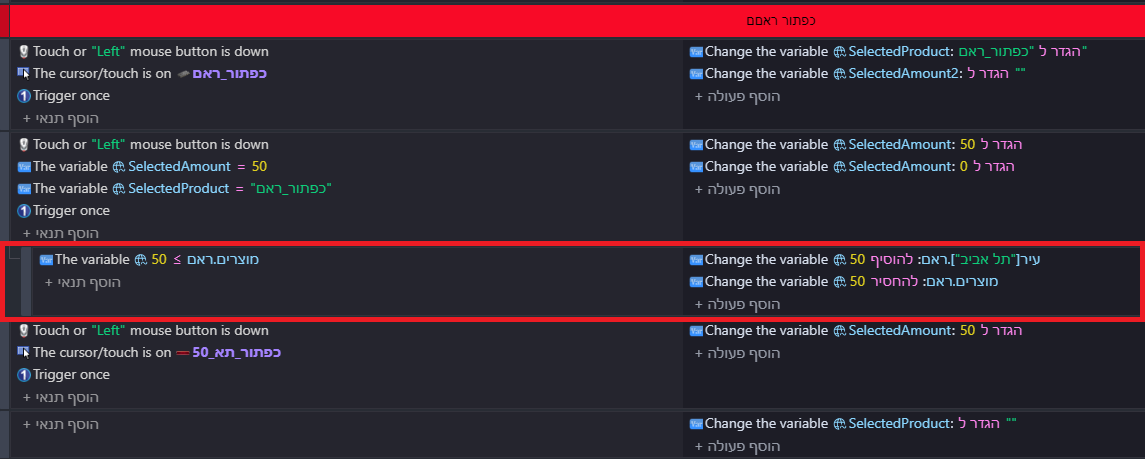
I’m having a strange problem with my inventory transfer system.
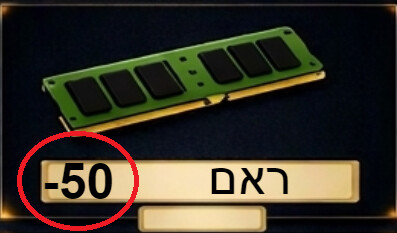
I have two buttons for transferring inventory: 10 units and 50 units.
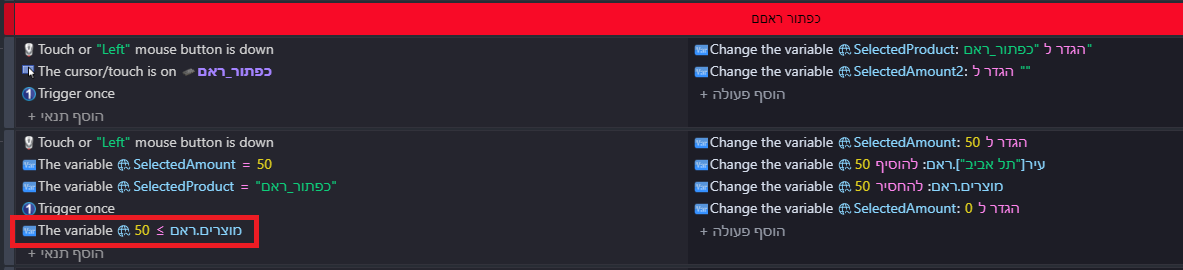
The 10-unit button works perfectly. It checks whether there are at least 10 units in the main inventory, and prevents the transfer if there isn’t enough stock.
However, the 50-unit button does not work correctly. Even when there are 0 units in the main inventory, it still subtracts 50 units and adds 50 units to the selected branch, resulting in negative inventory.
Both buttons use the same logic, with the only difference being the amount (10 or 50).
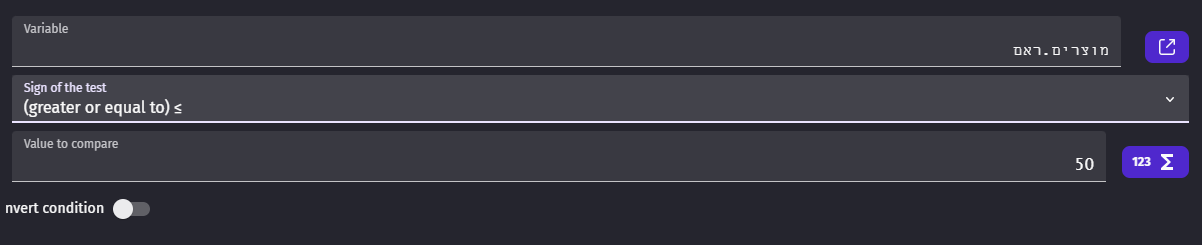
The condition for the 50 button is also set to check whether the inventory is greater than or equal to 50.
I can’t understand why the 10 button works correctly while the 50 button ignores the inventory limit.
Has anyone experienced this issue or knows what might be causing it?
First of all, as far as I know, you should always place “Trigger once” at the bottom of the conditions, so below “Variable 10 <= X” and “Variable 50 <= X”, otherwise you can get unexpected results.
But to understand what’s going on, what are you comparing these variables against, in “Variable 10 <= X” and “Variable 50 <= X”?
Thank you for your suggestion. Unfortunately, removing “Trigger once” did not solve the problem.
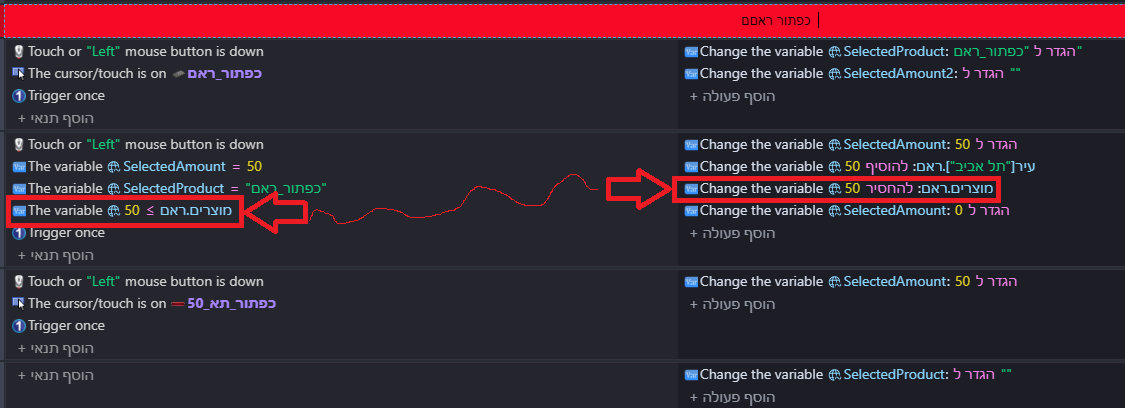
I’ve now uploaded an annotated screenshot and marked exactly which variable is being used in the inventory condition, and which action subtracts the stock.
I’m trying to understand why the inventory limit does not prevent the 50-unit transfer from reducing the stock below zero.
What I needed to know is what the Hebrew means, but I think I got it.
So, your condition is:
SelectedAmount = 10
SelectedProduct = RAM
10<= Product.RAM
That’s correct?
I think you should reverse the last condition and say Product.RAM >= 10 (or 50), because you want to check if you have at least or more than 10 or 50 of that product in stock.
I don’t think it’s equivalent, it does not work both ways. You are checking if 50 equals or is smaller than RAM. This does not check if you have more than 50 RAM. You should write it Product.RAM >= 50. Same for the 10 case.
That’s exactly how my condition is already set up: Product.RAM >= 50. The variable is on the left, the operator is greater than or equal to, and 50 is on the right.
The 10-unit button works correctly, but the 50-unit button still allows the stock to go below zero.
I don’t have anything yet, but what is the difference between SelectedAmount and SelectedAmount2? What do you store in the second one? Also, are you sure that the amount in Product.RAM is correct? How do you calculate that?
SelectedAmount stores the transfer amount: either 10 or 50.
SelectedAmount2 remembers which product button was clicked. For example, when I click the RAM button, it stores the RAM selection so the game knows which product I want to transfer.
Product.RAM represents the current RAM stock in the main inventory. When I transfer RAM to a branch, the amount is subtracted from the main inventory and added to the branch inventory.
I tried your suggestion, but unfortunately it didn’t solve the problem. The inventory still goes down by 50 even when there aren’t enough items in stock. Thanks for trying to help!
I managed to fix the issue! The solution was to use sub-events and separate the inventory deduction from the stock addition, with the 50-unit stock restriction in the appropriate sub-event. I’ve attached a screenshot showing how I did it. Thank you for your help!