Hi everyone. I like the new gd.games redesign but I have an issue with my profile.
When I go to my profile page I can see my games when I use my windows device, but when I use my android device I can’t see them. It shows “load more games” even though I can’t see any of them. Also, my games don’t appear when I search them by category (Educational). I can only see my games and play them when I search them by name.
One of the issues appears to have been solved, but a small nuisance has appeared.
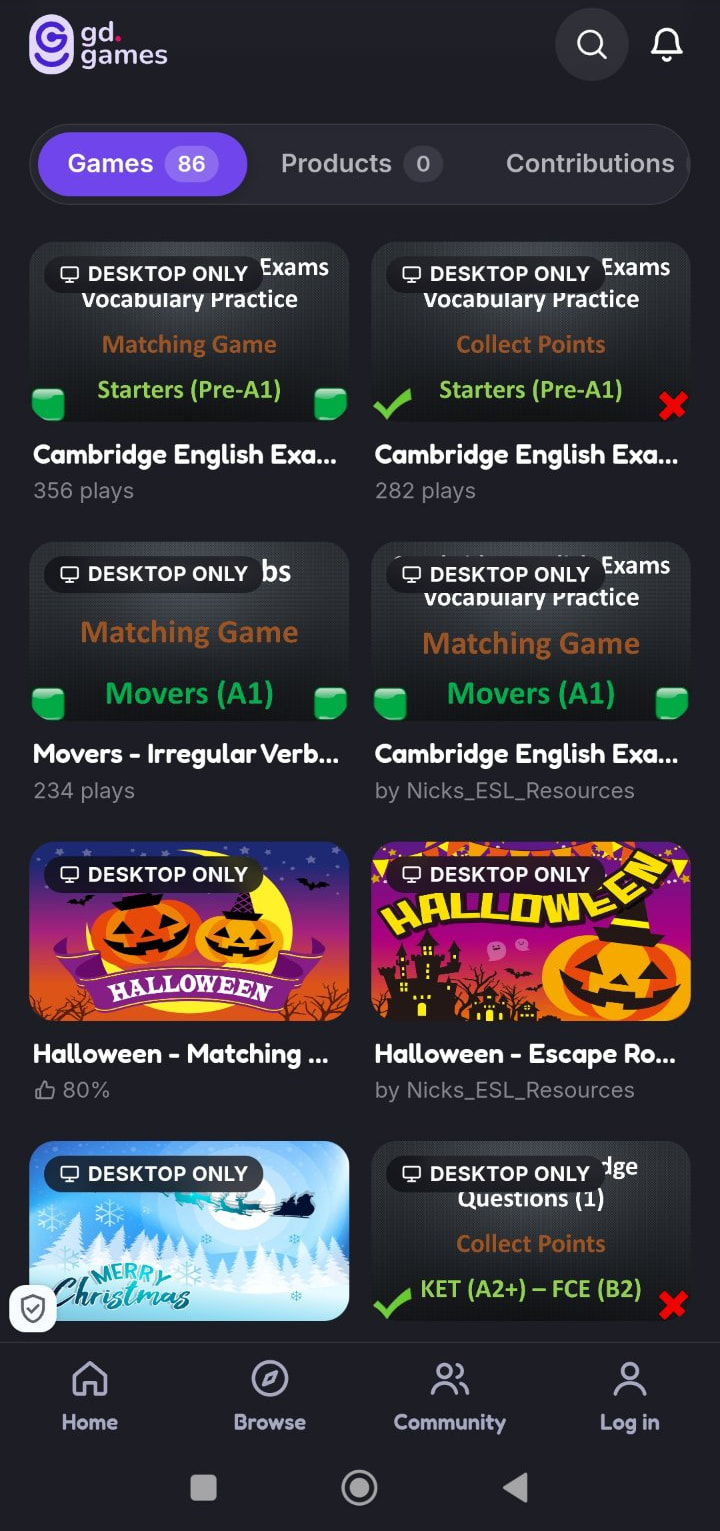
I can now see my games under my profile, but on the top left corner of each game it says “DESKTOP ONLY”. This blocks part of the picture of each game on my profile page while at the same time it makes it hard for people to read some of the titles on the pictures. Even though it says “DESKTOP ONLY”, I can play them on Android. This only happens on Android. Everything works perfectly on Windows.
I have checked other creator’s profiles and this doesn’t happen to all of them. To others, it shows “DESKTOP ONLY” to only a few games. I don’t know why this happens since when I created the games I chose the option to create the games for both desktop and mobile.
The issue that hasn’t been solved yet is that my games do not appear if I search for games by category (educational). This means that people can only find them through my profile or if they search for the games by name (This only happens on Android).
I’m really grateful for the quick fix of the first issue. Fingers crossed the others will get fixed too.
I have checked other creators’ profiles and this doesn’t happen to all of them. For others, it only shows “DESKTOP ONLY” for a few games. I don’t know why this happens, since when I created the games, I chose the option to create them for both desktop and mobile.
These are the games that do not have the “mobile” tag.
Go back into your game dashboard to enable it; that will remove the “desktop only” label.
Thanks for the help! With your solution, you just killed two birds with one stone. Selecting “Touch (mobile)” in the dashboard removes the “DESKTOP ONLY” that appears on the pictures and makes my games appear in searches by category.