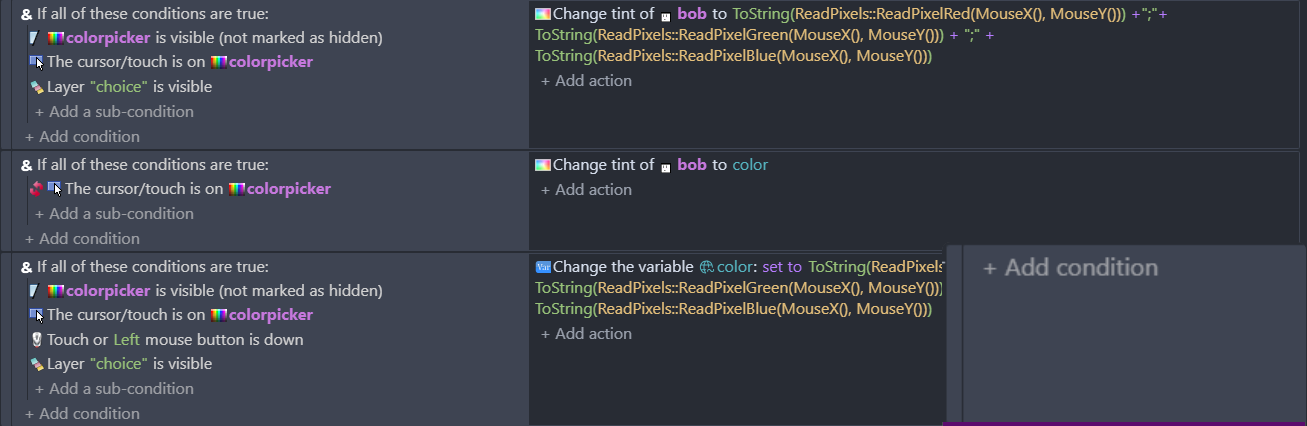
using the read pixel extension for around two-ish years it’s done what it was supposed to do. but it stopped today. i would have the player use a cursor over a rainbow image and then while they hover it’d show the hovered color. and when you click on the color it’d set a variable to ToString(ReadPixels::ReadPixelRed(MouseX(), MouseY())) +“;”+ ToString(ReadPixels::ReadPixelGreen(MouseX(), MouseY())) + “;” + ToString(ReadPixels::ReadPixelBlue(MouseX(), MouseY()))
this variable would be used to tint things.
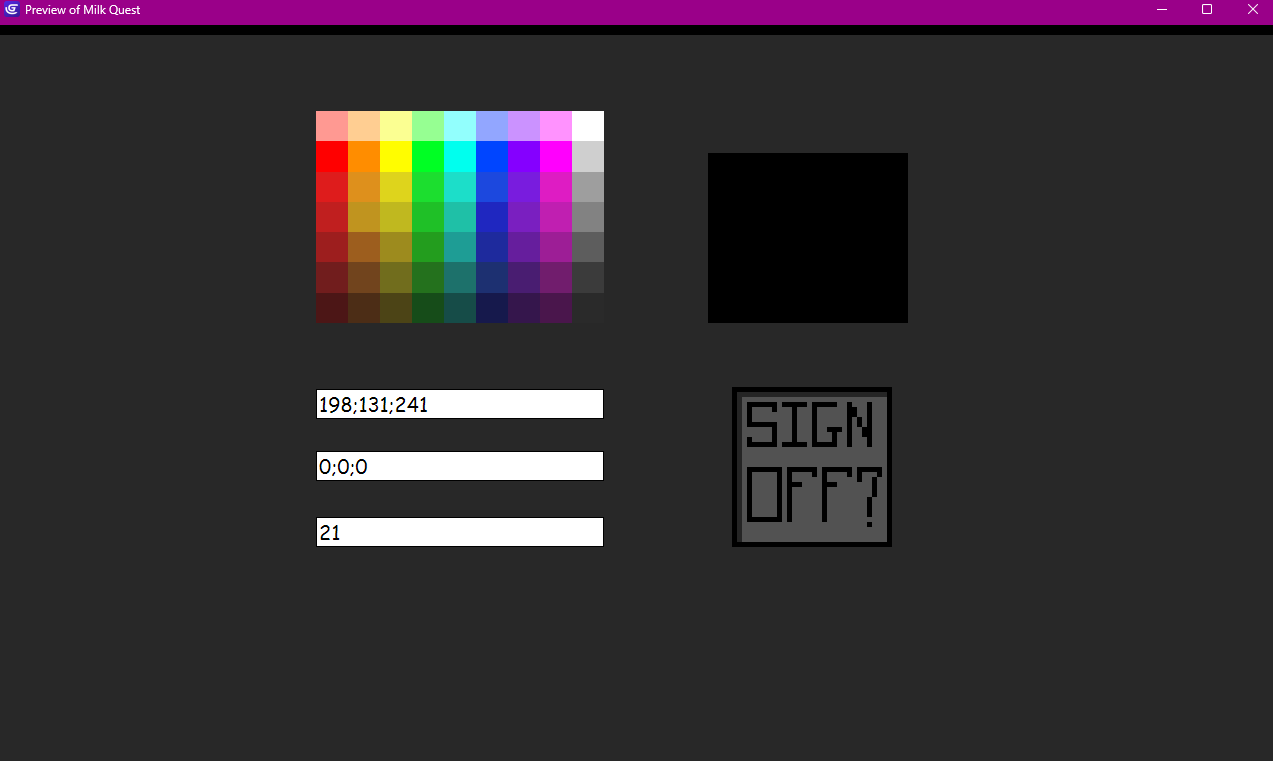
now however, it gives the color black no matter what. always coming back as (0;0;0)
i set the top box to say what the current color variable is (i didn’t click anything so it’s the defaul light purple i set), however the one below it is what i have my cursor on, but it only shows black
I just tried it and I’m getting “0;0;0” as well. I’m using the online version. Maybe it’s an issue with the most recent version of GD. They made a lot of changes. If you’re using the app maybe you can try an older version.
I tested one of my old projects in 5.6.284 desktop and everything worked perfectly, A text box correctly showed the read pixel colour and the tinting of an object was correct. I re-installed the extension as it was quite an old project but everything still worked perfectly.
Many times due to my own mistakes I’ve had the 0,0,0 black error but I think it was due to getting save and load to work on the tinted objects.
Okey dokey, I just saved the same project to online and opened it there and everything still works. I can’t get it to fail haha.
Update
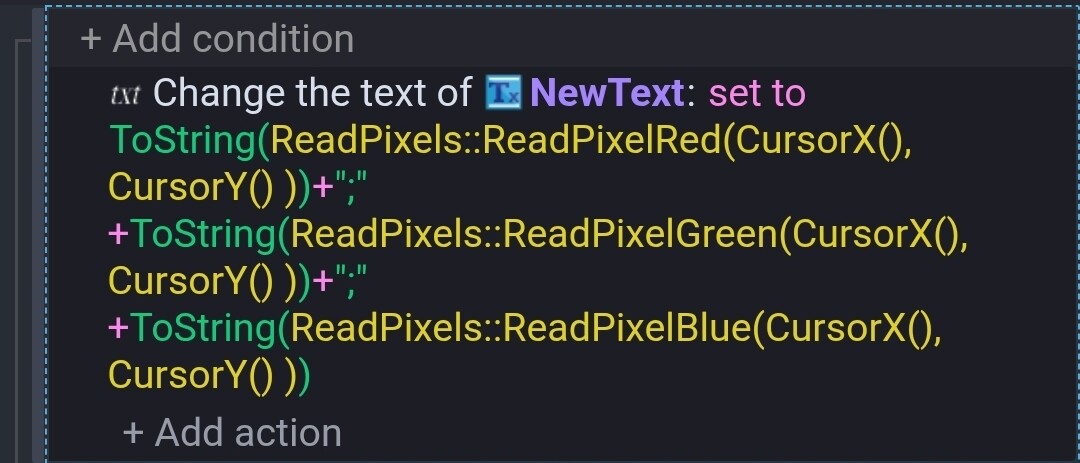
I notice you are using mouse x/y instead of cursor x/y, I tried mouse x/y too and it still worked. But Keith used cursor x/y and got errors.
I am the one who created the extension, I have no issues with:
This version of GDevelop is: 5.6.284 (editor full version: 5.6.284-7c151eef764800ce8c0f06de89a90e497b454ed9, core version: 5.6.284-0)
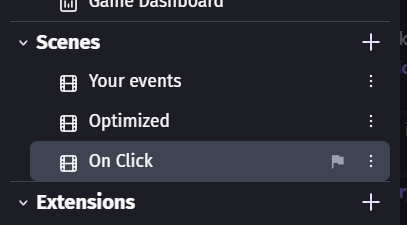
Here is my test project, I think you have issues with the conditions somewhere else because the expressions work on my end, check the example it contain these scene
I’m using the online version 5.6.284 on an android with Chrome. I’ve used the extension plenty of times. The only time before this that it has failed is when used at the beginning. I was told that failed bc of a loading/timing issue. Otherwise, it’s always worked.
I found an older project that worked in the past and it also now returns 0;0;0. It seems tied to the recent update. Although, I don’t recall the last time when I used read pixels.
On a side note. Have you ever considered adding a function that returns the color as a string in the semicolon GD format? It would be much easier and cleaner to use just 1 expression. It would probably be quicker as well.
My test project was just an image and a text object with the events that I posted. I can try it using other browsers and if I can, I’ll try it on my PC. I tried both mobile and desktop mode in my mobile browser. Same outcome.
That is very kind, but when we ask for a project, it is so that we do not have to redo what you have already done in a project. Having the same working base saves time for everyone.
Also, manually copying events from an image to create our own version can lead to copying errors and, therefore, not the same results.
It is not for pleasure or to bother people that we do not want to copy event sheets; there is logic and meaning behind it. It reduces differences between projects because if the same one is shared, we are already starting from the same solid base that is not subject to copying errors from an image, even a simple one like yours. It might not even be the lines in the screenshots that are causing issues; it could be other things in the project.