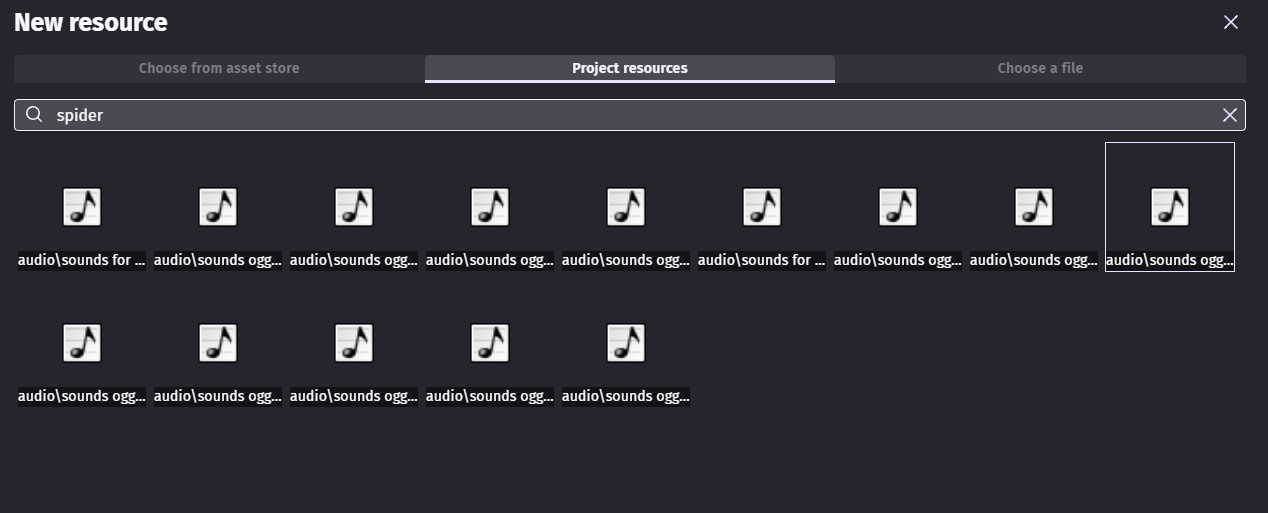
I can’t see what they are until i’ve selected them, as they’re in sub folders. It would also be great if I could preview them - but a wider file path window or alternative view settings would be great or at least hover over and the full name of file and path is revealed
I know that you can choose a file and see it via windows - but if it’s already in resources i think it should be a bit easier to access
I would add that maybe better requests would be just to preview ANY resource
Not just sound
For example something as basic as fonts is it ttf or bitmap
There should be preview button including one for sounds
I changed the title to viewing resources.
Yeah - i think when viewing image resources it should at least give you more detail when hovered over.
in sound i literally can’t tell what anything is until i’ve opened it! …it doesn’t need a big sound icon as i know i’m looking at sounds
You can actually rename them in the resource panel! I figured this out a couple of months ago, and it has helped me tremendously!
And, it will not change the name of the file outside of the project, so you can, for example, rename a file that was originally named “mus_goofy_scene.ogg” to “Goofy” and, when referring to it in an action, just fill it in with “Goofy” and it will play the sound.