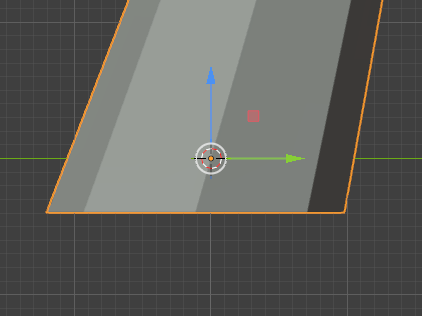
Terrain 3D, Scattered Models does not use object origin

Describe the bug

Today I was playing with scattered models. So I noticed some issues with it.

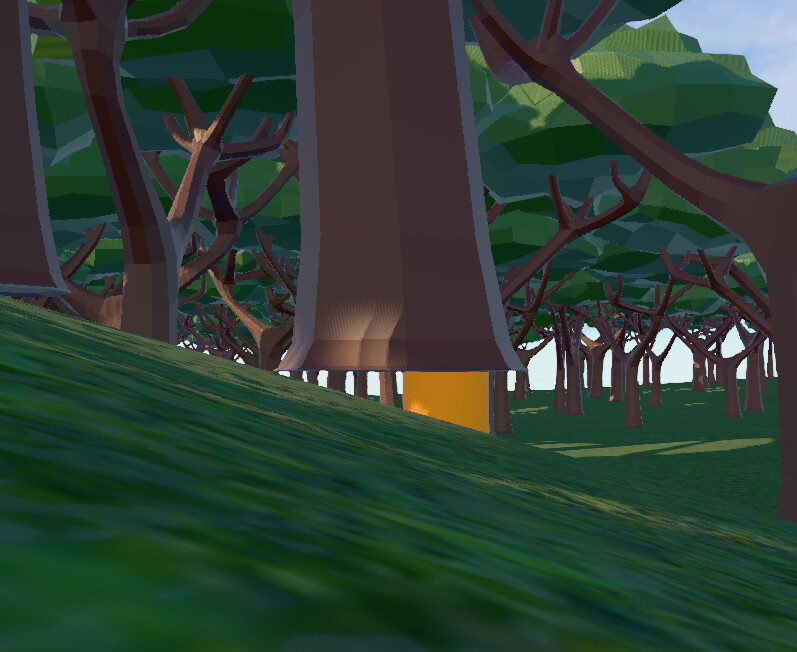
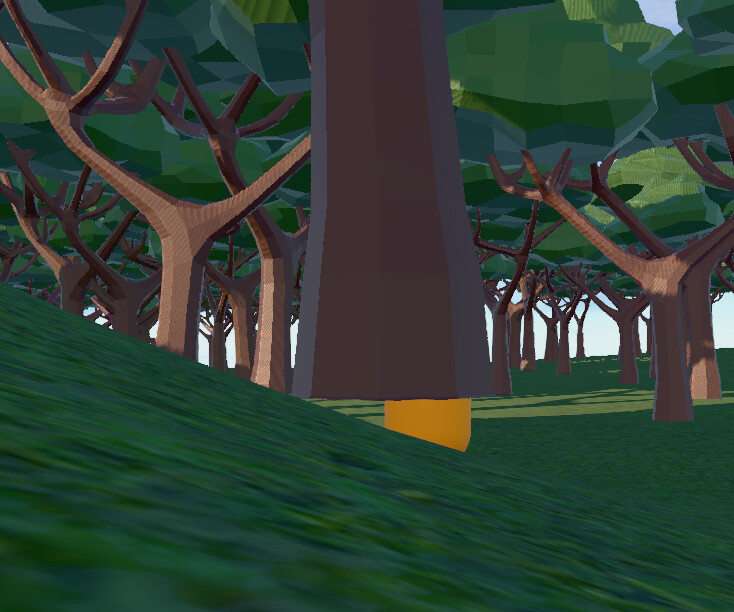
First I noticed for Leafy Forest prefab has Trunk collisions are offset. It is not at the location of the trunk. It is a bit on the side.
Then I check the code of the DefineScatterHelperClasses and I realised it creates the TrunkTriangles at the center of the object (bbox).

This is very problematic when you use a tree model with asymmetric canopy, such as “Common Tree 1.glb” in the Leafy Forest prefab. Because, now the trunk collision is at the side of the model’s trunk instead of the trunk’s real position.

Also when it comes to the scattering logic, I understand the some reasons to use bounding box center instead of the model origin. such as density spacing etc.

But again when we have a tree model with asymmetric canopy, in some cases it causes that all the trunk base is floating on the slopes, instead of half of it should be floating if the scattering done from the origin.

Of course correct way to handle the floating trees is the extending the trunk base below origin point. OH! wait! scattering uses the object center not the model origin so we are never able to fix that.

Well… I guess these explains how scatter model object limits the developer because it work in certain models.
Suggestions

So, all scattering logic and trunk collision creations should be done considering the model origin not the bounding box center, Like a real 3D game engine or 3D modelling software.

It is not a good practice simply ignoring accepted modelling, exporting, designing principles when implementing new features to the engine for the sake of ease of use. I say this because I believe it was a wrong thought that says “hey we can’t guarantee if the model has proper origin point, so better to use bbox center or else people gonna have bad time” or it was just Claude code’s slopy unnecessary idea that AIs usually invent from their arses.

Guess what? now people that know proper game development practices, has a tool that works against them and limits them into using spessific 3d models.

Bonus:
It is so crazy that Gdevelop is Z+ Up game engine, but Scattered Models are only accepting Y+ Up models… why? I am sure because the gd asset store is full of Y+ up models…
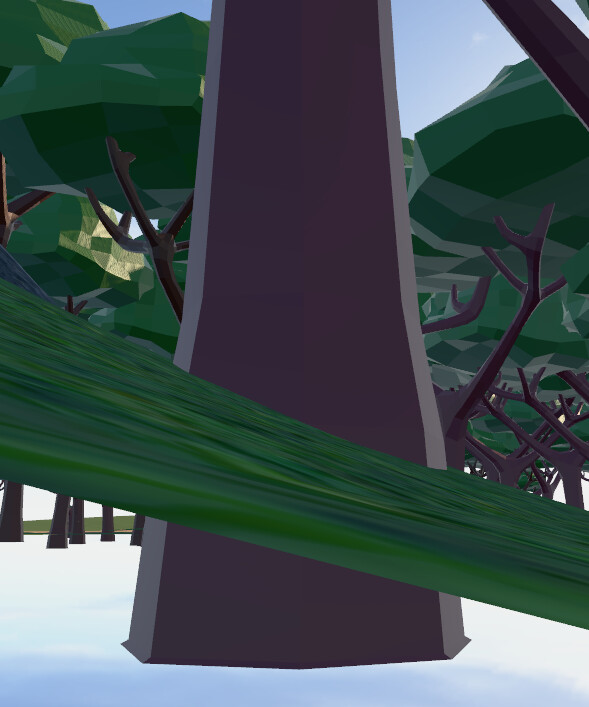
This should be taken seriously.
Currently calculating object bottom center and following the same method in all scatter logic is awfuly wrong. Which causes misaligned Trunk Collision locations and floating objects on slopes. People could have strange asymmetric objects to scatter, not only the perfect symmetric ones.

Deciding where is the object center is not Game Engines decision alone. User can decide by placing their 3D model accordingly before exporting to glb. Which is a normal workflow in game development.

Would you be available to test this change in this version of the extension?

Terrain3D.zip (61,3 Ko)

Thank you for adressing this issue.

I confirm that your changes fixes the issues.

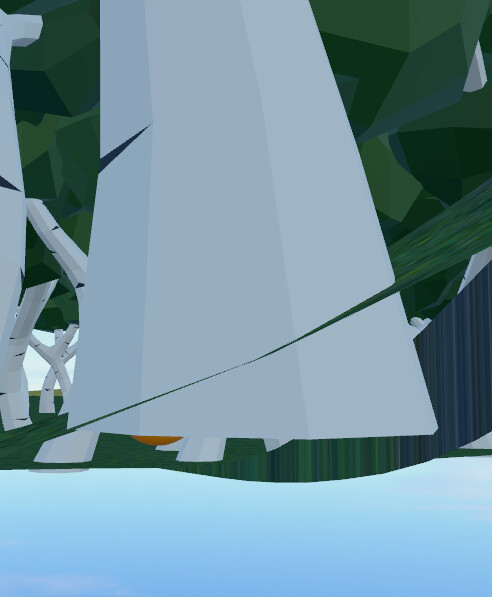
The tree with white trunk is Zup exported model. The other one is Yup model from Leafy Forest prefab. As you can see because it is placed at the origin, trunk base is clipping trough the terrain which is exactly what is needed to prevent floating objects. and with that it automatically solves the trunk collision position is not at the object’s origin position. Great!

This is impossible to achieve if object bottom center is used, because no matter how high you place the origin from the base of the trunk, the model will be pushed up and it will be still floating.

Example down below shows that you always extend your model below origin point so when it is placed on another objects angled surface you are preventing floating objects. this is well known common trick.

Anyway,
I really appreciate your care on this situation and your elegant solution by adding dropdown options is so good. Thank you.

But I am not done with the new Terrain3D extension issues :sweat_smile:
For example; It does not expose the Angle and Scale of the Nearest Copy. It is only exposing the Positions of the copy. Which makes it impossible to create an exact replacement of the copy for the things like chopping a tree and spawning a falling one after deleting the copy. (like the docs is suggesting it can be done) I understand you don’t need the angle or scale to create a falling log and spawning some effects, but while the data is there why not to expose it, so people can create perfect seemless transitions between instancedmesh and actual object.

I fixed all of these issues in my test project by editing the DefineScatterHelperClasses code and adding new expressions etc. but it is not convenient to use it that way in a long run in different projects and I also didn’t think of doing dropdown options like you done. Most importantly it will be good for everyone, because the issues I am surfacing right now eventually will come from other users when they want to use these features. Better fix it before it becomes a problem.

As you know, this is an extension, and since you’ve already made the changes, I suggest you send it to us via the repo at GitHub - GDevelopApp/GDevelop-extensions: Repository of behaviors, actions, conditions and expressions to be used in GDevelop for creating games · GitHub

I’ll discuss this further internally with the team on Monday.

(If you already shared it, please link the url please)

Thank you for your suggestion and your care to bring this up to the team.

I did a PR

I did a few edits and fixes. I’ll let you take a look in case there is anything else, and I’ll merge it later today.

The fact is that I had to put the “size” field back in for backward compatibility; otherwise, people would have smaller objects on their existing terrain.
Please verify by checking your projects that have a “size” field defined; using the version I fixed should not change the dimensions of existing trees.
The “size” field is marked as deprecated, so it is hidden, and the “scalefactor” is used if it is filled in, as you requested.

I saw your edits today and thank you for that. You are the king Bouh.

Now I test your latest version. After updating the extension, all the prefabs are ignoring the new “Scale factor of copy” property. Existing one and also the newly created prefabs. They are stuck to their previous height property.

Even if you create new Scattered Models object and choose any of the prefabs, the scale factor property change nothing. Only way to change their sizes is Min/Max size properties.

If you press “skip and create from scratch” scale factor property is working.

But getting copy angle and scale works fine for the old and new prefabs.

It’s been adjusted. I also took the opportunity to add a breaking change notice to the extension update to warn users about the change to the “model anchor”, which now defaults to “model origin”.

There is no way to preserve the previous behavior through a default value (because there is none), so this will inevitably change the position of some models. The breaking change notice explains what needs to be edited to restore the original positioning in their project.

Thank you for your hard work. I really appreciate your effort to make Gdevelop features better. Thanks again.

Thanks for the help on this update.
The extension has been merged, with this changelog to be displayed in the next version of GDevelop:

Terrain 3D Scattered Models update (#2356)

  • Allow choosing the up axis of the 3D model (Y or Z).
  • By default, the origin of the 3D model is now put on the ground, instead of the center of the model base.
  • Allow resizing the 3D model with a scale factor, instead of a fixed height in pixels.
  • Added two expressions to get the angle and the scale of the nearest scattered copy.
  • Added an action to create an object in place of the nearest scattered copy (the object is created on the layer of the scattered models object).