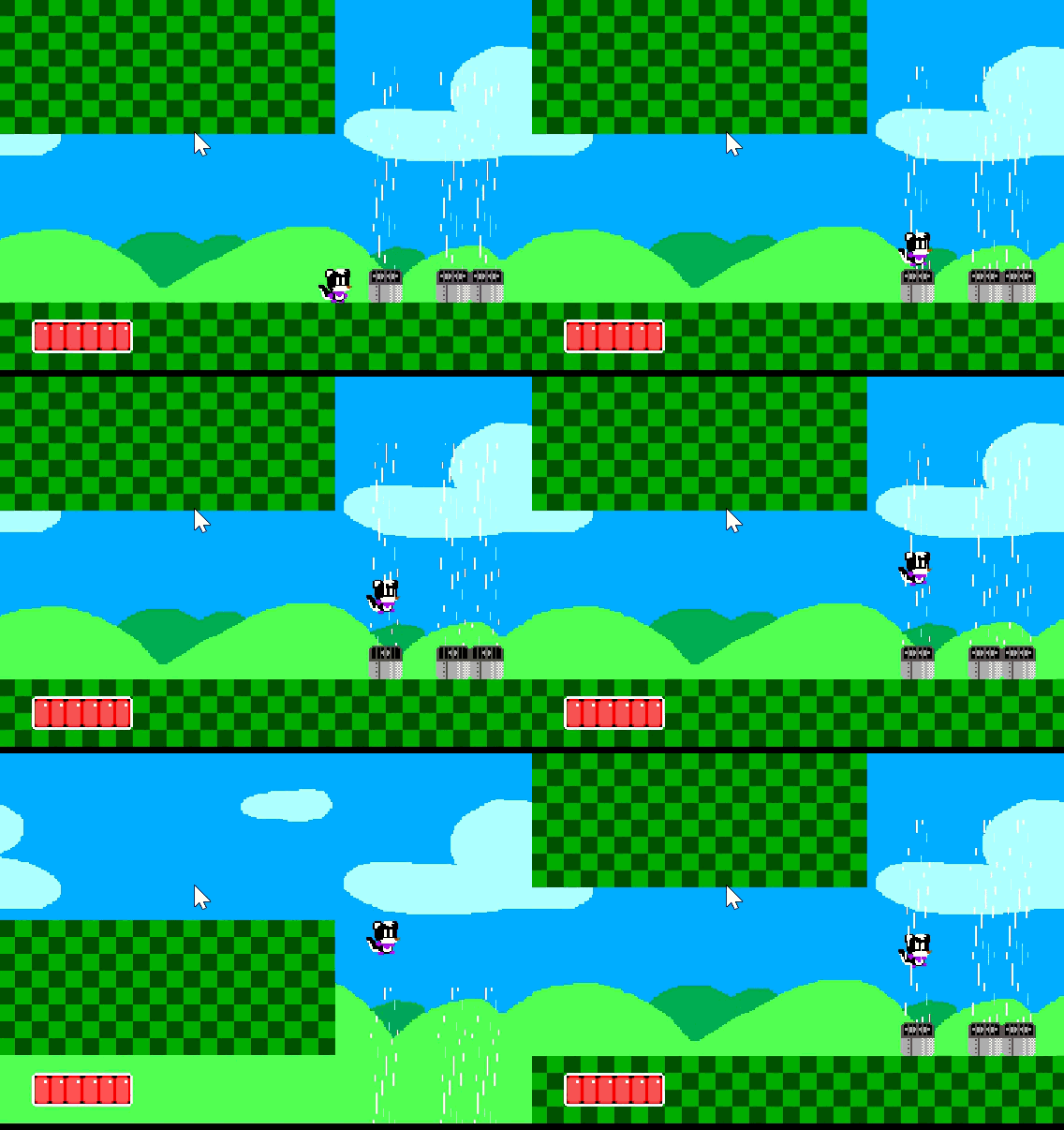
I made the fan that pushes you upwards, but it’s very clunky. You only fly out when pressing the jump button, and when you reach the bottom, you just start bouncing.
The player character uses the platformer character behavior.
example:
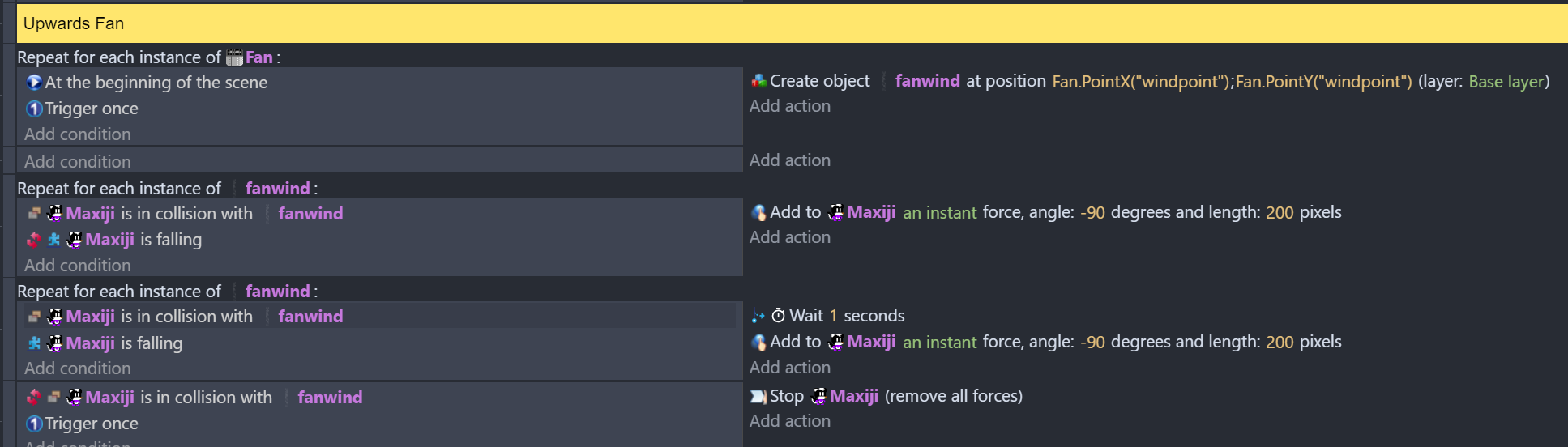
Not exactly sure what the problem is, but it does seem that you are repeating some of those events too many times! According to that events image, you are repeating an “At the beginning of the scene” event 60 times per second, per fan! The best way to fix this would be to put the condition in a sub event. Also I’m pretty sure that “At the beginning of the scene, trigger once” does the same as at the beginning of the scene! You should just lay it out like this with “At the beginning of the scene” as a main event with a sub event for the repeating & creating.
Also you can completely remove the “Repeat for each instance of fanwind” because what is in there already repeats for each instance of fanwind.
That should make it work better and MAYBE even fix it? It could have been the lag of running those an unnecessary amount of times that is bugging out the fan, not 100% sure.
Hi in addition to @SnowyRawrGamer comments there’s no trigger once on the collision that has wait 1s. Why have you got wait 1s there? It leads to lots of waits being produced while it’s in collision
Also it’s better to have an instant force linked to a variable ie
Fanforce greater than zero then… instant force at -90 and fanforce subtract 1
Or use a Boolean
But what I’m trying to do make it push you up smoothly. The fanwind object is just one sprite.
I set the fan object to create the wind at the start of the scene, so I don’t have to manually place the wind down alongside the fan.
I had the wait action out in to give of the illusion of gravity pushing you back down, before the fan’s force catches up. Like rubber band. I might try out removing the “for each object” condition and see how that works.
Instead of applying a force, have you tried reversing the player’s gravity of the platform character behaviour while it’s in collision with the fanwind object, and back to normal when it’s not?