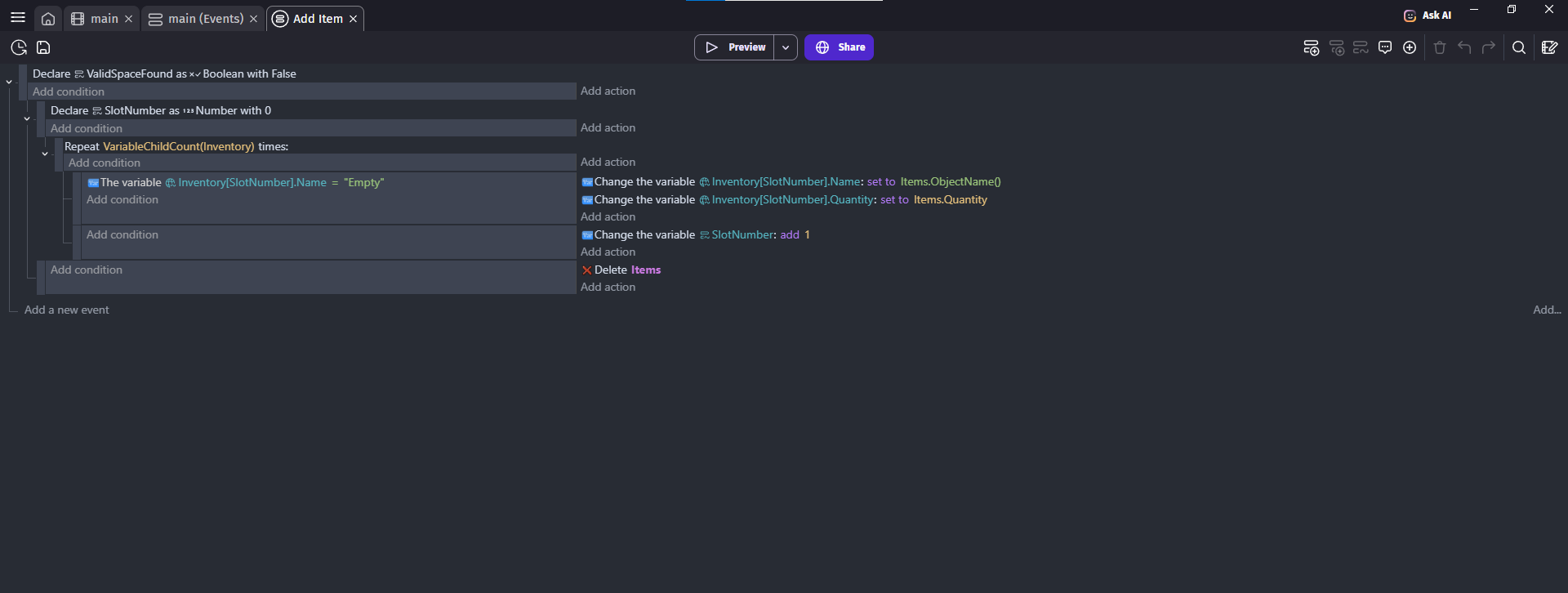
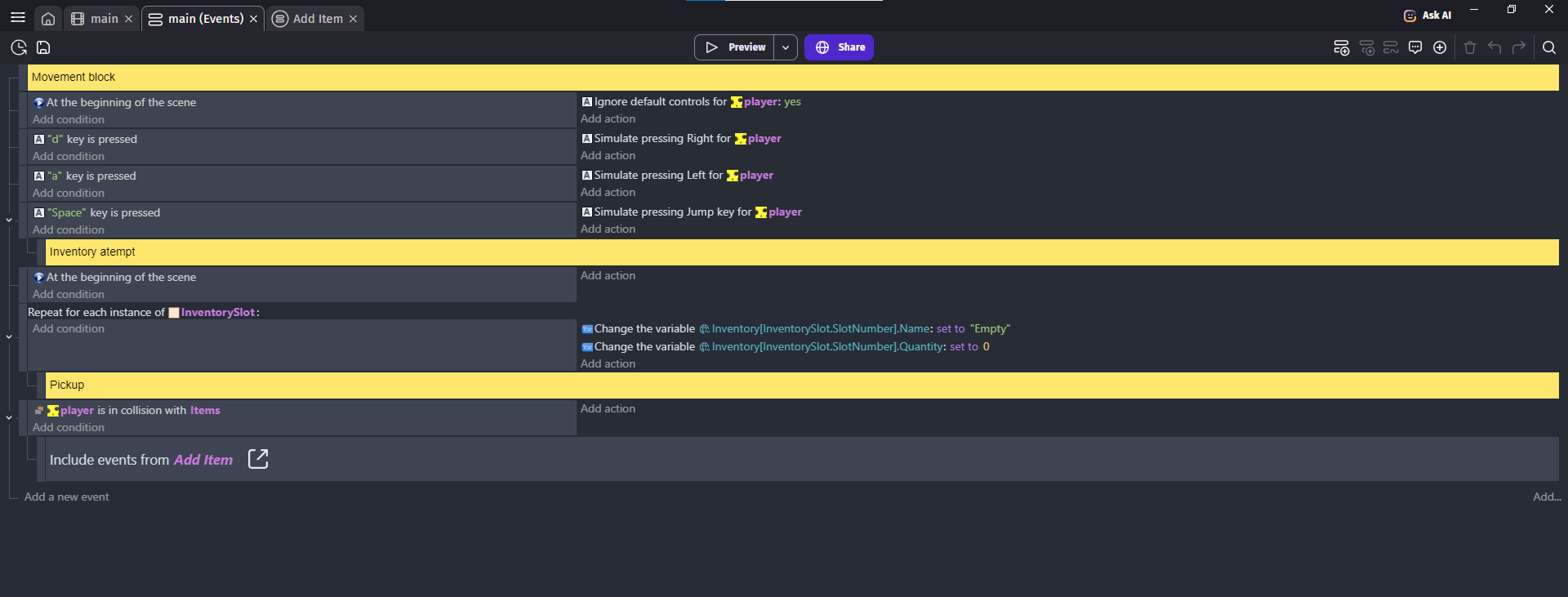
Hi! I’m new here. Trying to add inventory to my project using “Building An Inventory System - Adding Items” Youtube tutorial, can not pass one place in 6:00 minute where is “'Inventory[SlotNumber].Name” shown, for me line turns red.
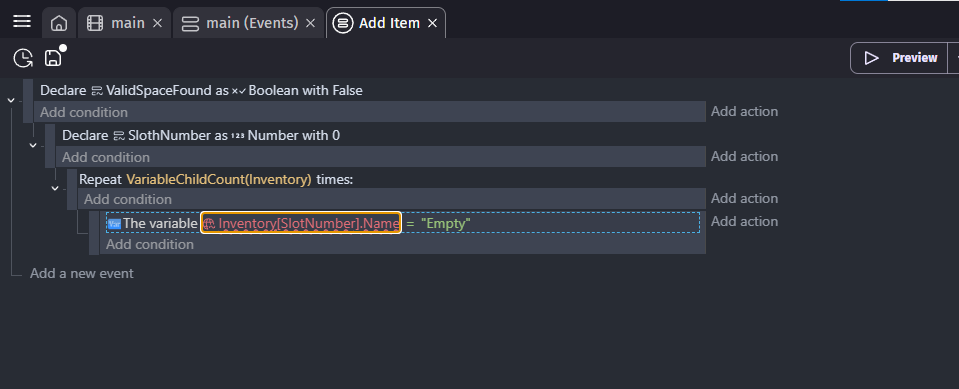
Hey! If you double click on the red Inventory[SlotNumber].Name, it should open the full menu up, and tell you exactly what is happening there in small red text. Could you send a photo of that text here?
Also, welcome to the GDevelop Community! 
2 Likes
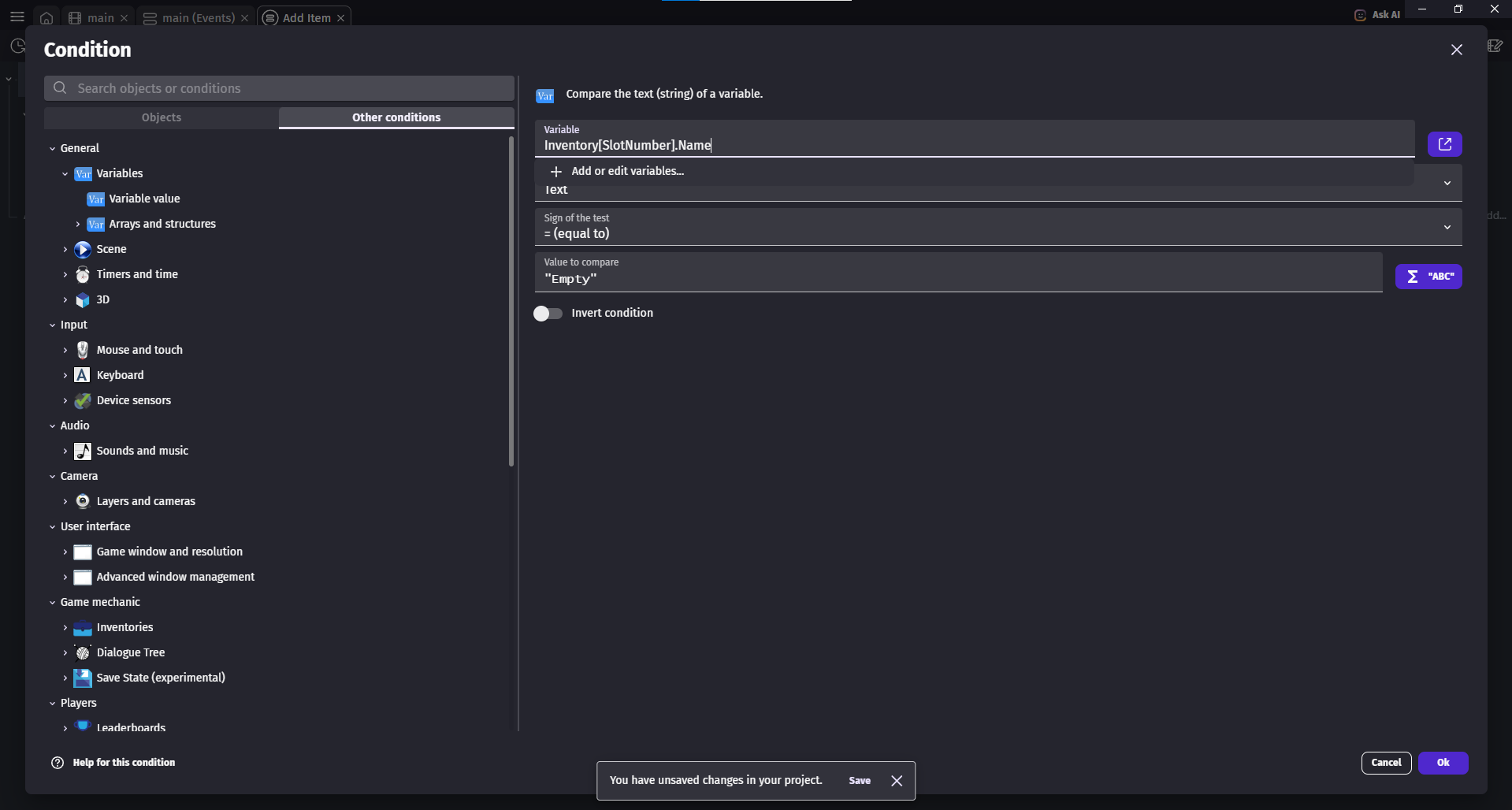
You’ve declared the variable as SlothNumber (with an ‘h’ in the middle), but are referencing SlotNumber (no ‘h’):
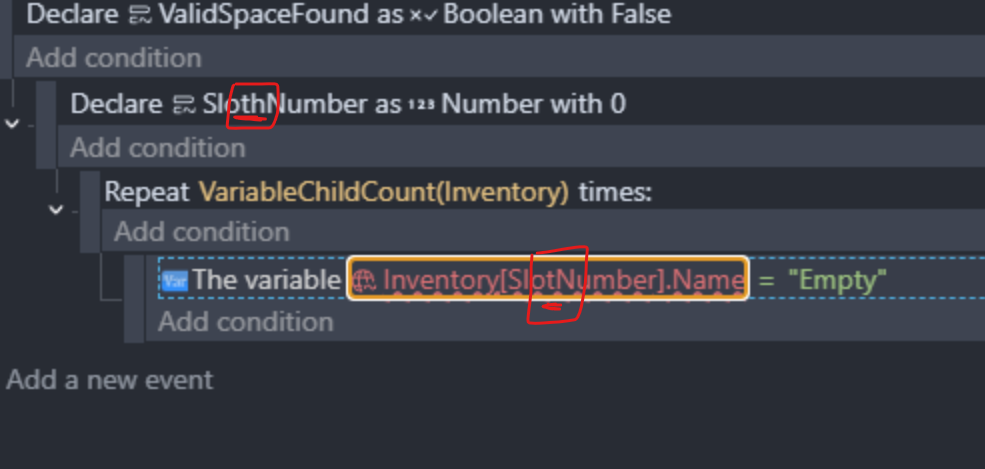
3 Likes
Oh! Thank You! It’s my Classic moment.
1 Like
And somewhere in the world there’s a sloth that’s been left feeling ‘empty’ as a result!
1 Like
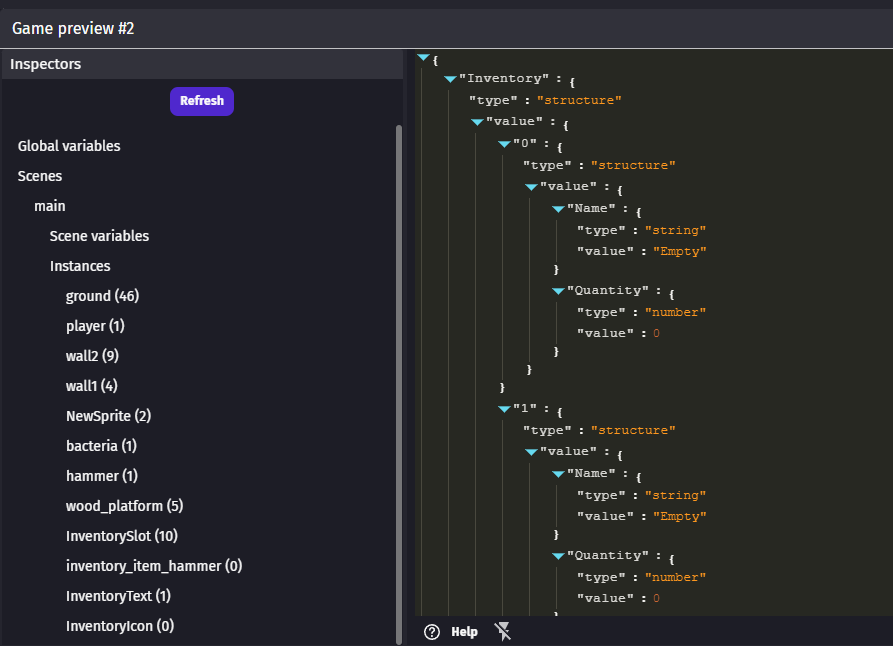
Now I’m at minute 8 of same tutorial “Building An Inventory System - Adding Items” Debugging menu has no changes after my character picks items by making them disappear.
Make sure you click refresh in the debug inspector after picking up the item.
If the change still doesn’t show, include screen shots of the events around picking up items.
1 Like
After picking up items and refreshing debugger still showing empty value.
Can’t upload any picture anymore because this site not allowing, that’s why previous post was deleted.
Have you tried using the snipping tool and pasting it using CTRL + V into the chat?
1 Like