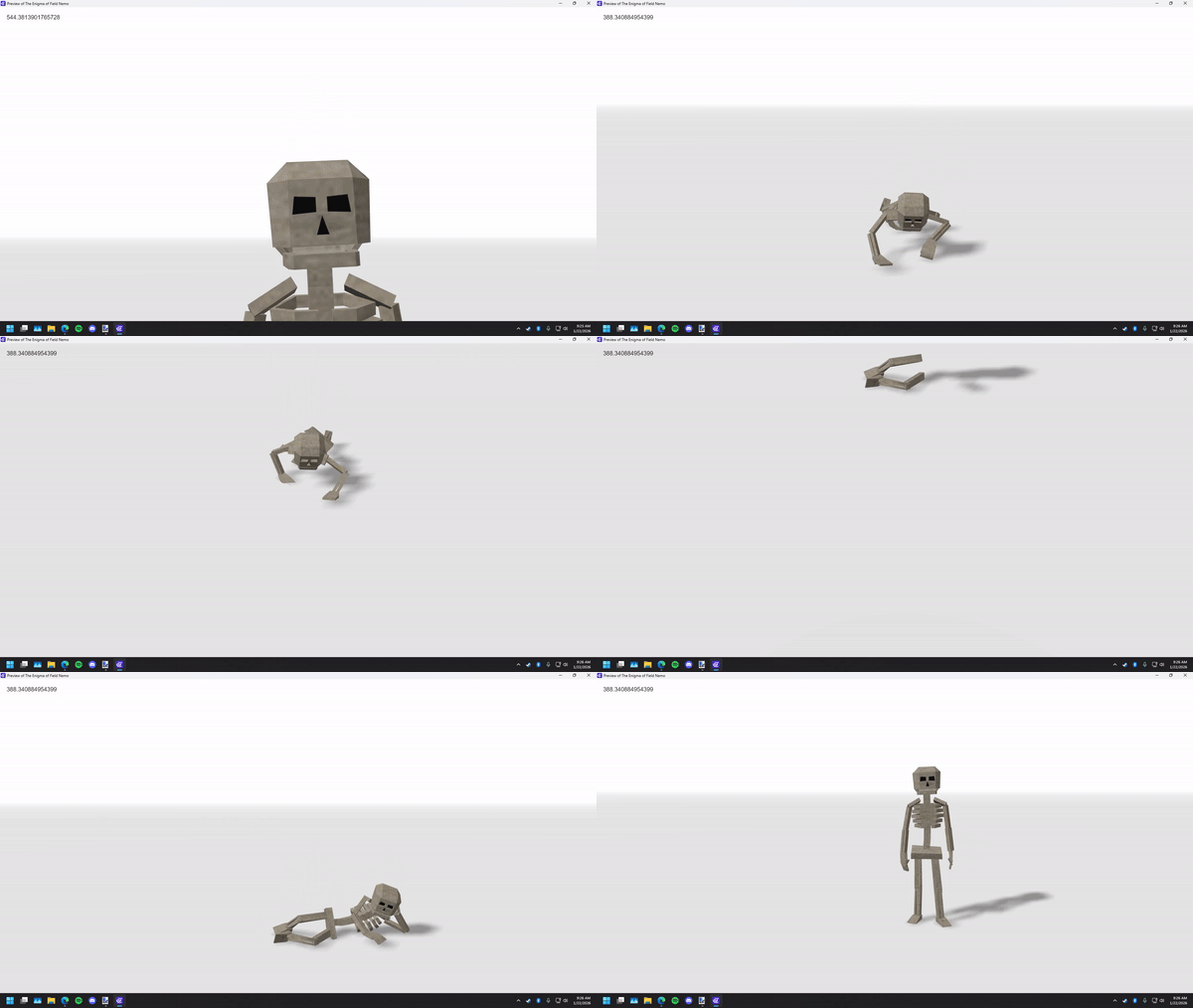
when a 3D model is animated, the engine appears to just uses the default position the mesh appears in. If a 3D model is animated to move, the initial position is still used to check if the object is on screen. For example; if an object animates downwards without actually changing the Z position, when the camera looks down at the object, since its original position in animation isn’t on screen, the 3D object is hidden.
Steps to reproduce
create an object with an animation, like a humanoid with a default standing position and a lying down animation. itd be helpfull if there are seperate meshes to the model.
put the model in a scene and play the animation
moving the camera to center on the 3D model in a position where a mesh from the model wouldn’t be in frame if it were standing.
I assume this would also be a problem if a character has an animation where they walk away from their original position, this would make cutscenes and the likes extremely hard to do I hope they fix this
I also encountered this issue, although it seems it’s not entirely limited to animated objects.
What helped for me is kill the frustrum culling of the object, you can use this script here:
const objectNames = [
  "YourObject",

];

for (let n = 0; n < objectNames.length; n++) {
  const objs = runtimeScene.getObjects(objectNames[n]);

  for (let i = 0; i < objs.length; i++) {
    const threeObject = objs[i].get3DRendererObject();
    if (!threeObject) continue;

    threeObject.traverse(child => {
      if (child.isMesh) {
        child.frustumCulled = false;
      }
    });
  }
}
Just add JS in your events, and copy/paste, you can trigger once.