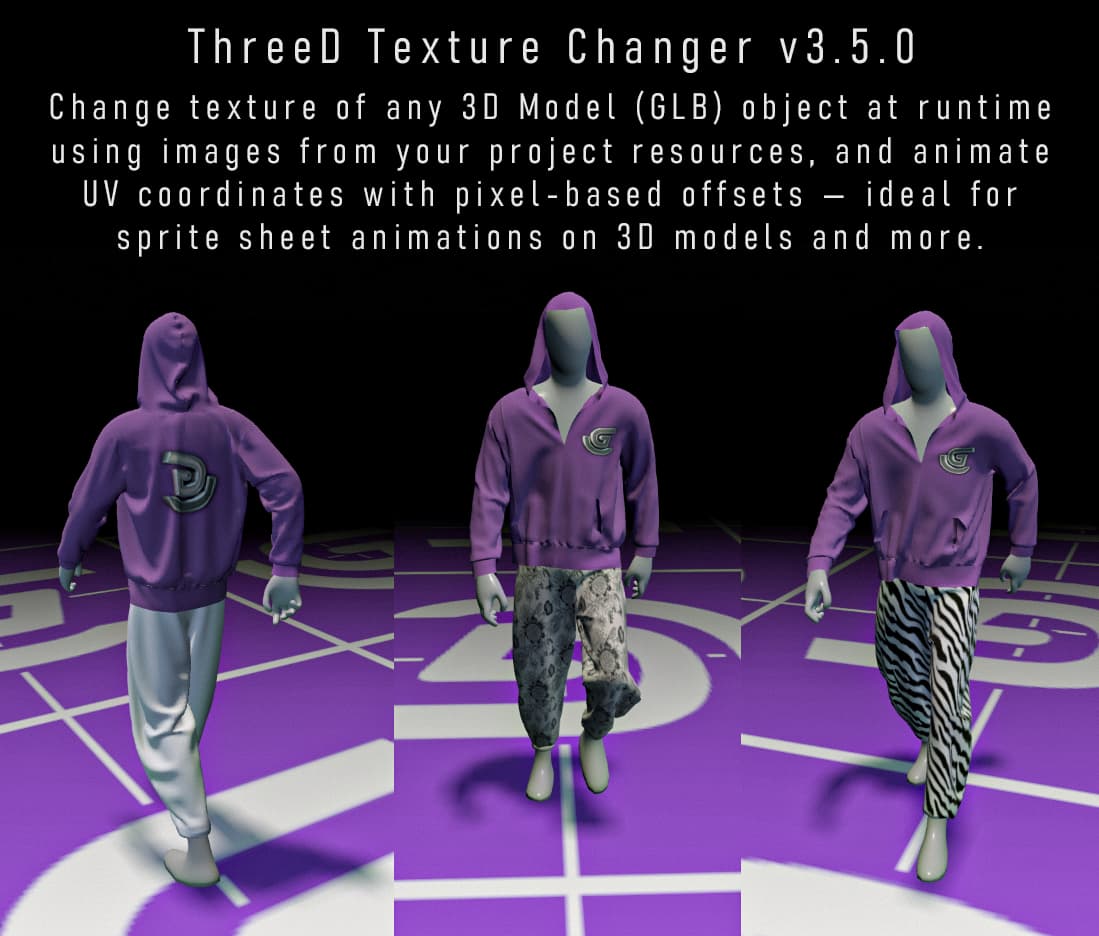
Hello, I have created a small extension that allows you to change and animate textures for GLB models. You can swap textures during gameplay by loading them from project resources, as well as offset their UVs. This will help you not only create different versions of your objects with different textures, but also various effects, including full-fledged sprite sheet animations on 3D objects.
ACTIONS: Texture.
• Change texture - change texture on a specific material slot (from project resources only).
• Reset texture - reset texture on a chosen material slot to the original GLB texture.
ACTIONS: UV Offset.
• Change UV offset X - shift texture horizontally in pixels.
• Change UV offset Y - shift texture vertically in pixels.
• Reset UV offset - return UV offset to 0, 0 on a specific material slot.
CONDITIONS: UV Offset.
• Check UV offset X - compare current X offset with a value.
• Check UV offset Y -compare current Y offset with a value.
EXPRESSIONS: UV Offset.
• GetUVOffsetX(Object, Slot) - returns current X offset in pixels.
• GetUVOffsetY(Object, Slot) - returns current Y offset in pixels.
Thanks. Not only that, but a lot of things, actually. Various objects such as TV and screens, decal imitation, facial animation, etc. Personally, I wanted to add blood splatter effects to characters after long battles or wounds. At first, I even thought about loading separate meshes with different textures and replacing them invisibly, but that’s nonsense, so i made this.
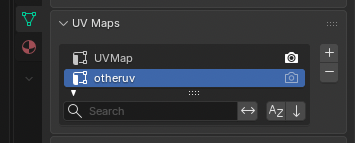
why can i change the offset of the UV on a material, but cant choose WHICH UV map?
1 object (and therefor material) can have more then one uv map. what if you merged 2 textures both with different UVs?..which is my exact situation mind you.
You mean extension or the demo scene? Animations on cloth are simple sprite-sheets animated with UV offset action. Extension itself is vibecoded with Claude.
Its vibecoded, so I can’t vouch for the quality of the extension, and I don’t want to claim credit for it, as I used other people’s extensions as a basis. I’ve only published it because I know these features are very needed and many people will find it useful.
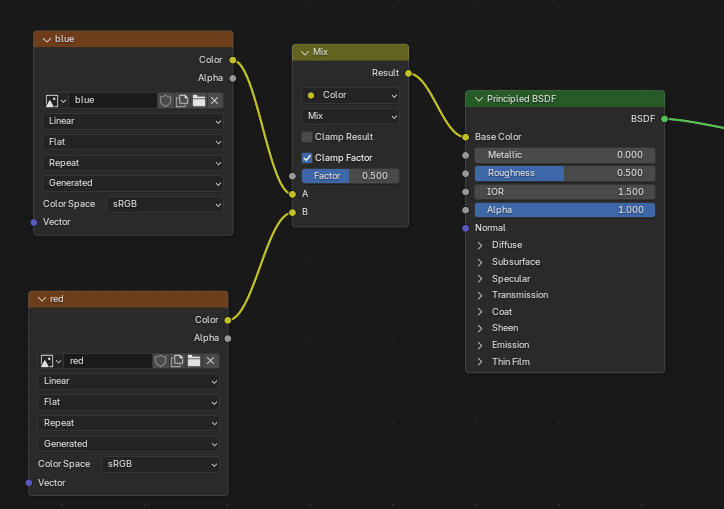
Does GLTF support texture blending? I tried blending two textures using a mask, but as far as I understand, GLTF only allows one texture per channel, excluding the ORM texture and a special node in Blender for proper export. If I’m wrong and gltf in gdevelop does allow blending two textures, please tell me how you did it, and I’ll try to add the feature you requested. Thank you.
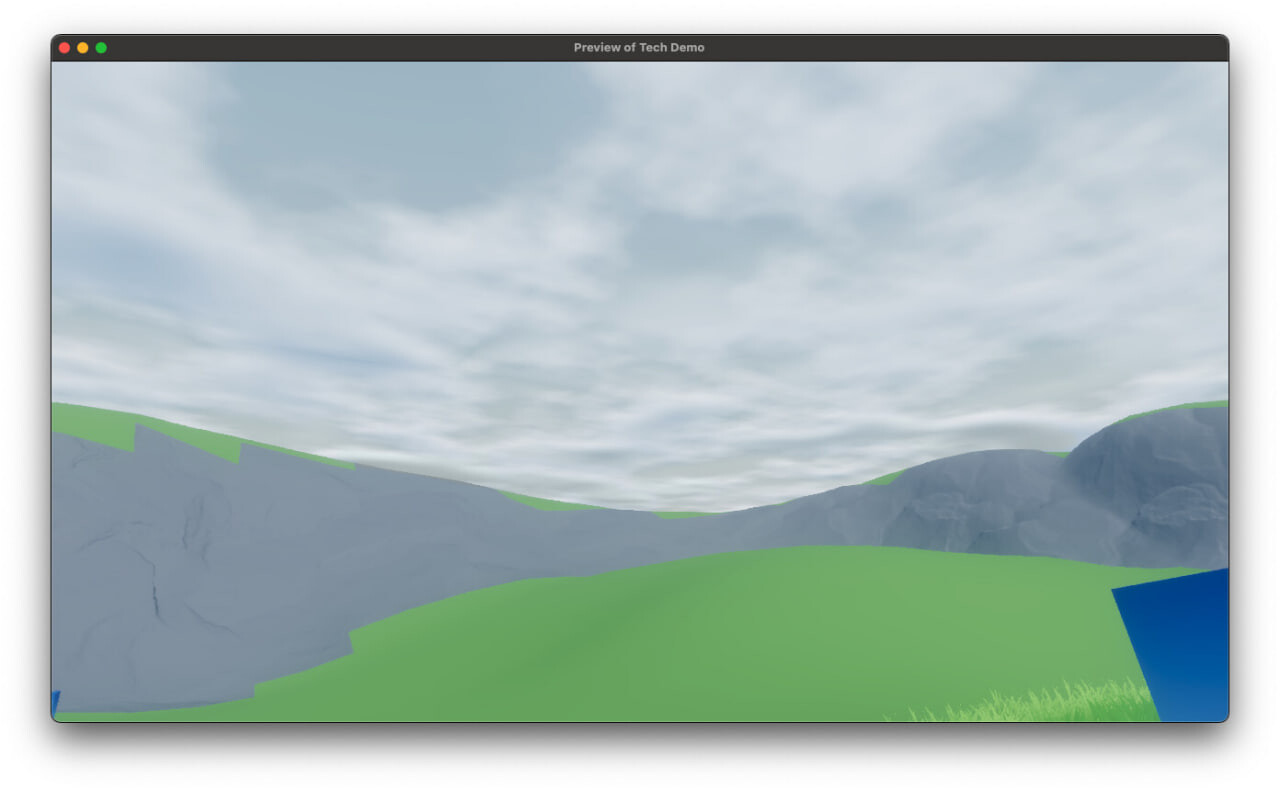
I just created a model in blender that has a shader/material that blends a red texture and a blue texture together. If this worked, then it should appear to be magenta when imported in gdevelop.
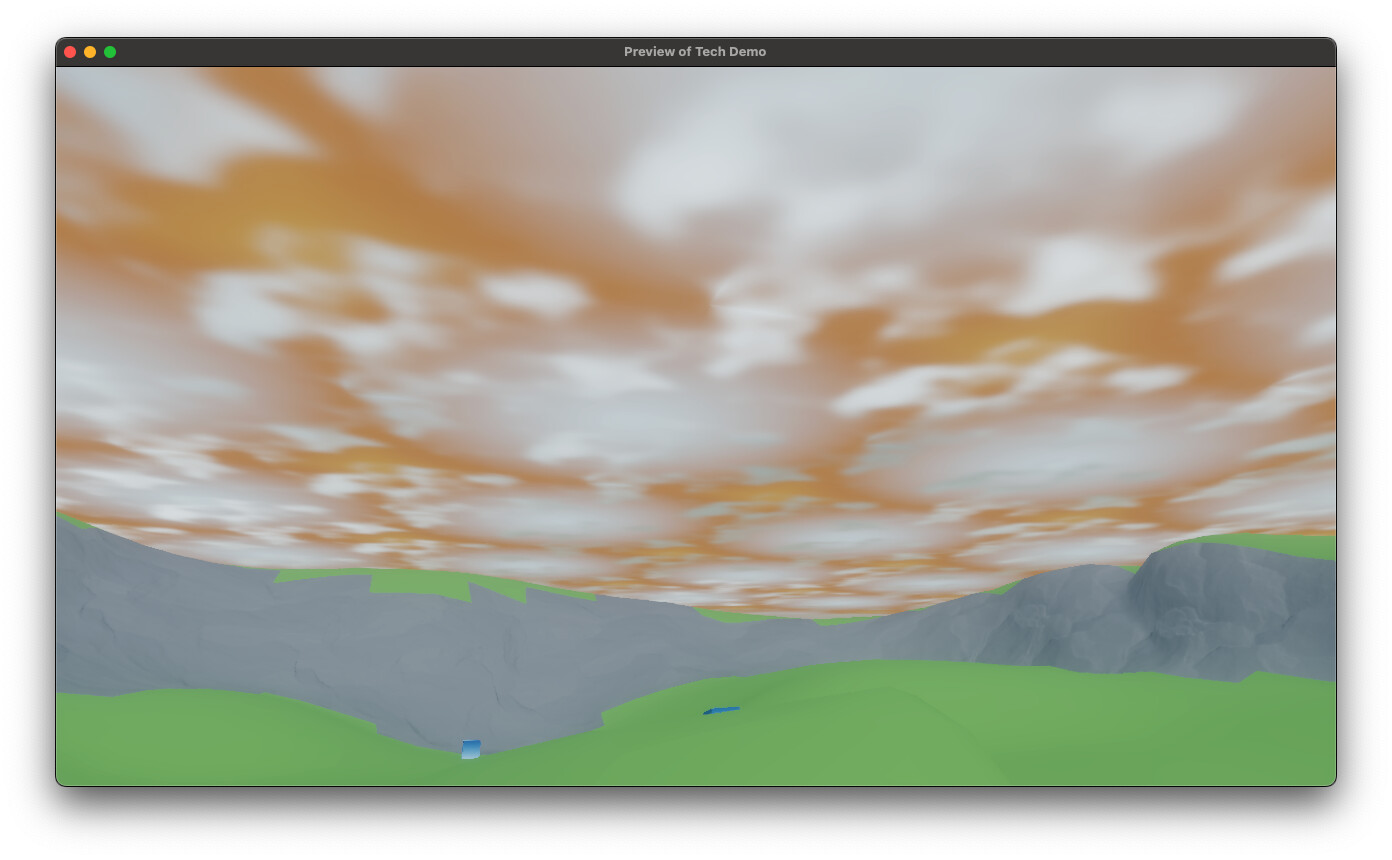
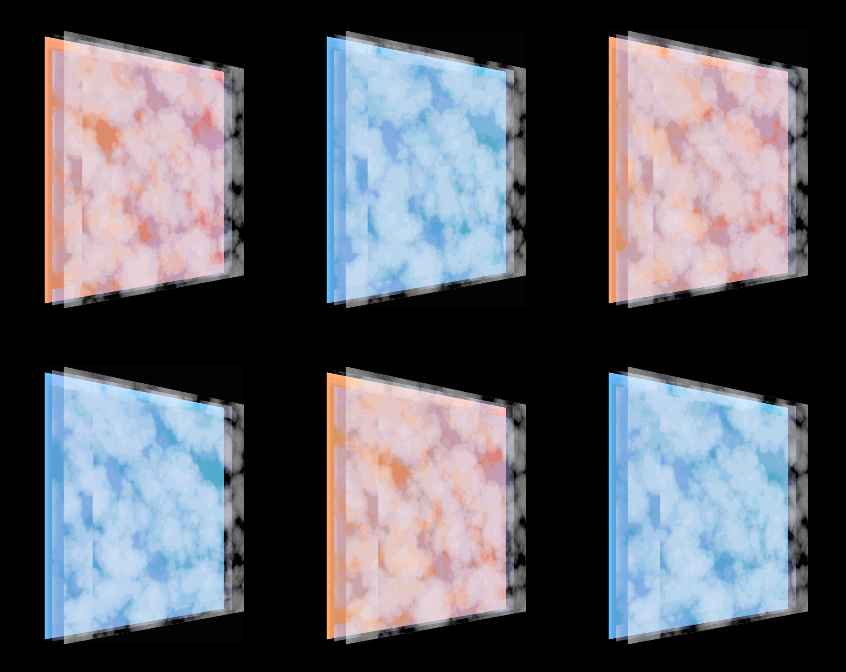
However, when the sun is setting, i realized it wasnt taking the color of the sunset near the edges. And so i did something interesting. I used the alpha from the cloud texture but not its color, and i make an image that looks something like this.
and i plugged it into the color of the material instead. So it still looked just like the clouds, but instead took on a color. (Note, that i only did this for the shadows of the cloud, which is just another plane with a slightly different texture to simulate volumetric depth)
My original issue is while these images are used in totally different ways, they both are offset the same way. Meaning the orange edges slowly stop being at the edges..
You’ll probably have to use two materials for such cases; this is the only way to get around the limitation of using multiple UV channels for gltf, as far as i understand. Texture offset in my example on itch is done similarly; it’s a single object, but the pants and hoodie have two different materials assigned, their textures are changed/offsetted independently.
Is it what you are trying to make? A sky plane with a scrolling texture plus several cloud layers underneath, all of which you can UVtile/scroll separately?
No sky, only clouds, the sky is handled separately. and the only layer is for the shadow of the first cloud layer. However, the alpha is set the to alpha of the cloud texture, but the color is set to another texture so that the edges appear orange like the sunset.
The alpha is scrolled, but i dont want the orange texture to be scrolled
Got it, well, as was said above, when exporting to gltf, only one UVChannel is saved, and it is through UV that the scrolling effect is carried out, so it is impossible to scroll 2 textures on the same material separately.
 Upload a Video of how you made that Work?