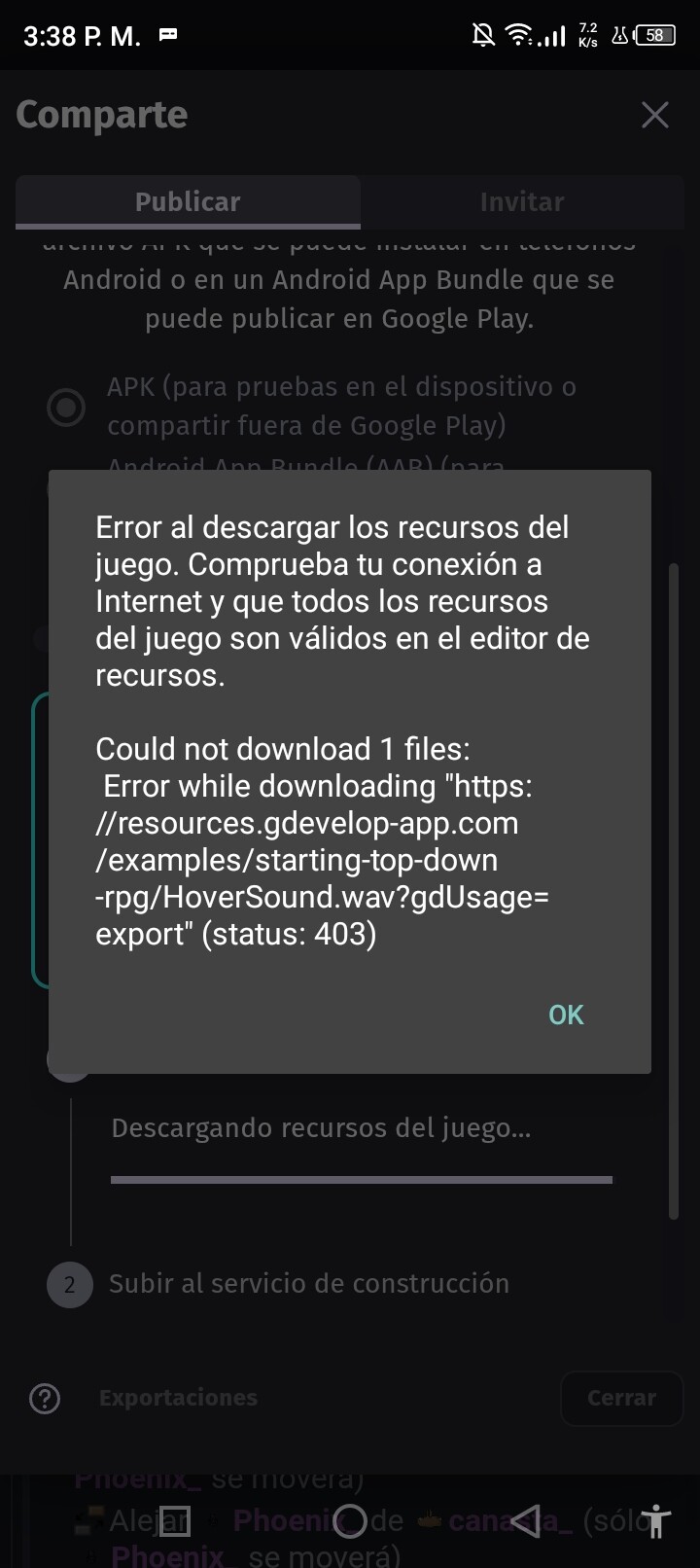
Hi, I’m working on a mobile game, and I need help with a “403 error” that happens when I try to run a file called “HoverSound.wav”. This happens when I try to export or upload a game sample; it doesn’t appear in the resources or the buttons. I need help fixing this; I’ve already checked my connection and that’s not the problem.
If you are working on the game with the files on your device instead of cloud GDevelop usally asks if you want to move the file to your game files folder when you import it. IF you didn’t then the file might not be packaged with the rest of the game when you download it. You may need to re import the sound and make sure you press copy to game files folder.
1 Like
Try to give a better topic name than “Please help” next time.
I fixed it.
2 Likes
I do it, but the error always appears right when I’m about to import, I’ve tried to find such a file, but it doesn’t appear anywhere, and I’m not using it to keep it there.
Sorry, I’m new to this.
The error persists; will I have to redo the project, or should I wait patiently? Anyway, thanks.
I am also getting this problem. I uploaded my game back to Gdevelop’s cloud. Even in the cloud on its own servers, I get the 403 problem when trying to export.
It seems to be an app error; it doesn’t read or download “wav” files correctly. I deduce this because I created a similar file and it didn’t read it either. This is a problem for me since I want to import a test file.And that’s why I can’t fix it, we’ll have to wait until they do.
I basically did what this person did on reddit (sorry I deleted the full reddit link since they won’t allow link posting): json_gdevelop_cloud_bug_error_loading_asset/
hoverSound.wav seems to be something that was used in the top down rpg example in the past. It isn’t referenced anywhere in the project, just in the json.
If you want to edit your game, you should download it to your computer. Make sure to make a copy. My game file was called game.json. I made a copy called game.backup or something similar. Then edit game.json with notepad or vi(for linux/unix). Be wary of using complicated word processors like MS Word because they like to convert your text files.
Search for “hoverSound.wav” and clear it out. I didn’t do a clean clear, just every “hoverSound.wav” turned into “”.
Anyhow, doing this caused no errors for me as far as I can tell. My project was able to be exported.
I had to take some time to clear out bugs that were caused by other issues. After all the bug fixes, I think my project should run. So, I am pretty sure this would work for you, as it did for me and the post I referenced.
I used up my 1 export per 24 hours to test on Android. I’ll export again sometime today when I get a new export.
I was able to fix that error; it seems the error came from “twochoicedialogbox”. The default hovering sound was the problem, Simply changing the “sound of hovering” sound or deleting the “twochoicedialogbox” can solve the import problem.