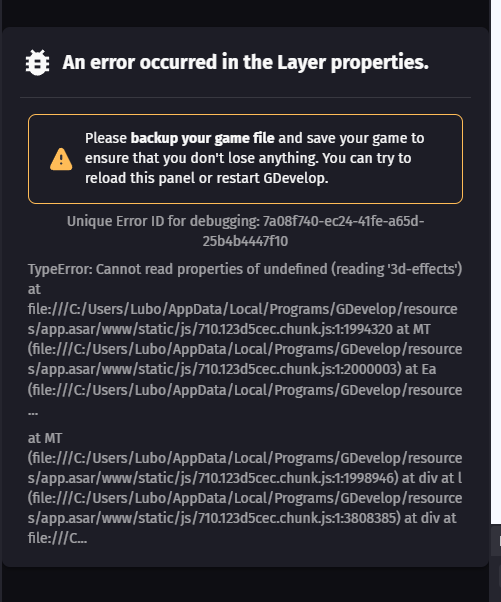
Unique Error ID for debugging: 7a08f740-ec24-41fe-a65d-25b4b4447f10
TypeError: Cannot read properties of undefined (reading '3d-effects') at file:///C:/Users/Lubo/AppData/Local/Programs/GDevelop/resources/app.asar/www/static/js/710.123d5cec.chunk.js:1:1994320 at MT (file:///C:/Users/Lubo/AppData/Local/Programs/GDevelop/resources/app.asar/www/static/js/710.123d5cec.chunk.js:1:2000003) at Ea (file:///C:/Users/Lubo/AppData/Local/Programs/GDevelop/resource...
at MT (file:///C:/Users/Lubo/AppData/Local/Programs/GDevelop/resources/app.asar/www/static/js/710.123d5cec.chunk.js:1:1998946) at div at l (file:///C:/Users/Lubo/AppData/Local/Programs/GDevelop/resources/app.asar/www/static/js/710.123d5cec.chunk.js:1:3808385) at div at file:///C...
I am trying to simply click on the Base Layer. Doesn’t matter if it’s old scene or completely new and empty.
Can I reverse the Update? I am working on this for weeks.
Me too. I have gone back to vers 5.6.274 because I can’t do any work otherwise. It seems to happen with objects that have variables for me. If I click a sprite without variables it is fine. How did this slip through the net?! It’s a fundamental thing.
I am usually against automatic updates, but this feature was written as Recommended… I will try to uninstall that and install the older version now. Release 5.6.274 · 4ian/GDevelop · GitHub
5.6.274 works fine, but a hotfix for 5.6.275 should be coming soon, I’ve been told. I will turn off auto-update though, as I can’t afford to not be able to do any work if something like this happens.
 I am working on this for weeks.