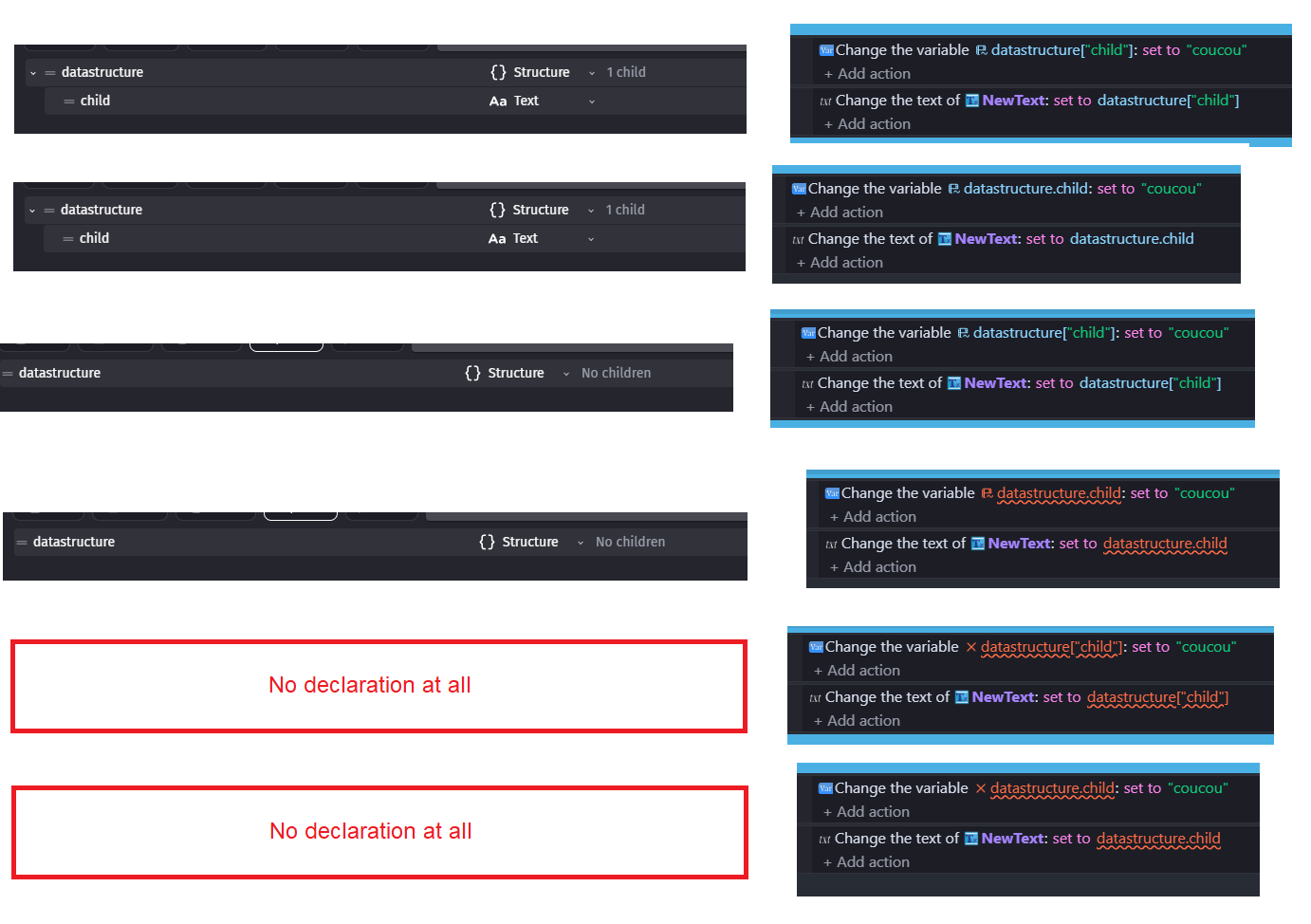
Change the Color of undeclared child variable "error"

We lost ability to print undeclared child vars to text

So i guess simple color change won’t fix a thing here
So i wait for someone to came up with better idea than color change since that would mean we need revert back and apply color change on top of it
I would be more happy if we could add some syntax to use undeclared child vars
For example ParentVar.!ChildName
And that ! would work as wildcard or something idk
I don’t have any good idea

Somehow i don’t see any1 came up with another brilliant idea
Well guess we gonna stick to the change

Anyway i just wanted share what i found
If you want old functionality now you need and call its 1st child as array

Works in params works in text
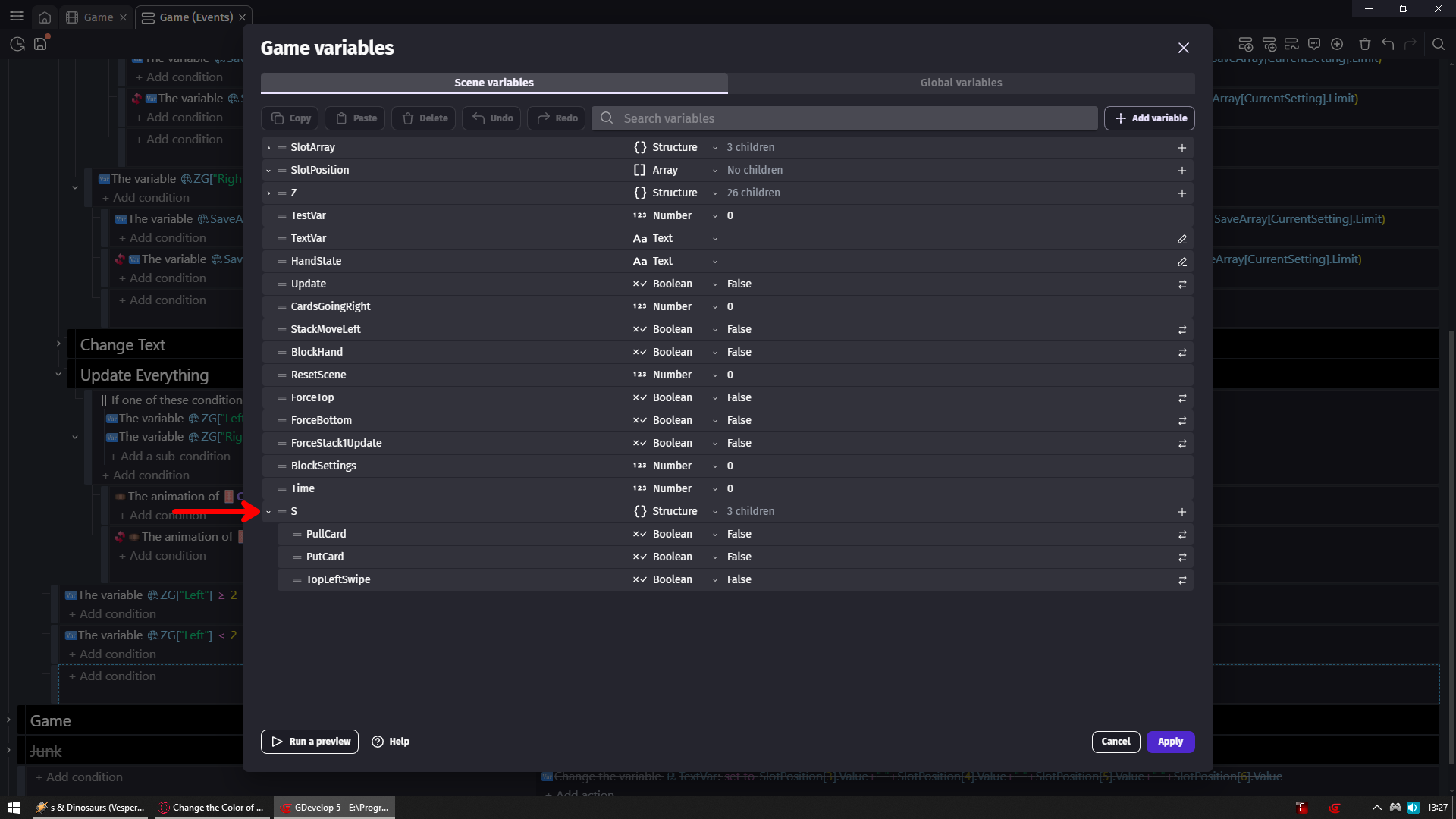
I have structure called S
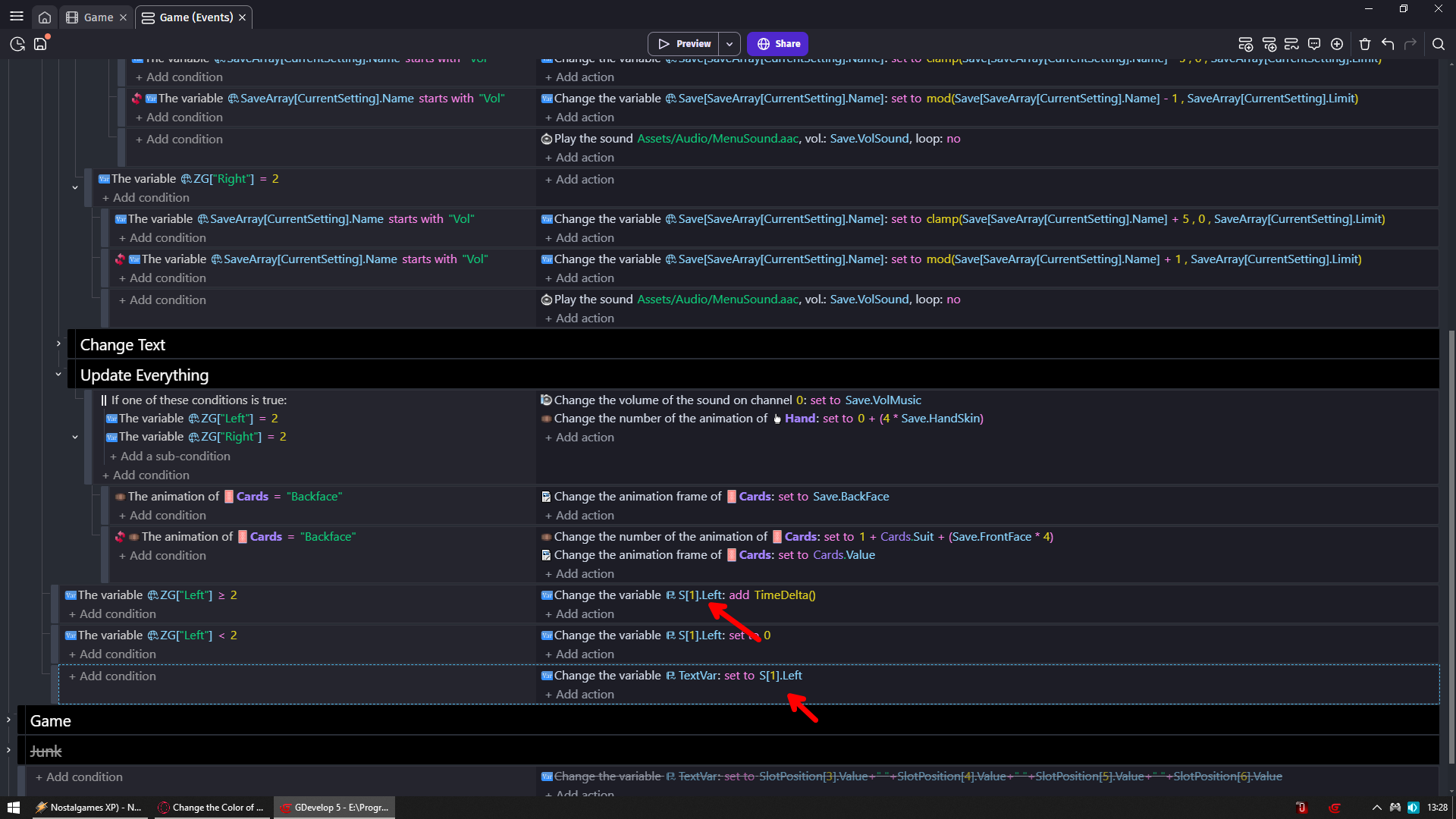
But instead i call child vars by acting as it would be array
So instead of S.Not.Existing.Var which would give us error
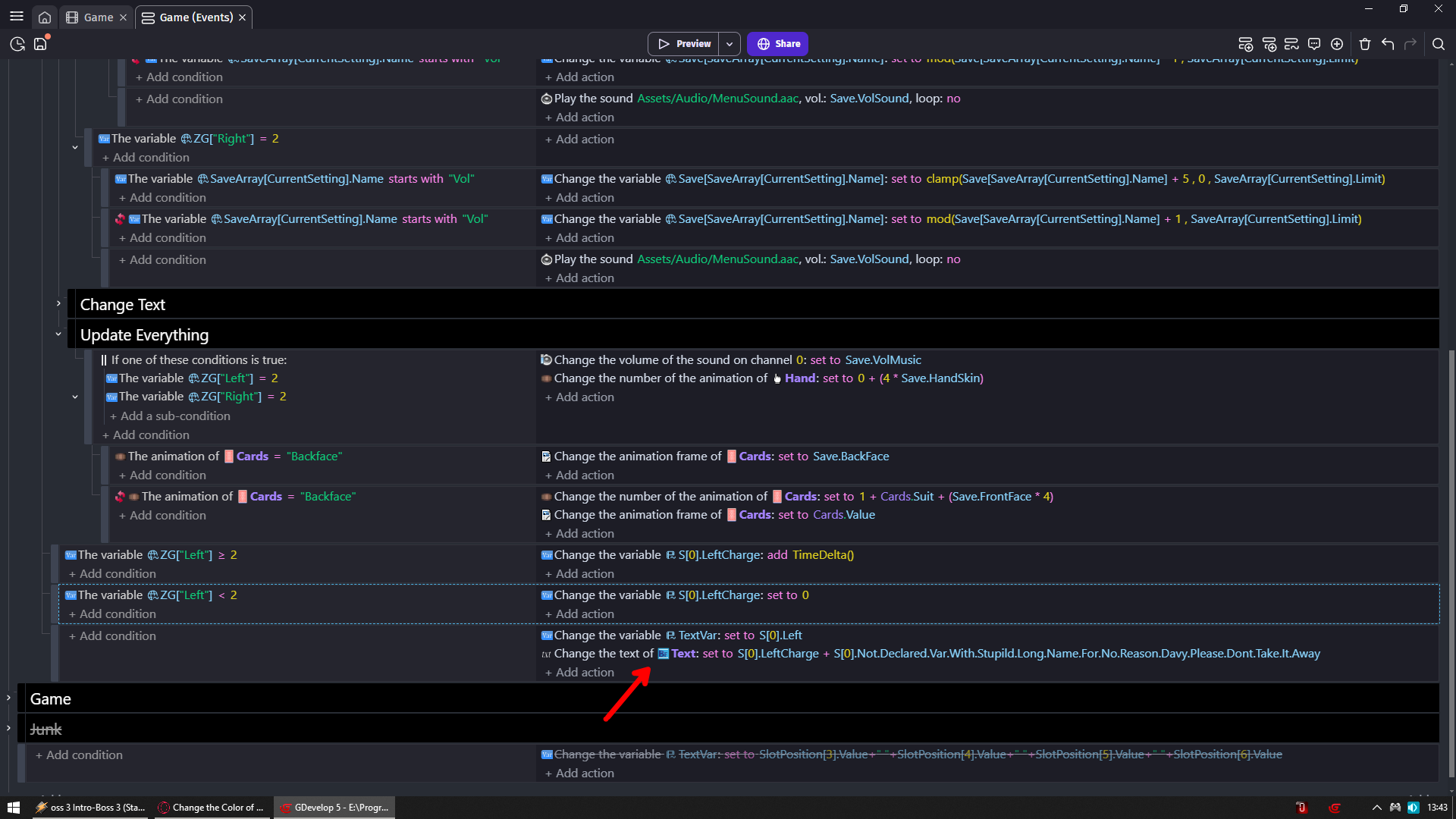
We go with S[0].Not.Existing.Var and it works like what was just taken away from us

So in reality we would now need to just add [0]
Wait hold on a sec
Isn’t like i suggest we should ask maybe for some special syntax to use undeclared variables?

And somehow i don’t see any1 asking for it which would solve problem
Imagine being able to do ParentVar[!].NotExistingChild
And everybody would be happy

@davy Me please no take it away

Forgot i am using text var set to text so idk if it actually works for text object change text action

ANNNDDD
It works

Ya I was not too stoked to see my beautiful project covered in red with the new update. I dont see the benefit in going and declaring all these variables either.

For instance, let’s say you have a list of status effects that are in the game, stored in one place as children of a scene structure. But those status effects will be applied to all kinds of different object groups. Occassionally I will need to refrenece if an object has a specific status effect in the code, and it will be red unless I go manually add that specific status effect as a child to that object group’s status effect structure. But why would I take the time to go into each object group and list out every possible status effect in their object variables? I see no reason to do that, and it makes adding or removing a status effect from the whole game a pain, instead of just keeping them all in one scene structure.

I understand why its like this, because theres no real way to differentiate between what I care about being declared or not as a user. But I guess the question is why does it even matter if it all works regardless if its declared or not?

That is actually good question but answer is even better
So user who declared structure variable with child
Spawn1.PosX with value 200

Do not wonder why Spawn1.posx spawns his player at position X 0
Just because expression did not give him red error indicating he is calling wrong variable

To me, it makes sense to have a variable (or child variable) for each effect and variables can easily be copy-pasted.
If you need to factorize the variable declarations and their related logic, it’s better to make a custom behaviors anyway.

Even if you have 100 characters with 10 status, it will only take a few KB of memory. It’s not worth to bother adding, removing and checking child.

Davy, to be very clear:

The underlying issue being reported in this thread (and the other) is that undeclared child variables are being used on actions and conditions in a valid way, but the event sheet is showing error highlights/underlines on those valid event actions/conditions.

The fact there are other ways to store variables that won’t show the error isn’t relevant to the above issue. It’s a fundamental event sheet display issue for something that is valid.

for anyone new to the conversation, the issue i’m talking about is:

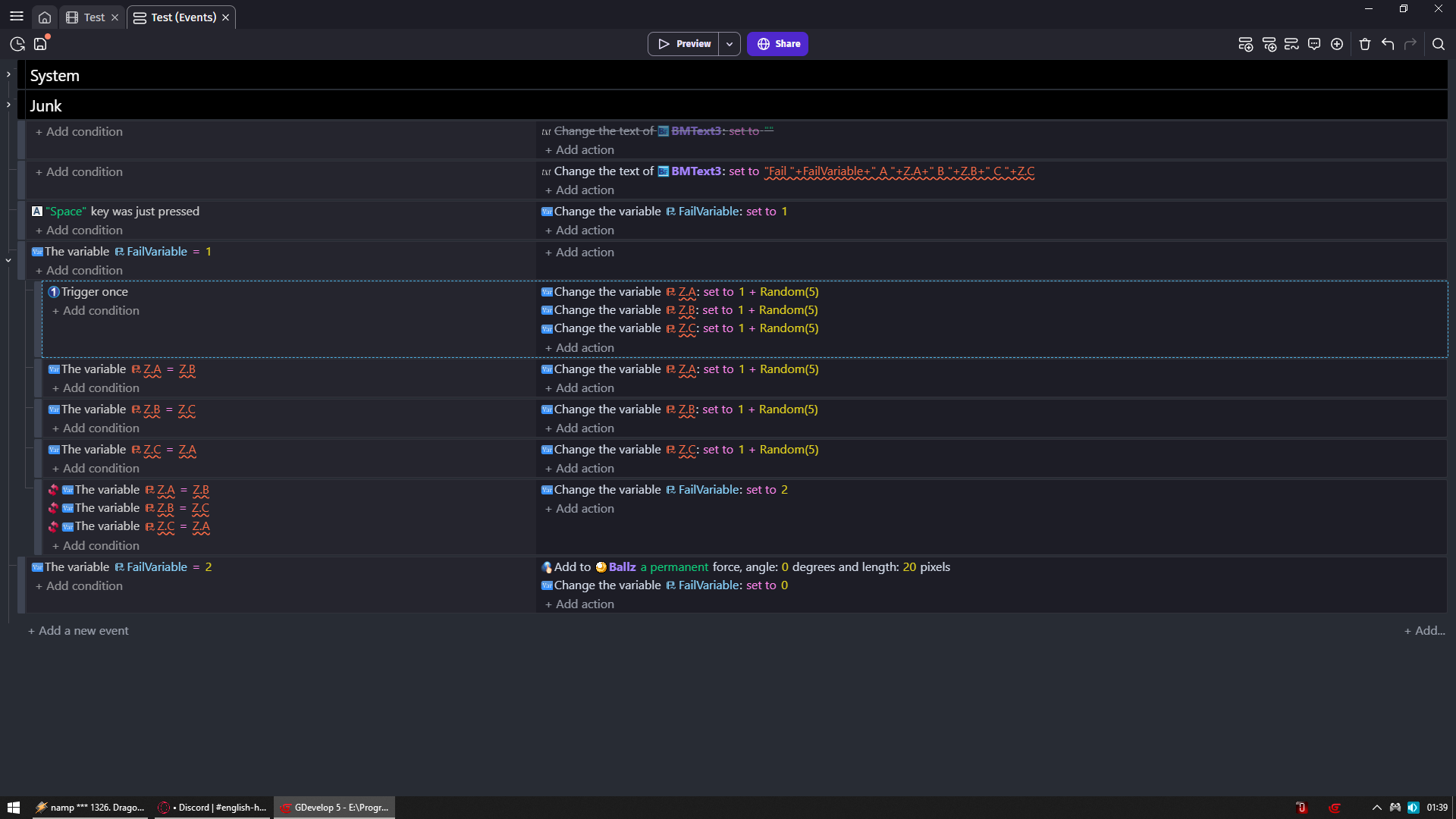
using myStructure.dynamicChild will work, though the Gdevelop event sheet will show you as it was an error.
and because of that, i’ve requested change the way gdevelop shows you that, so gdevelop will be clear to the user that it was an valid dynamic child and not an declared one.

as you can see in this example provided by zero:

show to the user something neutral is far better than show to the user that his attempt is not working.
again, the said attempt WILL WORK.

The fact that it still works is only to ensure compatibility with older projects. The same thing is done for deprecated actions: they still work but you won’t find them anywhere in the editor.

So, to be clear, this is not a bug. The intent is to deprecate this way (direct access to undeclared children) and make people use the alternatives that we think are better: declared variables or properties.

People can of course disagree with this choice. Here, the discussion is about whether direct access to undeclared child variables should be deprecated or not.

If this is you saying that the GDevelop team are working to completely remove dynamically declared children at some point, that’s a different conversation.

I think it’s fair to discuss this, but the word (and idea) “deprecated” never appeared in this thread before now, while you might have been asking questions/providing suggestions around that path forward before this post, no one else in this thread could have been as they had no idea.

There is no official terms but we will need ones to be able to understand each other. I’m suggesting:

  • “direct child variable access” for MyStructure.MyChild, you know the child name when you write the event.
    • “undeclared child variable access” which only makes sense for “direct access”.
  • “dynamic child variable access” for MyStructure[MyIndexVariable], you don’t know the child name when your write the event it depends from a runtime state.

I guess you are referring to direct access of undeclared child variables. It’s indeed deprecated, but it doesn’t mean that we’ll break compatibility with old projects any time soon, like anything that we deprecate in events.

It costs nothing to be clear, it’s much faster than beating around the bush for a week…

Autocompletion is great, that’s not the issue; the issue is deprecating something without prior warning, the issue is having a measly line in the patch notes that doesn’t clearly state that it is now deprecated.

I completely agree with @Silver-Streak

Yes, there are benefits, yes it’s good to declare variables, but that really wasn’t the question, and it wasn’t through “Display an error when using undeclared child variables” that people would have guessed the right things that stem from it.
If people have red everywhere and it still works, it’s not an error. Thinking it’s a bug is legitimate, people can’t guess that it’s red because it wasn’t mentioned that it’s deprecated.

The issue is not providing an alternative for a changing situation in the release announcement. The issue is dragging a subject out for a week when the alternatives should have been stated within 24 hours.

It frustrates me to have yet another subject where there is total misunderstanding because basic communication was absent, and opening a topic on the matter only made the misunderstanding worse because the initial statement of the patch note was a total miss on the reason behind the change.

At its core, it’s not a technical programming issue or an issue with displaying an error that isn’t an error, it’s a human issue regarding how to speak with other humans.

I know that deprecating things isn’t done just to annoy people for no reason.
What bothers me most is that sneaky changes without explanation degrade the vision and trust that creators have in our team and the software.

EDIT: By the way, the release note hasn’t changed, it’s still just as bad regarding the consequences, the things to take into account, and the modifications to make so as not to be in the red.