Hello, lately some enemy sprites have been glitching into the Player sprite even though everything is correct. Not sure why it happens and how to fix it. I usually end up creating a whole new project.
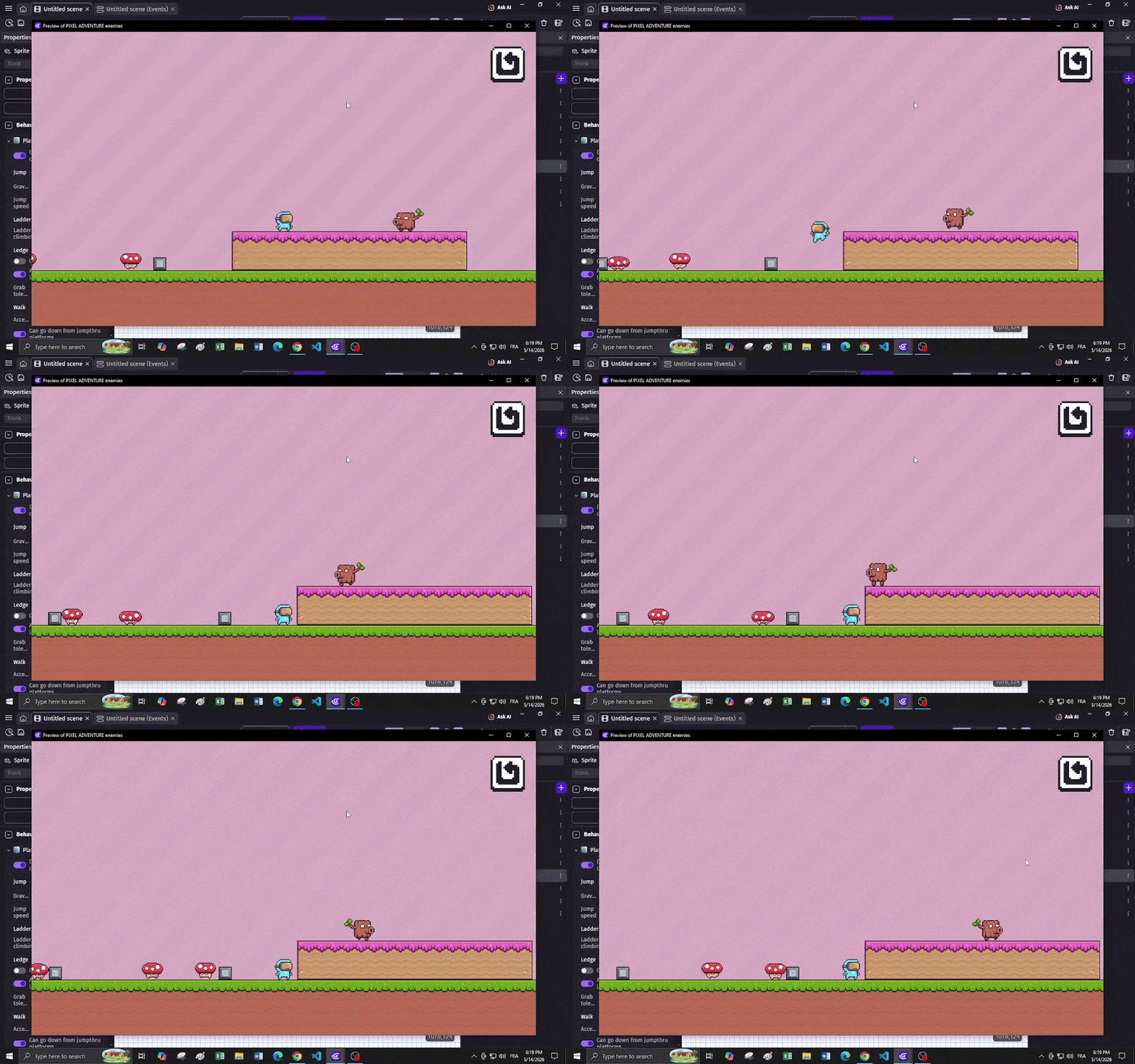
Apparently deleting all frames and reuploading them fixed it! But that’s annoying to do every time this happens. This shouldn’t happen in the first place!
Hi! Greetings and welcome to the community.
Wow, this is the first time I’ve seen this happen. I’m not really sure why it might be happening. Maybe it has something to do with an action or condition? But I doubt it.
This sounds to me like maybe the player sprite was accidentally placed in the animations. But honestly, I have no idea.
This is definitely not a common occurrence. Next time this happens, please post screenshots of the object’s animation settings so we can analyze what might have happened. Without that, it’s practically impossible to tell if it’s a configuration error or actually a problem with the engine (it could literally be anything).
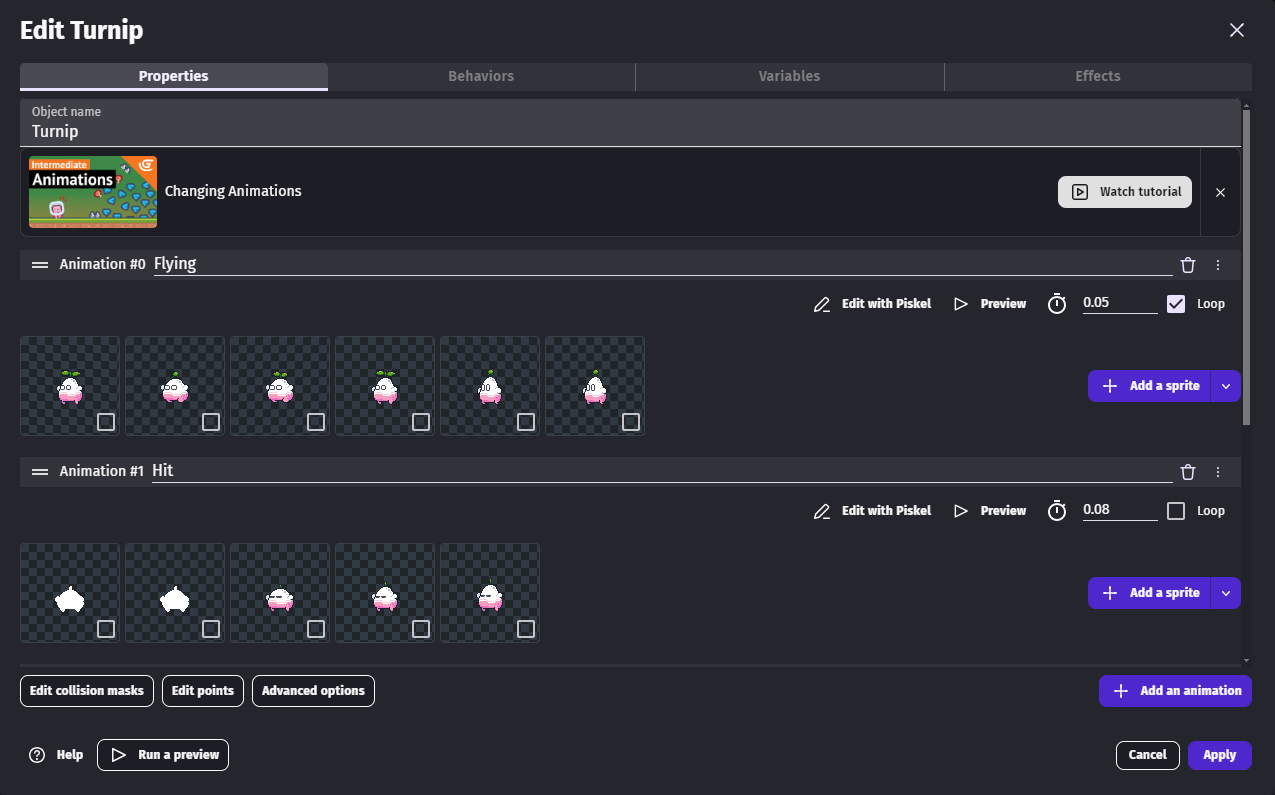
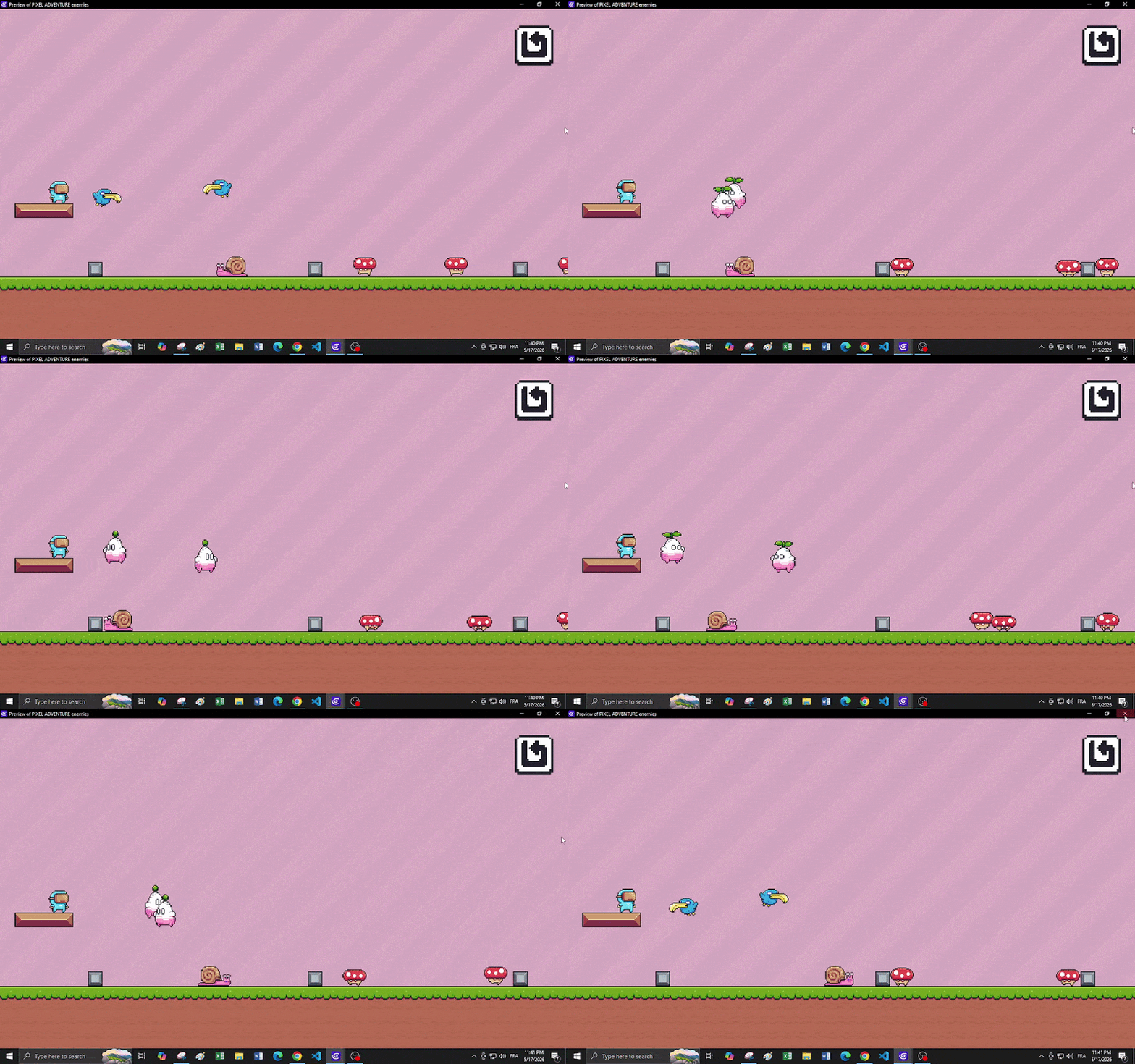
Could you also post the events responsible for the movement and control of the animations of the object in question? In fact, the animations are OK; there’s nothing abnormal about them.
That honestly looks a lot like a collision box or animation frame issue. I had something similar happen when one animation had slightly different sprite dimensions than the others. Rechecking the hitboxes and origin points fixed it for me.
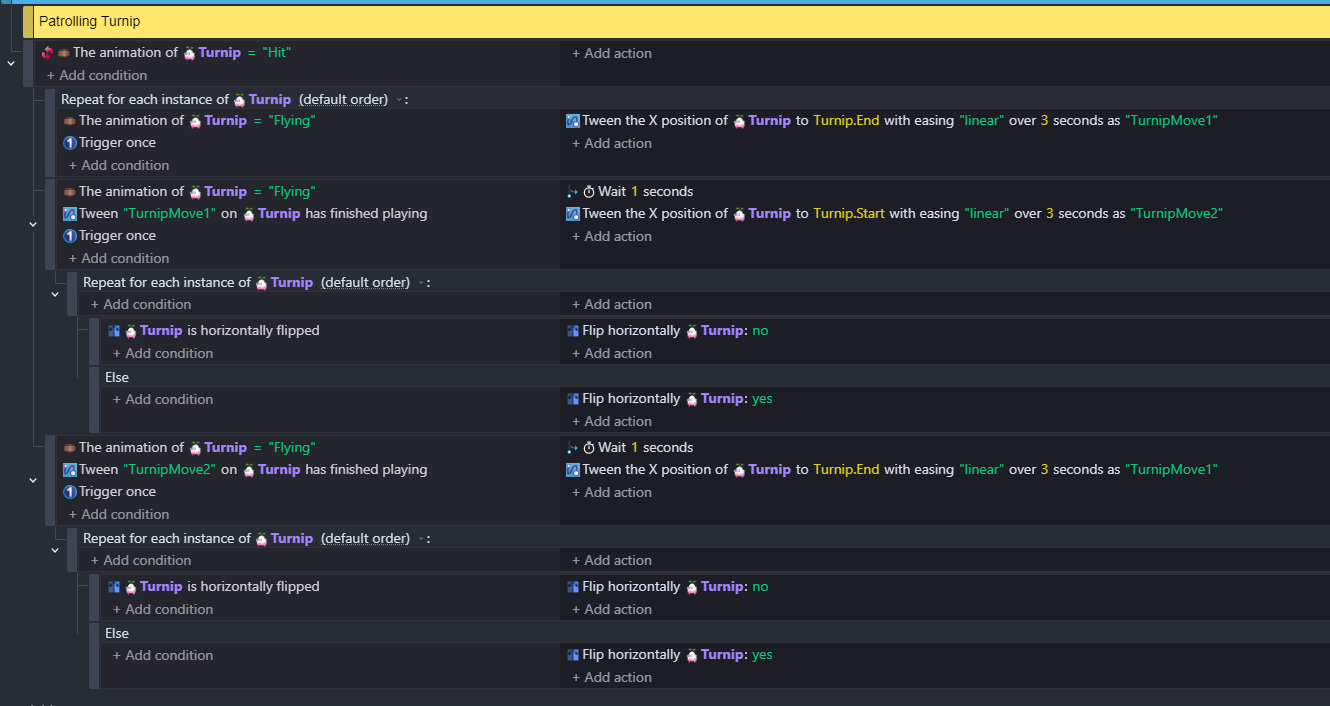
Yes, there’s nothing wrong with your logic, at a first glance.
What Dorothy_Carson posted might also be something to evaluate. If everything is correct, it would be ideal if you shared the project here so we can try to simulate the problem before reporting it as an actual engine bug (if it is indeed an engine bug, it has to happen with any user under the same execution conditions, hence the need to test with other users).
Your game does not look like it has that many frames or animations, so that won’t be the issue.
I doubt it’s to do with hitboxes or origin points - it’s a completely different image that’s being displayed. I suspect it’s the resources getting a little messed up.
As @MRCVTRZ suggested, could you zip up your project, put it on a shared drive and post the link? PM me if you’re not comfortable sharing it publicly. Then I’ll have a look to see what’s going on.
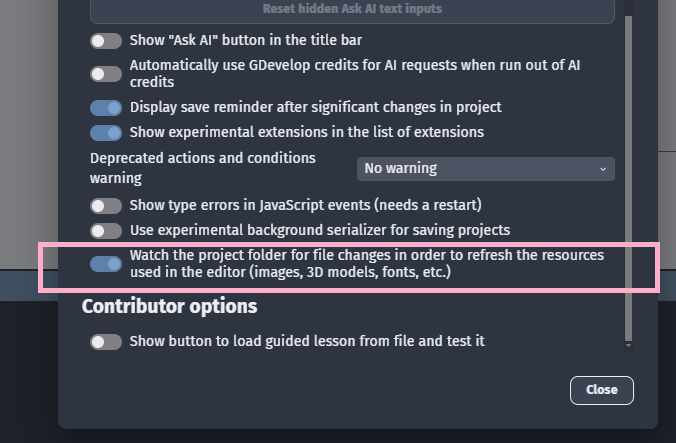
That’s what I was wondering too, but the screen shot of the flying animation showing all turnips in the flying animation made me think otherwise.
However, if the option to watch the project folder is disabled then it might explain the behaviour.
True, I had forgotten about that option. I recently recovered an old project and when I tried to run some objects, they were missing the correct sprite, and the problem was precisely the incorrect names. That’s when I discovered that GDevelop is case-sensitive in naming project resources (at least that’s what it seems like; I could be wrong, and the solution was something else, since I renamed them simply by changing to uppercase, and the sprites loaded normally).
I have that option enabled by default.
As for file names in the resource folder, now that’s very interesting! Because usually all my characters’ sprites have names like (Idle_01, Idle_02, etc) So that might be it! because I just went to the folder and saw that there aren’t some files for some sprites. For example I have: Player (Idle_01) but for the Mushroom enemy there is no (Idle_01). This happens for a number of sprites.
Yeah, I would recommend giving fully unique filenames, or storing the images in subfolders to avoid any confusion. In my experience Piskel doesn’t check for overwriting at all (or at least, the Piskel integration with GD). Also there’s a slightly unintuitive thing where if you add existing frames to a new animation and then edit them, you can’t just change the name - you have to select “new” (instead of “overwrite”) and then put in a unique filename. Otherwise, the old image file will be overwritten (even if you changed the name)