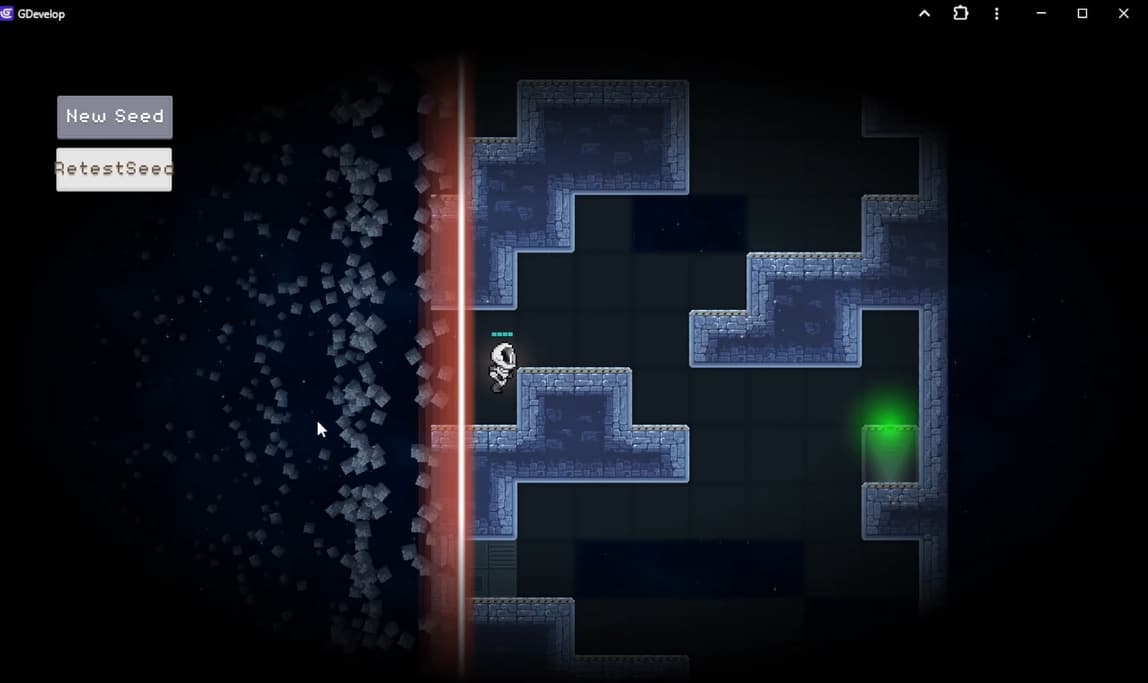
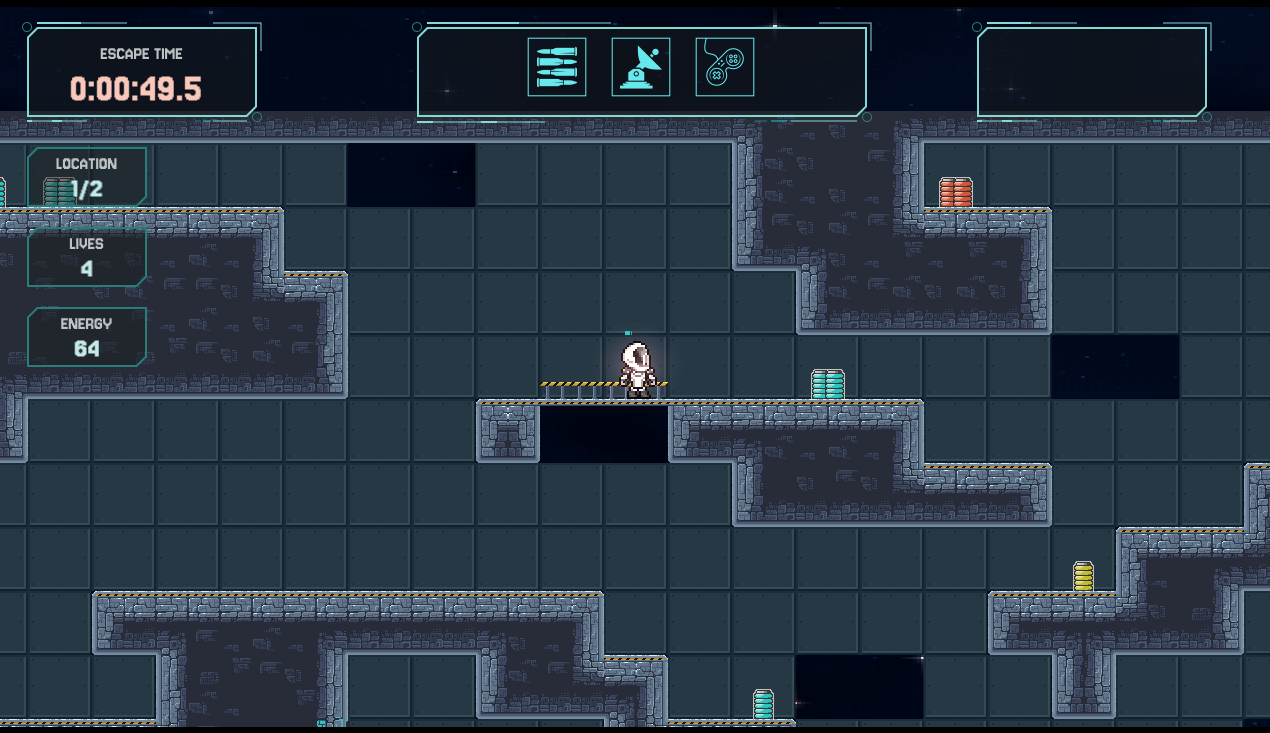
Got tilemaps working with the dual grid system. The tilemap is an existing asset which had to be broken down and rearranged to make the dual grid system work, but this meant fewer unique tiles were required.
Player Movement
Player character and movement. Copying across the jetpack behaviour from an old prototype helped speed things up. The movement still needs some refinement
Death Line
Created the death line and got it to move properly. Very “developer art” but it works
Lessons Learned
Pulled a late night and burned out the next day. Lesson learned. Respect my working hours and screen time limits.
State of the Game
Possible to play a level all the way through while being chased by the death line.
Map resets on player death
Map can be scaled up but some concerns over performance when size approaches 32x256 tiles
All seeds appear to be playable
Bridges and ledges are placed properly
It’s fun being chased across a large and unknown map
Hey!
I would recommend making a “Megathread” if you want to stay a bit more organized with your posts. I myself have a Megathread where I post about all the new updates to my templates.
This way, all of your Dev Logs would be in one spot!
Yeah, I couldn’t find anything I could judge the local etiquette from. I tried to change the title of the first post and it was fixed so I couldn’t easily convert it. TBH, this is my first time dev logging so your advice is appreciated.
Looks like I can edit the text, but not the title? If I’m missing something then let me know, I’m knee deep in data modelling and version control setup so I’m a bit frazzled!
I managed to completely rework the pickup placement. It is now easily extensible as it is data independent, looping over all values present and not requiring any static conditions or events. Hopefully this same technique should carry through the placement of enemies (on the roadmap)
Small Art Progress
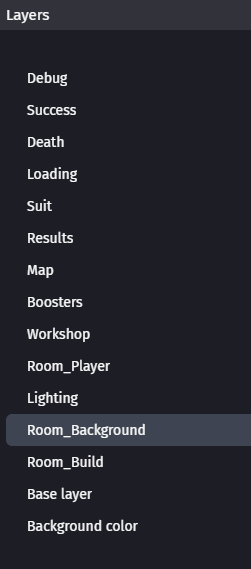
The deathline animations are now a bit more interesting. There are now tilemaps and layers for the map background, and player fore, middle and background. This makes it easier to put the player “in” the map and to add visual elements. Some minor tweaks to the tilemaps to test this out.
Data Loading Approach
I want to be able to manage all of the game data in a spreadsheet as this is an easy place to make changes and understand what is going on. It seems that GDevelop doesn’t really have the native tools to make bulk data editing possible so here’s my new workflow:
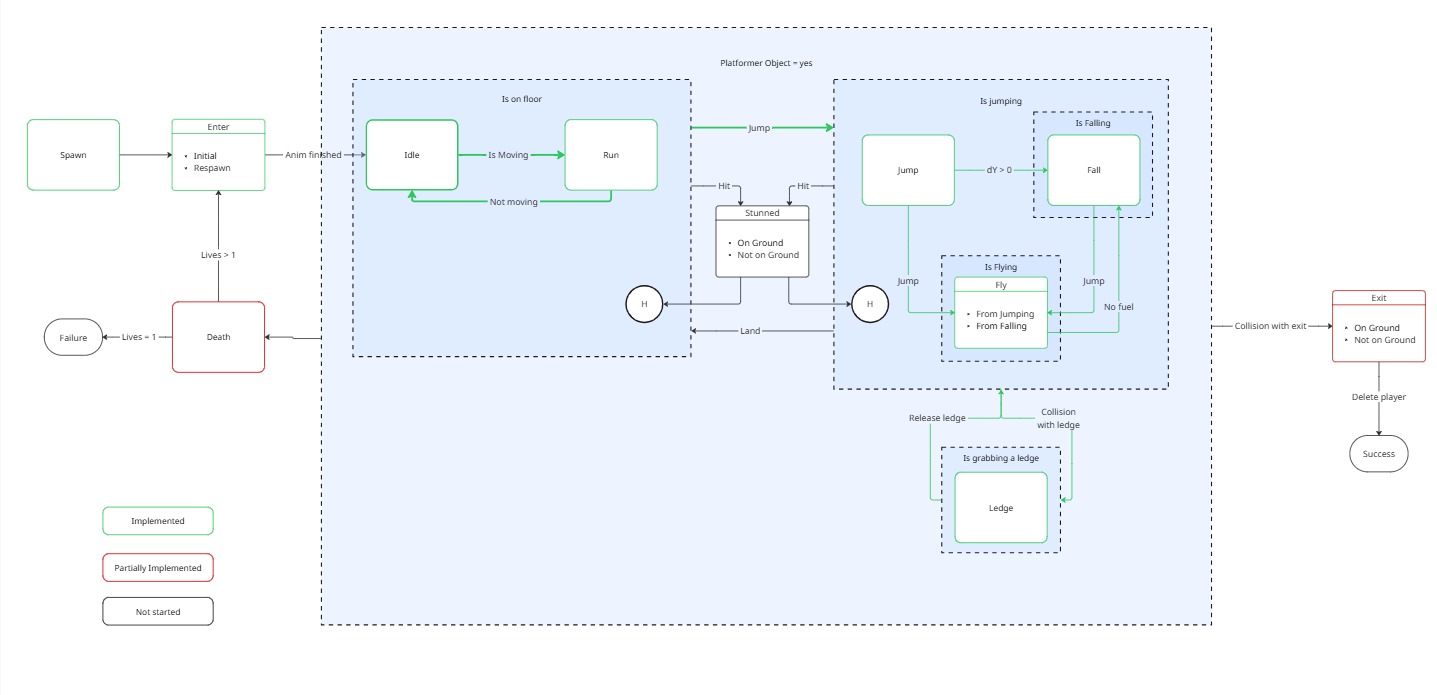
Player dynamics have been moved to a specific Finite State Machine with external events. Gives much more control over the more complex parts of the player behaviour around the jetpack and cuts a bunch of code out of the main gameplay scene. It should also make the entrance, exit and death processes easier to manage.
Importing of the core data, copying it the the player profile and then using the player data to create a run specific data set. This allows for locked items to be excluded from a run.
Workshop Rough Pass
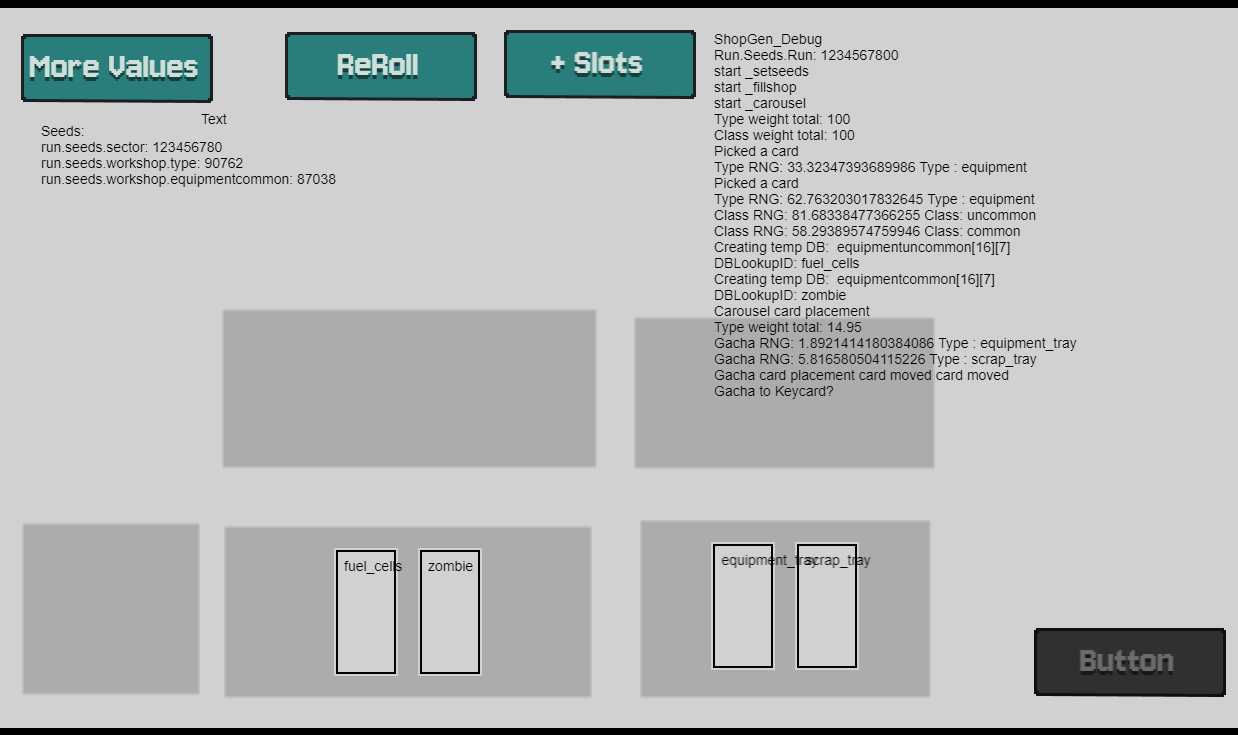
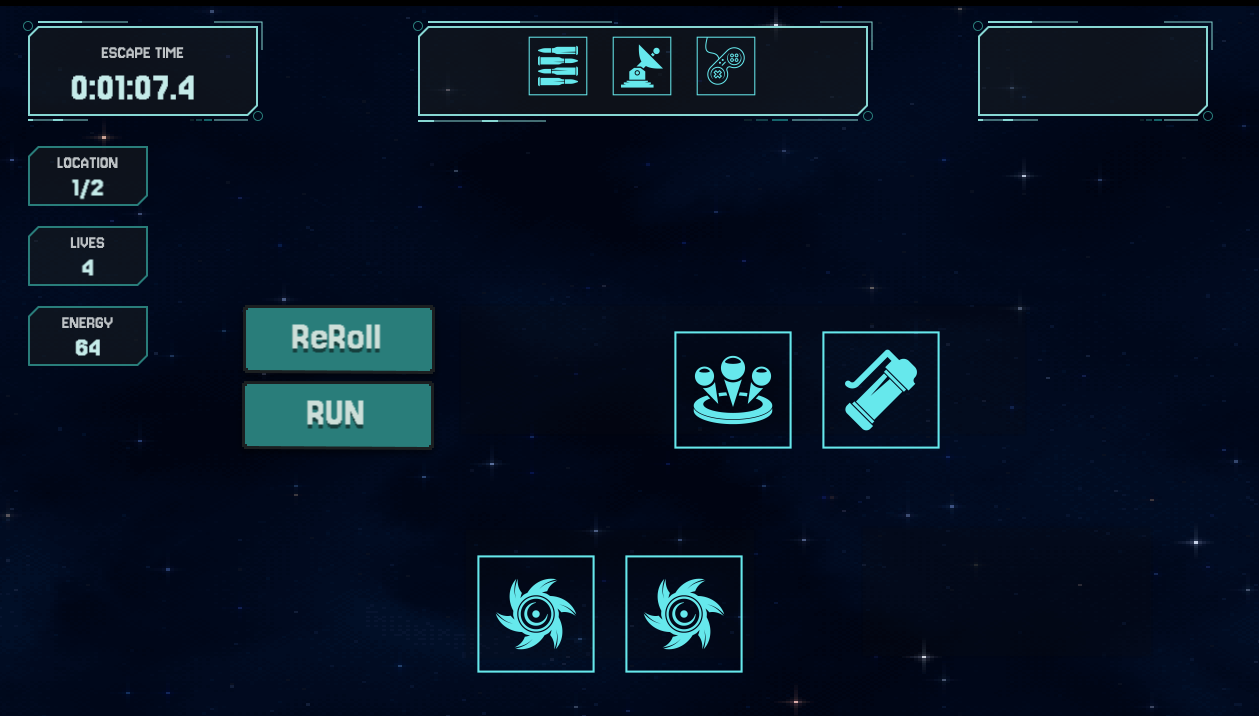
The Workshop is where the player will purchase upgrades between runs. It can now generate equipment and gacha cards, select their type and rarity and place them in the correct areas of the screen. The equipment will respect rules around not showing duplicates of existing equipment.
If your events are getting more and more complex it is probably a sign that you have missed something obvious. It’s worth working through the mess to get to a better and simpler solution.
Don’t be afraid to spend time drawing things out. It’s tempting to be 100% in the code but you need that helicopter view from time to time. Even 5 minutes with a pencil and paper can be valuable.
State of the Game
A lot of background progress with not much new appearing on the front end. Annoyingly the Player FSM was 3 days of work to be visually identical to before. On the plus side, the game is now far more solid on the back end.
Hi Xierra,
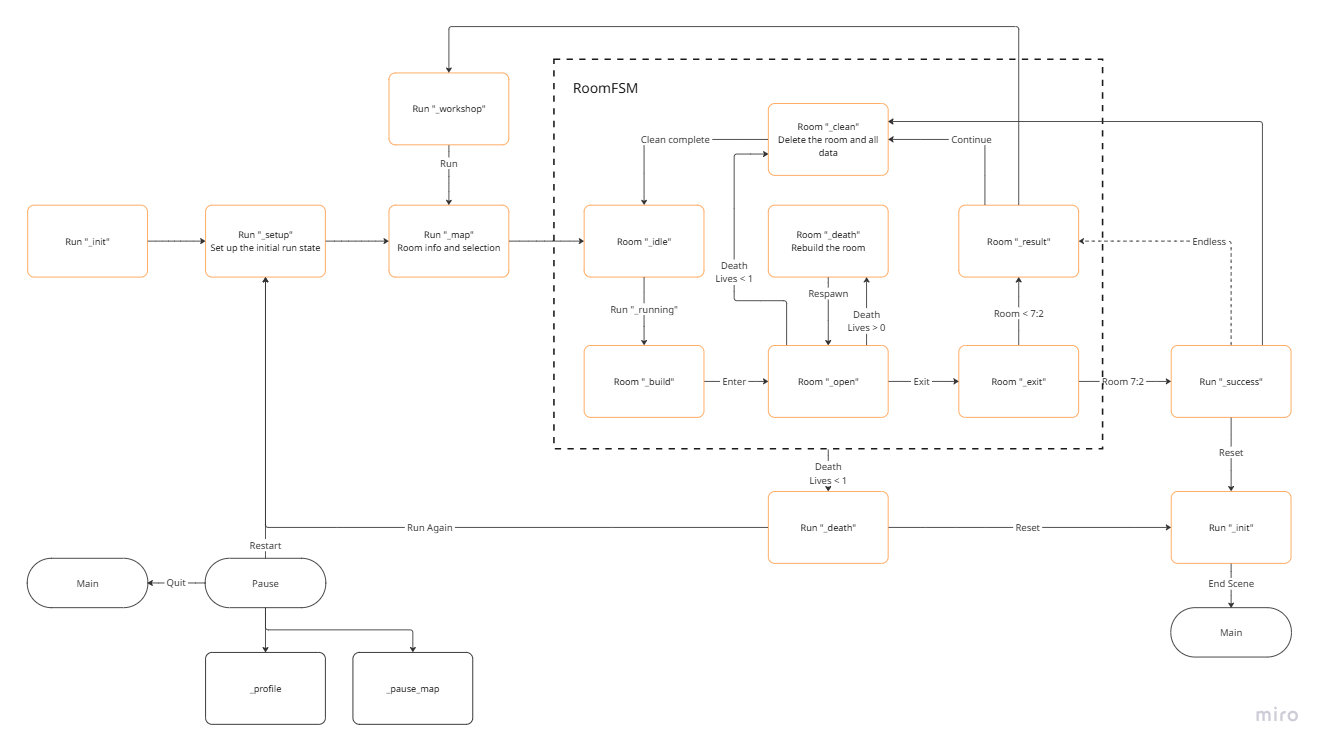
If it helps you on your own project then please feel free to use the FSM diagram. I’m a big fan of Miro which is a digital whiteboarding tool. It’s great for everything from ideation, planning and even a bit of light layout sketching. It’s great for collaboration too if you’re working in a team.
Created an FSM for the Run and Room scripts. This is a better way to keep everything organised, though I abandoned having each state in its own external script as that was a pain to navigate.
Players can now navigate through all of the main menu screens. They can start a new run, pick a room from the map, complete the room and loop back through the workshop to the next run.
A Single “Run” Scene
The game originally had different scenes for the different views but I slowly realised that lots of the scenes had overlapping content and data. For this reason, I pulled them all into a single “Run” scene which is where the player plays the game. Very few variables now need to pass between scenes, but the layer list is a little crazy.
One of the main gameplay elements, the time management loop has been a scary thing to get in place. It is the first time the game is pulling data all the way through from the source databases into the core gameplay, and then being modified and persisted between rooms.
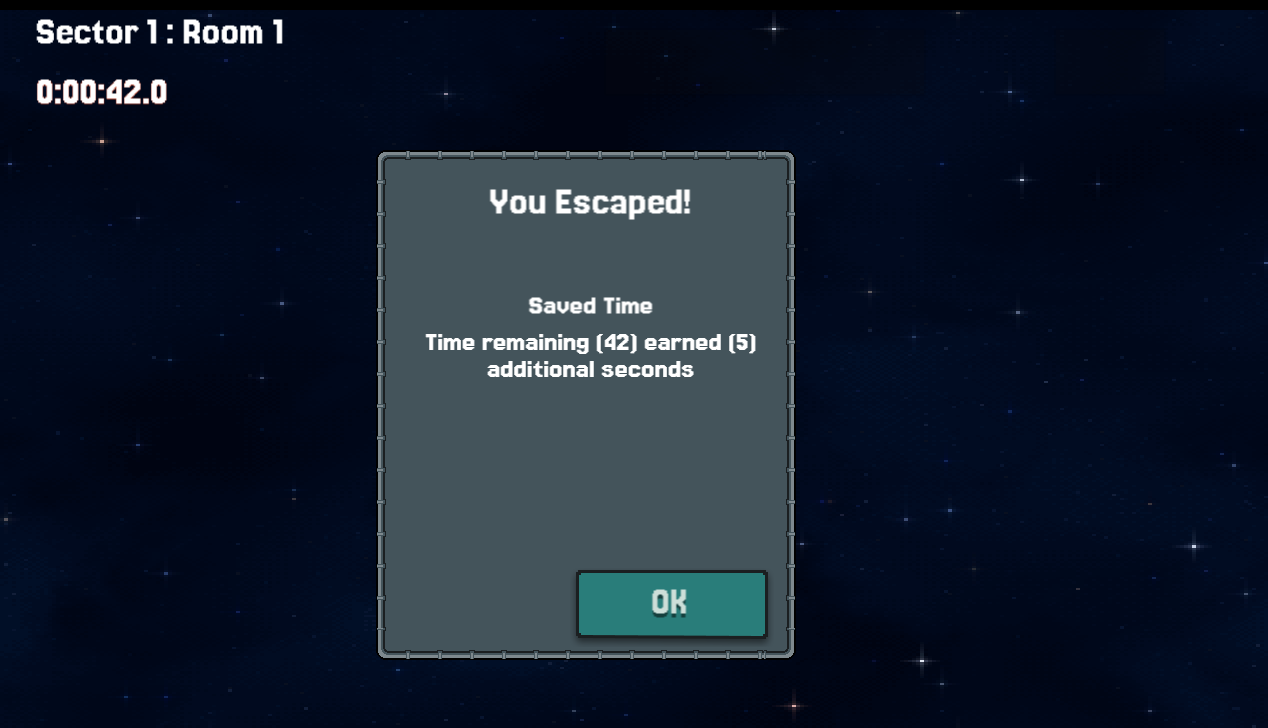
The player can now complete a room ahead of schedule and “bank” some of the spare time to help on the next run. The headstart and target times are based on the player’s rank and the sector and room they are entering. Lots of UI work required
Lots of Bugs
A lot of time has gone into resolving small bugs caused by changes to the data structure, names and locations of variables and unexpected behaviours when picking objects. I’m still working towards a releasable core loop so it’s very much a case of working on the golden path for now and ignoring weird edge cases.
Lessons Learned
Refactoring the core structure of the game was a big time sink this week. The worst of it was renaming variables so they were not conflicting or confusing. It’s probably worth doing more design thinking ahead of time to make sure it is clear how the game will be architected.
Also, finding the right level of structure for your code (Event groups, external events etc) is important. In the end it all gets compiled together so its really about finding what conceptually works for you as the developer.
There is now the “Suit” layer which contains the gameplay UI while the player is playing the game. Escape time, location, lives and Energy now have a home.
The player can now purchase Equipment items that will enhance their abilities and modify the way the game works. They can reroll the shop (if they have enough energy) and purchased items are moved up to the “Rack” where items are stored.
A core part of the game is how the purchased equipment and other items influence the game at different times. Working out how to do this has been a major risk to being able to complete the project.
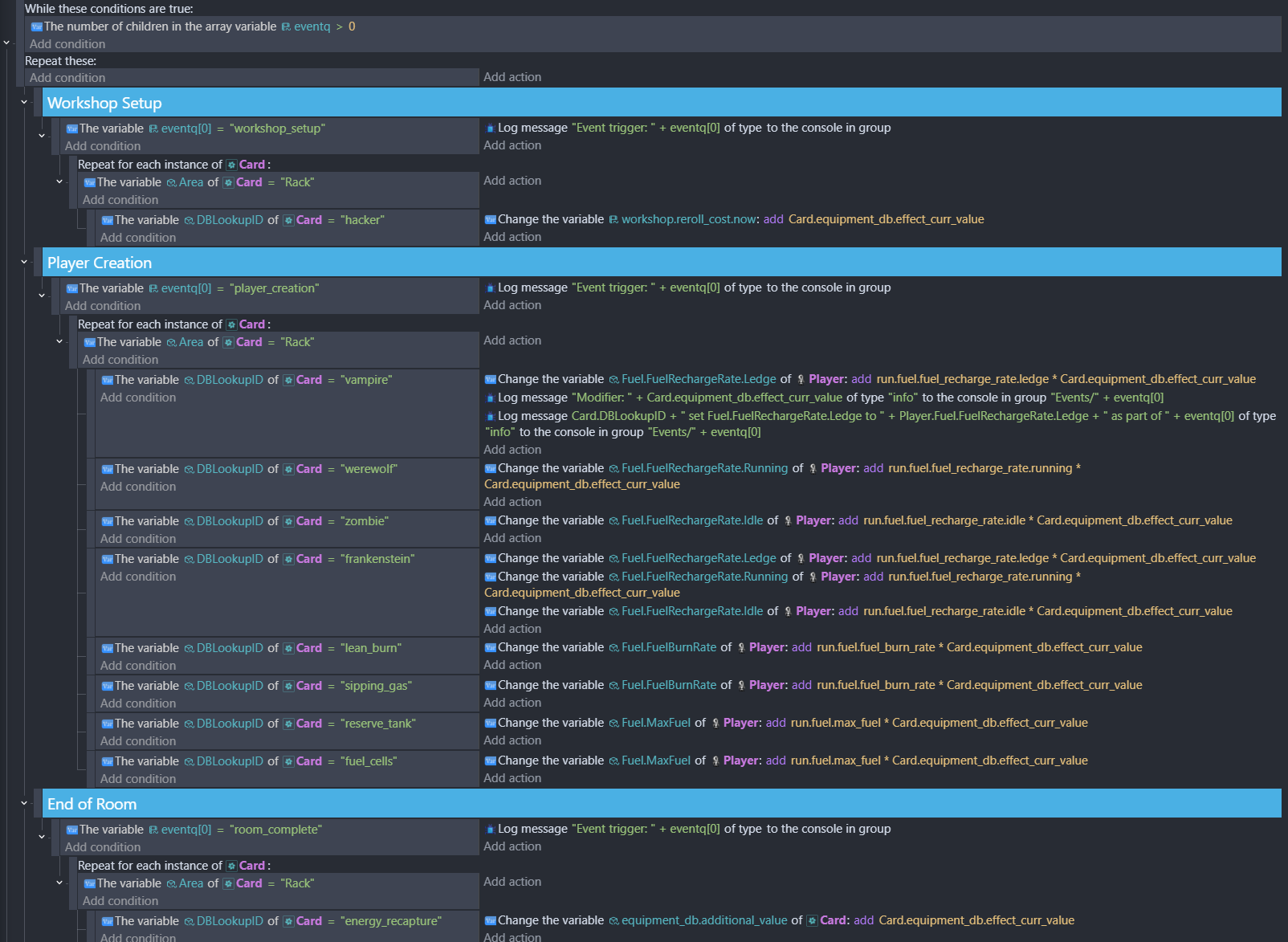
After a lot of head scratching the solution arrived this week and was quickly implemented. There is now a “Event Manager” external event which contains all of the instructions for each upgrade, depending on which event triggers it is listening for. When an event occurs a variable is set to define which event and then the external event sheet is linked
This has been proved out with the jetpack which now responds to owning equipment like Fuel Cells, Sipping Gas or Lean Burn. Extending this system for all equipment and events will take a lot of work but the core function has been proved to work.
This is the first time a player can complete a run with the default settings, just about survive and then use the workshop to upgrade their equipment to make the next run easier. This is the main game loop at this time so having this complete is a huge step forward. Only combat remains as the sole untouched system, everything else has at least a working first pass (with many bugs)
Load all of the data supporting the game from JSON (levels, equipment, progressions scales etc)
Player can create a new run with control of ship and rank to provide progression
Player can run through a seeded map being chased by “The Incident”
Completing a run opens the workshop where players can buy enhancements
Enhancements are triggered by events (run start, workshop reroll, run complete, sector complete)