Hi I have developed a game in GDevelop it runs well in MacOS (that is where I created it) but runs terribly in Windows.
I have run it on the exact same machine (it is a dual boot intel Mac) and tried it on 3 other Windows based machines. My Mac is a 2014 model so I was figuring if it ran well on that it would run on anything newer. I’m really bummed by this as I put a lot of work into it and wasn’t planning on making a Mac only game.
I wouldn’t think it is a driver issue showing the same result on 4 different computers. I wouldn’t think it is an optimization issue with it running fine on 11 year old Mac and even the title scene runs slow with almost nothing happening in it.
Sorry any one else experienced this?
Are you building the game for Windows or are you running it through the browser? If through the browser what browser/s were you using on Windows vs in the Mac?
I’m building the game for Windows Mac and Linux. I’m running it through the preview and also making a stand alone installer to see how it runs properly. I might try running it through a browser if I have to.
Here is a video showing the difference sorry my screen capture software is a bit rubbish
Short answer: Definitely not, no.
Long answer: GDevelop games are browser based (even when built as exes they are running in Electron, which is Chromium) and it will entirely depend on how well your hardware deals with WebGL. The OS generally will have nothing to do with it.
It’s the same hardware both times and I have tried in on different windows computer as well. Chat GPT suggested WebGL. I think that is somehow the problem but I don’t know why or what to do about it as it is showing up on other windows computers. Chrome runs fine on them and I have played browser based games on them. The title screen running slow is very odd because that scene has hardly and code or graphics for it. I feel like there is some setting somewhere that is hamstringing it.
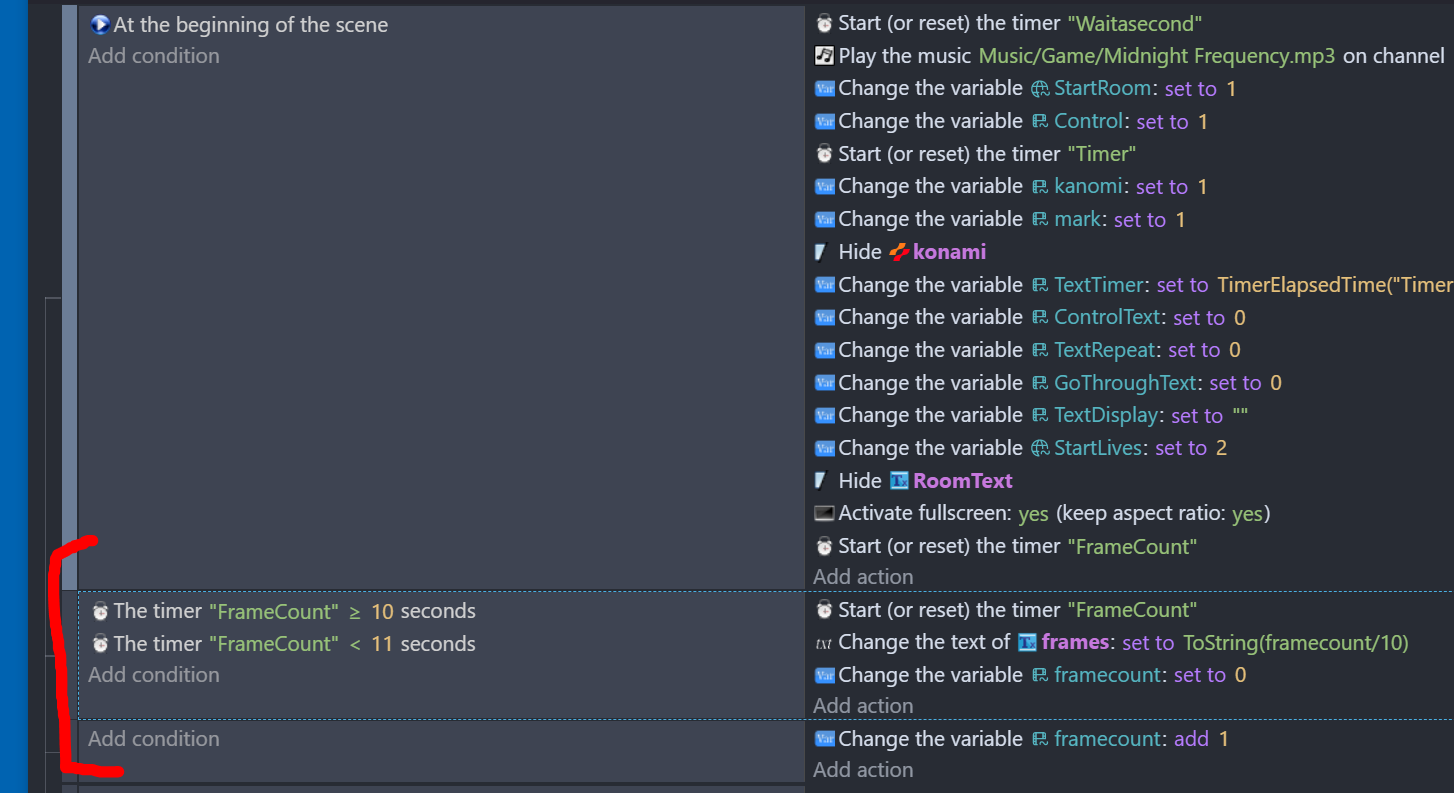
I added a frame counter basically it adds 1 to the framecount variable every cycle then shows the average after 10 seconds.
In both windows and mac it comes up with 60.1 frames per second. But in windows it takes more than 20 seconds for the condition >= 10 seconds to be true which shouldn’t happen because my understanding is these timers are linked to the actual clock of the computer.
Something really janky is happening.
Timers are affected by framerate, as are events. What you’re seeing is unlikely your actual framerate.
You probably just want to use time delta and display the fps. Just set a variable to 1/TimeDelta(), disppay that variable in a yext and you can see a rough estimate of your fps.
Also keep in mind that all electron/Chromium apps are locked to VSync. if your project has a max FPS, and it isn’t an even divisor of your monitors refresh rate, it will keep bumping down until it reaches a clean divisor. (E.g. a max 60 fps game will run at around 36 fps on a 144hz monitor as they both share a divisor.)
Edit: also note ‘chrome runs fine’ and ‘other web games run fine’ does not mean anything in regard to this, as neither of those things indicate whether your PC’s GPU supports WebGL.
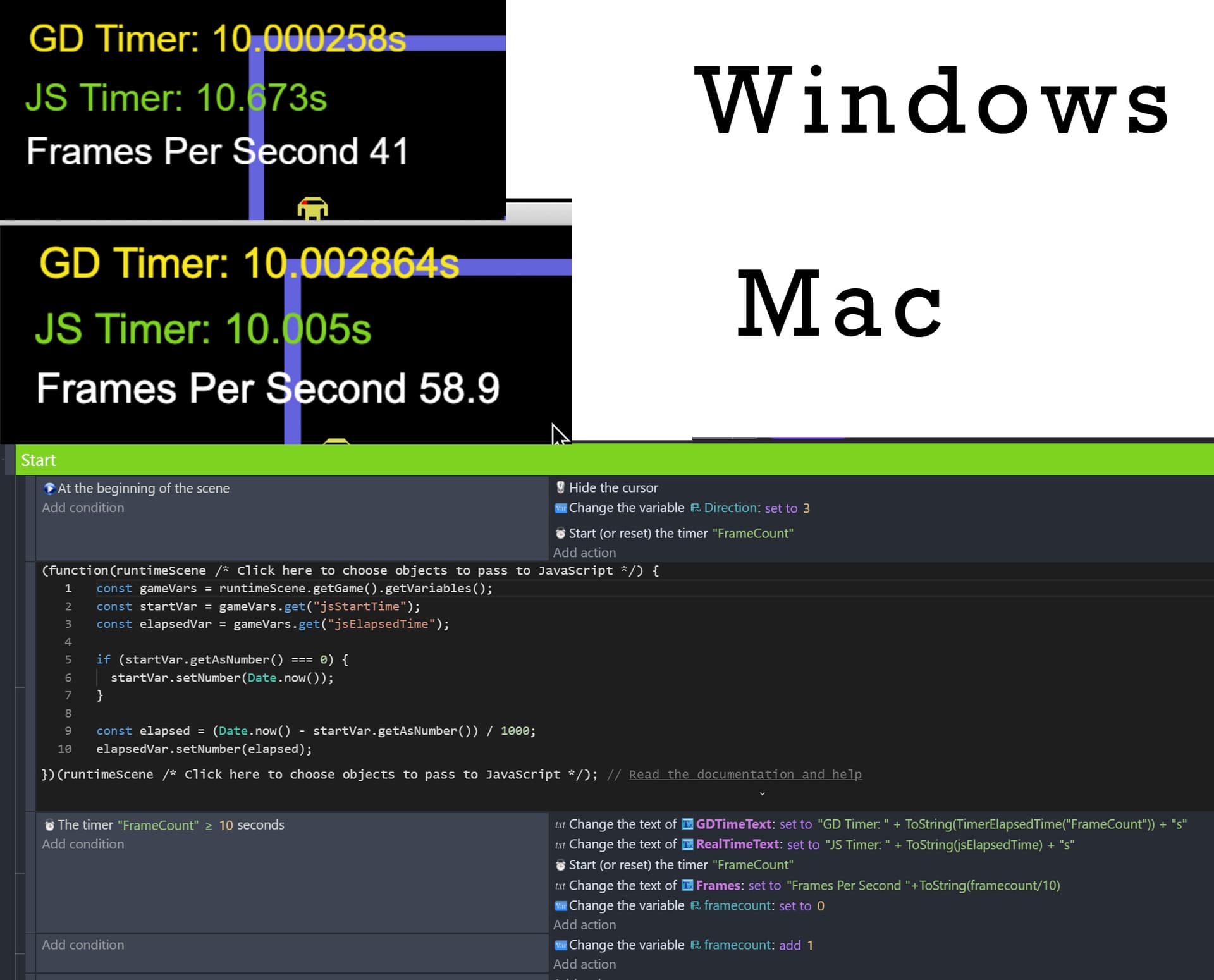
Thanks yes I made a javascript timer and figured out that the timers aren’t linked to the computer clock as I expected. I worked out that a chunk of the problem is the minimum frames per second. I had it at 60 I wasn’t actually sure what it did but I think it is a minimum frames per cycle? So I lowered that to 20 and it runs much better now but still is significantly slower in windows.
The image shows my code a reasonably accurate ffs it seems to be 30% slower but at least it is playable now
VSync might be the issu. I read somewhere that having it unlimited isn’t a good idea. I had it at 120 but I will change it to 60 I doesn’t effect Mac but worth a go in Windows. My monitor is a boring 60Hz.
The GPU is the same between the Mac and PC because they are the same PC but WebGL might be the cause but I would think I would be unlucky for it not to be running on the other three computers I tried.
I tested the other GDevelop game just to trouble shoot if they also ran poorly then I would have known for sure that it was something to do with my PC.