A few general pathfinding tips.
It helps if the origin and center point for all of the objects are in the center. The chasing object should be of equal size or smaller.
What might be happening is there’s no room for the enemy at the player’s position because it’s next to the wall. Since the objects are stopping then I’m assuming it’s because a path wasn’t found.
You can use an inverted path was found condition after a pathfinder move action to see if this is happening. It’s always a good idea to check if a path is found and have a fallback strategy.
I like to use an action that does something like play a sound or rotate an object when a path isn’t found. It’s very easy to see or hear each time the path isn’t found and you don’t need to use the debugger.
It could also be the pathfinder cell size , offset or position of the obstacle. It really helps to have everything aligned.
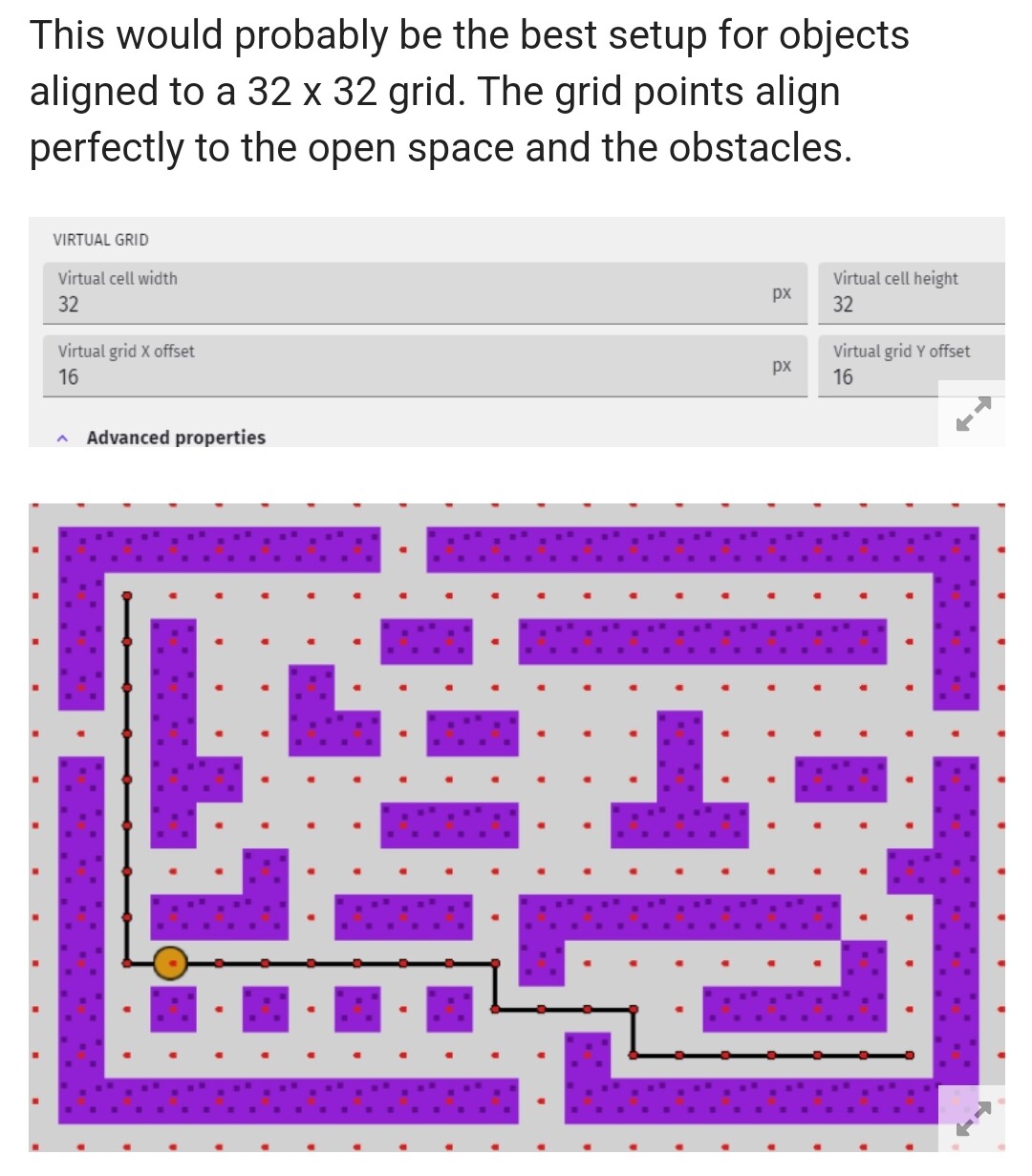
Take a look at this maze. The grid and spacing is perfect. If the grid wasn’t aligned or if it was too large, it wouldn’t work. If there was a smaller grid spacing, it wouldn’t matter, because if it tried to create a path any closer to the wall, then the object would be in collision with the wall.
The dots are drawn on the grid positions.
https://forum.gdevelop.io/t/how-to-make-sprite-automatic-move-perfect-in-pixel/63812/4?u=keith_1357
You could try decreasing the grid size or align the obstacles to the grid. It helps to set the editor grid to the same settings as the pathfinder. You don’t want the cell size to be too small. The smaller the cell size the more nodes are used to test for a path and the longer it takes to calculate it.
If the enemies are also obstacles then once 1 object stops, it could also be blocking the others.
Are you using an obstacle behavior for the enemies or are you seperating them if they collide? It looks like you’re seperating them. So, the last part probably wouldn’t apply.