I get this error message every time I try to add a behavior to my sprites. It happens in all of my games. I have tried on the desktop version, online stationary computer, laptop and mobile. I have restarted several times but always get the same error message. It’s been this way for 2 days now. What to do? I have the latest GDevelop version.
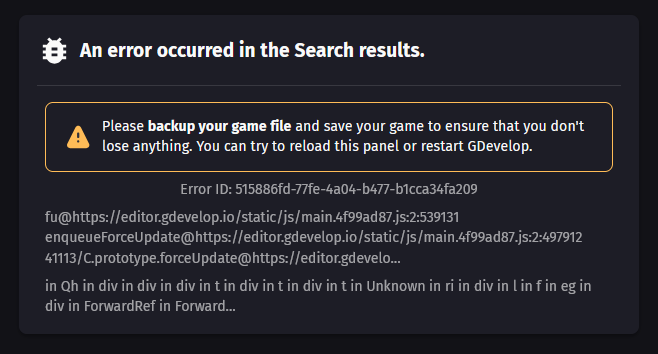
Edit: It is possible to type in the search bar behind the error message but no results come up. I can’t search for any behaviors and add them.
Does it still happen if you add a new sprite to the project?
And does it happen if you start a new project?
I have the exact same problem, but it happens as soon as I hit the “Open” button on any game I am working on. It doesn’t matter if it is a new game or an old game, it appears. I have tried all suggestions made in the message, asked the AI about it, and tried the AI’s suggestions, but nothing is fixing it.
Did you try reinstalling gdevelop?
How to Fix GDevelop Search Results Error
Step 1: Backup and Save
- Backup your game file to prevent data loss.
- Save your current game progress to ensure no loss of work.
Step 2: Attempt Reload or Restart
- Reload the panel where the error occurred within GDevelop.
- If reloading doesn’t resolve the issue, restart GDevelop.
Step 3: Investigate Further (if problem persists)
- If the issue persists after reloading and restarting, consider checking the GDevelop forums for similar issues or reporting the bug with the provided Error ID: 515886fd-77fe-4a04-b477-b1cca34fa209.
Answer:
To fix the “An error occurred in the Search results” in GDevelop, first backup your game file and save your game, then try reloading the panel or restarting GDevelop.
Gemini answer
Yes, the issue is on the desktop and online version but it works on mobile so I’ve been using both to work on my project
Yes to both of those, but it works fine in mobile. I have reinstalled gdevelop on desktop and the issue is also when using the online version.
BUT is it with any new project or only ones that you already worked on?
It’s working better now, so I’m able to add behaviors if I’m quick. The error message shows up after a while still but I can at least click on the search results if I’m fast. I guess it was just a bug in the system? Idk