IDK if this is a bug or just me. I use the mobile version with Chrome on an android phone. I cleared the browser, restarted the app and rebooted my phone. I also, tried it in new, empty projects.
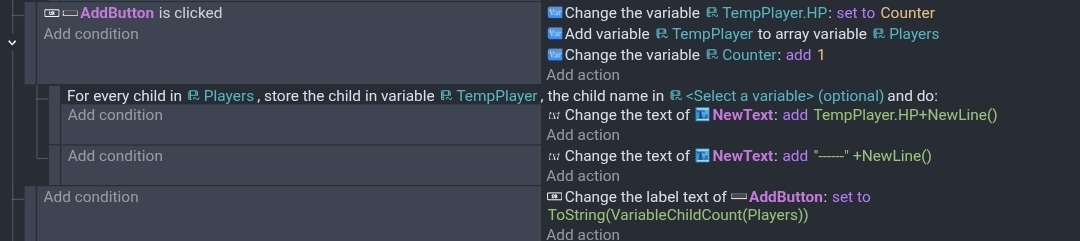
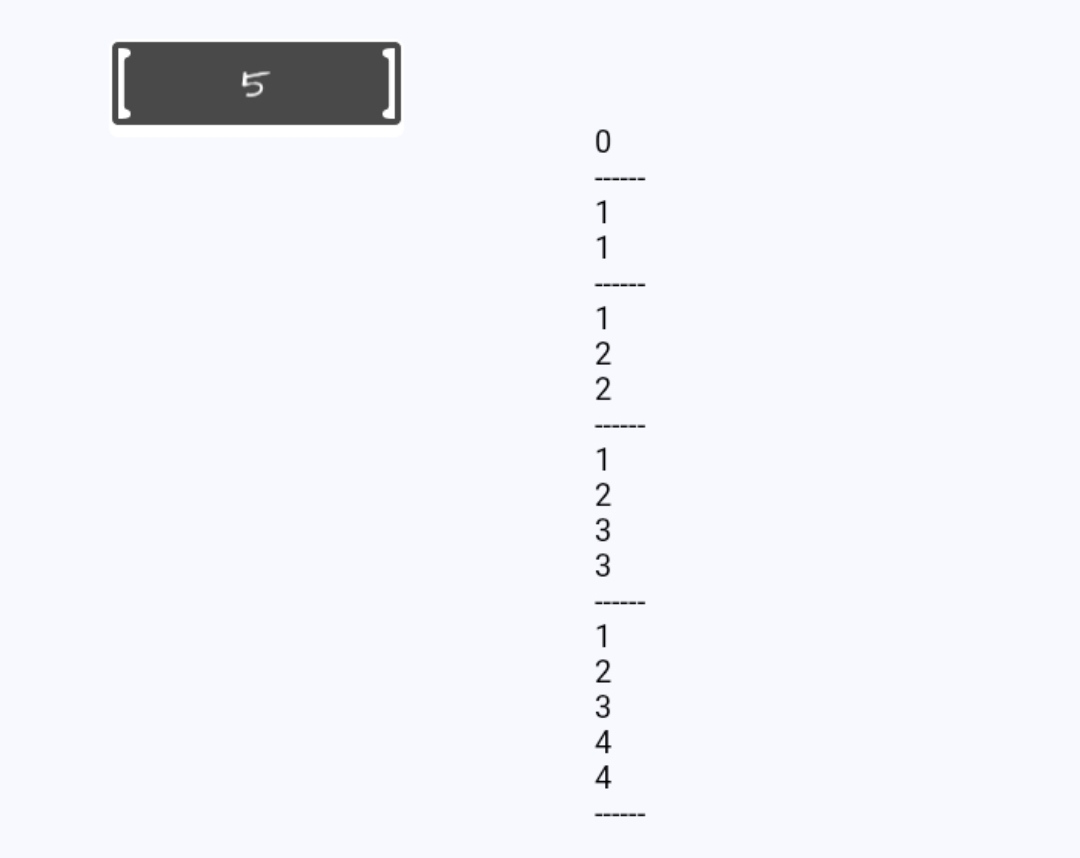
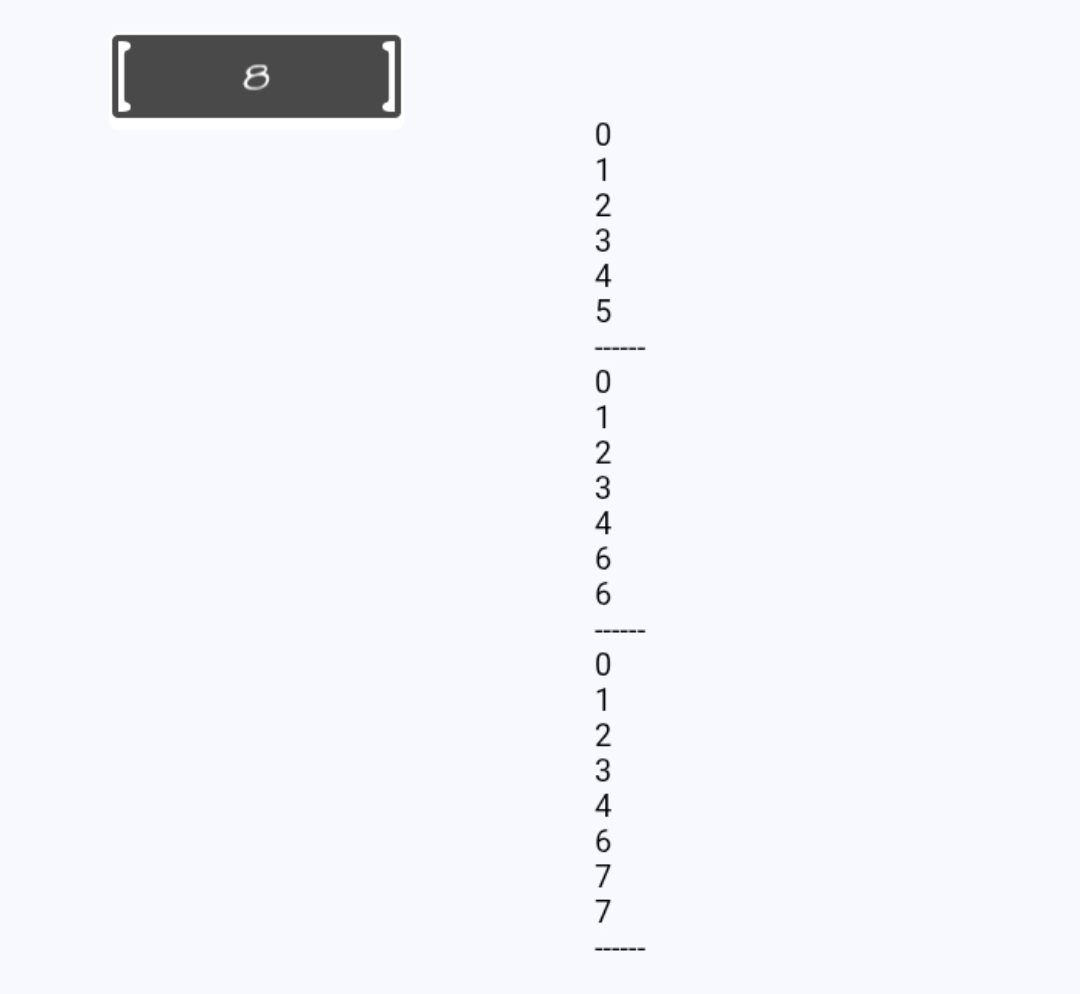
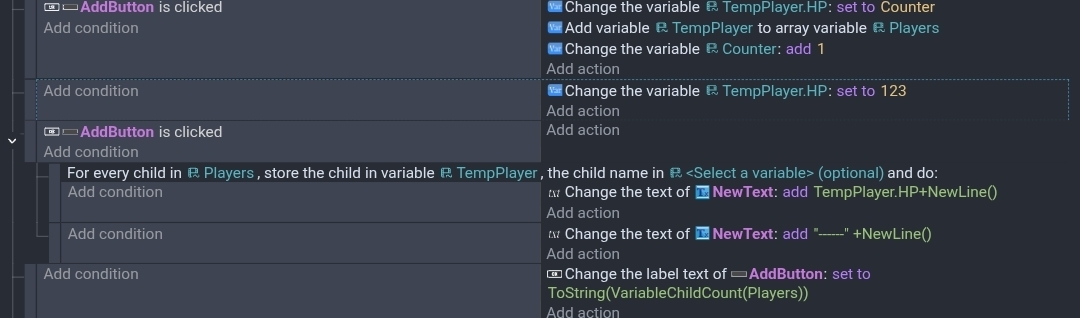
I was creating an example of adding a structure to an array. The same method that I’ve used a million of times. For some reason when I display the result with a for each child, it adds the new item but also replaces the previous last item in the array with the same values. This only seems to happen if I use the for each child and use the same variable to hold the structure. (TempPlayer)
I split the events because I know somethings don’t update until the next event. Sometime subevents don’t work as expected.
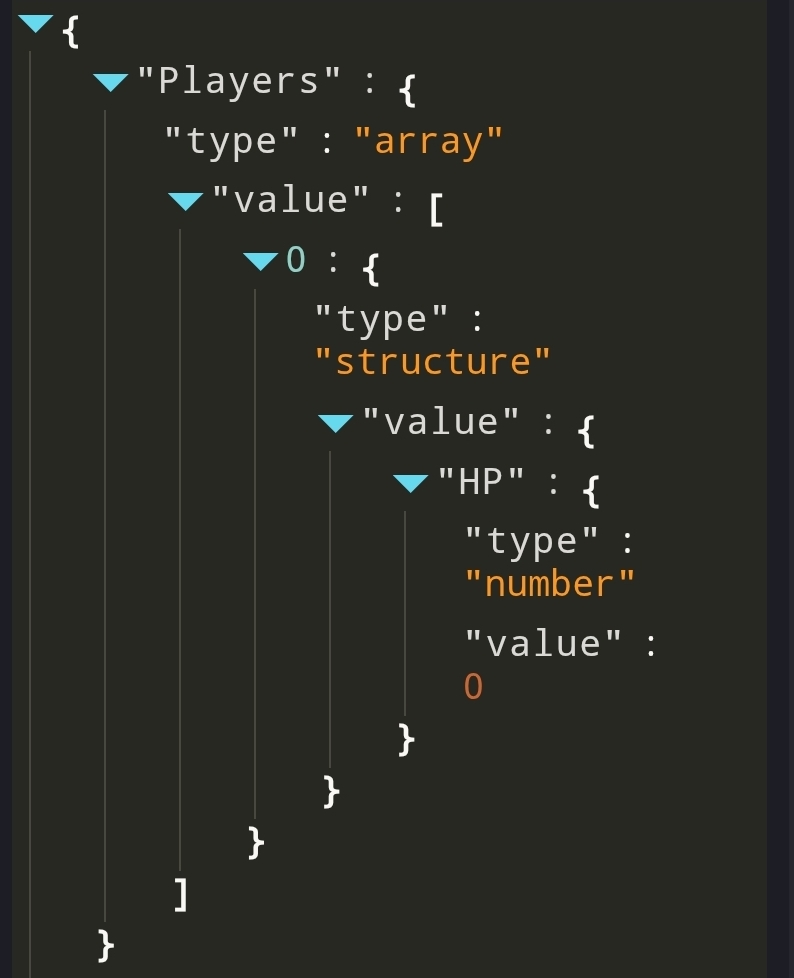
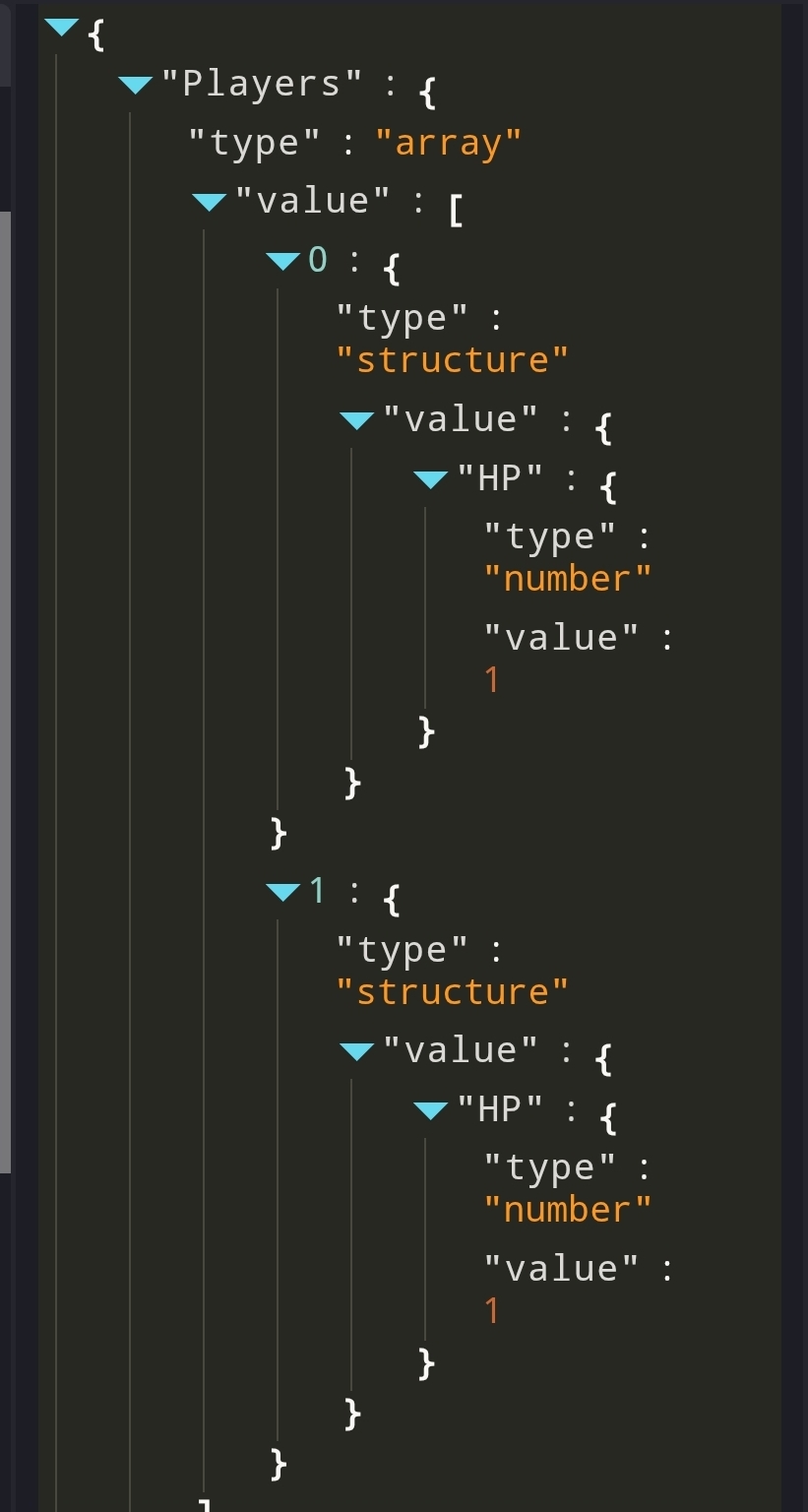
I added a Wait action so the 2nd event runs in the next frame. I also had it only display the values after the 5th click. It works as expected until the values are displayed. Index 0 isn’t changed to 1.
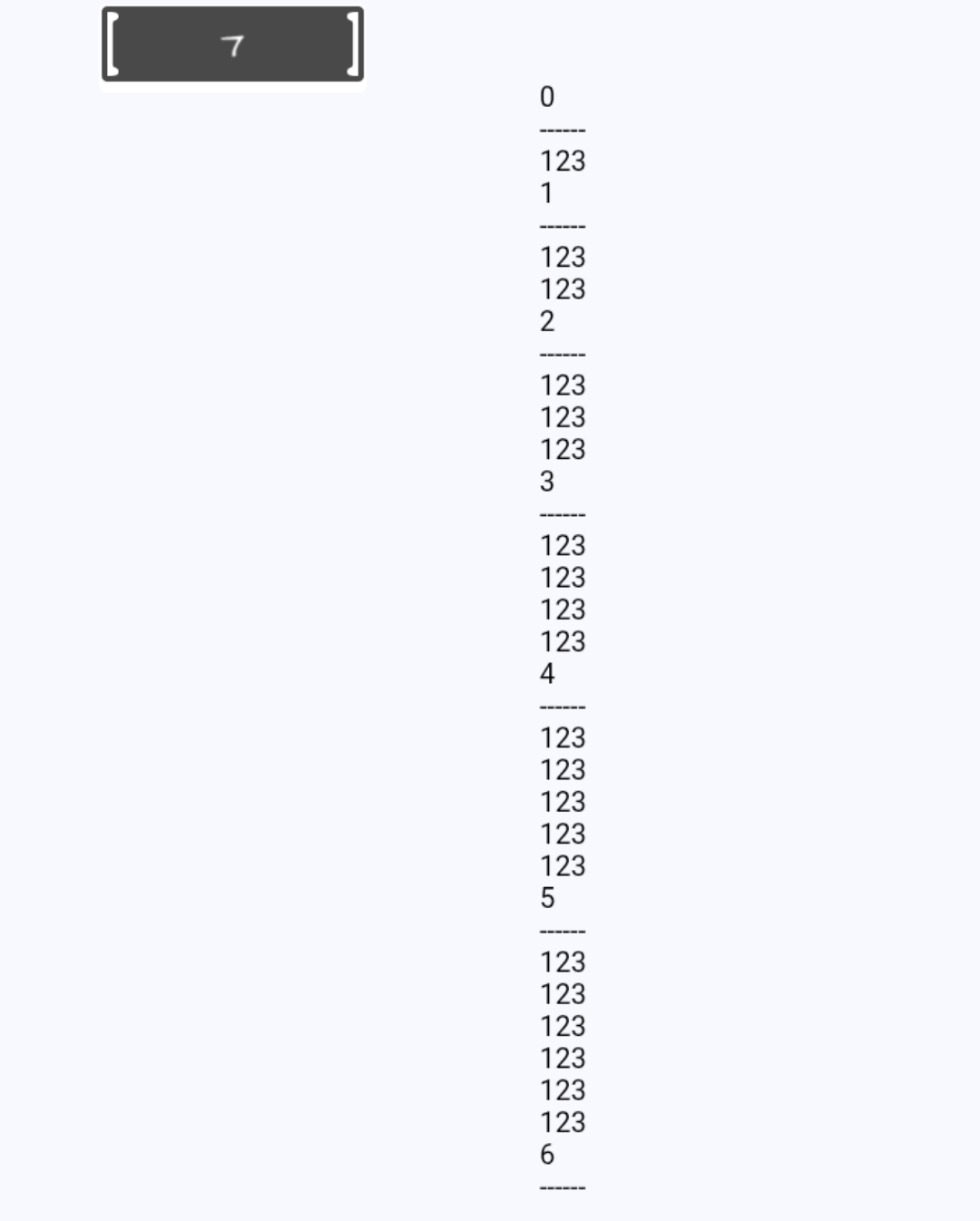
I wanted to take out the for each child but still modify the variable. I changed the value of TempPlayer.HP to 123. If the action happened at the end there wasn’t a change.
But when I changed the variables value before the for each child, the previous index was changed to 123.
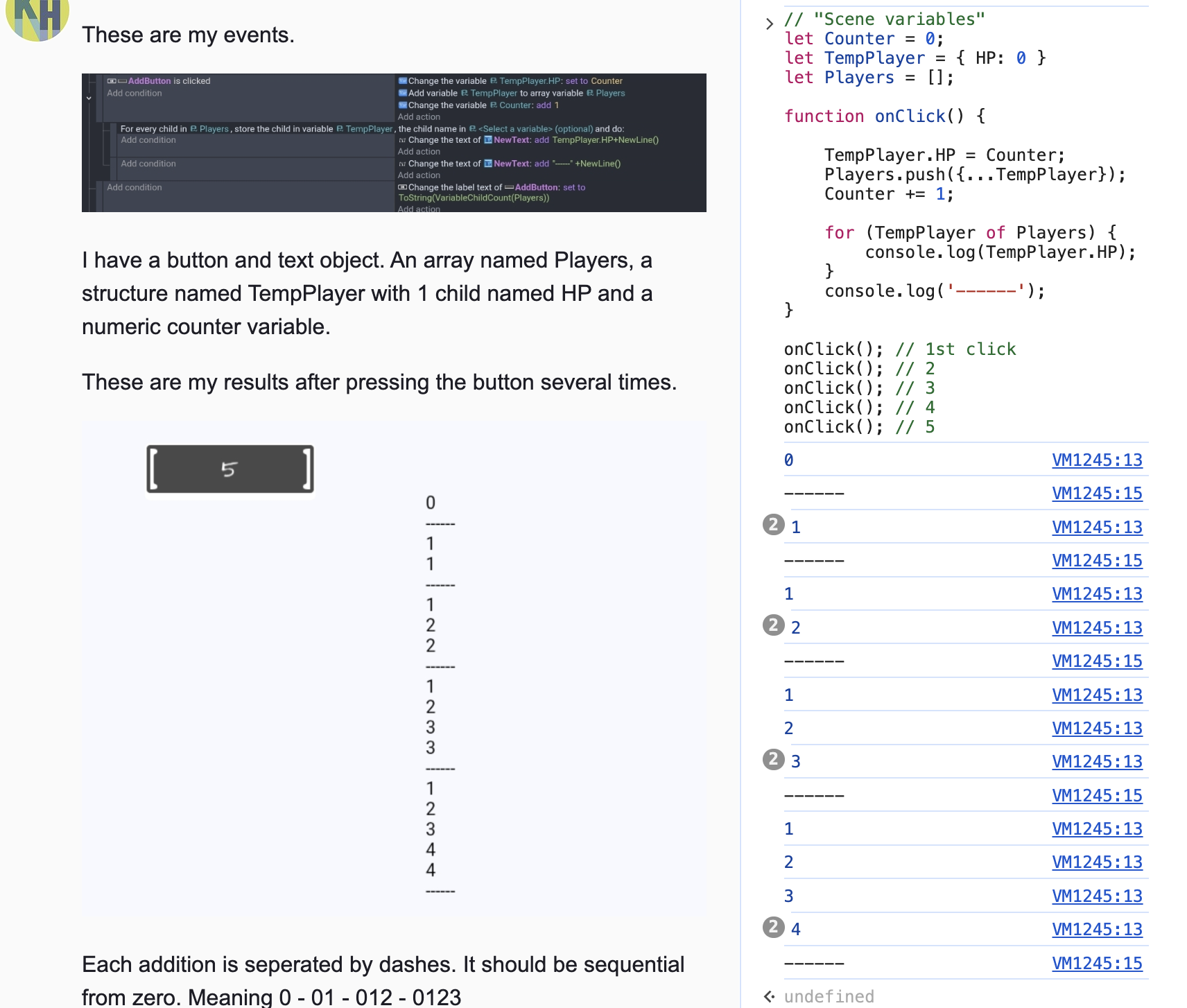
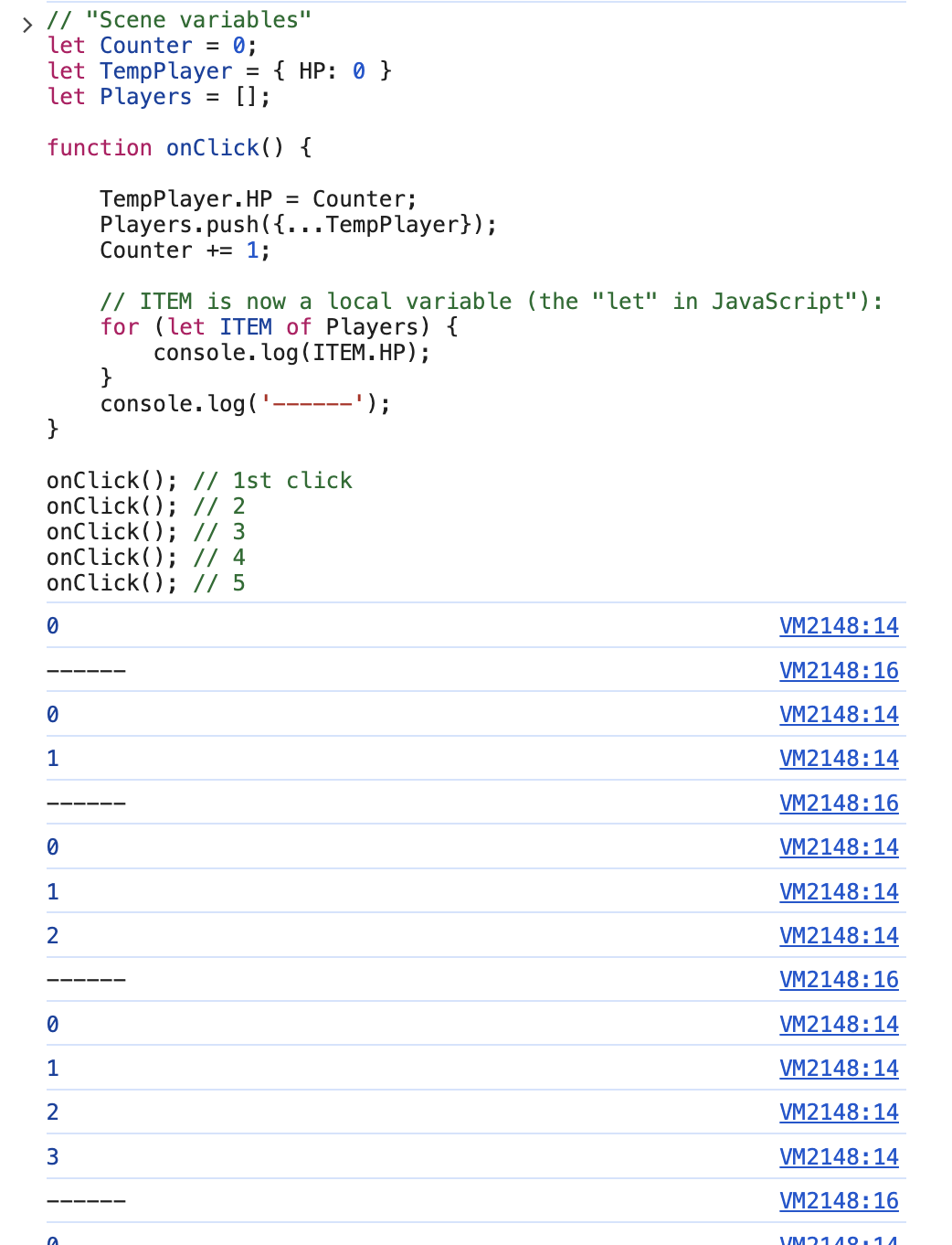
Hello! I’ve tested the equivalent first code in JavaScript and GDevelop follows the same semantic as for loops in JavaScript and other languages (let me explain):
The scene variable TempPlayer stays alive between frames.
In the “For each child”, when there is an iteration, the child variable is set to TempPlayer but is NOT copied inside it. Instead, TempPlayer is now set to the same object in memory as what is inside the array.
This means that when the “for each” has ended, TempPlayer stays a variable which is the same as the one that is the last structure of the array.
When you click again, when you do “TempPlayer.HP: set to Counter”, you actually modify the last variable of the array thanks to TempPlayer.
This is very surprising because it’s unusual in GDevelop to have variables to be “references” (or “alias” or “pointers”) to others.
Why is this useful though (in GDevelop or JavaScript)? Because this allows you to modify the content of the structure when you iterate on the array.
You can do something like iterate on an array of structures containing the age of people, and increase the age by 1. This will work because you will modify the same variables as stored in the array.
I think you stumbled upon this suprising behavior because “For each child” event is working with scene variables, and we did a wrong job of encouraging people to use scene variables for this.
The good news is: the next version will support creating local variables for “for each child” and any other event. In 99.9% of cases, you want to iterate using the name of a LOCAL variable.
This will be equivalent to do something very usual in JavaScript/other programming languages, which is to write a loop as for (let item of Array):
(there is no risk of Item being modified later while holding a reference to the last element in the array… because Item is destroyed after the loop! It does not exist outside it).
In the meantime, I suggest you use a local variable declared in the parent event (a bit cumbersome, but should work!)
Thanks. I’m glad it wasn’t just me. It was bizzare bc it just didn’t seem possible. I’d probably stick with a scene variable but I would use 2 different variables. I usually do but this was just for testing something.
I like local variables but it always seem less efficient to create and destroy a temporary variable on every frame than to just create a more permanent one once.
The linking of variables is interesting but the link should probably be removed when the for each child is done. I see the advantages of local variables.