WE ARE GETTING CLOSER TO AN FULL RELEASE!!
i am looking for people to build examples projects of the extension
people that can record they process of using in the engine
this will lemme know what people want to do with it and how they will do
i will release soon an Itch.io page for it.
anyway
FP3D description:
CONTAINS BASIC AND COMPLEX FUNCTIONS.
Functions such as:
-
applying impulses and forces to objects with physics
-
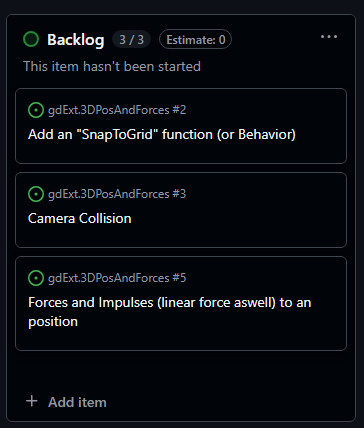
“sticking” objects to other objects or in front of the camera
-
translating the normal of an intersection from a raycast into angles (useful for portals or wall jumps!)
-
translating the 3D position onto a 2D plane with optional functions such as scaling down or making the icon orbit the screen if the target position is behind the camera
-
camera collision for third-person games
-
behaviors that automate or facilitate processes, like SnapToGrid or FPS Parenting.
-
condition that checks whether an object or the camera is looking at a target.
-
function to get the object closest to the center of the camera (useful for aim assistance)
see the gitHub for downloads of previous and future versions:
RELEASES
1 Like
Download it here:
Release 0.17.0
ADDITION
added an function to check iwhich side of an object the camera is looking.
Condition, and two expression functions
condition check the side directly
If is lookin at "Front" of an object
functions return that value
Looking at "Front"
Looking at 0
both condition and string function give you the choice 4 sides and 8 sides
if you want an custom amount of sides you can use the number function(since will return an number)
it works like this:
Choose the object
Choose the ZToleration (to check if is looking at top or bottom, altho it is returned as “Up” and “Down”. 0 will ignore the top and bottom checking)
Choose how many sides (4 or 8)
Choose Layer
Choose the side that will be searched (Expressions doesn’t have this)
than the condition should be something like this:
Check if camera is seeing "Left" side of Object in layer "", with ZToleration 100 and sides 4
expressions should be like this
ForcesAndPositions3D::SideOfObject(Object, 0, 8, "")
or
ForcesAndPositions3D::SideOfObjectNum(Object, 0, 8, "")
for example, you can change an sprite animation based on that
2 Likes
just bumping the post to reach people that might not know about it
also 0.20.0 in github
download here
and then give me feedback
1 Like