(GAME DELETED)My game dosent preview(SO SORT OF SOLVED NO NEED TO CLICK HERE)

For some reason im not sure why when i try to preview my game it dosent work.:disappointed_relieved: :cold_sweat: :sweat: :cry:

It only shows the loading screen thats all, like every single scene.

pslpslpslpslpspspsslpslpssplsplspslpslpslplspslpslpslpslsplspslpslpslppppplllllllllllllllssssssssssssssssssssssssssssssssssssssssssss help!!! :pray: :pray: :pray: :pray: :pray: :pray: :pray: :pray: :pray: :pray: :pray: :pray: :pray: :pray: :pray: :pray: :pray: :pray: :pleading_face: :pleading_face: :pleading_face: :pleading_face: :pleading_face: :pleading_face: :pleading_face: :pleading_face: :pleading_face: :pleading_face: :pleading_face: :pleading_face: :pleading_face:

Screen snipping because the sentence has a banned word…

image

1 Like

just tell me what u mean pslplspslslps.

Have you tried to close your project & GDevelop and open it up again?

yup, i tried it all. :cry: :sweat: :cold_sweat: :disappointed_relieved:

You got any solution Mr?

Does it open in the editor and can you open all the scenes? If it does, then I’m all out of ideas. Sorry, not the message you want to read :face_with_diagonal_mouth:

np… (i already tried editor and yes all the scenes open but dont preview.)

I’ll change the category the thread comes under. Someone else may know what that XML parsing error message might mean.

Error message? wait what?

The red message about XML parsing in the console output.

1 Like

Umm yea i dont get it but okay…

(im still only a kid btw)

1 Like

Hello @zGameCreator!

Can you publish your game under divers formats like PC, android, etc. and is your game working?

If yes, desinstall then reinstall GD.
If not, can you have a preview of another game under GD?

After, we’ll see.

A+
Xierra

1 Like

Publish it on divers? u mean like one click packaging?

no its not i cant preview it, it stays on the load thingy.

yes i can preview any other game i tried it.

if yes u mean if my game is working?

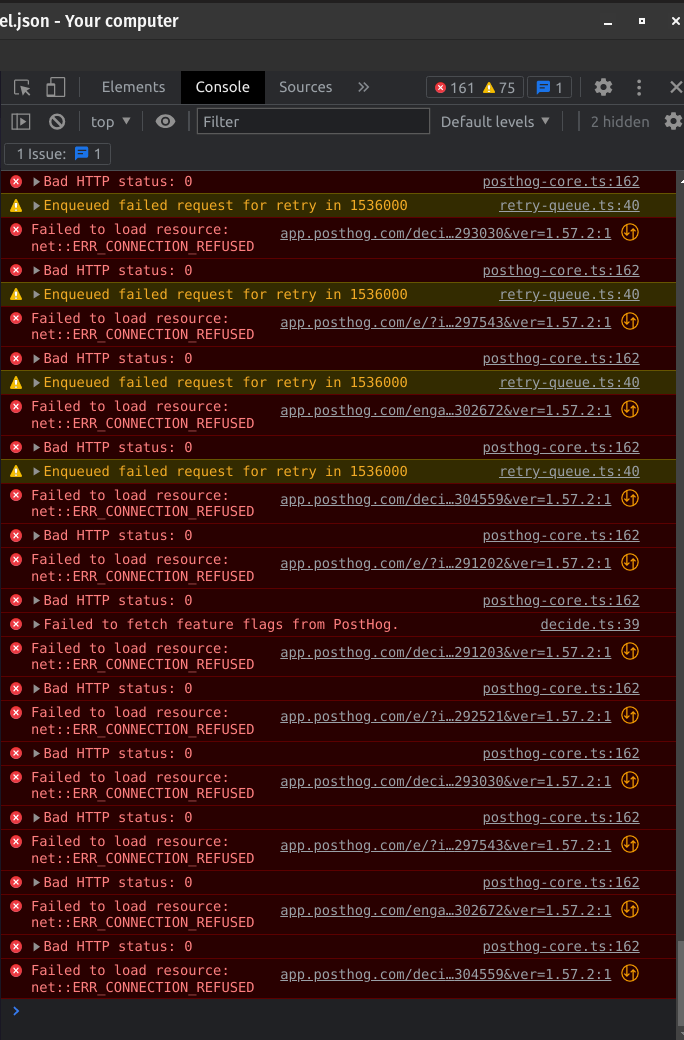
Okey dokey, I got curious and typed out that xml link from the console pic because I wondered why a forum link was in there. I think I’ve typed it correctly and here it is:
https://forum.gdevelop.io/message-bus/ac86bd574e594bf68bf7fdc063e39cbd/poll
It goes to a virtually empty page apart from a few of these [ ]. Have you tried disabling different sets of your events to see if the preview will run? Do you have links in your game?

1 Like

OHHHHHHHHHHHHHHHHHHHHHHH, now im really embarrassed… :sweat: :sweat_smile:

i just realise what you guys have been saying all along… :fearful:

1 Like

Well mrmen never said to do the console in the app GDevelop… i just did it here… well better late then never… :sob: :sob: :sob: :sob: :point_down:

1 Like

If i on it with debugger it still dont wrk…

Until someone who can interpret the console errors comes along, I suggest you disable some of your events. I see you have quite a few scenes. You can disable events by right clicking/long pressing or typing D on the keyboard.

Go through and disable some, try preview, if it doesn’t work, disable some more. If any of your events are in groups it will make it easier.

If your preview works then check the most recent events you disabled. If you don’t see an obvious problem then show a screenshot here and someone will be able to figure it out. Good luck!

1 Like

thanks i will try, btw i have waay more scenes like more then twelve it just isent open…