I’m definitely over my head in this platformer game I’m building but I’m hoping someone could give me some direction on how to solve these 2 problems I’m seeing.
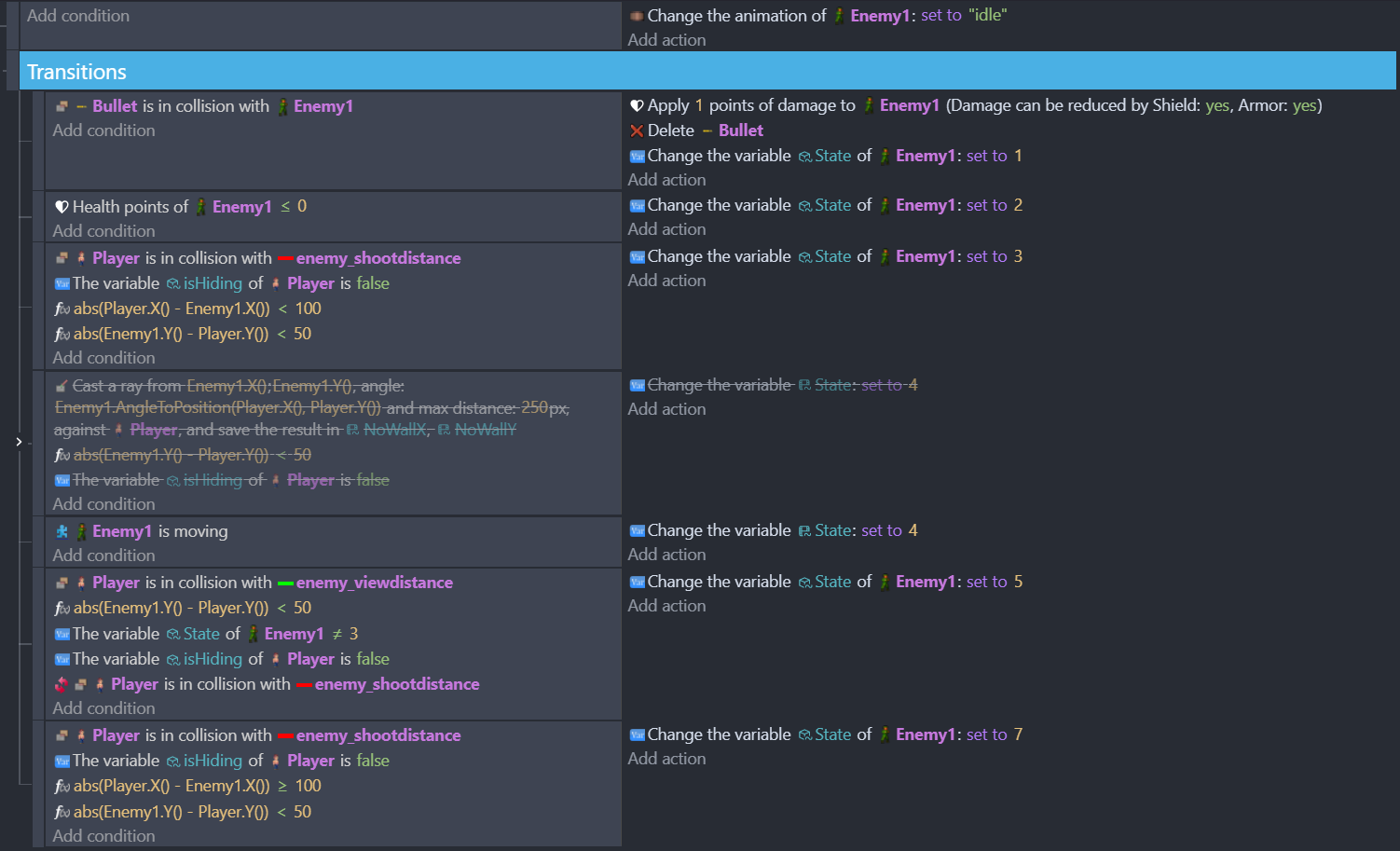
Context: I set up an FSM for the player and enemy characters in the level. Controlling what animation to trigger depending on the situation with the enemy.
I want each enemy to have it’s own state starting from ‘Idle’. However, what I see happening is if I walk to the first enemy he goes into ‘attack’ which is correct. But then I run towards a second enemy, he is also in attack. So, it appears all enemies in the level are sharing the same state at the same time. noticed that the enemies all are sharing the same current state and linked view objects.
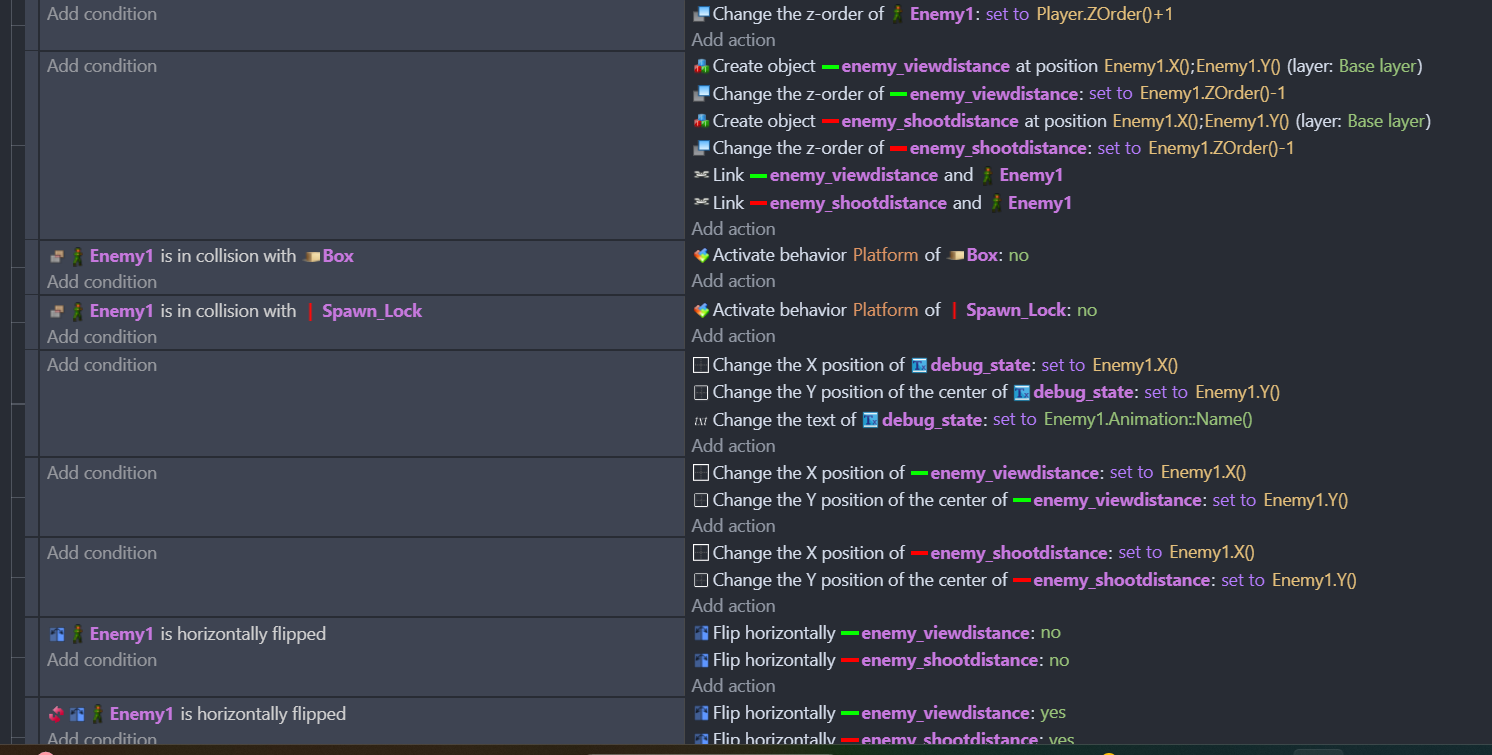
I want to link 2 sprites to each enemy to control how far they can ‘see’ and trigger their attack distance. But what happens is the 2 sprites only on the first enemy instead. If I kill the first enemy then the 2 sprites attach to the 2nd enemy, and so on. I need these objects to be applied to all enemies. Just as I need all enemies to start in the ‘idle’ state but then individually change states of the FSM based upon conditions occurring.
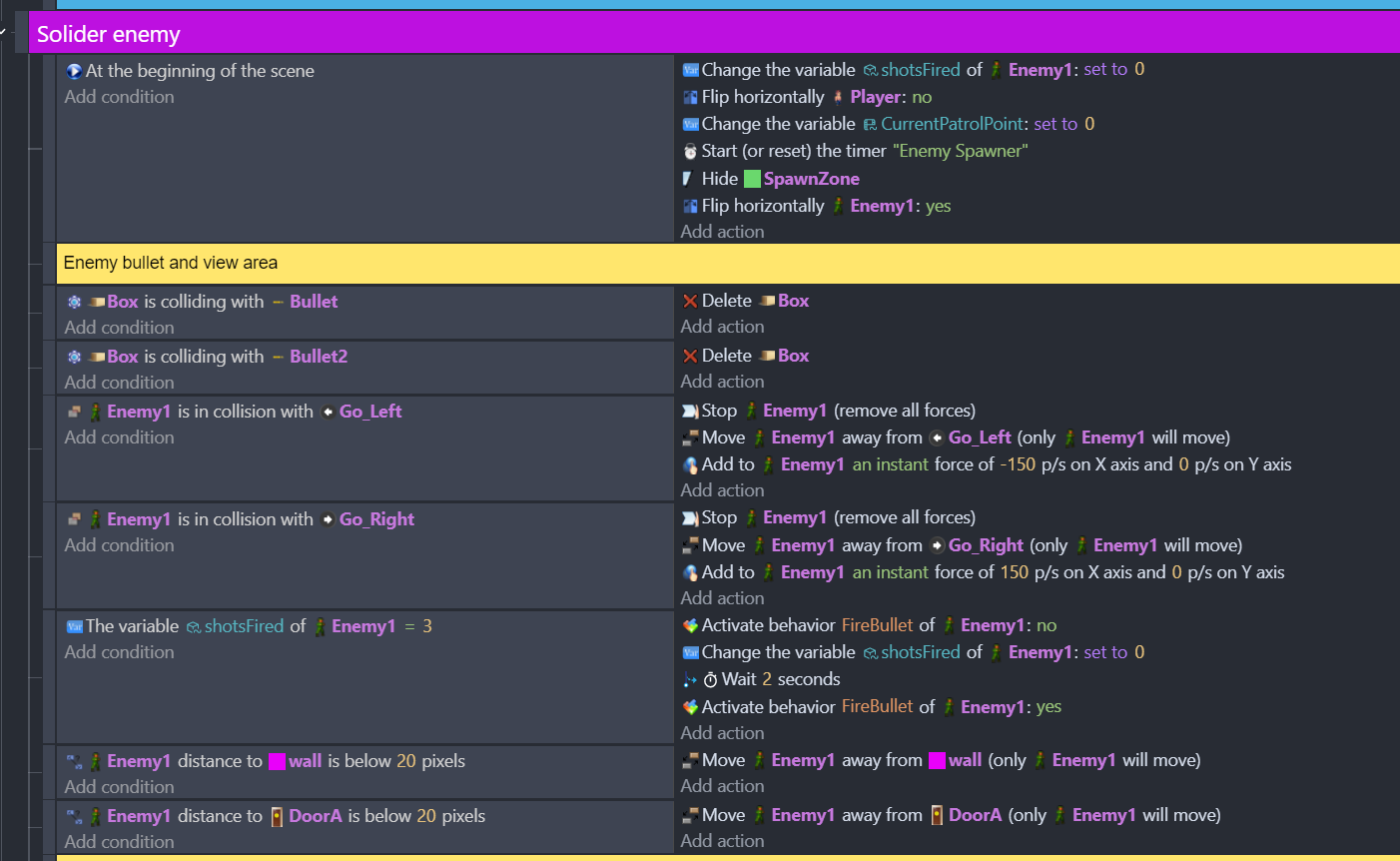
Here’s an excerpt from my Event sheet regarding the Enemy:
I don’t have any condition references for the Enemy in my Main Event sheet. They are only in the individual Enemy Event sheets.
P.S. I tried changing some of the above Main Events to set them to ‘repeat for each instance of Enemy1’ but that seems to either do nothing or break the condition and actions.
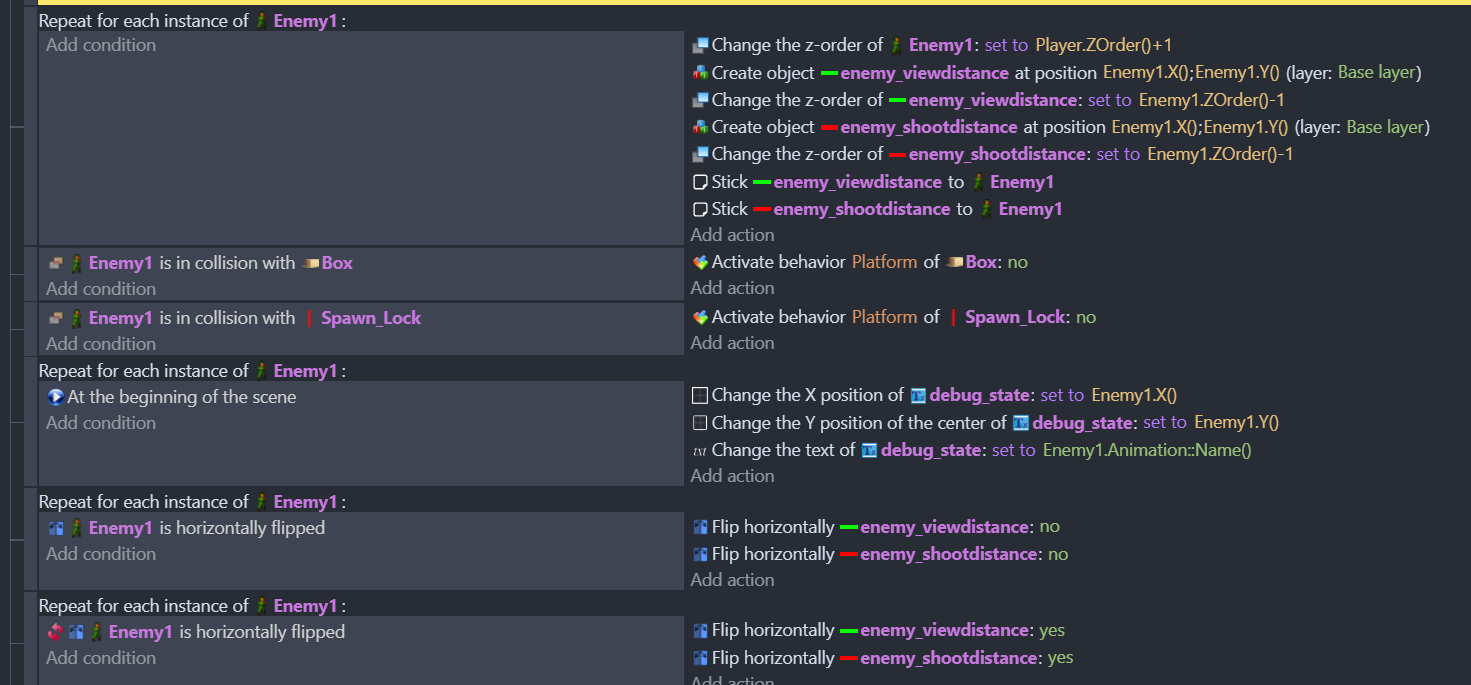
you need a “For each event” in the event block which creates the view distance objects in order to get them for each enemy. Btw, if you create an object without condition, the object will be created every frame and this will be a lot of objects in a very short time.
Instead of moving the view-objects around with changing their x and y position, you could use the sticker extension and stick the objects to the enemies in the “for each”- event block (they will move with the enemies without needing extra events).
I don’t know if you have any plans with the link-objects actions. If you are not sure what they actually do, you can delete them. You are not referencing any linked objects in your conditions at the moment and maybe you misunderstand what the link actually does.
Thank you for the insight! I assumed I needed to link the object to the enemy to have it move and flip horizontally with the enemy position. But I can try removing that.
I’ve tried adding a ‘For each event’ event block but what that did was only applied to the first enemy, until that enemy was dead, and then the view sprites moved to the 2nd one.
So I think now I have them spawning but they aren’t starting with the same horizontal orientation. The sprite is supposed to be in front of the enemy. However on the 2nd and third enemy they now appear on the back side of the enemy and don’t flip with the enemy. Here’s what I have now:
P.S. The enemy states of each of the instances of enemies seems to be delayed or ignoring states. I thought it was sharing but I was able to run up to an enemy and past him without him triggering his attack state. But another it worked as expected.
Thank you!
Supposing that your enemies are already in the scene when you want to attach the view-objects, you just make the “For each”-event a subevent of “At the beginning of the scene”.
Cool that seem to work. My only issue is the view_distance sprites aren’t flipping with the enemy orientation. But now they seem to be spawning with each enemy object.
So much appreciated!
Great. Just to let you know: for the flip-action you don’t need a ‘For each’-event. The flip has to be triggered by something, for example a collision, and this will apply to every object for which the condition is true.
“For each”-events are very useful but they can tank your performamce, if you use them too often and without embedding them in other conditions first. So before using them you should try and test if what you want to do is also possible without them.
At the moment I cannot give you a good solution for this problem (except for deleting and creating them again) but if you flip the distance -objects they will just flip around their center points and not change their position. One option is to shift the center point to the edge of the sprite or even beyond.
Thank you so much for the insight. I’ll keep the perf issue with the ‘For each’ in mind.
Yeah I was struggling with what condition to use the flip-action with since the view-distance sprites are just something I want tied to every enemy to use to control how far the see and react.
No worries about the flipping, I had it working before and yeah I need to check their center point, I had moved it to help with this. At least now every enemy is spawning the view_distance sprites now