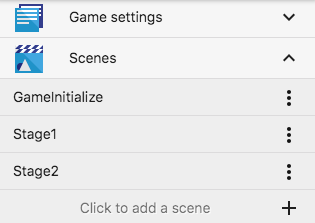
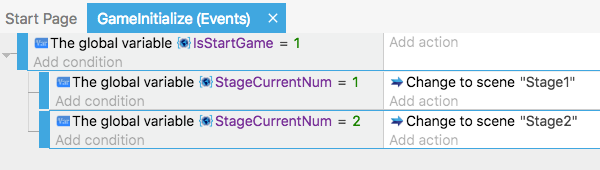
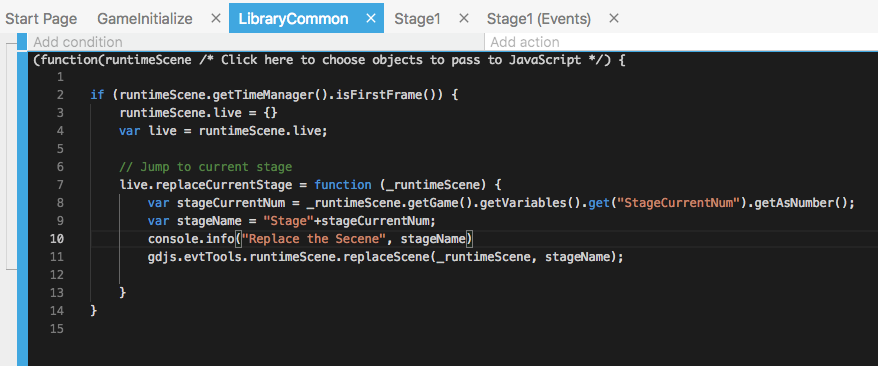
Not “at the beginning of the Scene”
I want to know “at the beginning of the Game”
I want to choose the start scene after “game.startGameLoop()”.
Not “at the beginning of the Scene”
I want to know “at the beginning of the Game”
I want to choose the start scene after “game.startGameLoop()”.
The first scene in your project manager, open it and set the action “at the beginning of the Game” and add your actions / sub events.
set the action “at the beginning of the Game”
where is this??
Is that “at the beginning of the Scene”?
Oh sorry missunderstood. I mean “at the beginning of the Scene” yes and not in action but in conditions, sorry.
Thanks for your response.
So this is the only way to do it, right?
Yes or, experiment with JSevent.
But the easy way is this one for me, scene and condition.
Thanks for your help!
“at the beginning of the Game”
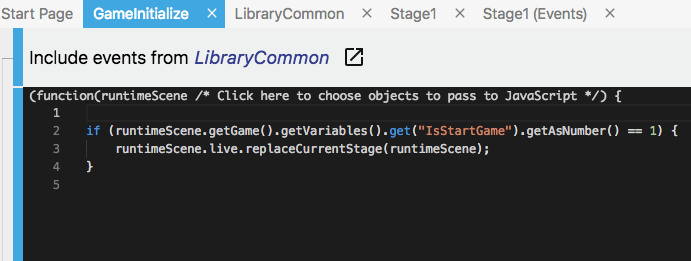
I found out that I couldn’t do that.
I’ll do it this way:
// live is my functions and teamName
var live = runtimeScene.live;
if (live) {
    live.updateVariableCurrentStageNum(runtimeScene).then(() => {
        live.replaceCurrentStage(runtimeScene);
    });
}
and after the stage is cleared:
live.replaceNextStage(runtimeScene);
implement replaceNextStage():
We solved it!