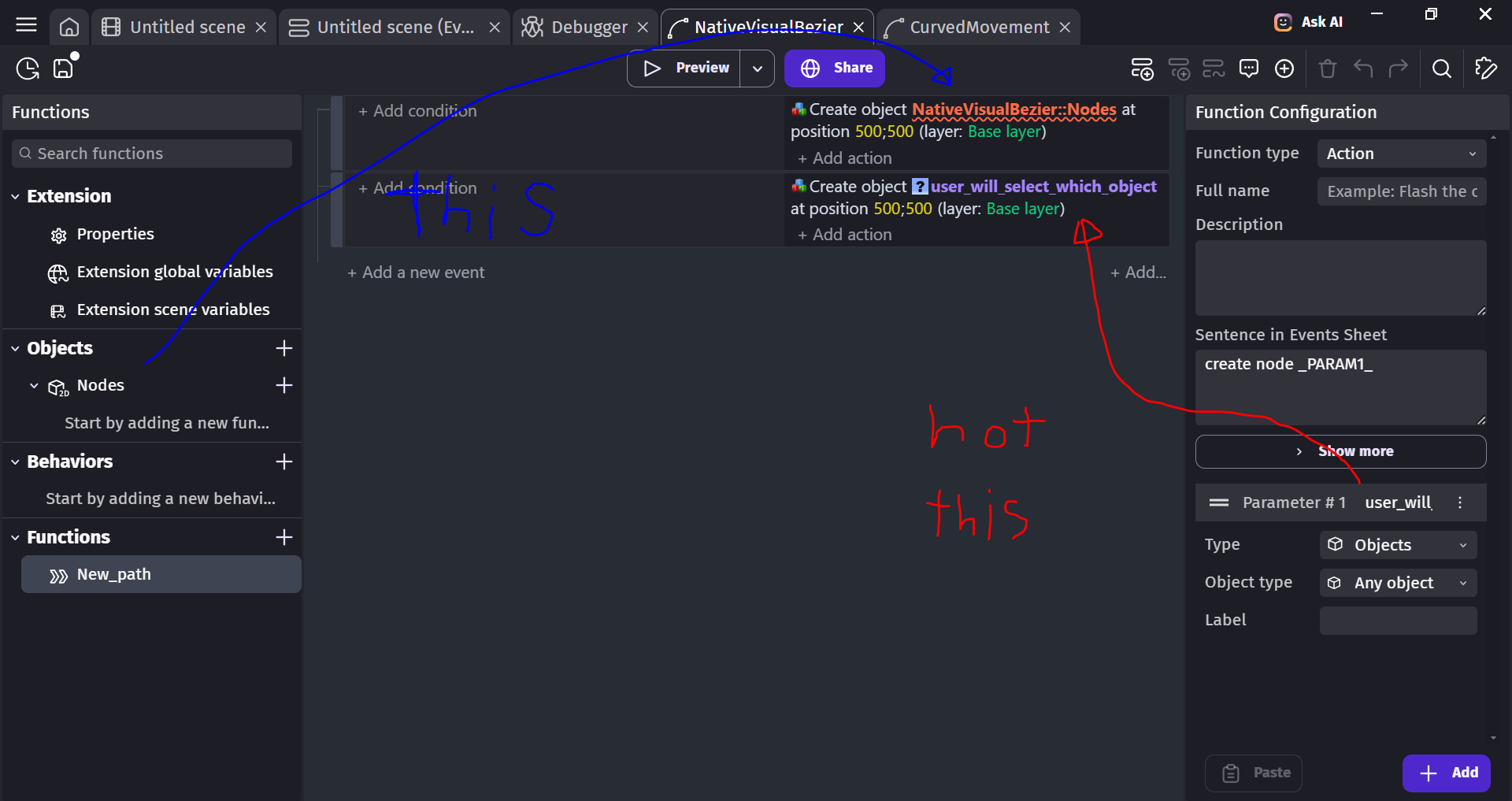
Inside extensions editor, in order to create a new object, you must first define a parameter to be used. PROBLEM: this makes it so the user is able (and must) decide, every time the function is called, what object will be affected by it. (screenshot example in red)
But I got a custom object that i would want to create (screenshot example in blue). Its this object that i want to create, not any user-defined object.
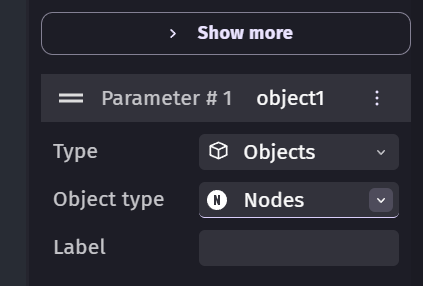
if i put my object type in parameters to the name of my custom object, it still makes it so the event requires an input from the user when using the custom action
Do you want to create the custom object as is or only certain children objects of the custom object.
If you want to add existing children objects then you could use a parameter like a string and then create the object either with a bunch of conditions like if parameter is “red cab” add red cab. Or you could put the children objects into a custom object group list and then create the object by name using a parameter. The string parameter that has a list would work nicely because you could create a list of the possible objects.
I guess you are confusing object types and objects because you plan to only create one object of this type in your scene.
Object type
Created in the extension editor
For instance PanelSpriteButton, a concept of a button, the logic behind it
Object
Created in the scene’s object list
For instance LevelButton or SettingButton, an object of the type PanelSpriteButton where you can choose a style (aka variant)
Object instance
Created by dragging an object in the scene
For instance, 5 instances of the object LevelButton because there are 5 levels
In the events, you can’t create an instance of an object type. You can’t create PanelSpriteButton, you need to choose a button that you setup in a scene for instance LevelButton.
i do not understand what is the difference between creating a child object or the custom object, in this case. I just want to create an object, the exact same way that you create an object in a game using “create an object” action
hello! thank you for this explanation! its so appreciated.
however, it doesnt tell me how to create an instance.
is there any way to create an instance of an object in the scene, in a way that the user doesn’t need to specify which object? aka. it just create the object that I dictate
It can all be confusing. I’m still not sure what your intentions are. What does the custom object represent.
Custom objects are just like any object from the prospective of a scene. Think about how you add the built-in custom objects like sliders or buttons. It’s the same principles with user made custom objects.
Where do you want to put the events that create the custom object? If it’s in the scene’s event sheet then it’s the same events that you use for any objects.
Custom objects are a bit like a self-contained scene inside an object. They contain their own layers, events and children objects. You can create instance of the children objects at design time or through events.
If you want to create copies of a custom object from within a custom object then I don’t think you can. From the custom objects perspective, it can’t “see” the custom object or any other object within the scene. Its only “aware” of the objects that are inside it. It only has access to basic properties of the custom object like it’s position within a scene and other properties. It can’t aceess any other objects from the scene it’s in unless they’re passed as a parameter.
Think about the slider control. It contains things like a background, the knob or handle and a text object. You can add additional knob objects but you can’t add another slider inside the custom object unless their was a slider object also inside the custom object as a child object.
I guess if you had a custom object that contained another custom object then you could add instances of that object from within the custom object but they would be created as part of the parent custom object and not as seperate objects within the scene. In this scenario, the child objects are visible to the custom object that they’re inside but not accessible directly by the scene they’re within.
There’s a hierarchy involved and it’s a bit of a one-way communication.
Imagine you want to create an object of the type Sprite, but which one: the Player, the Tree, the Wall?
This is why you need users to tell you which object to create with an object parameter.
I am understanding here that it is impossible to (within extension events) create an instance of an object (on the game scene) without the need to use a parameter.
It’s probably possible with Javascript although it’s probably not the recommended method. A lot of things are self-contained.
Is it from within an extension or a custom object?
At minimum, it would probably require at least 1 event from the scene’s event sheet to provide the object’s name. Similar to the fire extension where you need to provide the bullet’s object.