Thanks for this investigation  I’ve not understood everything so I’ll have to re-read everything again.
Your example shows though that it’s possible to get crisper text than the default rendering.
Note though that when resizing the game to a sufficiently large size, we can see that the rendering is not pixel perfect:
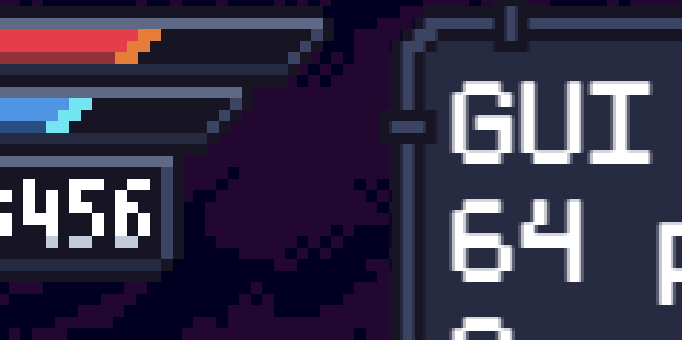
Which seems to indicate that this maybe more a workaround/optimization/improvement than a definitive solution (for example compared to a Bitmap Text using a Bitmap font generated from a custom texture?).
(quick note too: Construct and Phaser are both not based on Pixi.js. Phaser used to do, but is not since years now. Construct never was if I’m not mistaken).
Ideally I would want to ensure that we have a definite pixel perfect solution before implementing anything complex that could risk create more confusion than what we already have. For example, if the text rendering is found to be never pixel perfect in Pixi.js, then all hopes to get a pixel perfect font are lost - there is no way to make this perfect… Unless you use a Bitmap Text with a custom font created from a texture.  (something to implement in the Bitmap Text).
A workaround can be to create a font with a very large font size and then making it smaller than what it should be - so that it is “crispier” (i.e: “almost” “pixel perfect”) but that’s an illusion that will fail if you make the window sufficiently large.
I think there was this discussion on a Pixi.js issue: can the text rendering be pixel perfect for fonts made in a pixel-art style? If not, we should probably invest our time in Bitmap Text.