I cannot see the 3D mode and 2D mode tabs in the scene editor in GDevelop 5.6, and the AI argues it is not meant to be there, and when i corrected it, with my last response, it said ‘‘Maybe you are thinking of a different engine’’
1 Like
Could u take a screenshot of it?
sure i will take one tomorrow and send it here after lunch.
1 Like
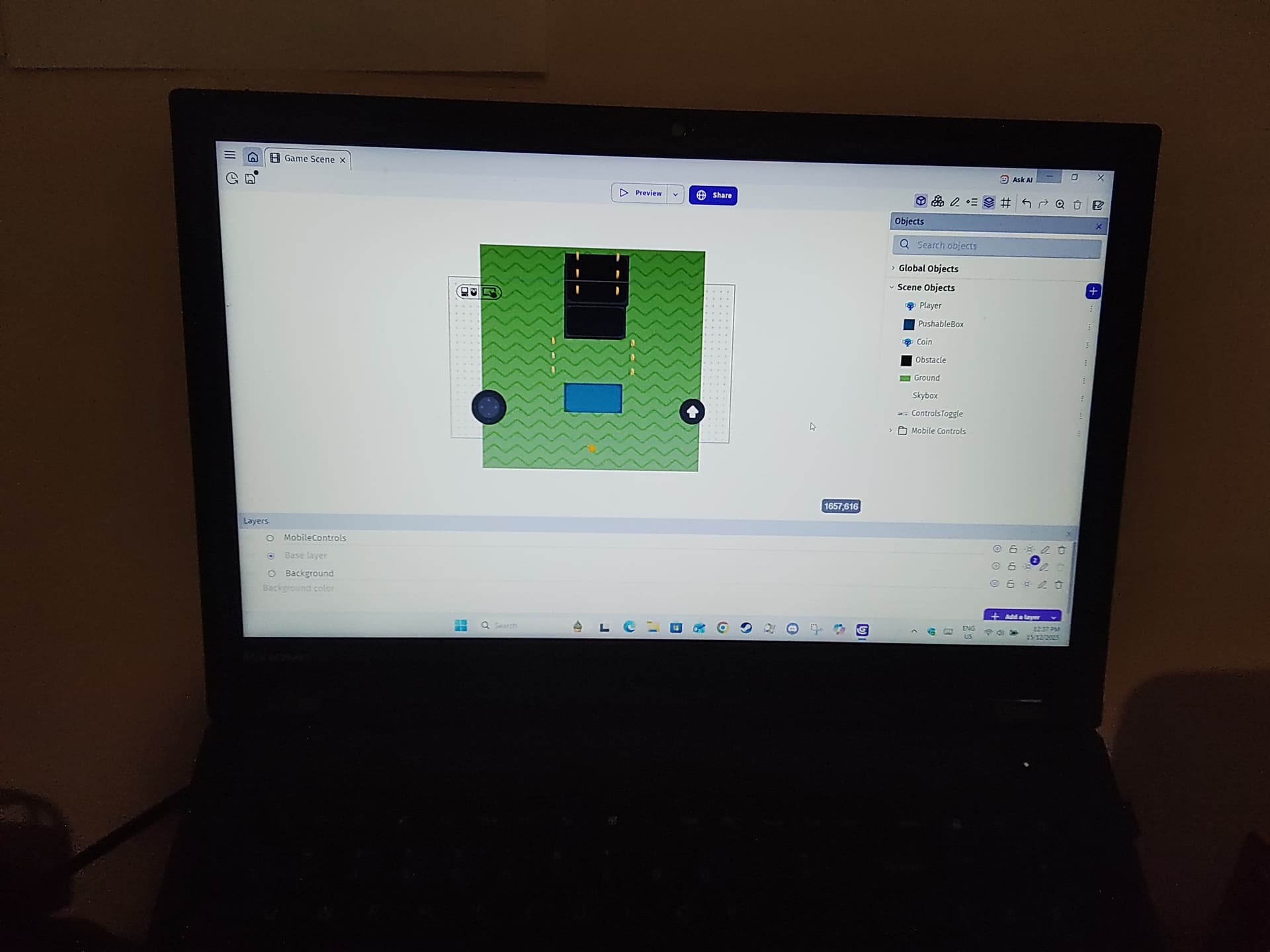
here proof that the 2D mode and 3D mode tabs are missing, oh and this is just a template I am using to test the real-time 3D editor which is missing
Hey!
I has this exact problem earlier this week. All I had to do was update GDevelop (I ended up deleting and reinstalling it because the update was a little bugged) because it turns out I was on the old version!
Edit: That’s so funny that we both replied at the same time 
1 Like
Tried that but it did not fix it either
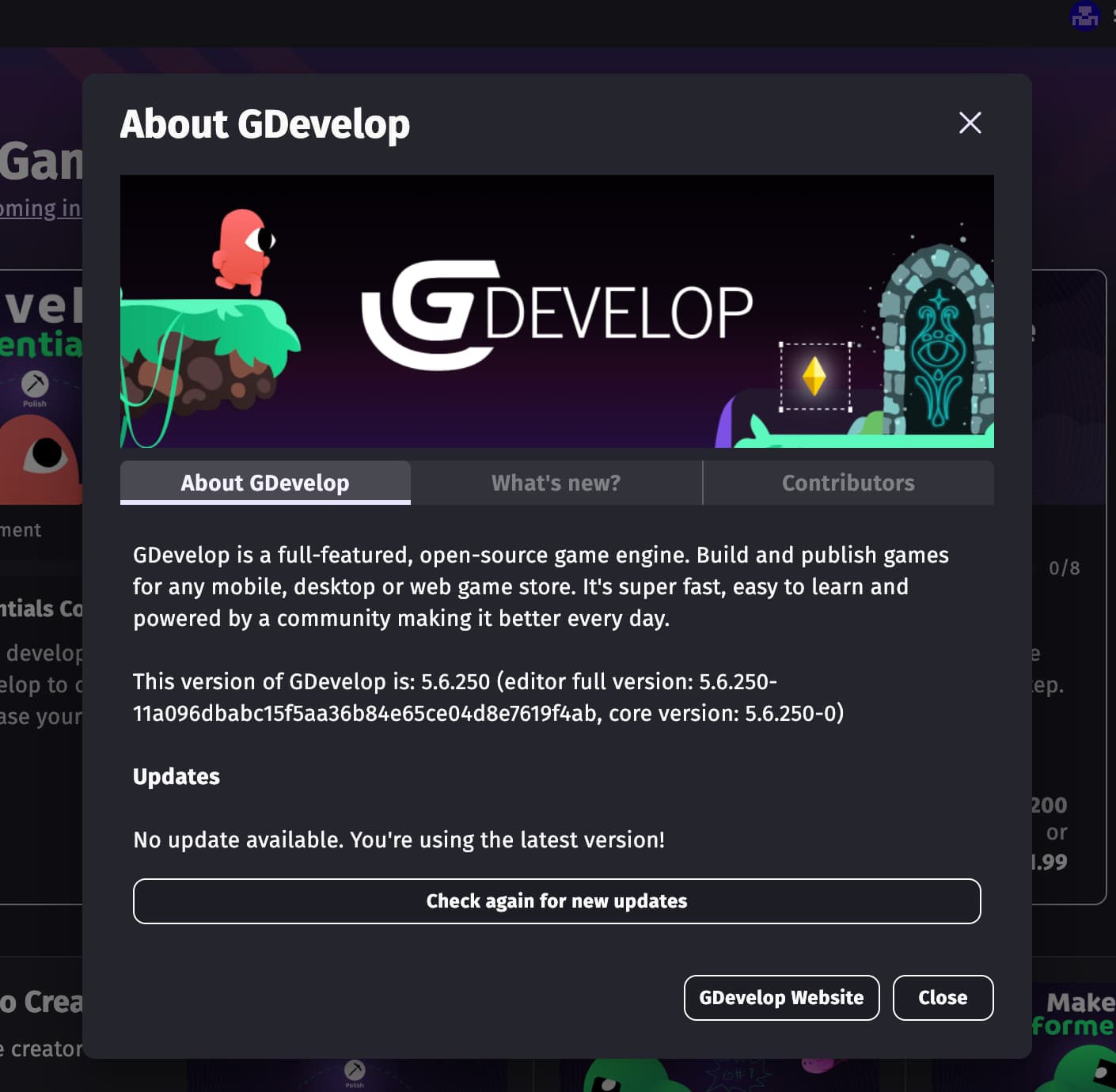
Could you send a photo of your “About GDevelop” page, just to double check it is on the same version as mine?
Sorry, I know this may seem useless, but if we can 100% confirm it is on the newest version, then it is probably a bug, which can be submitted as a bug report.
1 Like
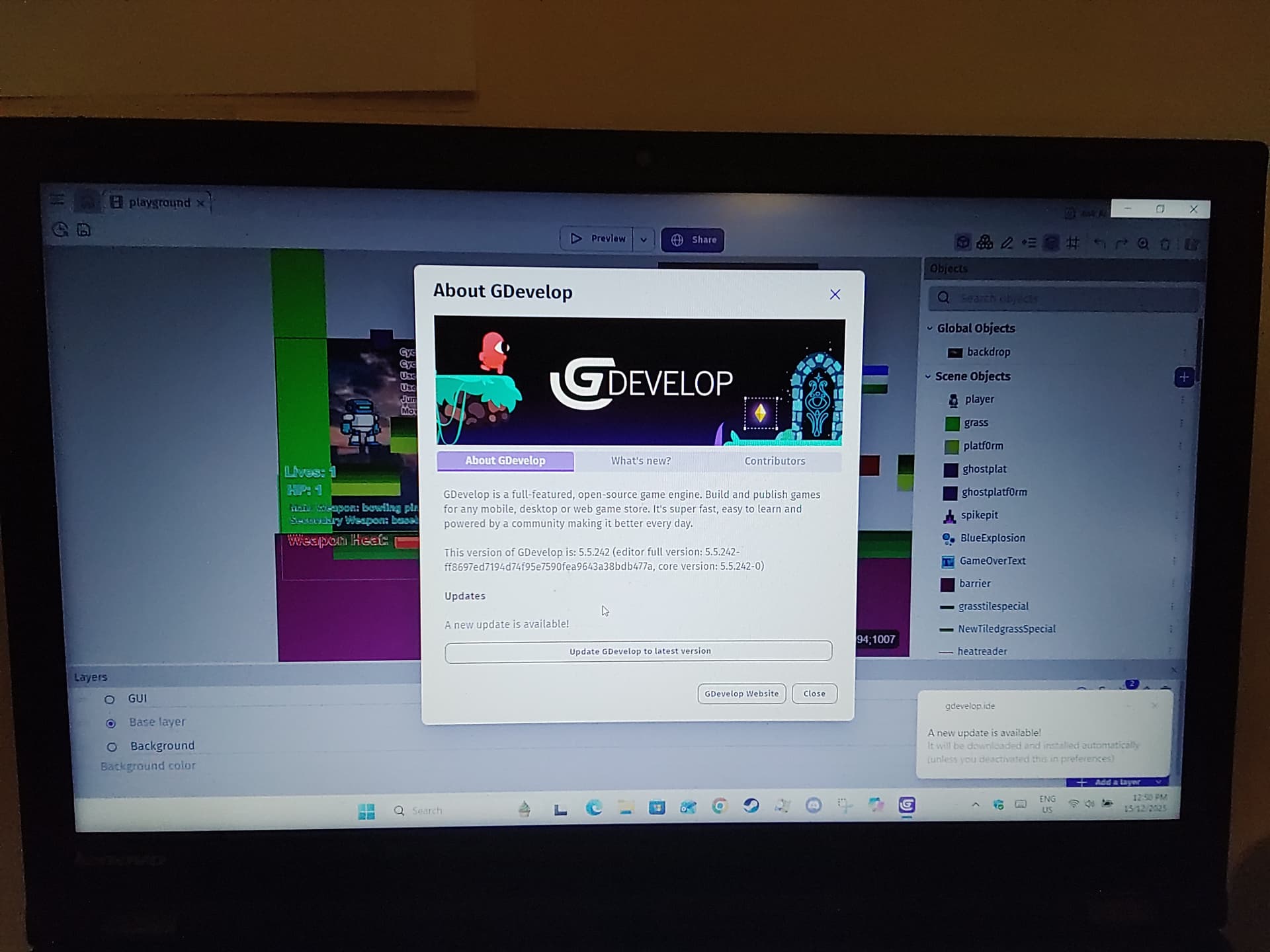
There’s the issue!
You are on version 5.5.242, while the 3d editor came in 5.6!
More proof of this is it says “A new update is available!” under the Updates header!
Have you tried pressing the button to “Update GDevelop to latest version”?
Once you update, you can confirm you are on the newest version if it says 5.6.250, which is also one of my favourite versions because it added some templates I made! 
Also, no offence at all, but it is very funny that in that photo you sent, you computer is literally sending you a notification that GDevelop is updating!
1 Like
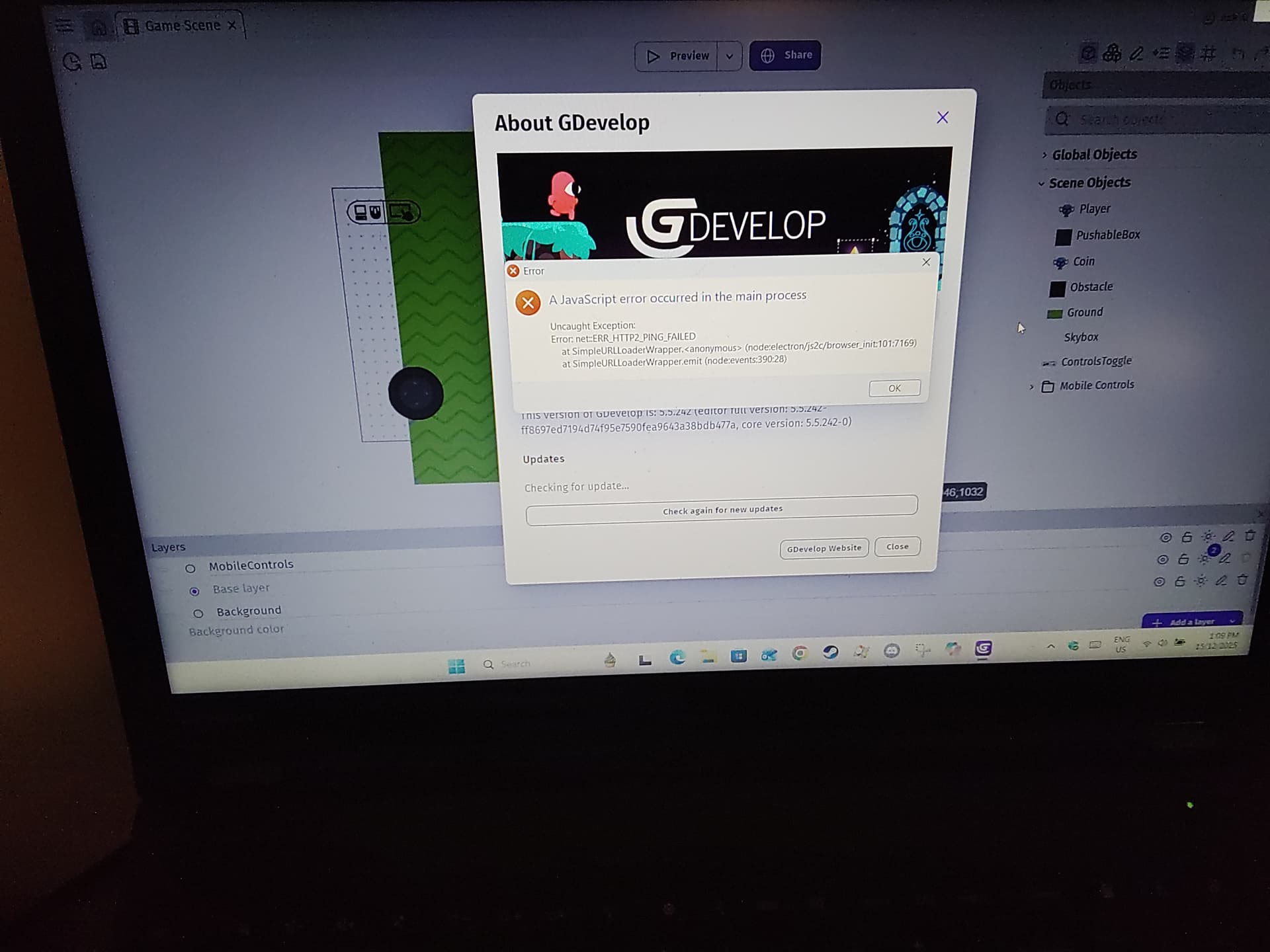
That happened for me as well.
I would recommend redownloading the app, this checklist can help:
- Make sure all of your games are saved, either on your device or in the cloud.
- Make sure you know your GDevelop username and password, just in case you get logged out.
- Delete the GDevelop app off your device. Do NOT delete the folders on your device where games are saved.
- Go to gdevelop.io and re-download GDevelop again.
When I redownloaded it, it was on the newest version. If redownloading it doesn’t work for you, then I would recommend submitting a bug report for it.
If you have tried over a week ago to redownload and it didn’t work again, please try again now before submitting a bug report, that way there isn’t a report for a problem that is fixed.
If you don’t know how to submit a bug report, have any questions, or need anything, feel free to reply again and me or someone else will help you as best we can.
3 Likes
It says a new update is being downloaded I just hope it doesn’t crash this time anyway if it does I will try what you suggested
2 Likes
hopefully it will work this time! 
1 Like
Aaaaaaaaawww looks like I need to do the process you suggested
2 Likes
Keep me updated!
There is a very high chance it will work, if it doesn’t, then it’s probably a bug on GDevelop’s end.
1 Like
Never mind the issue was fixed when my dad downloaded the installer and put it on a USB and has given it to me for my christmas present i installed on my computer today being boxing day.
GDevelop 5.6.620 Setup.exe that is and now i can see the 2 tabs “2D” and “3D” for 2D mode and 3D mode in the scene editor
2 Likes