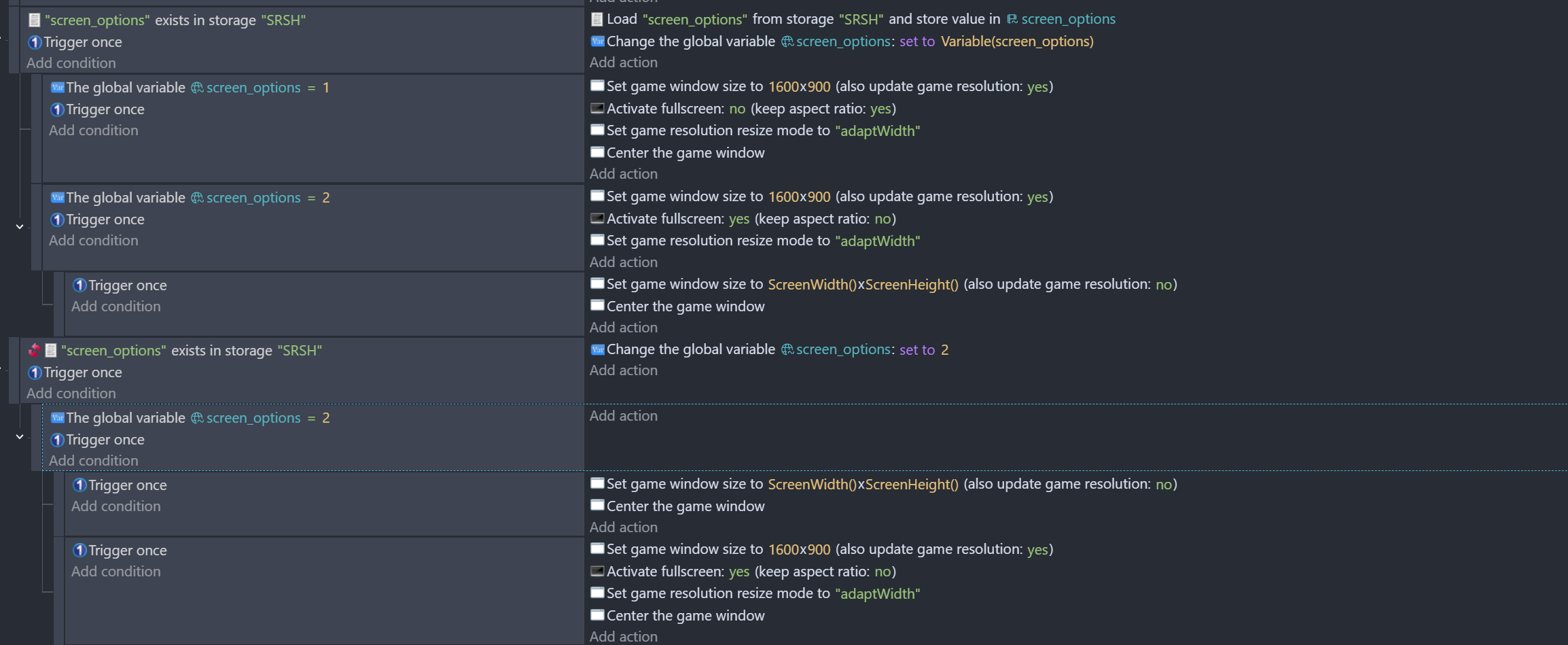
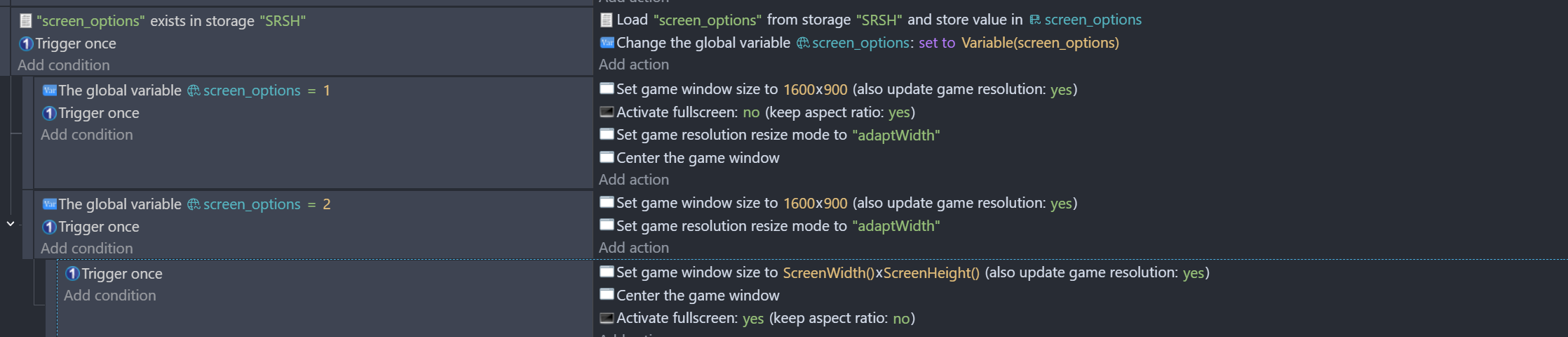
with screen_options = 2 is where the problem is arising
Game is made at a base res of 1600X900,
but people were reporting that the right side of the screen gets cut off on higher resolutions by what looks to be around ~100-200 pixels. I tested it on my new laptop (2560X1600) and it seems to remain the case even when ‘no changes to game size’ is active.
As far as I can tell, this wasn’t happening before the most recently 3-5 updates.
I can’t test right now but at a rough guess:
1600x900 is a16:9 ratio.
2560x1600 is not.
You have update resolution turned on, and keep aspect ratio turned off, plus adjustwidth.
This would mean it would try to keep the height ratio roughly the same, and likely lead to a zoom in on the width as its adjusted since it’s no longer the same aspect ratio.
Not sure of any recent updates would change those behaviors.
1 Like
still doesn’t seem to work at all.
Seems to be an issue with higher end laptops, I just got a new one where native res is 2560X1600 and it seems to be an issue with only one user, who also has one.
Edit: it’s an issue with 16:10 laptops.
1 Like
Devs: would it be possible for AdjustHeight to center the game in the middle of the screen (vertically), rather than leaving a large gap at the bottom?
I was playing some games on my new laptop and realized that some games (like Dying Light the Beast) just do this to deal with people with 16:10 laptops.
1 Like
I got it to work,
I guess I had “Update resolution” checked, but I’m not sure, I think maybe due to a bug, when I changed it to “no changes”, it still kept the Update Resolution checked. So I had to switch it to another mode, uncheck it, then switch it back to No Changes.
Still a bug nonetheless
2 Likes