Describe the bug
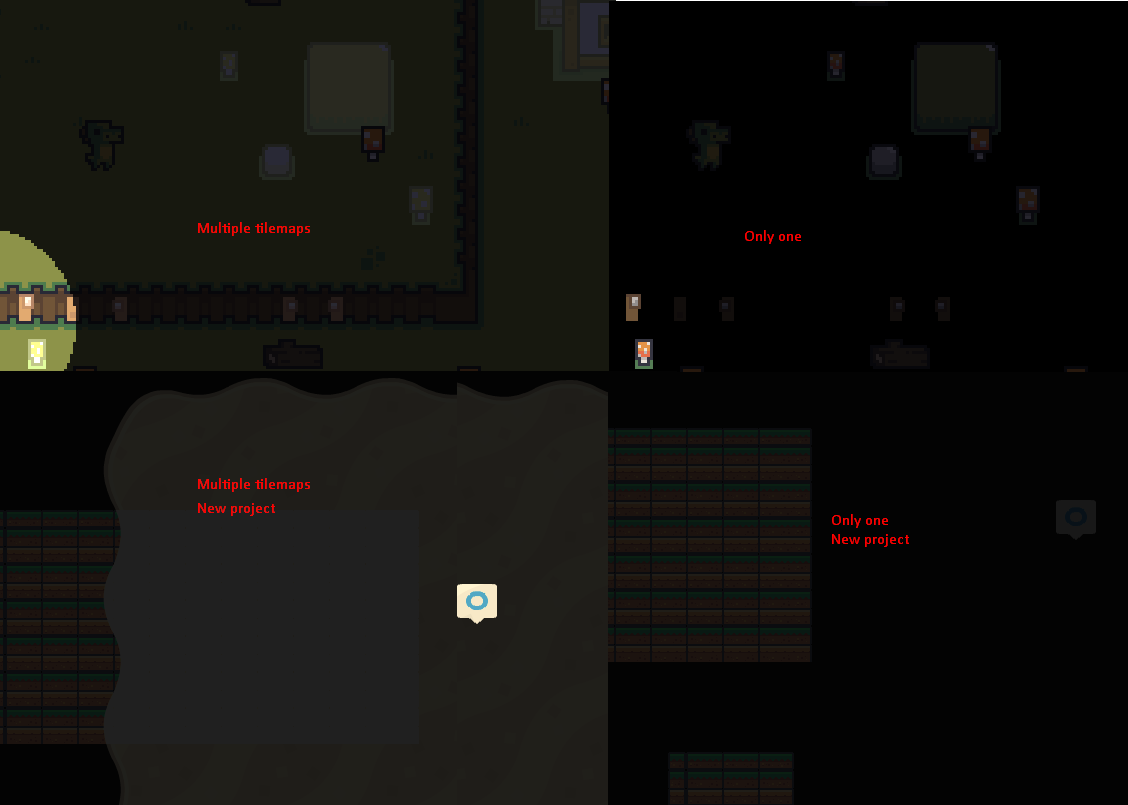
Seems having more than one tilemap on one or multiple layers while you’re using a lighting layer, causes all the tilemap visuals after the 1st one to have a weird white washed look to them. While the main/1st tilemap looks normal.
I’ve tried putting them to the same z-order as the 1st tilemap, even duplicated the 1st tilemap and it does it on the duplicated.
But when I set all light objects on the map as debug, everything looks perfect besides seeing a red box on the lights, lol.
Steps to reproduce
- Put multiple tilemaps, overlapping helps notice it
- Make a lighting layer with at least one light source
Share a very simple GDevelop project showing the bug