Hey everyone, hope you’re doing well…
So some of you might have noticed >> The project name has changed from “Lynaria Last Light” to “Lynaria CyrxFall” >> as it suits the direction the game is going more and it will stay like that forever.
So the official name now is “Lynaria CyrxFall”
Today I wanted to talk to you about Very Complex Parallax Backgrounds in GDevelop 5 and the journey It has taken me to reach what I exactly want…
So I wanted to update here that I’ve finally reached a solution after many many months of trying, I can’t believe it…
One of the worst things when creating parallax in your game in Gdevelop is that it works based on the whole layer not based on the objects it self
Here is a screenshot of my upcoming project Lynaria CyrxFall and as you can see I’m trying this time to push what is capable with GD
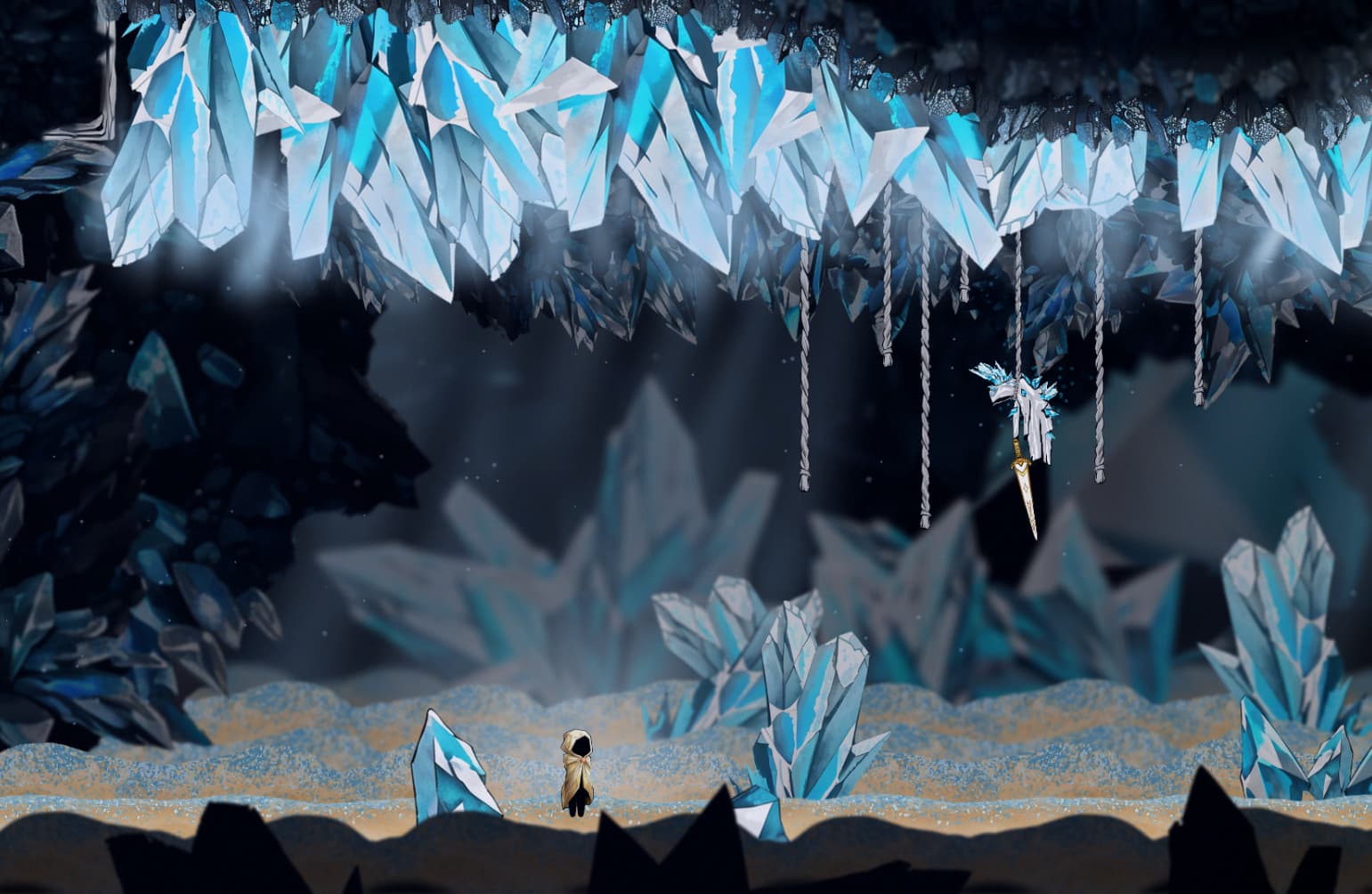
I Just made what I like to call a Proximity parallax or Localized parallax
Which eliminates almost 80-90% of the offset of the parallax objects no matter how big your level is and no matter how complex your parallax layers are.
One of the down sides of GDevelop currently:
1- No parallax camera inside the scene editor (What you see in editor has nothing to do with in game)
2- No seamless fast transition between 2D and 3D like in engines like Unity
3- There is an ability to add a 2D sprite in a 3D environment using an experimental extension called “Sprite 3D” but it’s sadly useless >> You can’t add to it any effects and it’s still in an experimental state which is not great to count on for the future because any updates to this could break the whole project so you can’t build you game like the way used in a game like ORI for example…
So I stayed away from all that and did this instead >> Proximity parallax or Localized parallax
What if I can do parallax based only on the player position or if the objects are on screen or not?
It took me months or trying but I finally reached it… Take a look here:

Parallax now works based on where you are not where the whole layer is >> also now:
1- What you put in the editor is what you see in game (Which is like god tier parallax right there)
2- Performance is amazing because the engine now only handles a small amount of objects around the player not a whole layer or objects.
3- The code does almost everything:
- It saves each object in the scene once at the start
- It looks for a certain layer
- Gives it the necessary filters it needs
- Puts it back to base layer
- Activates parallax based on player location or if visible on screen or not
- It puts back the objects to it’s saved position at the start when you’re far away
3- I can sort my layers in the scene editor as I want (But only for sorting as inside the game all layers get back to base layer)
4- Do levels as small or as big as you want >> parallax is local so it doesn’t care how big your scene is >>> It doesn’t work now as a whole layer.
I think even with a parallax camera inside the engine this surpasses any other parallax I have seen on the internet even on engines like Unity
So what do I do now?
1- Build the level
2- You’re done as simple as that
Code does everything for you basically…
That was one of the hardest things I have to create in GD related to parallax (Talking about 15 layers) so yeah something has to be made to make life easier.
I want to thank everyone who tried to help me along the way…
Parallax is Done … Now it’s time for the whole game 
Thank you for reading this small snippet of what I was going through creating this system, I love game development.
And I hope it helps anyone who needs it.
Thank you and see you in the next devlog >> Very Super cool stuff are coming for Lynaria CyrxFall you just wait.
Khaled
Coriander Games