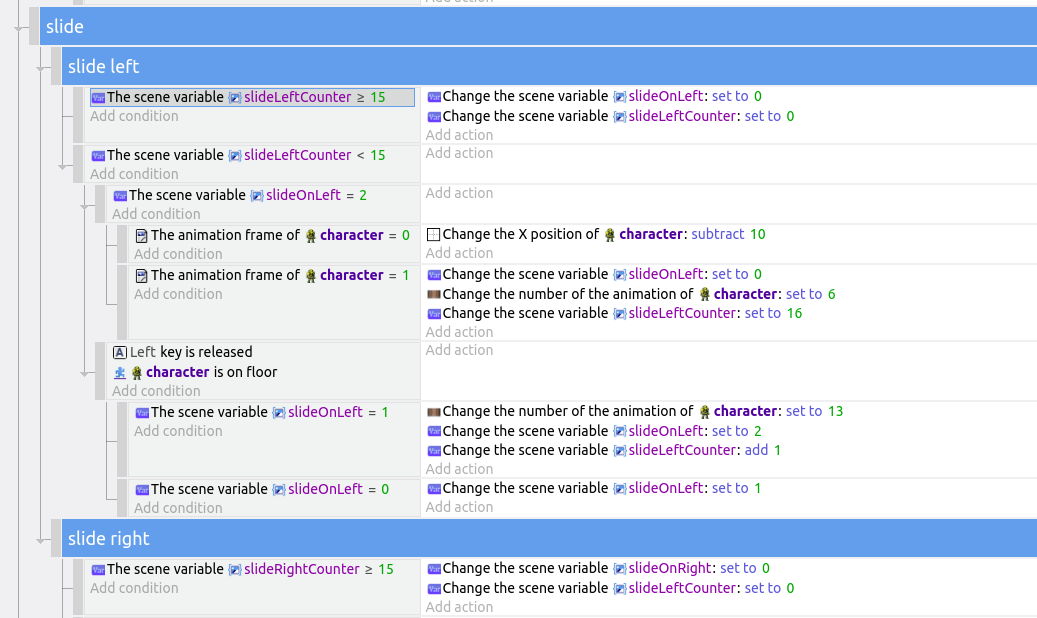
I am working on something similar. I wanted to make a character dash on a double tap (much like MMX) but I don’t have a jump dash.
I did it using a timer to make sure that the button presses are made in quick succession.
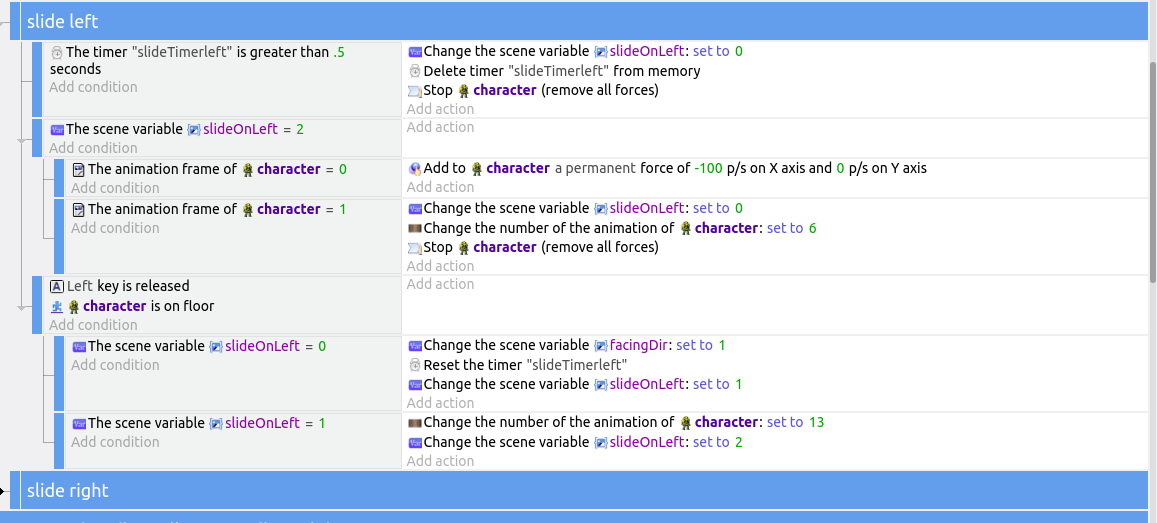
It works with this a little further down…
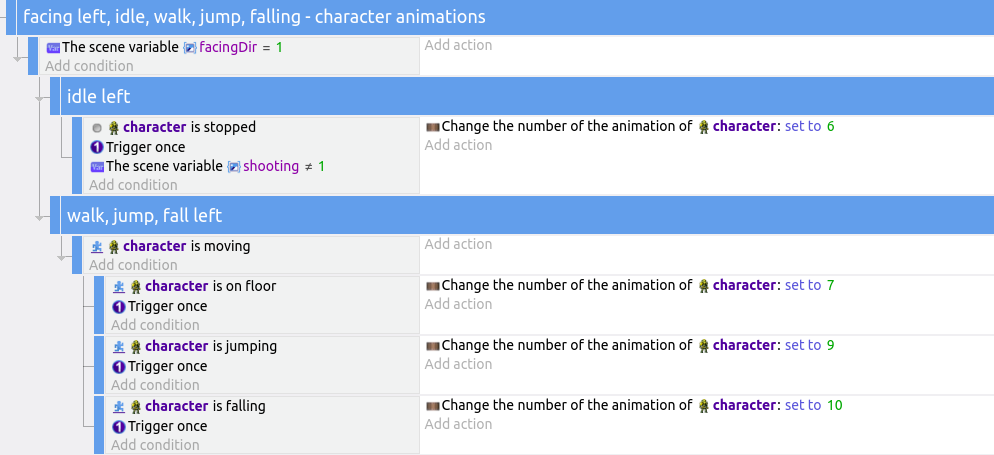
I tried several different ways of doing this over a few days, and this seemed to give me the best performance. One thing I noted is that you want to have your timer condition as high up as possible on the page or performance suffers. When the timer was inside a subevent of those button presses performance got really bad.
To make it works for your game you could just change the condition “character is on floor” to "character is jumping. I also had to have the stop all forces in there twice or the player would just slide on forever.
Another option you might try is something like:
- condition:
- when Variable(dash)=true
- trigger once
- Action store player.Y() in Variable(dashSteady)
and near the top of the page you could use
-
condition when Variable(dash)=true
-
action: set the position of player to [x coordinate = player.X] and [y coordinate = Variable(dashSteady)]
[edit]
Looking at it, I wonder if that might throw some funny results. It may lock the player into X position also. If so, you could use Set position instead of add force for your dash.
condition: Variable(dash)=true
action: Set position of player to player.X()+1 and Variable(dashSteady)
with another condition somewhere else to change Variable(dash) to false, and some modifications to the player.X()+1 to +5 or +10 or whatever works for what you’re trying to do.
And then get rid of the added force to your dash event.