I’m opening this thread about gd.games. I’m sharing the news, which maybe a few of you have already seen elsewhere, like on Discord.
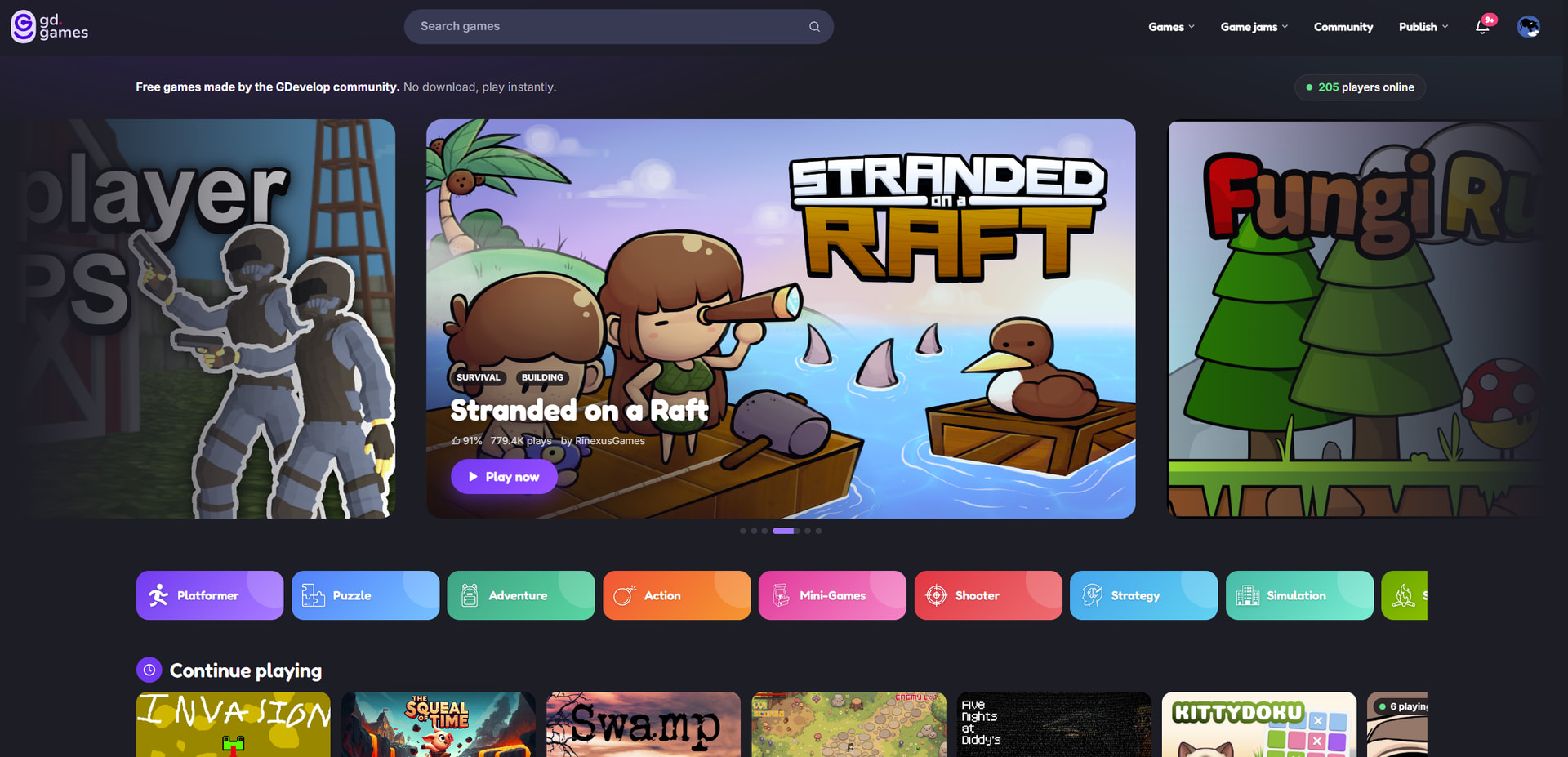
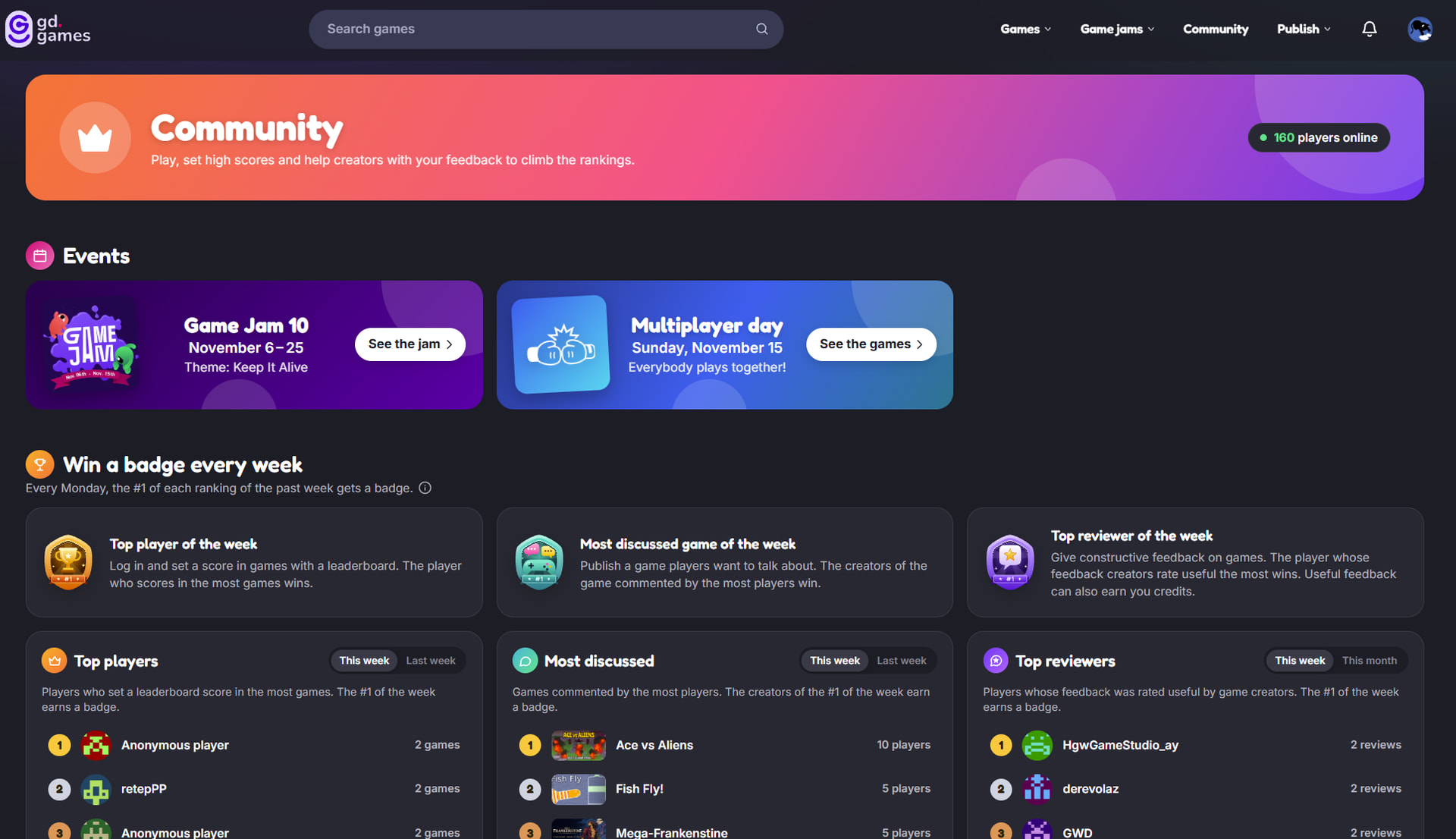
These past few weeks, gd.games has undergone a major overhaul; the place to share cool games, play together using the multiplayer category, and compete on the community page has evolved and will continue to change.
Let us know what you think of the changes, your expectations, and as for me, I’ll try to share as much as possible the updates we’ve made to the gaming platform. We wanted to highlight the community aspect a bit more, so we have emphasized the multiplayer side and a community page.
We’ve added new languages and refined existing translations across the website.
10 New Languages: Bulgarian, Croatian, Greek, Hebrew, Indonesian, Persian, Serbian (Cyrillic), Slovak, Thai, and Vietnamese.
Full right-to-left layout support added for Persian and Hebrew.
Translation Refinements: Over 1,000+ fixes applied to existing languages to ensure greater consistency in terminology, grammar, and spelling.
If you still encounter poor translations, please let me know, but we should be in a better place now.
Translations are available from the bottom of the site.
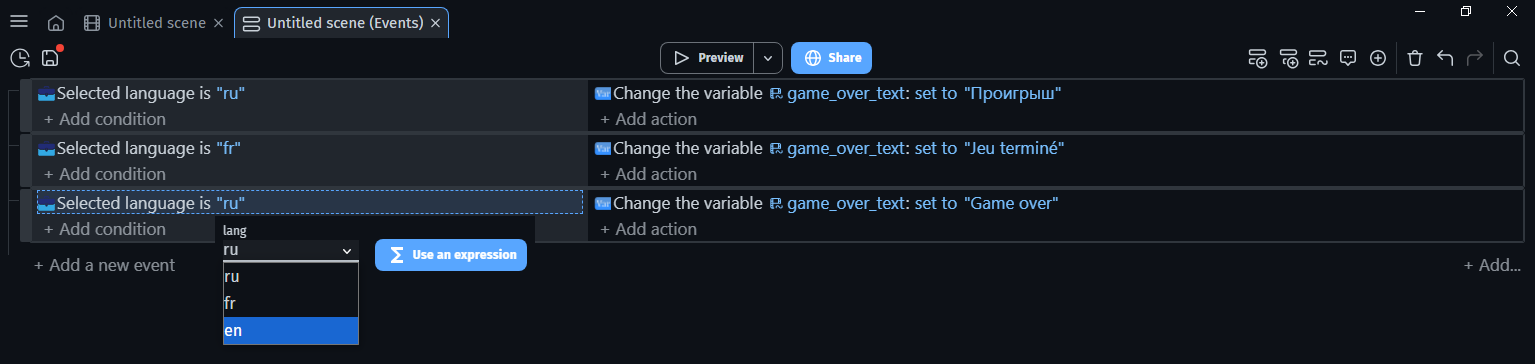
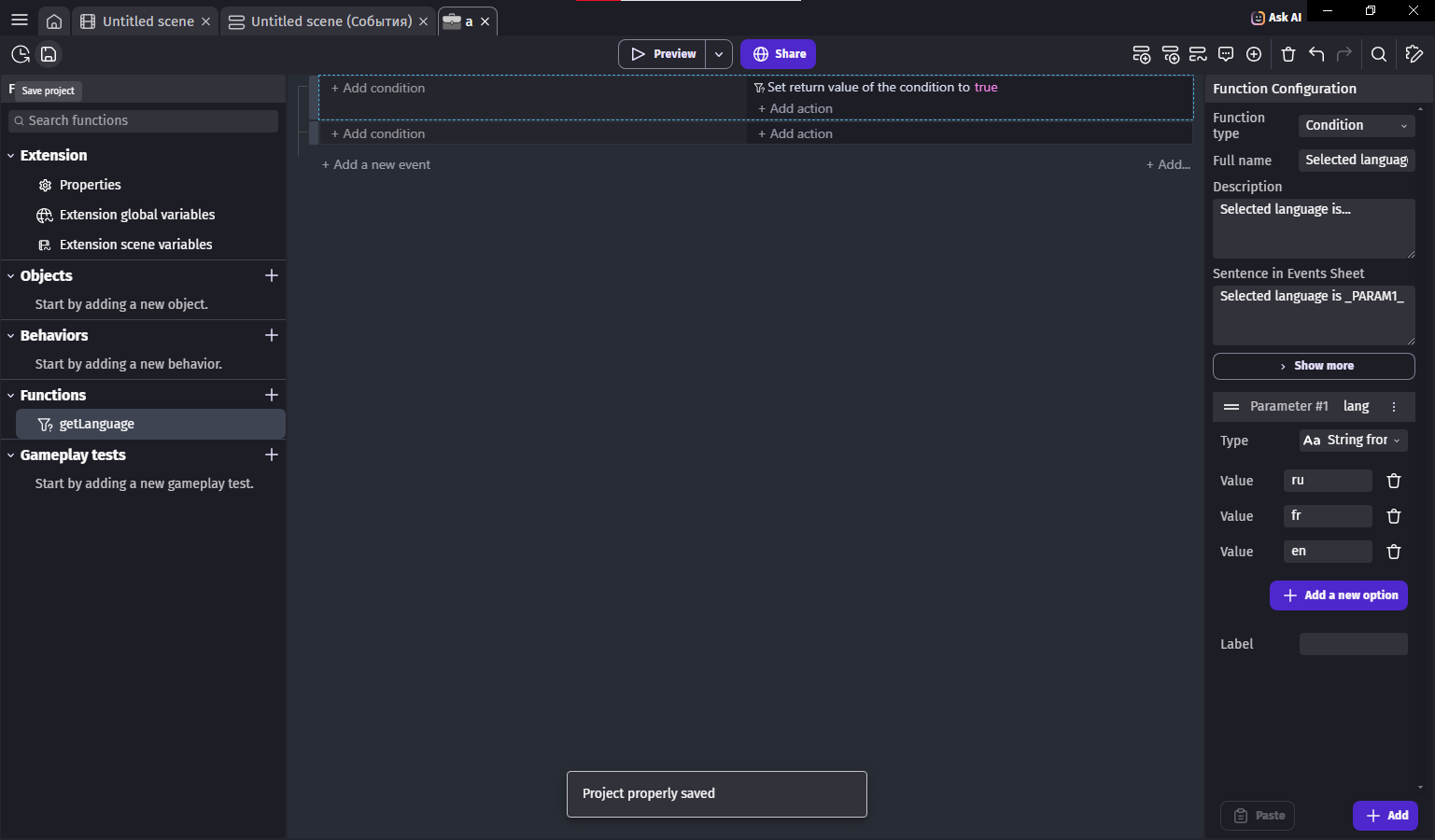
If a player changes the language in the gd.games settings from “ru” to “en”, and the browser settings use Russian, then this extension will output “ru” when “en” is selected in gd.games.
I implemented this event in a custom extension to show how I want to use this feature.
Having a way to detect what language the gd.games setting was on rather than the browser to use that as an expression. So if the browser is set to Hebrew or something but gd.games is set to es then they can display text in es rather than hebrew, since gd.games is set to es.
Oh, okay, thanks.
For now, there’s no way to do it, the games run on a different domain than gd.games, and even via JavaScript from within a game its not possible. We’d have to reconfigure the DNS for the games running in gd.games iframes, but that’s really not on the agenda right now, since it would affect a lot of other things as well.
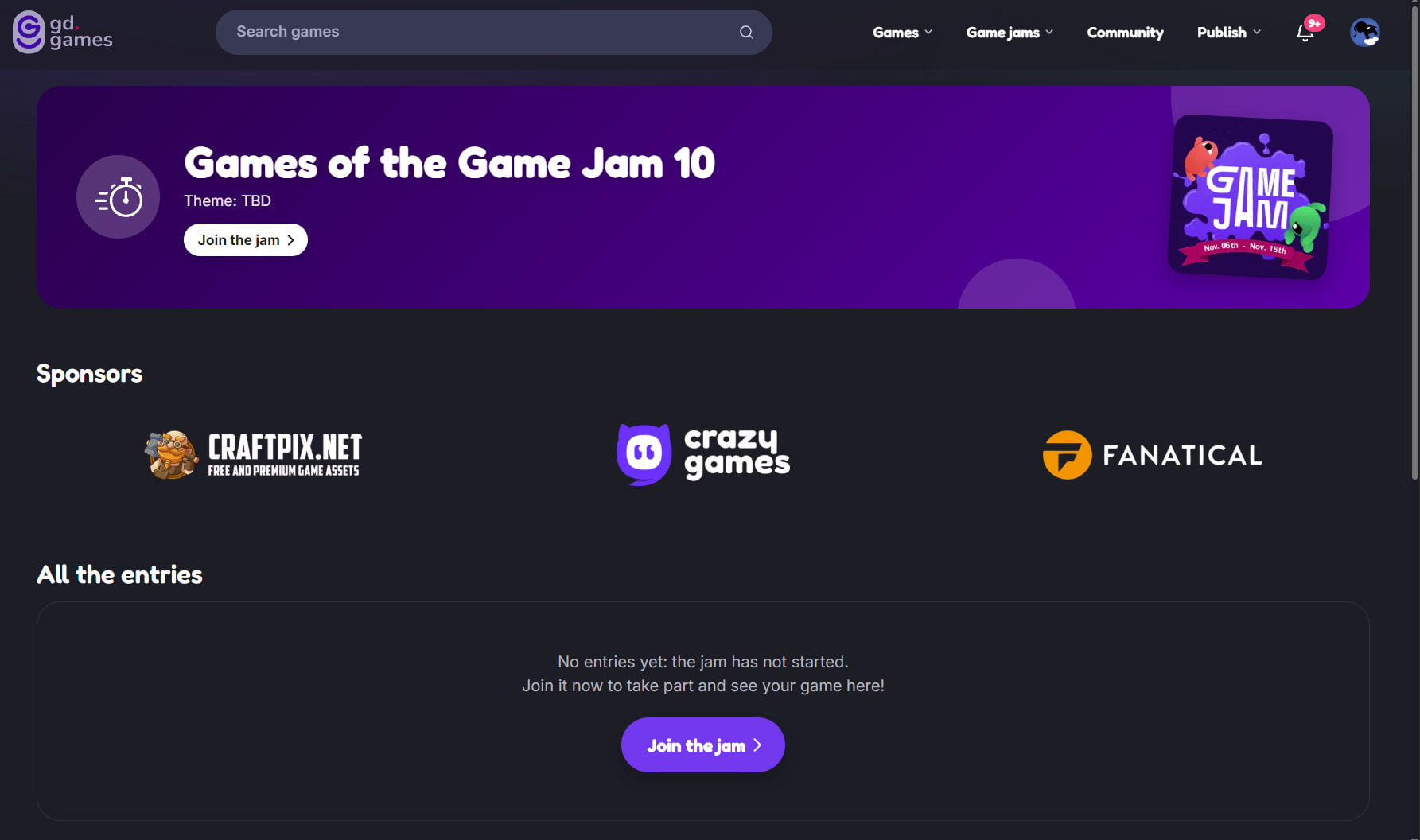
A dedicated card for the current event, here the event is the BIG game jam 10.
A weekly Multiplayer Day, linking directly to the multiplayer games. The event date shifts forward by 3 days each week to avoid taking place on two consecutive days. It is a dedicated day for the community to play together.
Live player count now displayed in the header of both the Community and Multiplayer pages.
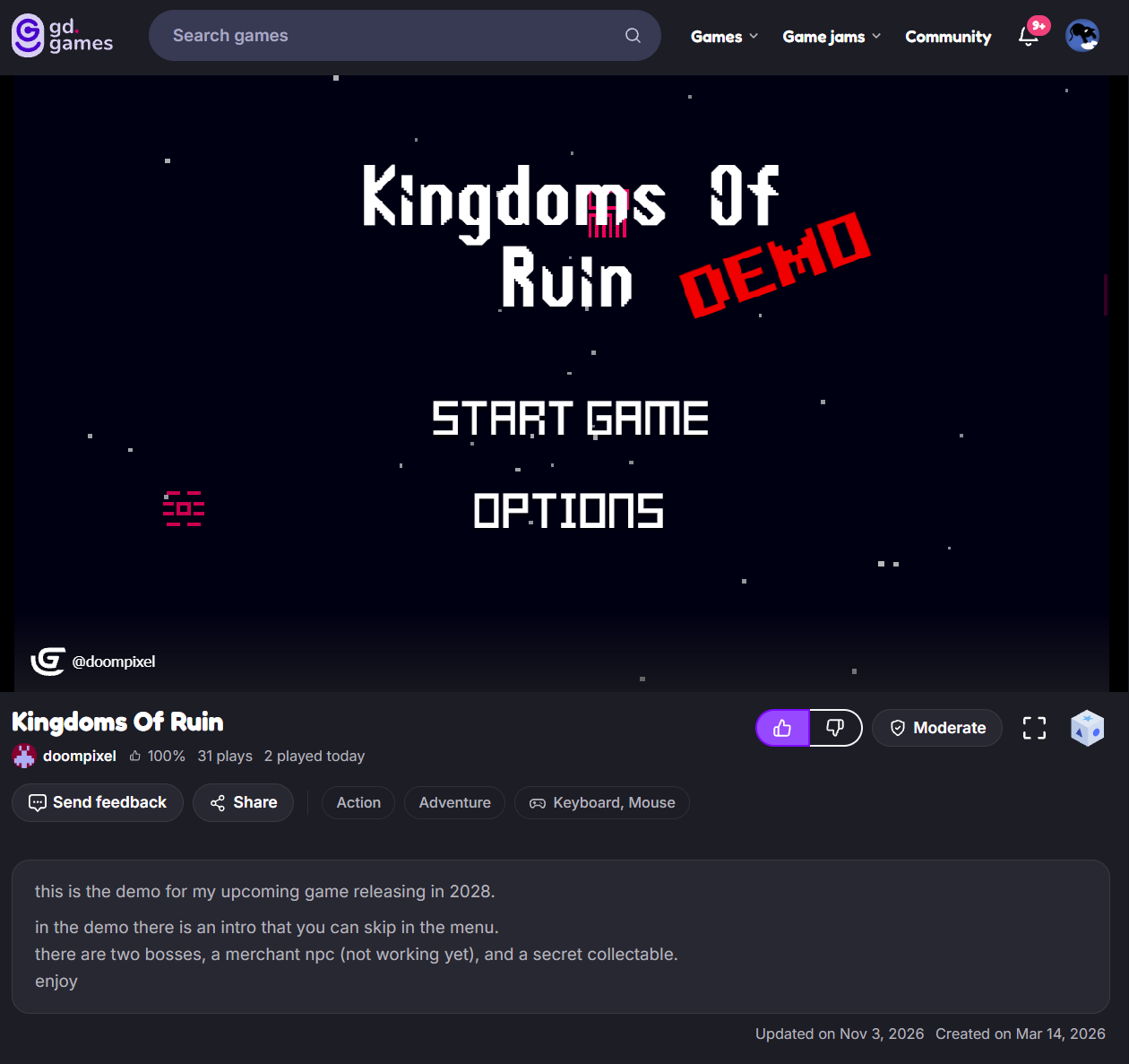
This is the right place , for now, we’re trying to make the site more “social”. I think we’ll tackle the profile section so on to better highlight the games and make it easier to filter them.
Yes, that’s because people haven’t made their games for mobile.
If they don’t check the appropriate box on their game dashboard, they aren’t displayed.


 , for now, we’re trying to make the site more “social”. I think we’ll tackle the profile section so on to better highlight the games and make it easier to filter them.