Parabolic arc movement in a custom behavior (SOLVED)

I changed some of the code out of trial and error (I’ve disabled the booleans for now since they aren’t working for some reason)

I dropped the SelfX and SelfY properties and just went back to using Object.X() and .Y() instead, and got a different result:
GDevelop_RcQil4yXIO

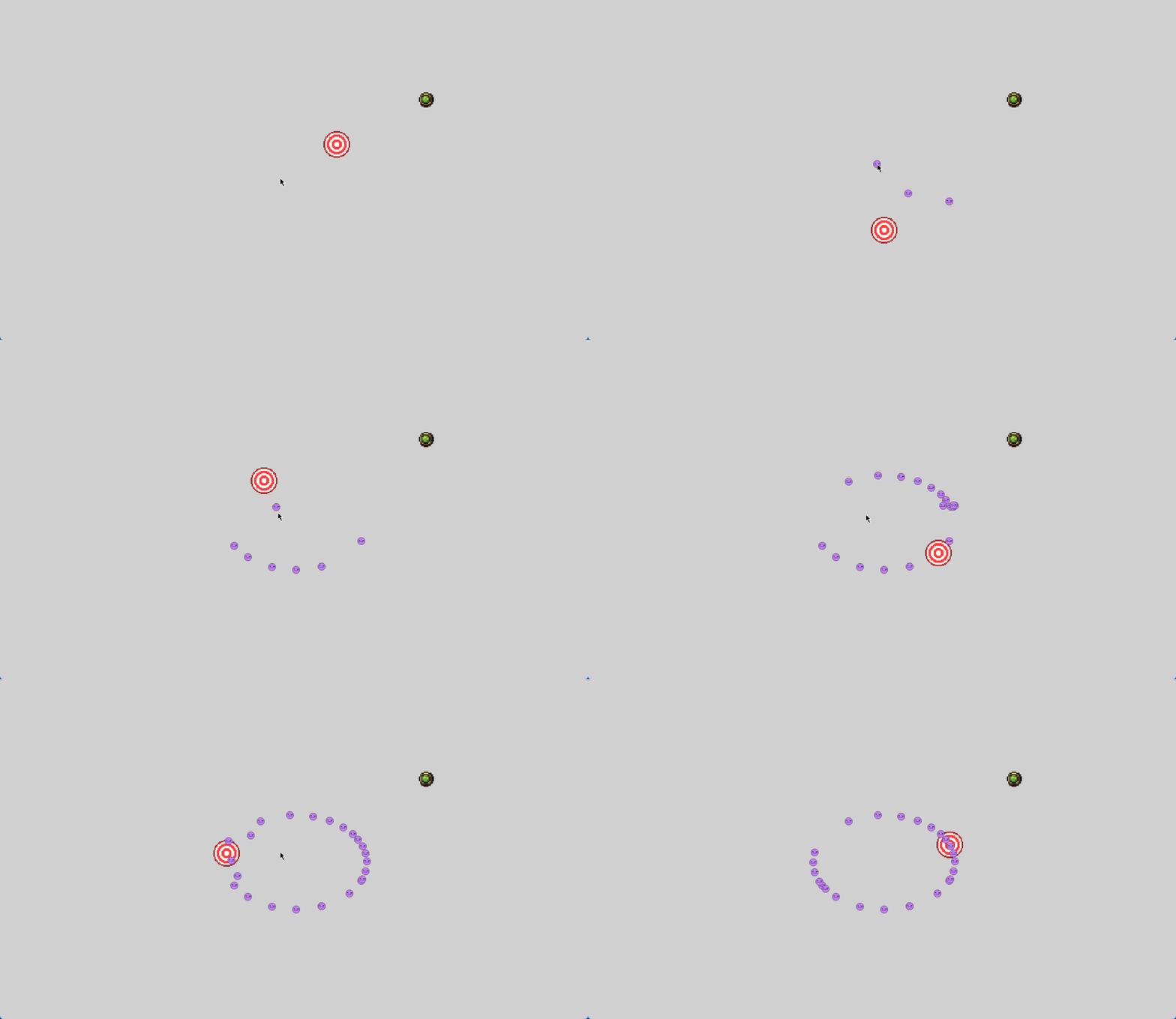
This is getting close to what I want, but not quite. The objects are quickly lerping ABOVE the target and THEN slowly falling down towards the targeted destination, not the smooth arc motion I’m looking for…

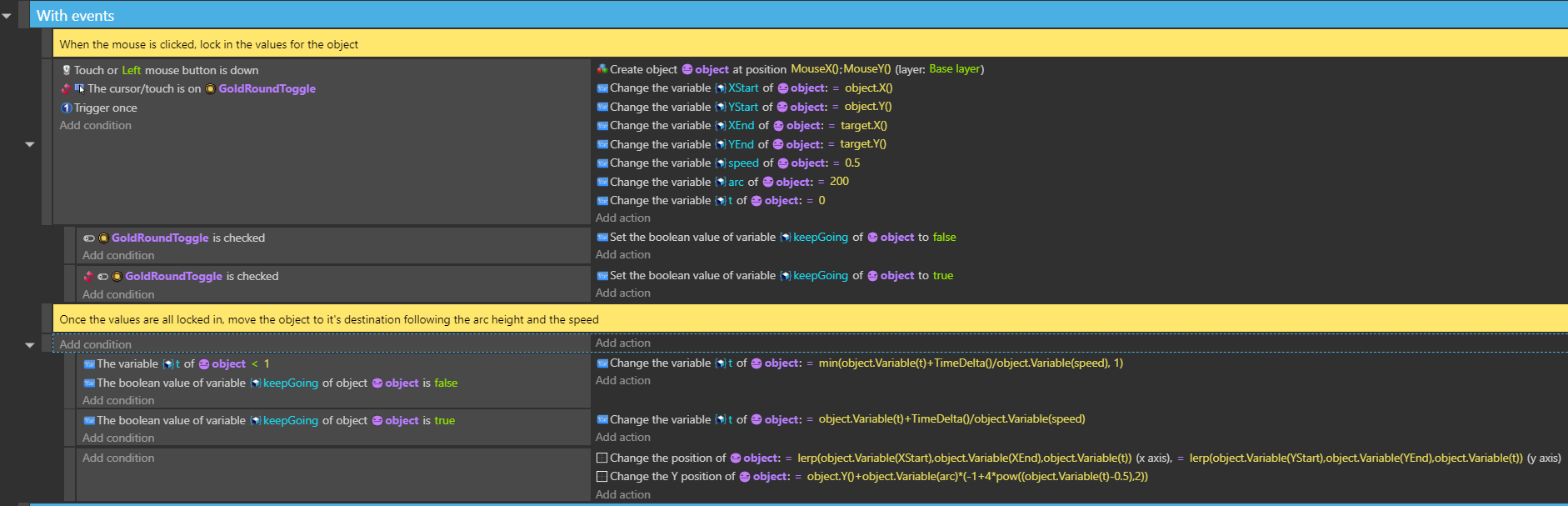
As a reminder, here’s the code in event form and what it looks like:


GDevelop_JqFjw78C9a

Therefore, I know for sure that there’s nothing wrong with the formula since it works perfectly in the events. Something is wrong with how the behavior is handling it, and I’m just stumped on what it could possibly be.

Is there anybody who’s proficient at custom behaviors? I’ve tried studying multiple, but I just can’t wrap my head around why those work, but mine doesn’t…

1 Like

I can’t figure out what’s wrong, so I tried to create it from your events that don’t use the behavior. I didn’t use the behavior properties, I kept it to the object variables. I just copied and pasted the code and reworked the events. The framework is there. It’s just a matter of swapping object variables for behavior properties.

project:

try me, click anywhere

I decided to try to switch it to properties instead of object variables. It seems to work. I made some slight changes. I changed the keep going property to a Boolean instead of the toggle object, so, it needs to be called differently based on the toggle because you can’t pass Booleans.

new project:

I renamed the action to setup because it sets up the properties, the object will move automatically once added to the scene. Name it whatever.

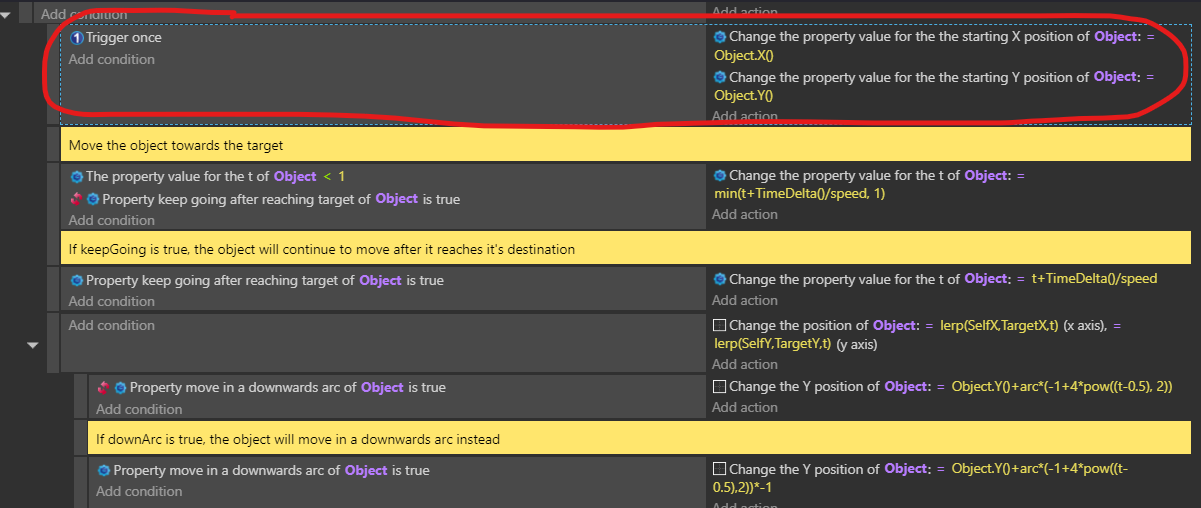
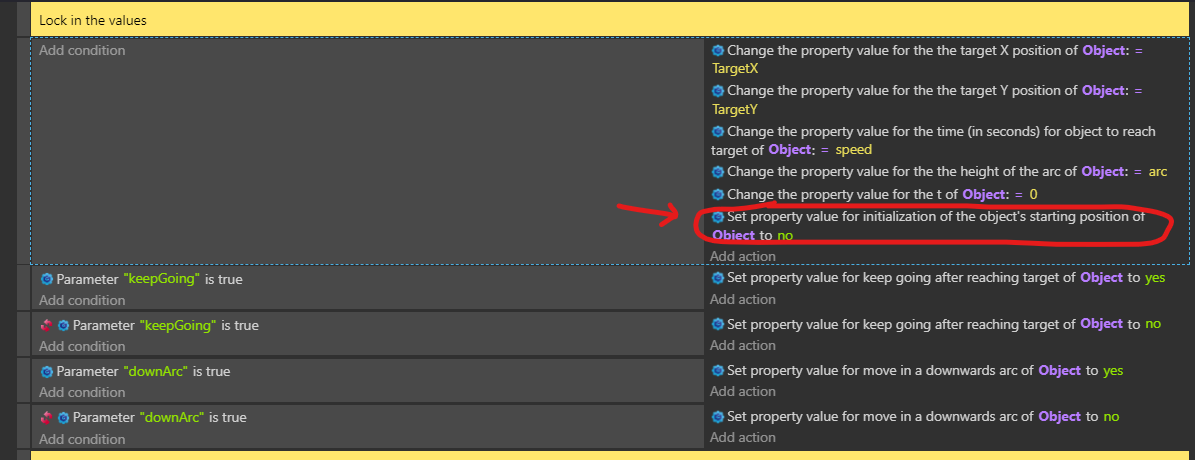
I added a property called initialized to set the startX and startY once in the step events. I guess you might be able to use trigger once there but I prefer a variable. The way it is now, it will fire to the behavior settings whether there’s a setup event or not. You can verify that by adding an object in the scene editor and setting the object’s behavior settings. All of the instances will use the same values unless you change it with events as runtime just like other behaviors.

3 Likes

Sorry for the upcoming wall of text

Thank you so much, I can’t believe it was that simple. After checking out your example, here’s what I changed with mine:


I’ve added the initialization event to initialize the starting point like you suggested, something I originally thought had to be set up in the action, not the doPreStepEvents. I never would’ve guessed this in a million years, but it works perfectly!

Also, thank you for pointing out I was setting up my booleans incorrectly, I was just using simple toggles, not actually checking if the properties were set to true or not. As a result, my booleans are working in ship shape too.

I DID run into one minor error along the way, but I was able to figure it out.

Creating objects and moving them works flawlessly, but in the event where I may have to apply this behavior to an object already existing on the scene (Like an enemy that tries to jump on you for example), things don’t work out as planned.
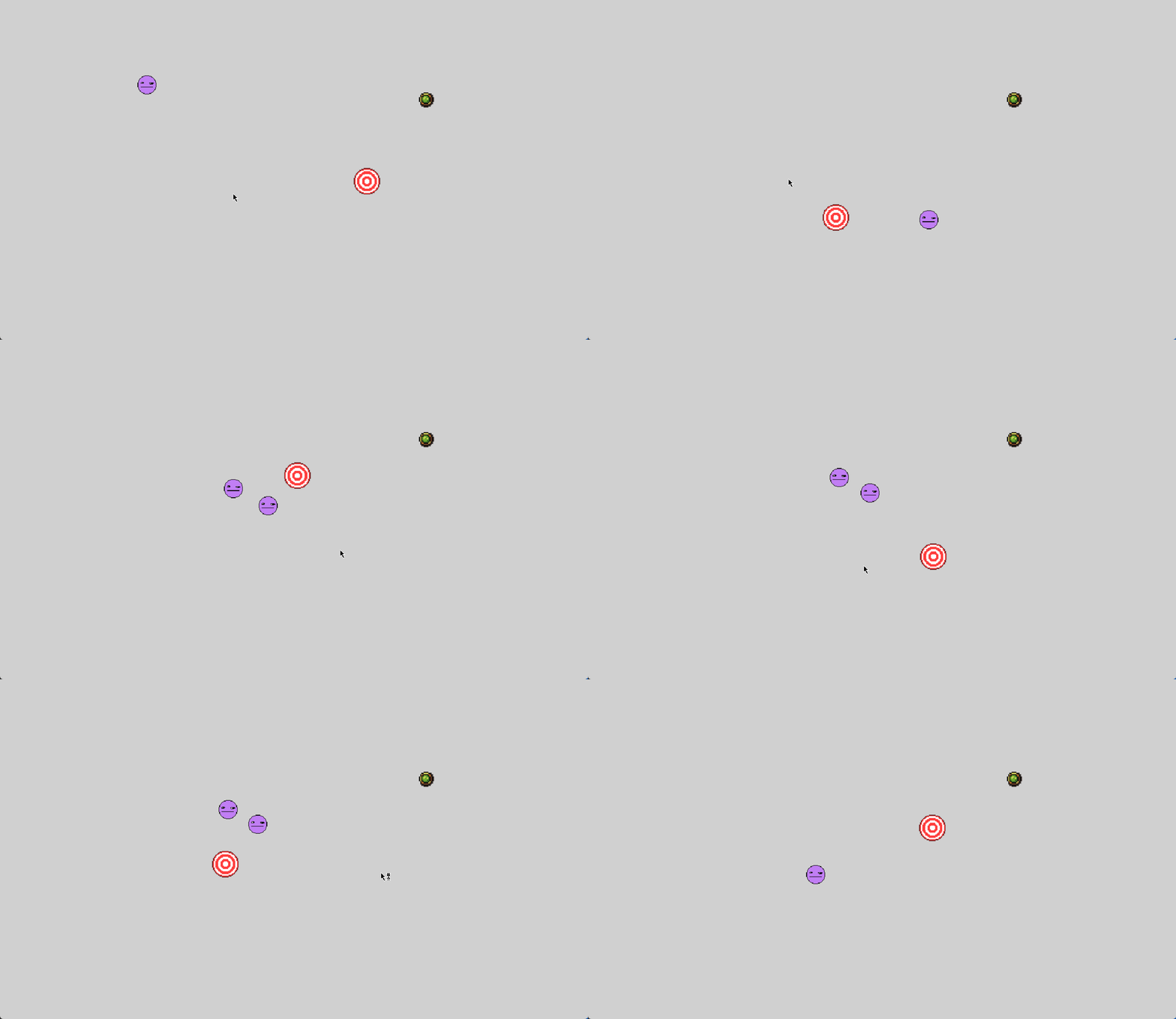
GDevelop_Mpw5ndHZ8M

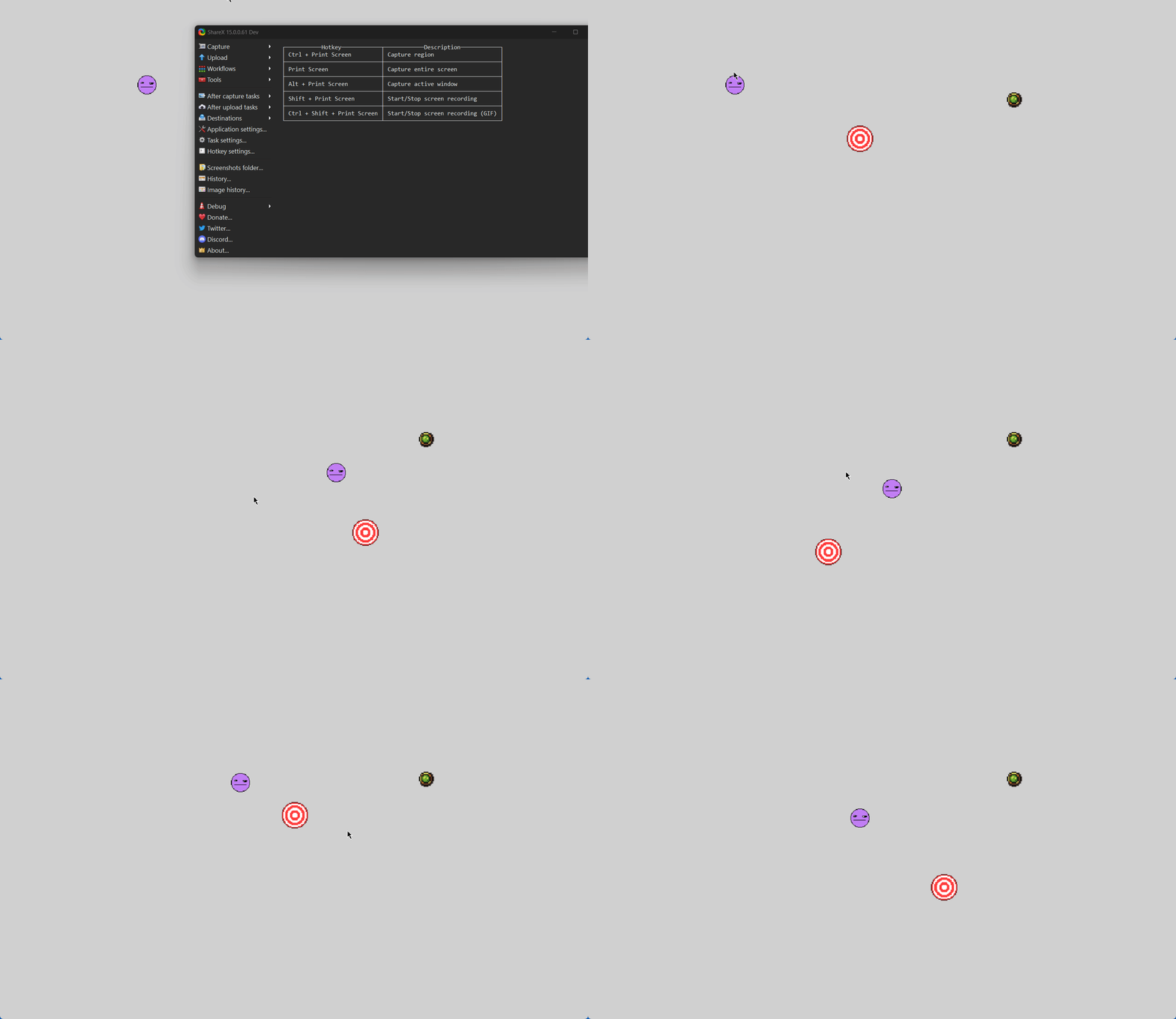
As you can see here, when the scene loads, the two objects I have loaded in at the start instantly snap to coordinates 0,0 for whatever reason, likely because there aren’t any values for StartX and StartY yet.
Once I click, both objects snap right back to the spots I originally put them in and function seemingly normally. However, if I click again either when they stop or mid-flight, they snap back to their starting positions. My hope is to make it dynamic so that they take their CURRENT position and jump from THAT spot instead of snapping back to where they started.
I tried removing the Trigger Once initialization, and it DOES make the object move dynamically, but unfortunately, that causes the weird fast arc and slow falling again.
Instead, I tried to use an initialization variable like you suggested. In addition, I added another boolean check that turns the initialization off when the code is re-run:

And now, it’s working ALMOST perfectly. The object now actually jumps dynamically from it’s current stop exactly how I wanted it to…

…BUT it still snaps to position 0,0 when the scene starts up.

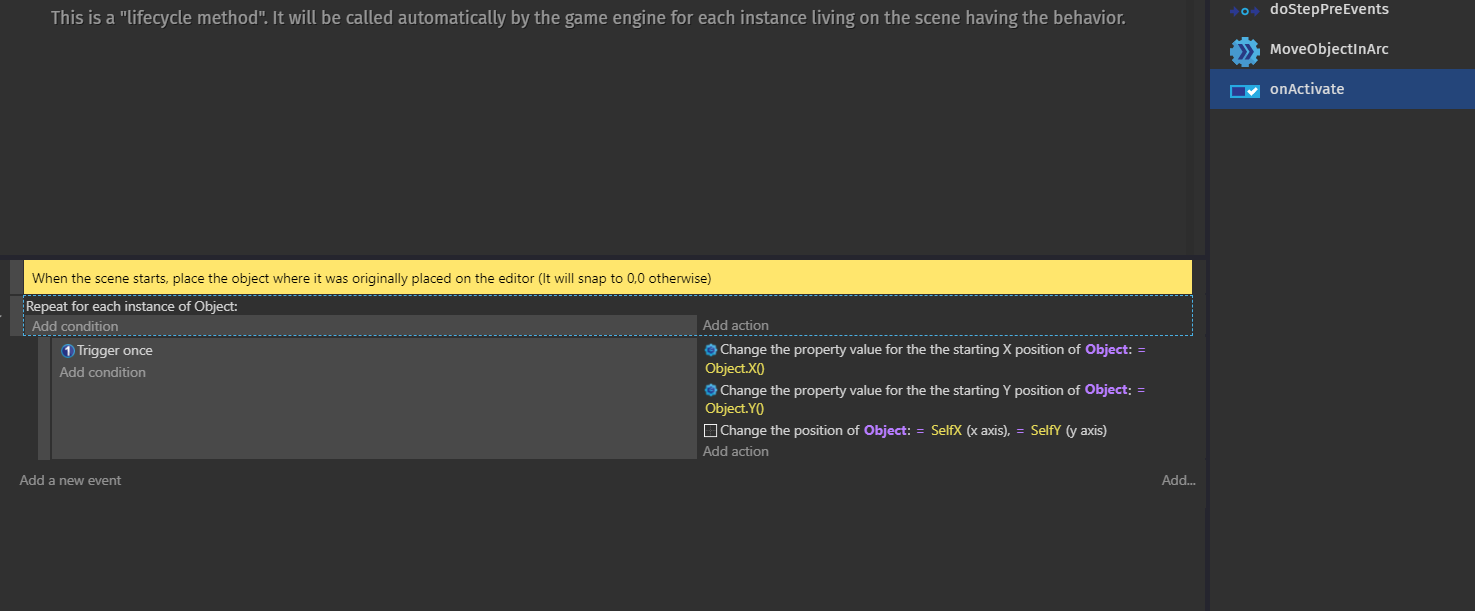
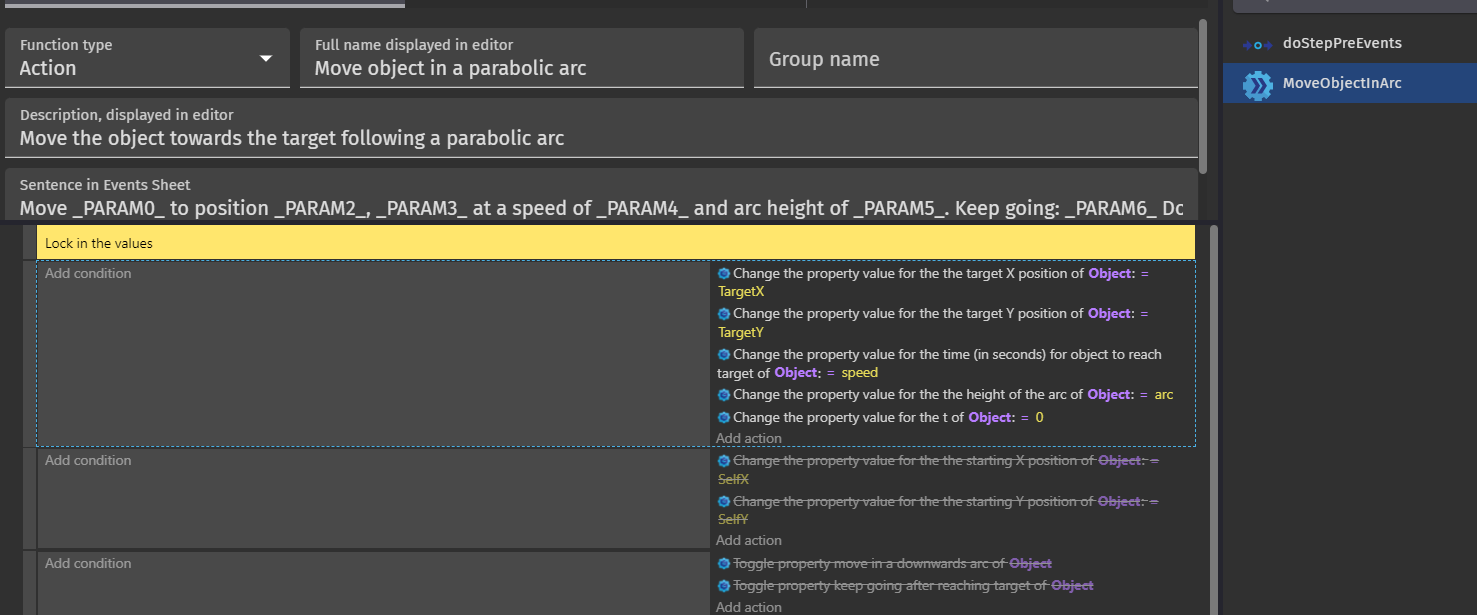
I tried to make an OnActivate event that is meant to try and save the current position on loading the scene or activating the behavior, but no such luck, it still snaps the object to 0,0:

GDevelop_x922OtzjTr
(There are two objects in the scene btw, they’re both stacked on top of each other)

For objects placed on the scene when it starts up, how can I get the objects to STAY in the spot I put them in the editor?
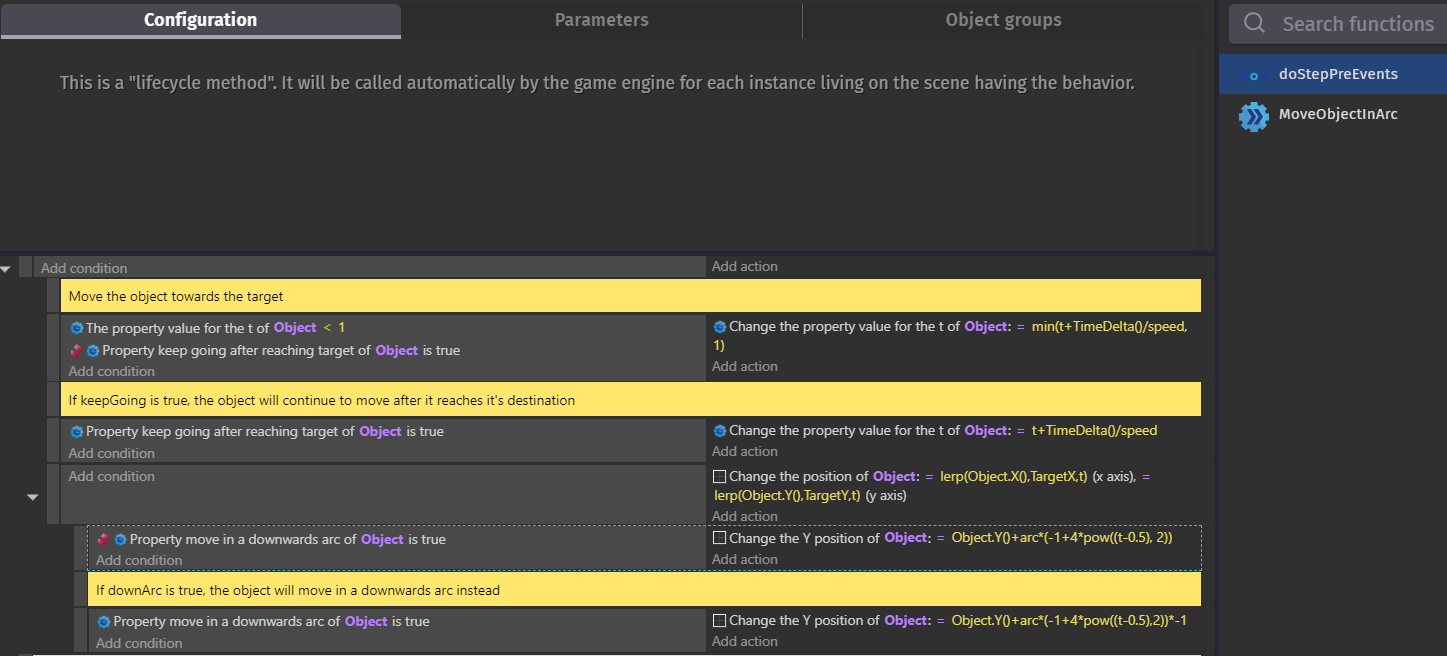
1 Like

You have a lot of options. My versions is a bit like the physics behavior. It kicks in the second the object is added or the scene starts.

You probably want it more like the pathfinder behavior where you use an action to start the movement. You can have as many expressions, conditions and actions as you need.

If you already have all of the events in the step function controlled by a boolean property then you can also have my initionialzation boolean or maybe a trigger once to reset the start x, y. You could also add a function to trigger a reset. Or when the move action is triggered it always updates either the start x, y or sets the init boolean back to false. I can only recommend that you keep experimenting since you seem real close.

I don’t know enough about behaviors on how they work with certain things. It’s mostly the same but there are some slight differences.

Alright, I’ve done some experimenting, and I just couldn’t get it to work for the life of me. No matter what I tried, the result either didn’t change, or just started that weird slow falling arc again.
Although, I was able to get a few pointers.
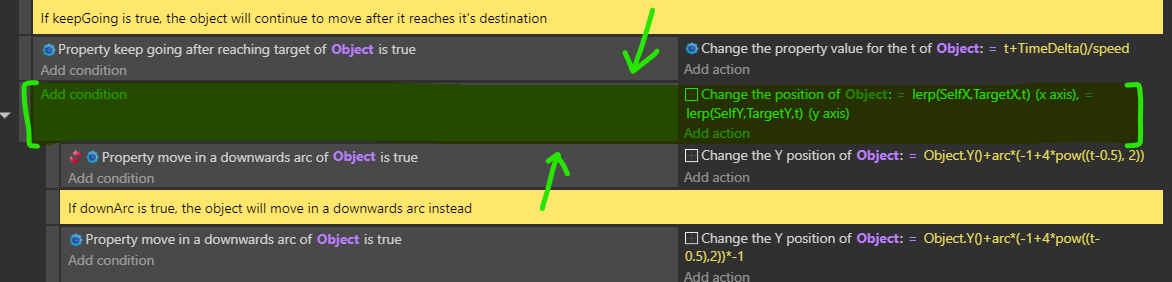
After experimentation, I can confirm that this codeblock is the culprit:


I tried moving the position change into a disabled codeblock, and when I tested, sure enough, the objects appeared directly where they should be on startup as intended, but once I run the code, they go flying off the top of the screen.
I tried to add triggers and variables to try and force the code to only run once the behavior is called, but no matter what I’ve tried, the code absolutely insists that it needs to snap the objects to the top left corner on startup, even though nothing is being called.
I tried the beginning of scene, I tried messing with the initialization variable, I tried putting the positions directly into the behavior properties, I even tried moving everything from doStepPreEvents, to doStepPostEvents, thinking that the code was being run before the actions, but sadly nothing worked.
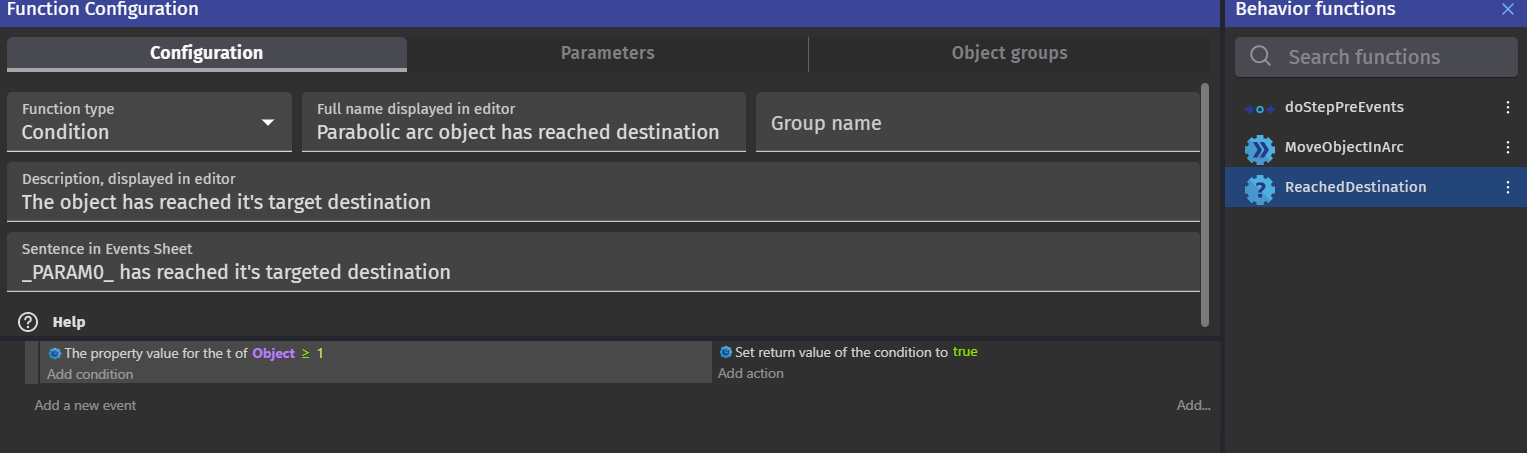
Eventually, I sidetracked and decided to make a condition that returns true once the object has reached it’s targeted destination. Tracking the position only works sometimes and wasn’t reliable, but eventually, I figured out with the use of the debugger and original events that having the code check if the T variable is equal to 1 does the job perfectly:


(Yes, I’m aware that the behavior call and create event are out of order here, I fixed it)

This condition works very well, but at the same time, it’s revealed another thing about the issue. If I place objects into the scene and run it, the objects are gone. The game deleted them. I tried replacing the delete action with a color tint, and sure enough, the objects were tinted that color on startup.
So for some reason, the objects already placed on the scene think they’ve already reached their destination, despite the actions not being called.
I also assume that since the values by default are initially empty, the game reads the SelfX and SelfY values, reads 0,0, then just instantly snaps the object to that when the above culprit code is launched.

So basically, I’m trying to figure out how to launch the code ONLY if the action has been called, but again, nothing I tried did anything productive, I was only able to find WHAT was going wrong, but have yet to figure out HOW to fix it.

1 Like

If you don’t want the object to move then you can place all of the events in the steps function as a subevent of a condition that checks a boolean parameter. Have it set to false by default. You can use the function that sets the values and have it also set the boolean in the step event to true. Or you could create a function like play that does nothing but set the boolean to true.

The main thing is you want to prevent all of the events in the step function from running until you want them to. At the same time make sure it updates the start x, y once when it starts.

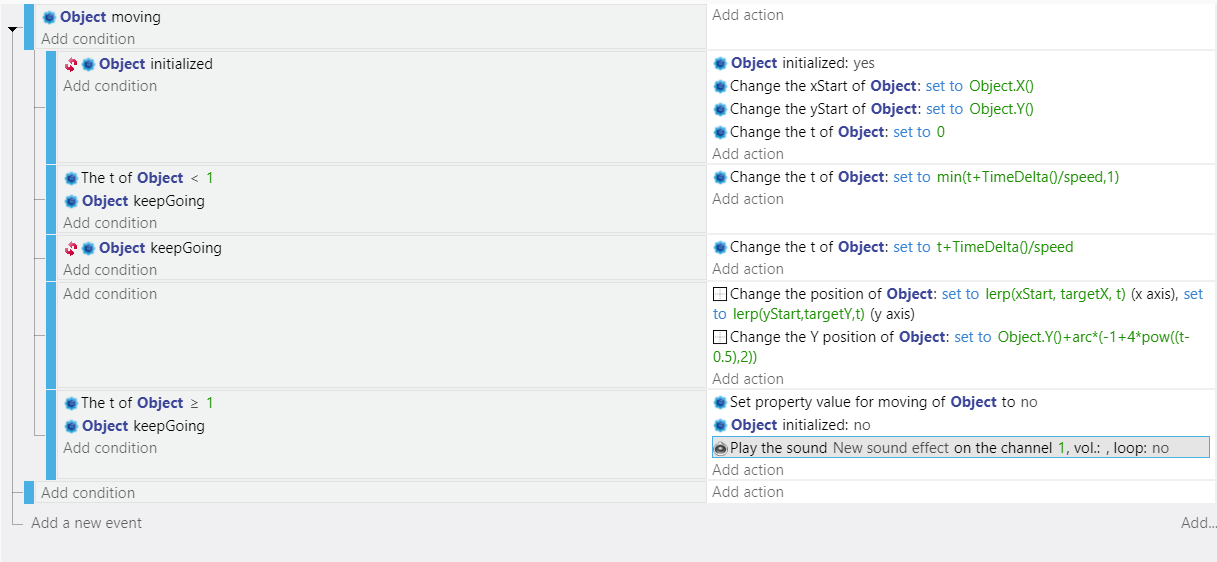
I was playing around and I added a Boolean property named moving. When set to true it triggers everything. I also added a check for when t is 1 so it automatically sets the moving property to false. I noticed that when you reenable it skipped to the end. That’s because t wasn’t 0. So, I added set t to 0 to the initialize event. I also set the initialized value back to false and added a sound just for testing.

This is the do step function

2 Likes

Awesome, I added the boolean, and after some modification, everything is working as intended!

I highly appreciate your support and taking the time to assist me, thank you kindly :heart:

1 Like

You’re welcome.
(this part is here because post needs to be at least 20 characters which makes absolutely no sense)