On mobile on Android using Chrome.
When you long press an object in the object list to bring up the menu that let’s you copy, paste, delete, etc, it sometimes creates a larger version of the icon. The icon doesn’t disappear.
It’s difficult to impossible to initiate a long press on a touch screen without also triggering a drag event. So, it looks like the drag event starts but doesn’t get canceled when the menu appears.
This after the popup menu is closed.
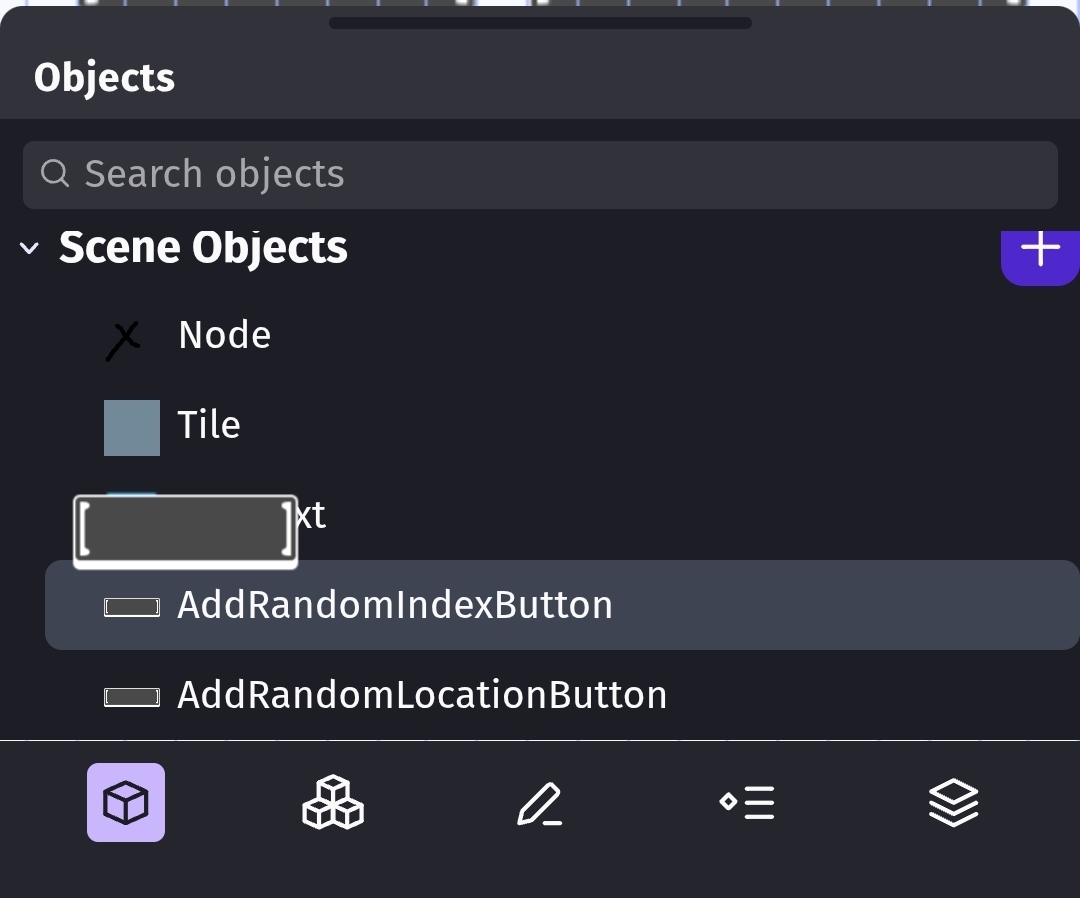
With the object window closed. You can tell that the phantom button is on top of the editor view. The icon covers the grid.

You need to initiate another long press to remove the icon. Another way to clear this is to grab the resize handle at the top of the panel and move it even just a little.
Edit:
I don’t know if this is the same bug using the same routine or a different one but the same thing happens if you long press a group name in the Object group panel.
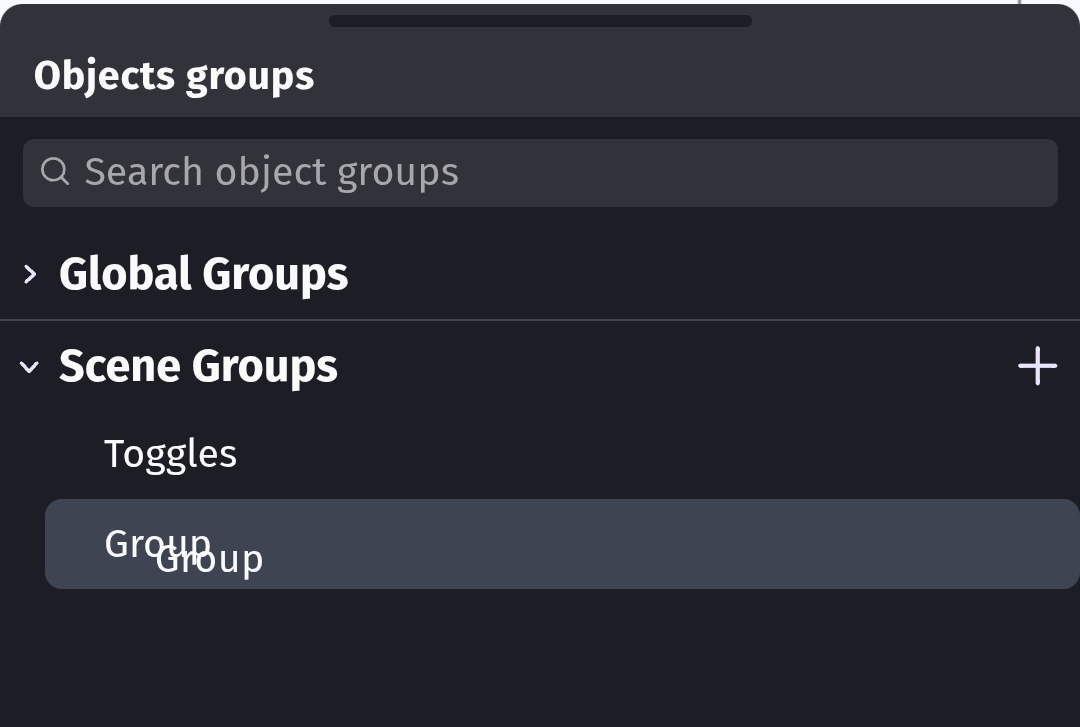
You can see the double “group” text.