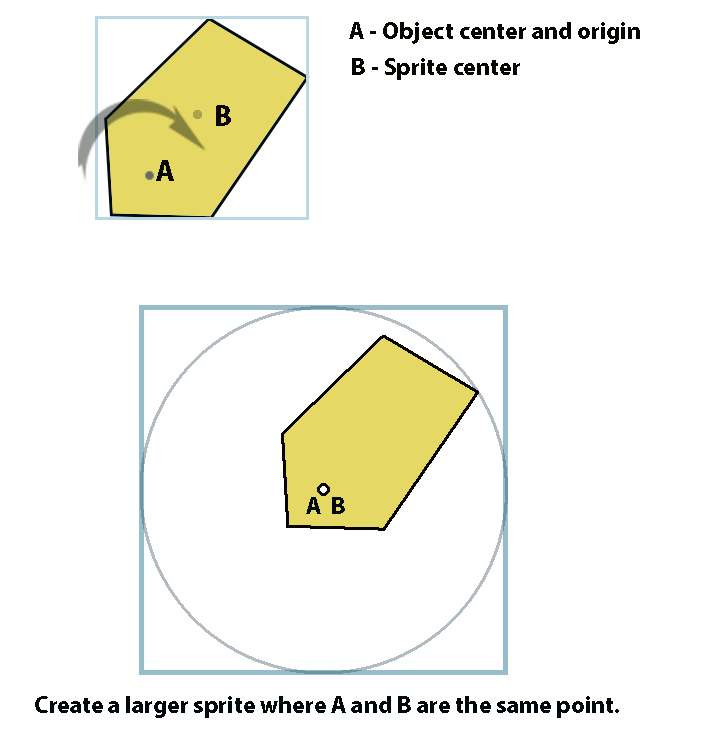
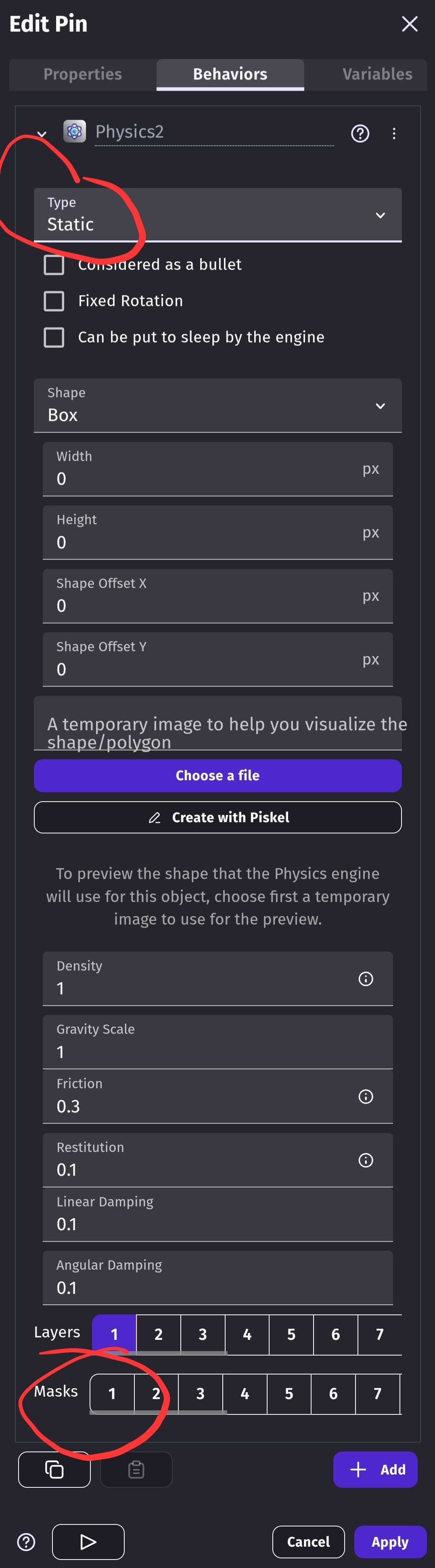
Hello - I recently struggled to create the physics2 collision for a rotating polygon with centre and origin that wasn’t the middle of the sprite. It took me quite a while to work out what was happening. Basically it seems that the solution is to expand the sprite size to make the centre of the sprite the same point as the centre of rotation - see pics
If you know a better waay - please post below!
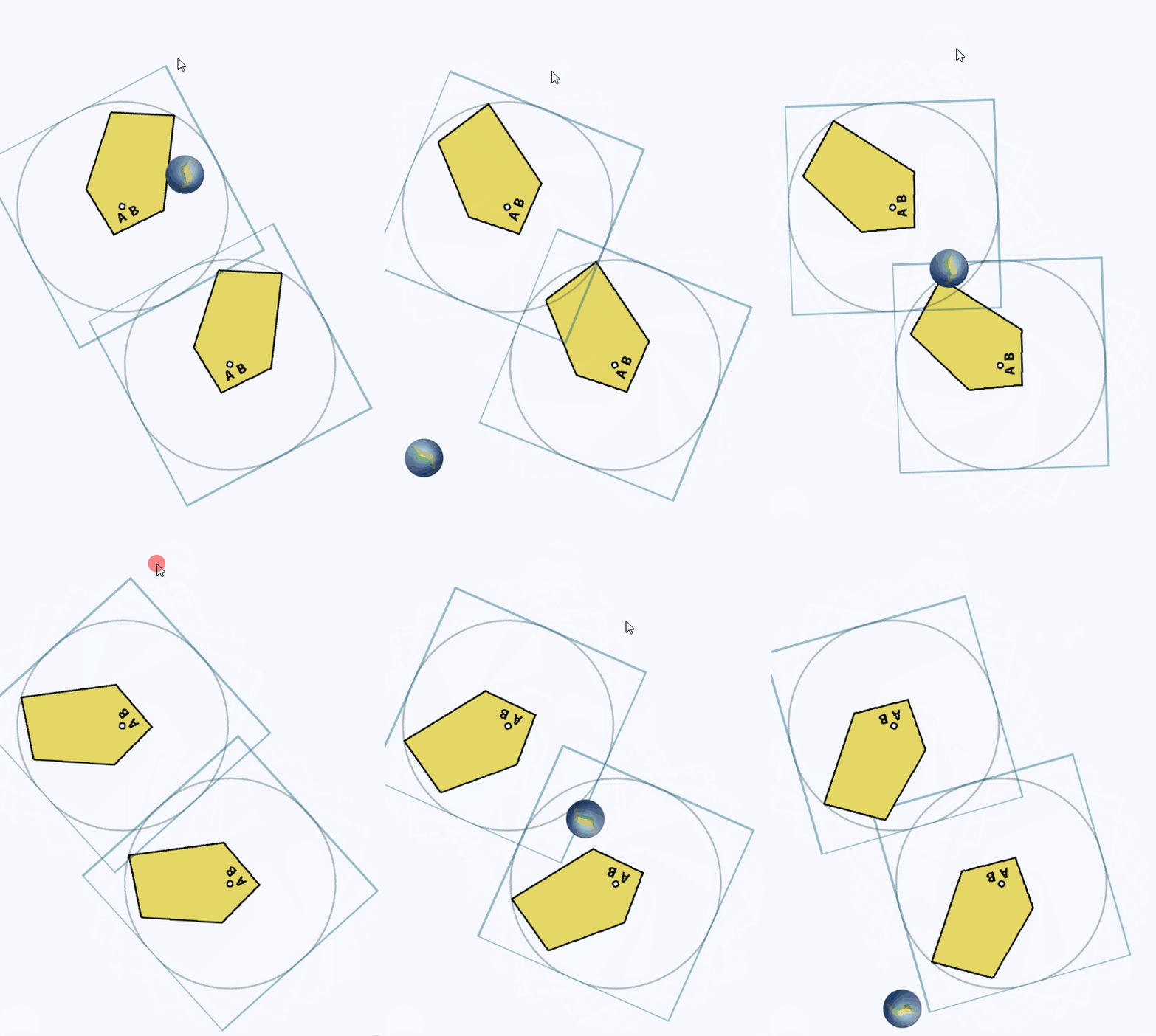
I’m posting this as i couldn’t find much help on this - there’s actually a thread on github where it’s described as a bug but it seems that there isn’t an easy solution using box2d. I nearly gave up at one point and thought …right ill do myself and googled the maths needed for intersecting off-center rotating polygons…looked at it, glazed over, and went off to get some comfort food. Jees what have i become!! I used to be in bands - raucous and rock n roll (but in a polite and overly apologetic manner) and now im on stackoverflow!!?
Physics 2 - It still feels like a work in progress to me. Restitution is far too finicky! The whole import temporary picture thing feels clumsy. I’m sure that there a very good reasons why you cant just click ‘use sprite collision mask’ but it feels like the present system needs an overhaul. There’s also a bug where if you update the coordinates without updating the temporary picture it just ignores the update.
How are you rotating the polygon?
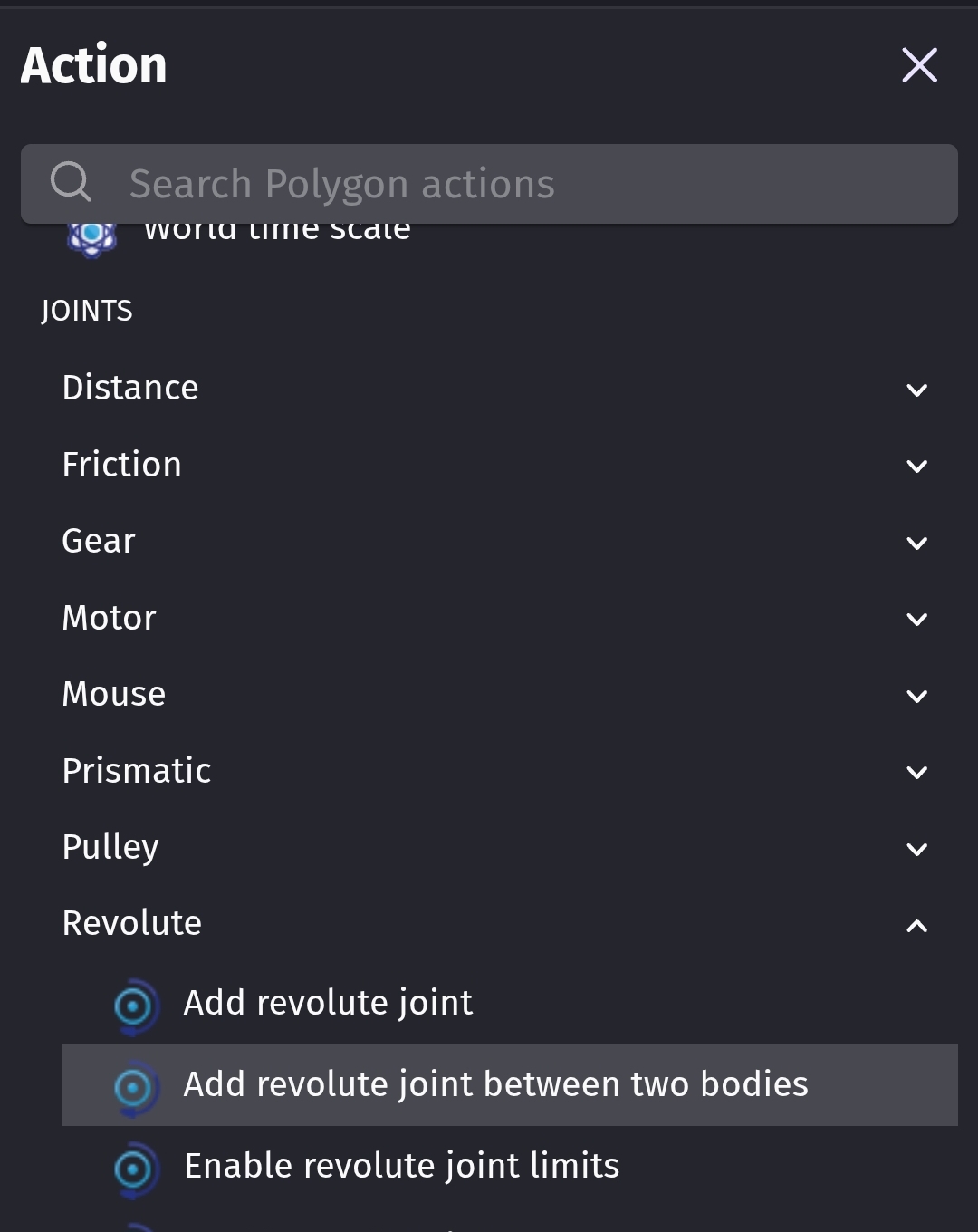
I haven’t used physics joints in ages. I tried using a revolute joint using the single and two object actions. I couldn’t get it to revolve around the point that I wanted. It was close but off by like 10 pixels.
I used 2 objects. A polygon and a pin object. I added a point at the pivot point on both objects. I also moved the origin and center points to the same position.
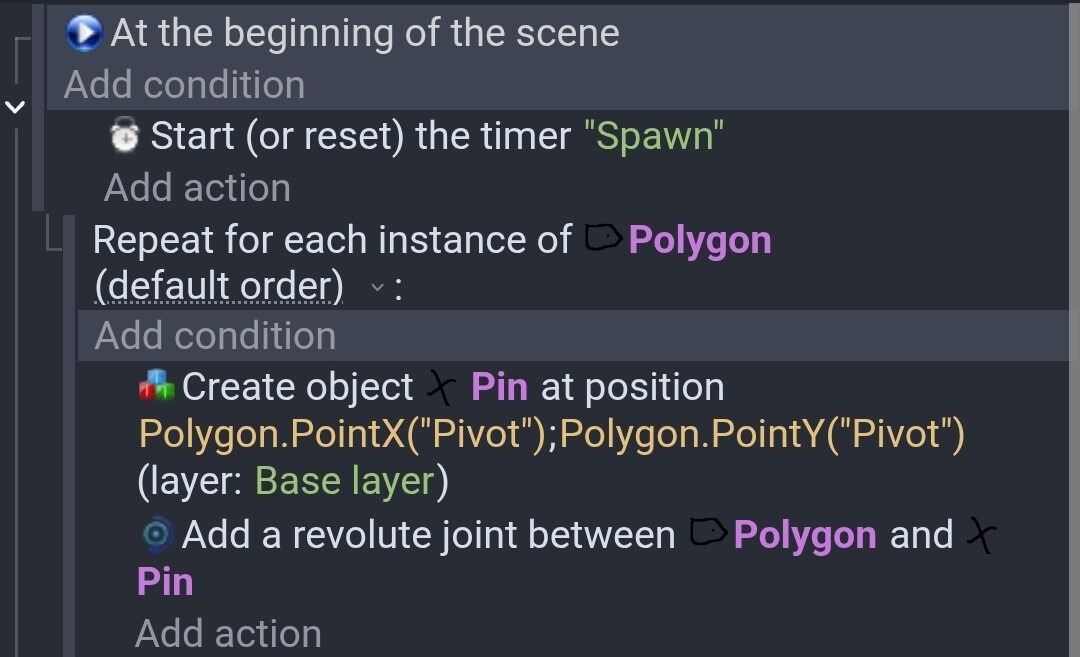
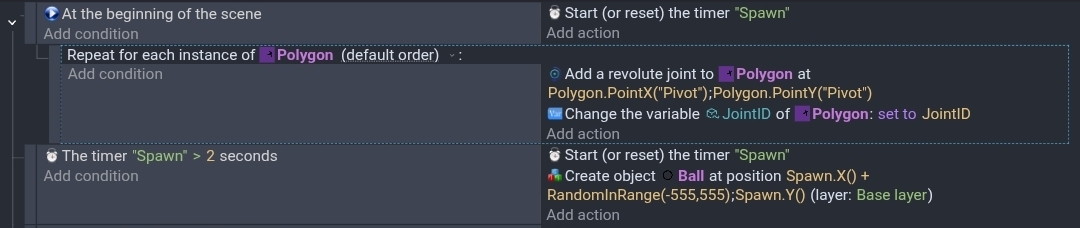
Here are my events. I used the timer to spawn balls. Those events didn’t seem relevant.
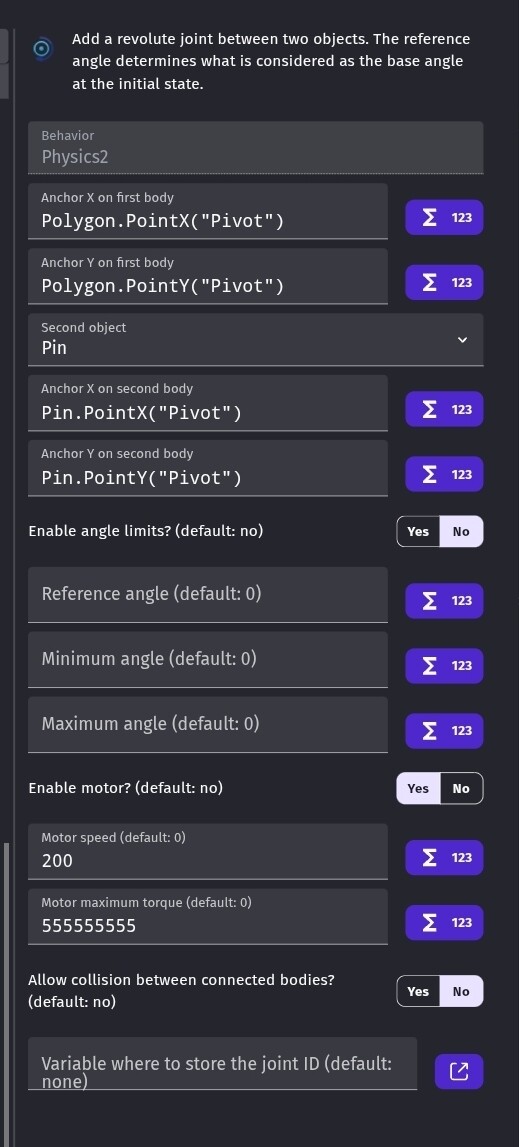
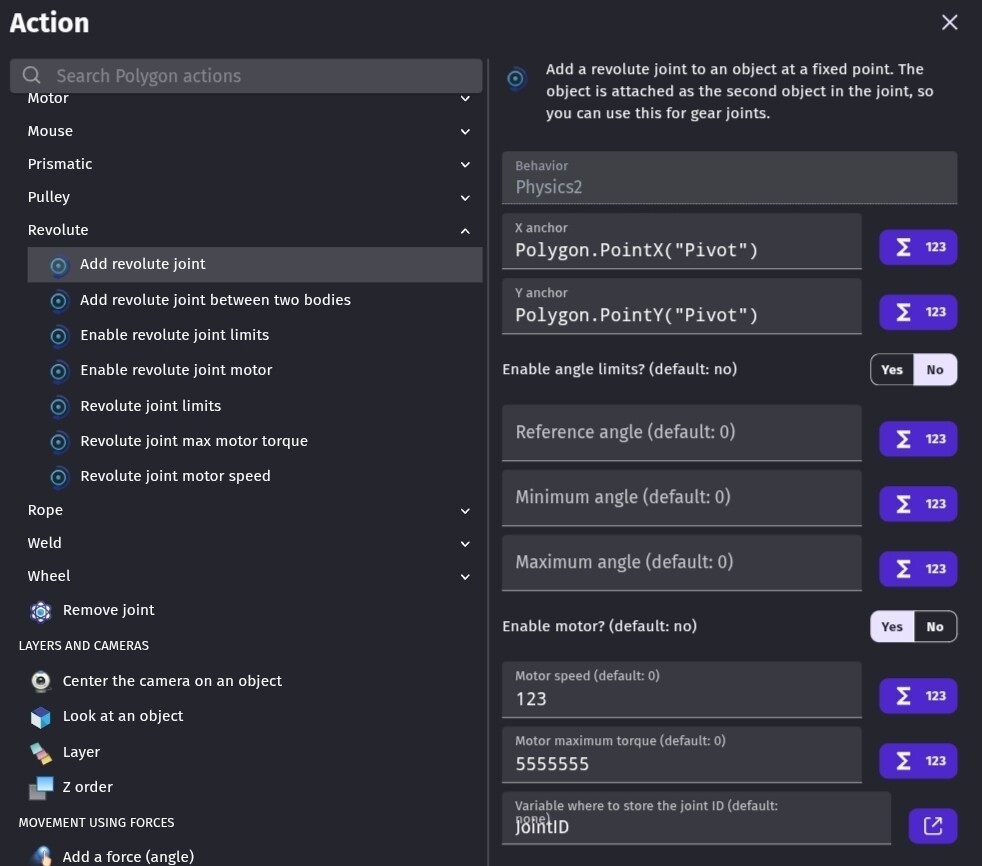
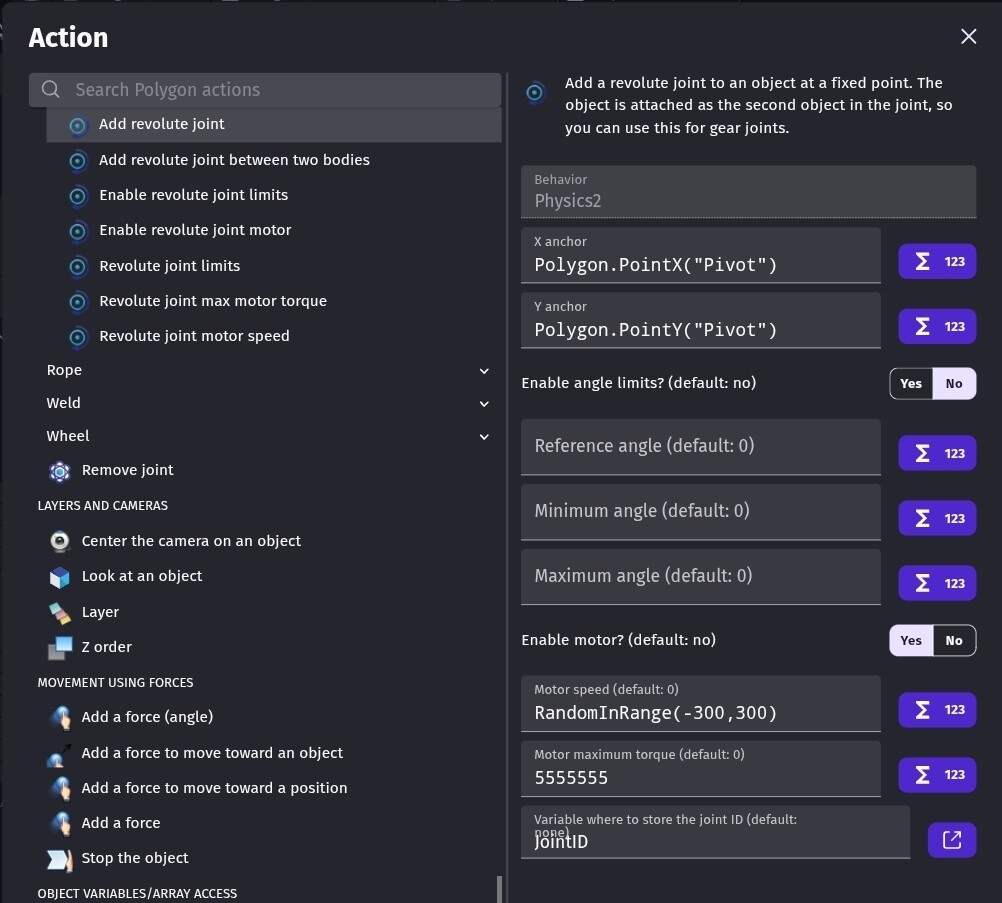
The joint settings don’t show in the event sheet. The torque setting just needs to be a large value. So, there’s enough torque.
This is the action
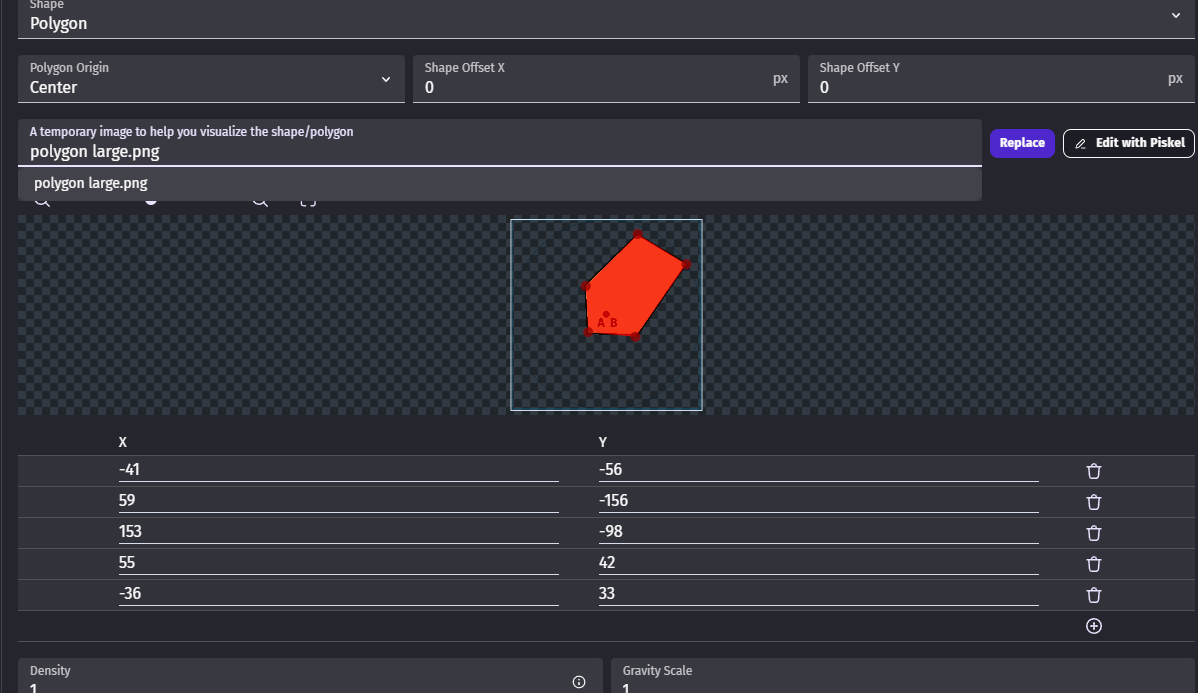
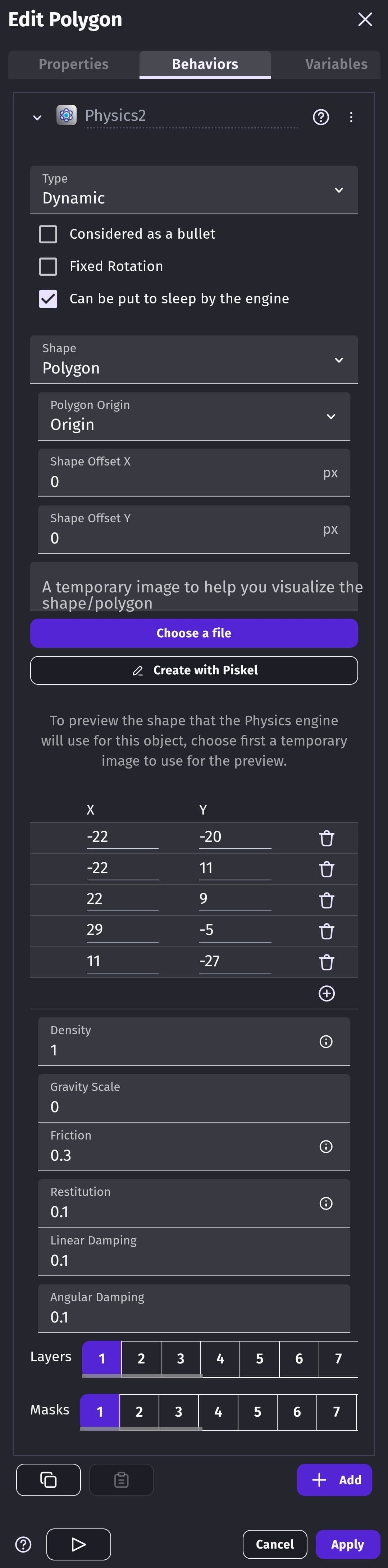
These are my physics settings.
Hi Keith. It’s a static physics 2 object. I was using equilateral triangles but because the center of the triangle wasn’t the center of the sprite the collision shape was shifting as it turned. It seems that center is referring to the sprites center and has nothing to do with the objects points …which wasn’t obvious. There’s the phrase…,‘uses a separate collision to the object collision mask’ but there also needs to be …‘center refers to the sprites center’ as I was trying to use the y offset and all sorts. I’m rotating by hard rotating and adding to the angle.
I haven’t used joints that much …I’ve made a chain etc but I don’t use physics 2 that much
I think I might have figured out my problem. I moved the center point of the object to the pivot point. When I moved it back to the center, my events work.
Now that I figured out my issue was the center point I tried the single object revolute joint and it works.
Hi Keith… can you post an image or giff …to help picture it. What I did works for me in terms of collision matching the shape as it rotates and it’s better for what I’m doing to add to the angle than use forces but I’ll have play using joints when I get some time to.
All you need is the add joint event. It has an option to use a motor. You click yes and set it’s speed. If you want to modify or dele the joint later, you can save the joint ID to a variable but it has to be a scene variable. When using multiple objects, you can copy the scene variable to an object variable.
These are my events.
All of the settings fir joints don’t show on the event sheet. These are the settings for the add joint action.
I was testing it with a random motor speed.