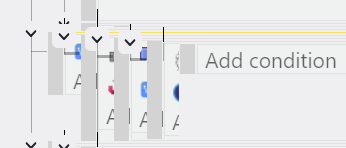
Recently reported here 🔴 Reporting Important Bugs and Errors in GD - long event sheet gets scrambled after undo/ctrl z.
Not sure but I think it 's happening more randomly now just with scrolling.
I’d like to find out is this problem specific to a certain os or is it affecting everybody and maybe this info will help the devs.
It’s actually a lot worse on extension events for me . Basically every time - until you click on it its a scrambled mess. In scene events it happens when you control z
Yes GD Team please fix this, it happens to me 100% every time I work on the project, it turns into spaghetti and it reaches a point where you have to close GD it self for it fix it not just closing down the tap it self …
and correct me if I’m wrong… but it’s happening more frequent than before after newer updates? not really sure as I live with this issue almost all the time…
Hmmmm, maybe if I’d put ‘Its AI’s fault’ in the title, there would be more than five votes by now. Oh wel.
I 100% agree with this. It’s gone from an interesting bug to a major frustration. Based on current poll results, maybe all the devs use Mac or Linux and it’s not on their radar.
I will make asecond poll in the original post to get more details on windows versions.
If it can be helpful, I’ve noticed that the users who voted for the Windows error are generally people who have a very large amount of code in their project. Petlimpet writes and fills pages of the editor very quickly, and from the thread I saw that Coriander’s game already has more than enough code. I don’t know about your project Bubble , but I assume it’s the same situation. As for mine, I’ve been working on it for 6? years without ever changing project, so I definitely have a lot of code too. I think it’s very likely that the editor struggle at refresh such a large number of events in real time, precisely because of how many events are present…in all project.
@RMDB Yes I have an ungodly amount of code in my next project, like it hurts my eyes, and the more I add, the more spaghetti it has, you’re very correct with the amount.
The more code you have , the more the engine struggles to refresh, the more spaghetti we get.
Also GD can’t handle too many copy and paste btw, it’s another issue I faced but it happens rarely unlike this one.
Maybe GD needs to only update what is seen on screen at a time instead of having it all there at one time, I’m not really familiar with how GD functions in it self but I hope someone from the team look into this and I will try soon to even get in touch with 4ian to see if he can make this a priority because it’s starting to happen almost 100% all the time.
Yes it’s scrambled for me but if I collapse and expand my event group again, everything is orderly stacked. It’s always scrambled when i switch scenes.
I’ve never had that one. As i wrote earlier, it was worse in extension events …but today …no…its all fine in extension events. It had been bad scrolling up quickly through a large block of events but today its ok. Control Z produces the usual 3 second pause and then scrambled events until you click on something
its weird how its different for each user.
I wondered whether it was my ram not being up to the job, but I seem to remember from a thread last year @RMDB …you have a system that’s loads better than mine, and you say you’re still getting this so it can’t be that.
Can confirm, still scrambled in 5.6.261. Coriander made his initial bug report in mid January, so from that, it was my estimate that the problem started in about early December.(Update:no, that’s when I started using Windows) I went and looked at the releases looking for something that maybe changed things. The 3d editor came out in 5.6.249 on December 3. So I downloaded and installed the version before that, 5.5.248 from December 1. It also did the scrambling
Unless we hear something from the devs, I’ll try some more old versions over the next few days.
I’ve looked at your thread and also the release notes for .233 which didn’t specify anything major.
Your screenshot, while a bit different from the current problem did make me think, maybe I did have display problems like that a long time ago but not frequent enough to cause me concern. It’s just a very small memory. But I can definitely say that the current display problems have been happening for me for a few months only.
Wrong/misleading. After using Linux for many years I got a new laptop with Windows around October/November of last year and probably didn’t get into GD stuff for a month or so. Therefore I have no input on when the problem started.
Hi kotiks, thanks for your input. You did three votes for it doesn’t happen in the app, browser or Windows. So when you say it happens but it gets better quickly, do you mean that you do get the scrambling in all three of those platforms but it’s not a big deal as it goes away quickly? If so, that’s good information that it’s not just happening in Windows. Or does it happen in Windows and not the other two? There doesn’t seem to be any consistency to it but if it is scrambling for you can you please vote for it as the poll is about whether the problem exists more than how easily it’s fixed.
 it has, you’re very correct with the amount.