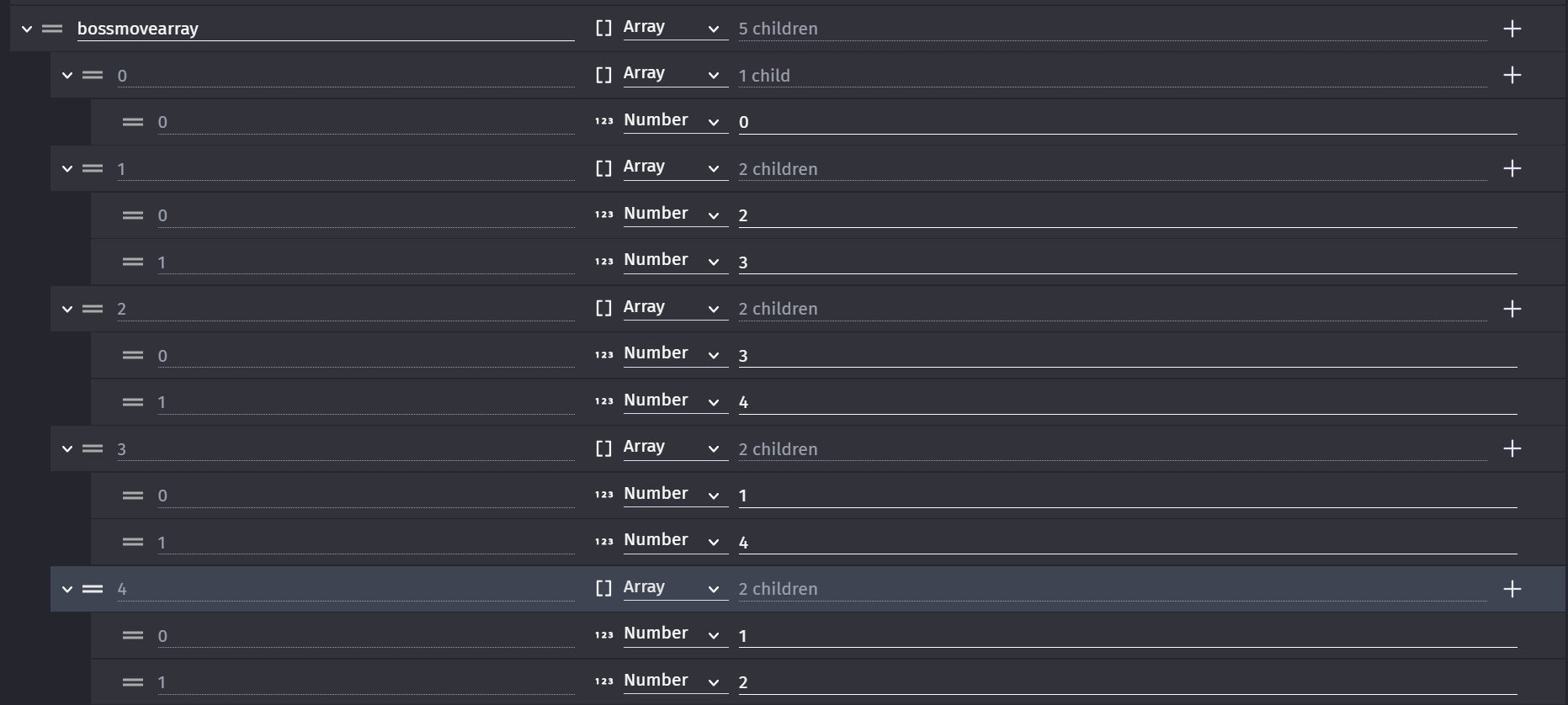
Next question, did you adapt the code to suit the name of your variable?
That is, did you change where it says MyBossMoves to AttackMoves.
Hi - Davy used ‘CurrentMoveTracker’ and the variable you created is ‘currentmovetracker’
that’s why its red in the second screen shot.
Okay, when I get the chance, i’m gonna update the screenshots on the masterpost, showing all the other stuff tied to it, like what current move tracker is for.
I don’t think people want to have to scroll back and work out which is your new info and which is the old info even if you’ve made it easy to tell the difference. If you put the new info in a new reply then it makes it easier for people to help you and takes up less of their time.
…you are unfortunately correct, i dont know whats going on

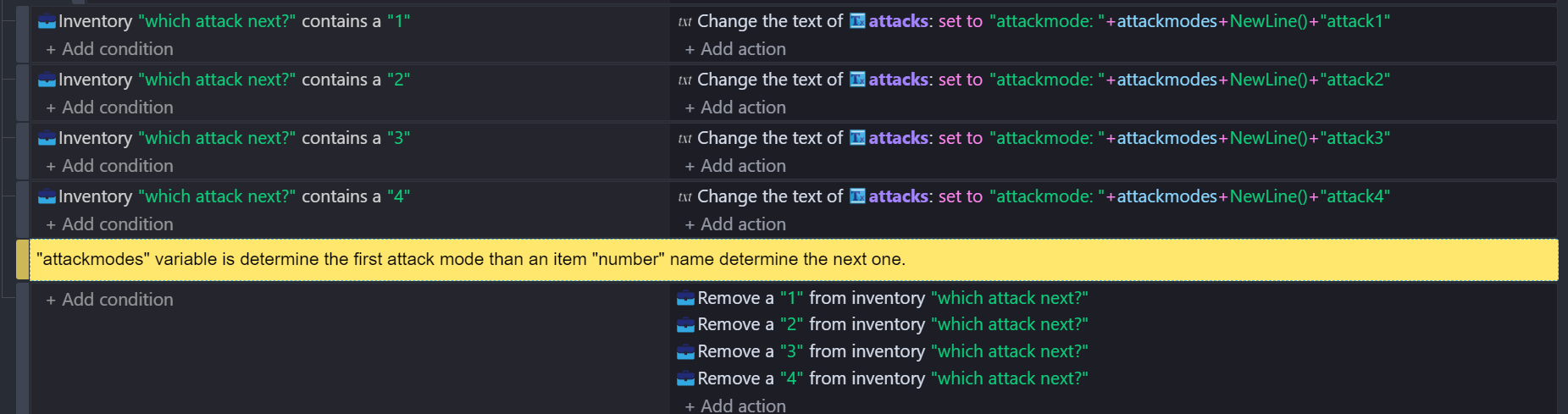
Basically, right before the attack changes (When the boolean ReadyToChange is flipped to True), the variable for AttackMove is saved to CurrentMoveTracker, and then it sets MoveTransitionSelection to a random number in range, and then that selected number determines the next move by setting the AttackMove variable to the selected number.

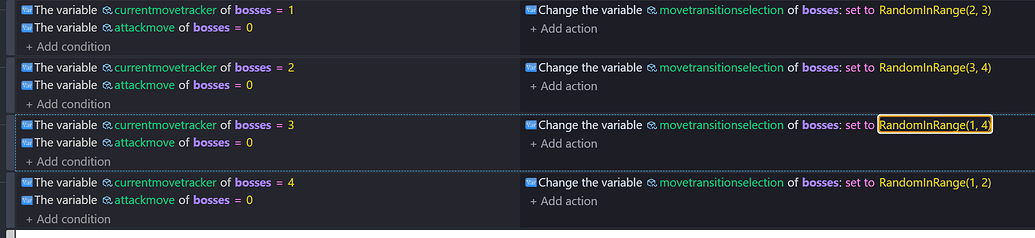
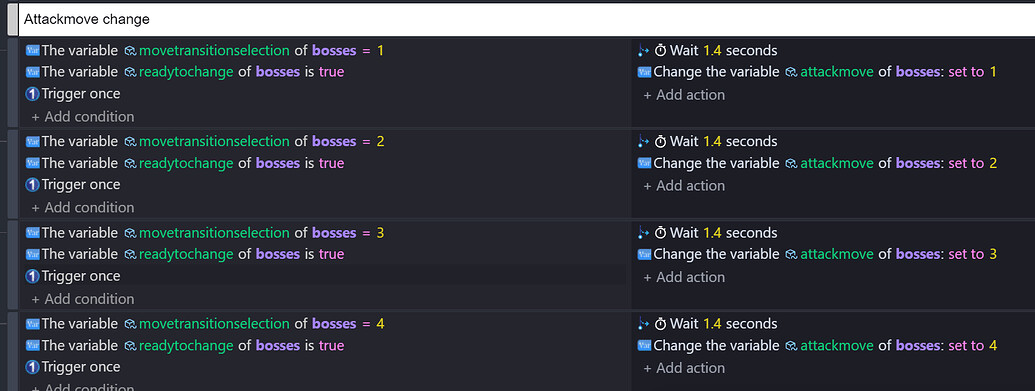
…is anyone still gonna help me?
Instead of this section,
You could use this formula

I used a slider control to test this and a button to trigger it. You could use a trigger with variable >=1 and variable <=4.
The premise is fairly simple. The text is the numbers in pairs. (23,34,41,12) The position in the text starts at 0. It use the current variable to decide which pair to use. Since random(1) will either be 0 or 1 the it will wick either the 1st or 2nd character and then convert it to a number.
If the move is 1 then it’s
1*2-2 which is 0 then random(1) adds either 0 or 1
It chooses the character at 0 or 1.
If the move is 4 then it’s
4*2-2 which is 6 then random(1) adds either 0 or 1
It chooses the character at 6 or 7.
Remember, the first character is position 0 just like arrays.
Imho, the solution is here:
okay, I realised you have to create an array in the variables menu. Should I make MyBossMoves a global array?