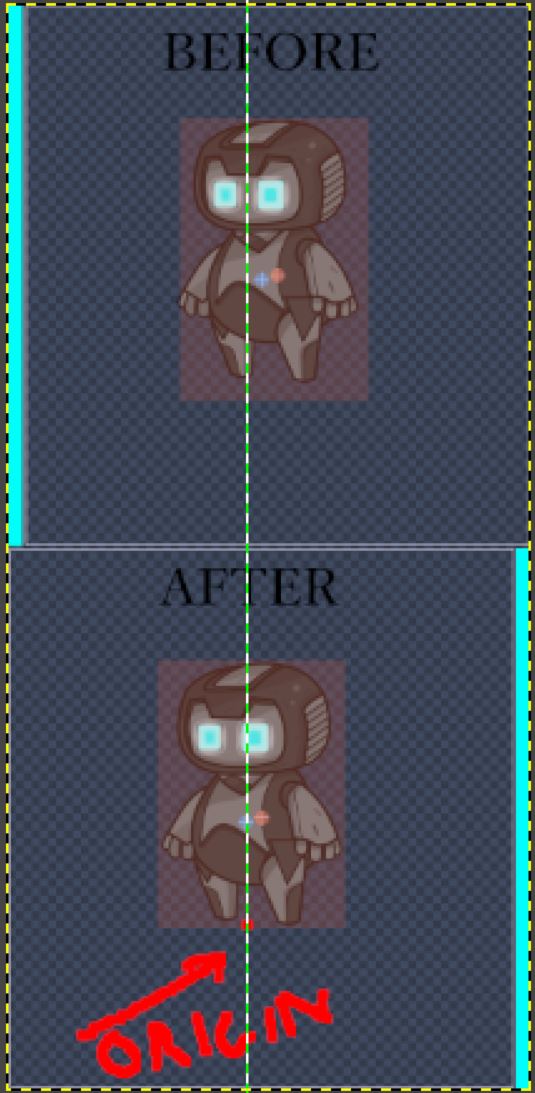
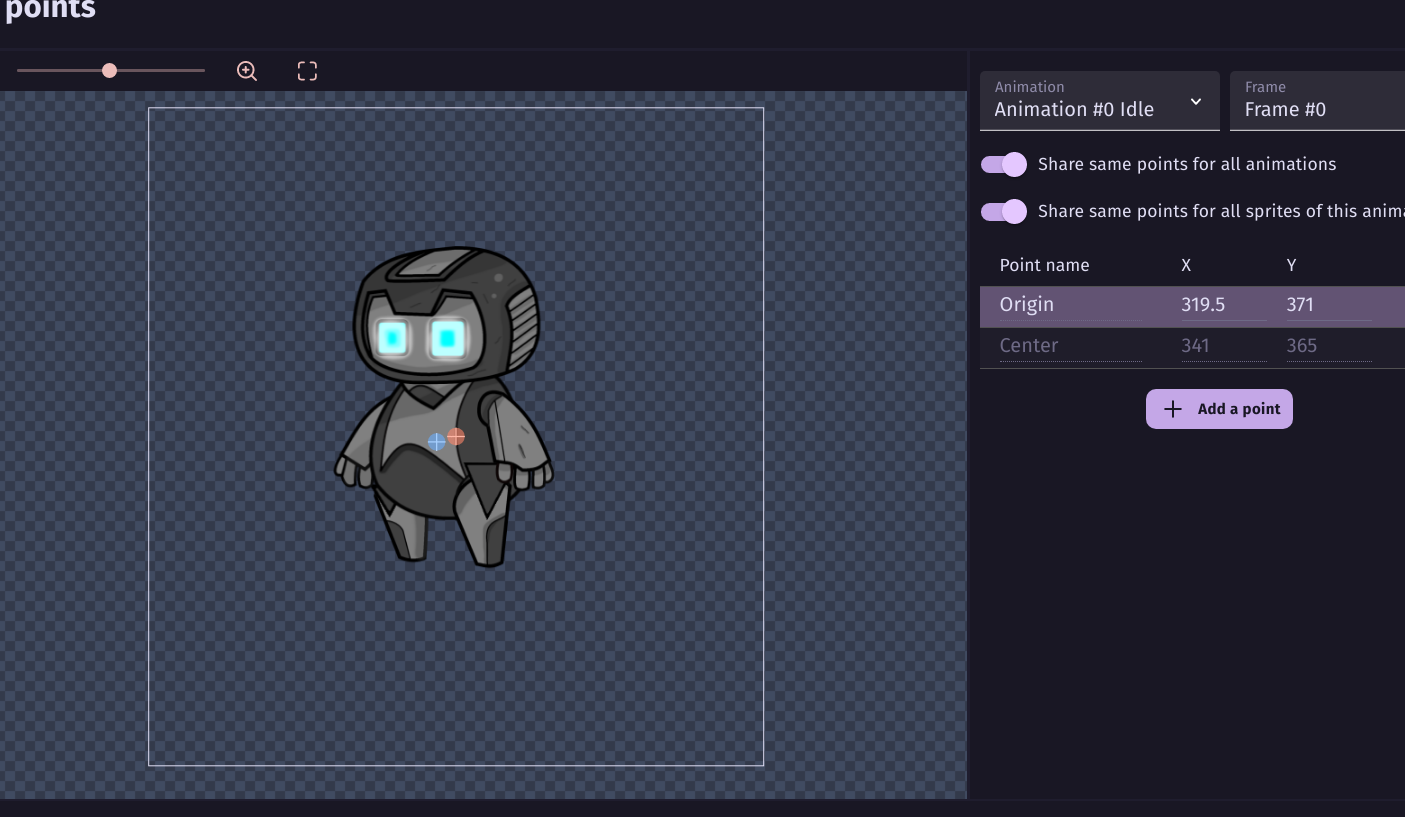
I believe they’re questioning the position of the points because if you flip the character when it changes direction, the mirrored version with off-centered points wouldn’t be in the same location when flipped.
Are you flipping the object or changing the animation when the object changes directions? Does the gap between the object alway occur or only when the object changes direction?
Could you post a link to a video of the issue? It might help. You can post the video to YouTube or some other site and paste a link inside a post.
you should consider sprites generated from origin point…if your sprite is offsetted even the collisions are…
also be sure to set same masks, same size, same positions,SAME IMAGE SIZE, for each animation.
edit: your jump animation likely seems to have different collision mask’s settings…this gonna cause issues
It looks likes the points and/or collision masks aren’t consistent between the different animations. This can cause jittering. Plus if you’re next to an obstacle when the animation changes, the object can pop or teleport inside the other object. This can cause a harsh push back when the behavior tries to seperate the objects. Imagine if this was the real world and 2 objects tried to suddenly occupy the same space. There would be a hash kickback or the objects could shatter.
The behavior might only need to normally push back a couple of pixels but if the objects suddenly overlap, it might need to push it say 10+ pixels. If the animations aren’t aligned then switching between them can cause the object to appear to move further even if the actual position doesn’t change.
To chime in here, Keith’s post above is pretty important.
I do want to clarify that you don’t have, nor need, to cut your sprites to the size of the content.
What matters is that the sprites in a single object are all exactly the same size in the animation. Meaning that if your biggest sprite is 100x64 for a sliding animation, every sprite needs to be 100x64 big (even if it means adding transparent space to the idle/standing sprite whoch is only 40x74). The same sprite cannot have different size animations or assets in it without causing issues.
Then you want to get the sprite center point to be at roughly the center of the image for each animation frame. The origin points can be moved to any position that makes sense, but generally should be the upper left most corner of the visible pixels (this might be blank space but should be aligned with the top most visible pixel and left most visible pixel, NOT the top left of the image, which usually will be many transparent pixels away)
You can look at the hero sprites in the not-a-vania example in the engine to see examples of the above.
I believe that, as far as the mask issue is concerned, we’re all on the same page. And as it can be seen above, I didn’t crop the sprite to its contents like I did earlier.
However, I don’t agree with this point.
There’s no reasonable justification for wasting all that space for an image, and even if you gonna need to add something around the character, that should be planned from the start.
You want blank space around the character if there are other animations that have content in that needed blank space. You need the blank space if you have frames in the same animation that have different sizes.
General rules:
You must not, under any circumstances, have different frames of a single animation that have different sizes. This is a requirement, having different size frames in the same animation will lead to those frames being stretched to fit the size of the first frame (or the largest frame, I don’t remember.)
You should avoid, under almost all circumstances, having different size animations for the same character. You can, but it makes your origin and center point positioning that much harder, can lead to collision issues and jittering depending on if you’re changing animations multiple time in a frame.
Can you ignore #2? Sure, if you don’t mind hand tuning everything every time you add another animation. But there’s no major benefit. The transparent pixels will not have any impact unless you have significant optimization issues.
It’s also why using places like Spritersresource is a terrible idea as they force-trim any sprite uploaded (in addition to the fact that using sprites you don’t have the license to is against IP law, but that’s a seperate issue)
All of the above issues may go away if they ever add spritesheet support to the engine. The more recent versions of PixiJS specifically handle spritesheet support to avoid both of the issues above.
there is a trick for that.
Go to point. Delete the origin point and it gonna automaticalliy fix.However you gonna still need to move the sprite and set the mask symmetrically.
Thaz what we told you…if collisions masks are different between animations you gonna have issues like in your video.So you must plan your sprite/animations in advance.If jump animation takes more space you should understand what @Silver-Streak said above.
We know…but it doesnt mean they are ready out of the box for your game…but mosts of the times…they are,…but you wrongly set them