Its just a thought if you needed to identify the arrow thats in front - when you add more complicated tracks - you know - when it’s raking the money in and the fans are eager for more!
1 Like
Looking at it again.you can just rotate towards those arrows rather than pathfinding
1 Like
I haven’t read the thread but instead of pathfinding, I’d used the curved movement extension.
There’s a 3D racing game example with AI opponents. The technique would work the same in 2D.
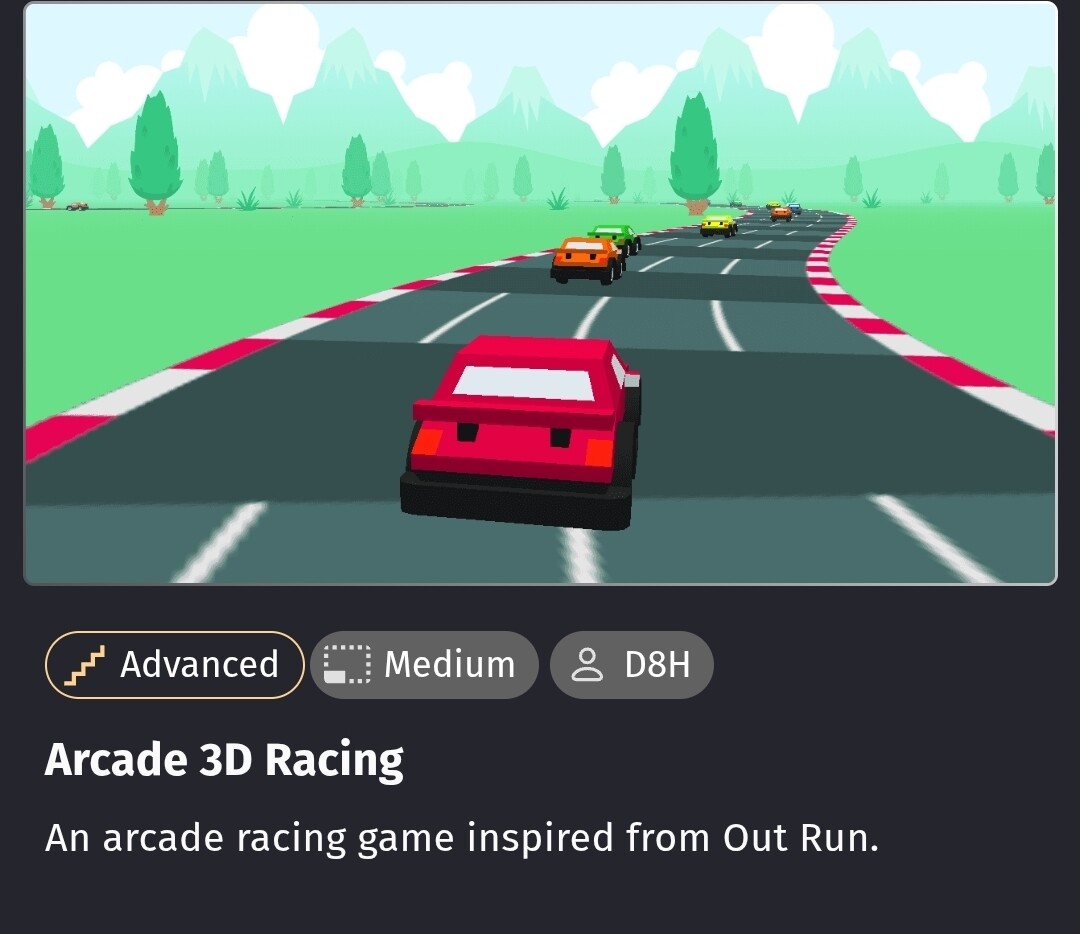
It uses layouts for the tracks. It creates a path from the tiles. It puts the AI on the path and steers based on the distance from the center of the path.
It uses another function to test how far from the center that the player is. Too far and it shakes the car. It uses a 3D shake but it could also use the regular shake.
Honestly, it basically 2D except for the visuals bc it doesnt use terrain for height or anything.
1 Like
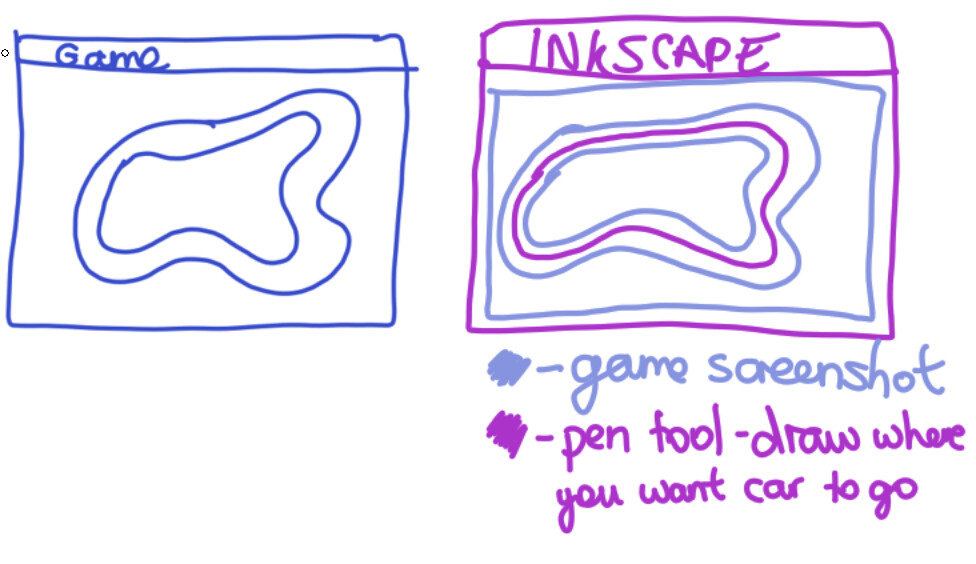
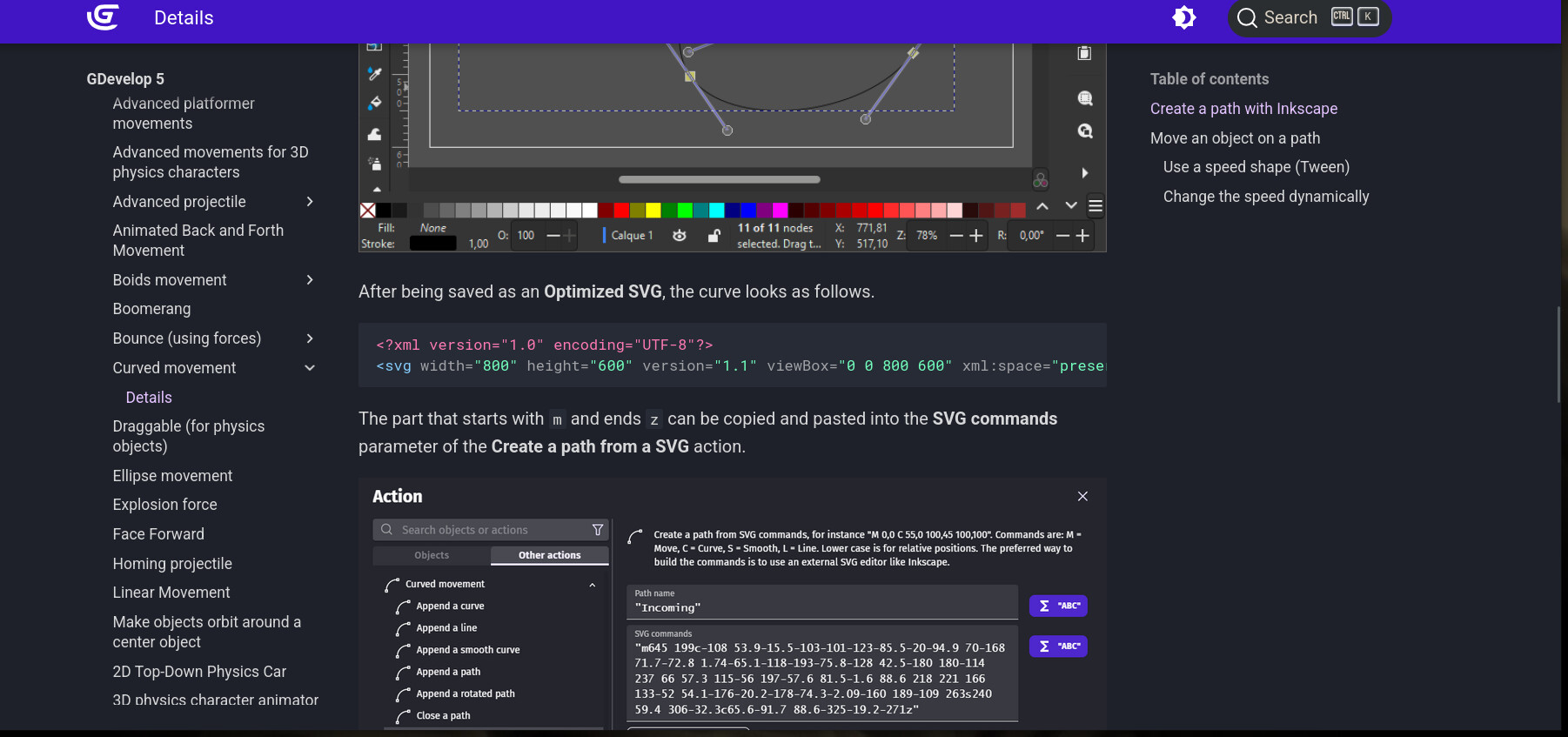
@zGameCreator - see above - curved movement extension! - You’ve got inkscape and so you can do what @Bubble did on the 101 ways to get from a to b thread. You simply need to screenshot your track - open it in inkscape. Create a curved path around the track and find a way to open the svg path in notepad and paste it in a action using ‘curved movement’ behaviour! - at least i think that’s what he said he did!
1 Like
Wait so i create a path outside the track?
Yes, there’s more info in the wiki here:
https://wiki.gdevelop.io/gdevelop5/extensions/curved-movement/details/
And here is an info pic
Also,
2 Likes
Yes…it’s slightly over elaborate…but an interesting experiment! If you look at what bubble did getting the windmill blade onto the windmill …to get the instructions for the path as a string…he used inkscape …which you know inside out! He opened a screenshot of the track and drew a path on top. The next bit I’m hazy on!
Edit Ahar…as above ,
1 Like
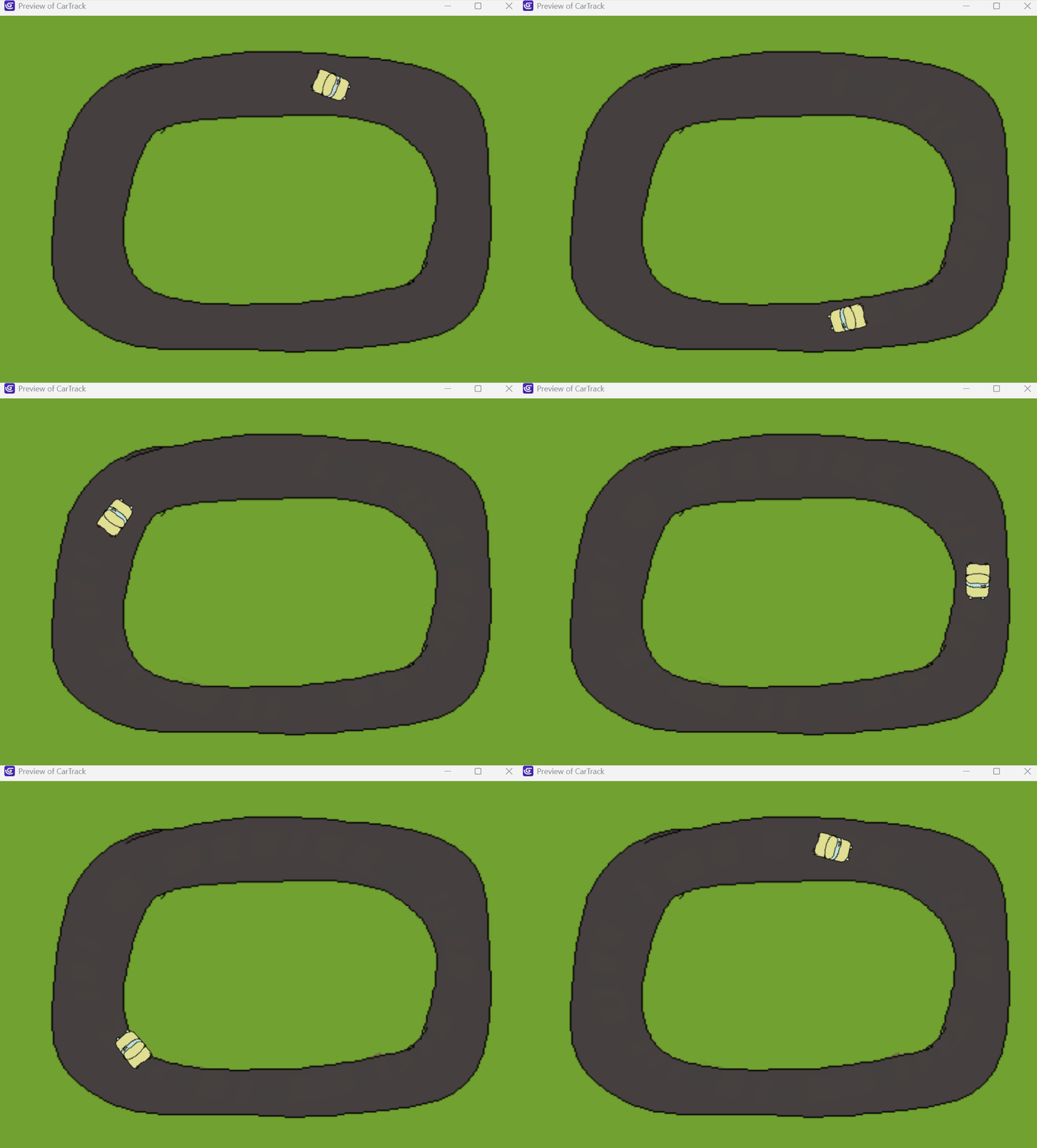
Okey dokey, so I haven’t read all the details of this thread so I don’t know what extra requirements there might be after the first post. I just did something in 5 minutes that works for a track that is a simple shape. No events, just the ellipse behaviour. Which means the track has to be a bit curved at the corners. The speed/loop time can be changed as a default or adjusted in events.
1 Like
Hi Bulle!
Is it possible in your solution to use many paths?
I think it should be interessant to vary the movement of the car.
A+
Xierra
2 Likes
Which solution? The svg path solution? Yes I think you could make a few paths and randomise which one was used. But if I was making this game I think I’d build randomness into it by having hidden obstacles at each outer corner that only affected the ai car. They would randomly change to different shaped obstacle objects. For whatever way I powered the car, when it collides with the obstacle the car would change angle slightly or bump off it or something. Or something like that.
1 Like
I tried creating a path in inkscape but when i export it - there’s no ‘optimized svg’ option …using ‘plain svg’ …i get this…“M 39.379181,43.795539 C 172.31613,-21.564833 247.89288,136.65944 250.62825,142.42751 h -0.36803”
there’s no z at the end like there should be and the donkey tail just rotates a bit!
1 Like
Oh so not outside the track on the inside right? so what your saying is, i draw a curved line in the track, then i follow the wiki page as it says?
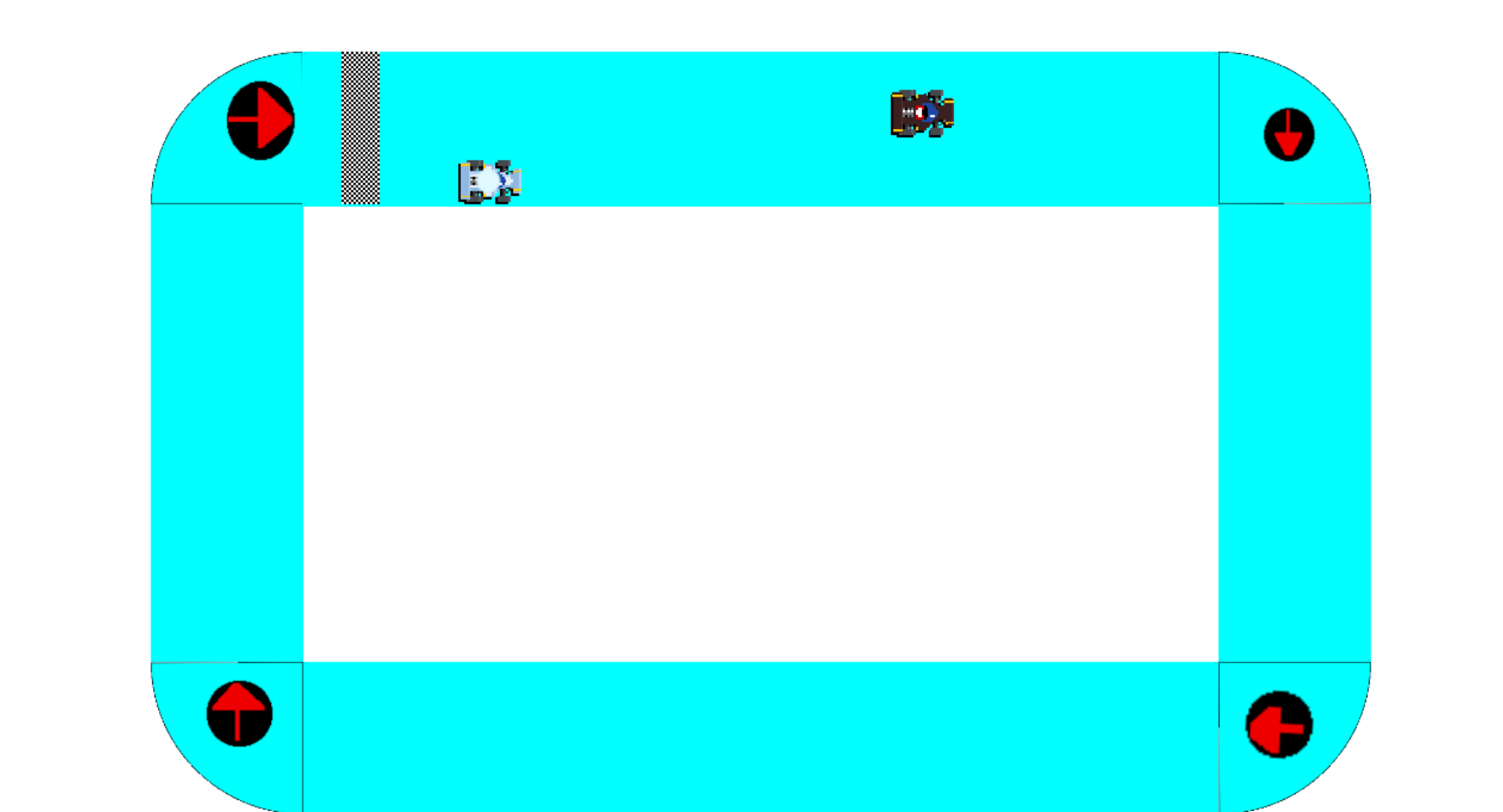
I think the paths method is a cool experiment @zGameCreator - but i think i’d still use the points method that i used above - or rotating towards a string of hidden objects - use 1 object with different animations and refer to the ani number with a variable that counts up as they’re found
1 Like
Once again, true @petlimpet , i dident think they would be so much solutions to one problem! i will try to try this.
1 Like
The thing is i tried that! (the point system right?) but for some reason everysingle time i would add a point to a different animation it would be on all of them, even though the correct boxes are ticked and incorrect boxes are not ticked.
sometimes - when you go to the next ani - it re ticks the box for apply to all animations. Are you doing it on windows?
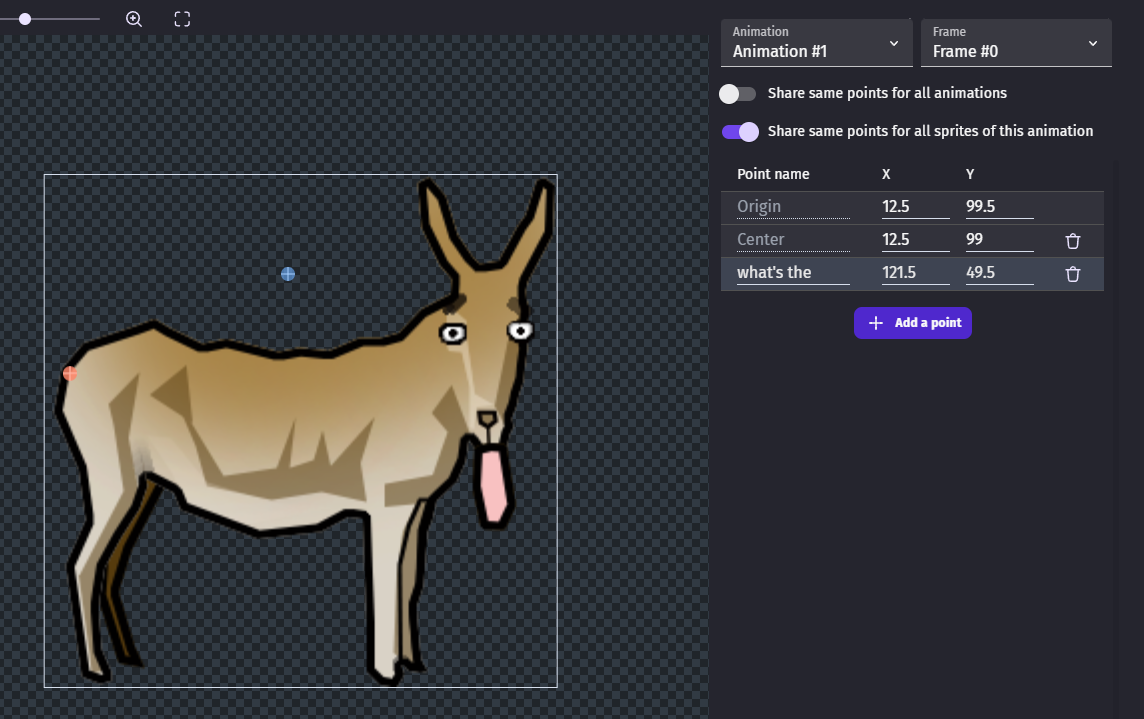
By windows are you talking about the software or something else?
ah - i remember now - you’re using linux …should still work though - if there was a bug there someone would have flagged it!
1 Like
Ok let me try again, perhaps your right! 