I use both the pinch and the drag camera extensions in the same project. I don’t use any of that expression stuff with scaling. In my drag camera events I have an inverted touch is pinching condition and then the drag camera action. I can’t remember if it was necessary or I did it for some other unrelated reason. A quick test now, there is some jumpiness if I don’t have the condition.

But there is an alternative. You don’t actually need the drag camera extension if you are happy to have both zooming and panning done with two fingers.
If you chose no constraints then you can do both zoom and pan as well as rotate. But unfortunately there is no zoom and pan with no rotate option. I have changed the extension manually to do this and requested that there be a dedicated option for it more than a month ago. [Pinch gesture] Panning only works when no constraints are set · Issue #1995 · GDevelopApp/GDevelop-extensions · GitHub If you want to modify the extension, here is what to do.
In the functions section, find the PinchCamera function and scroll down to the Apply constraints group.
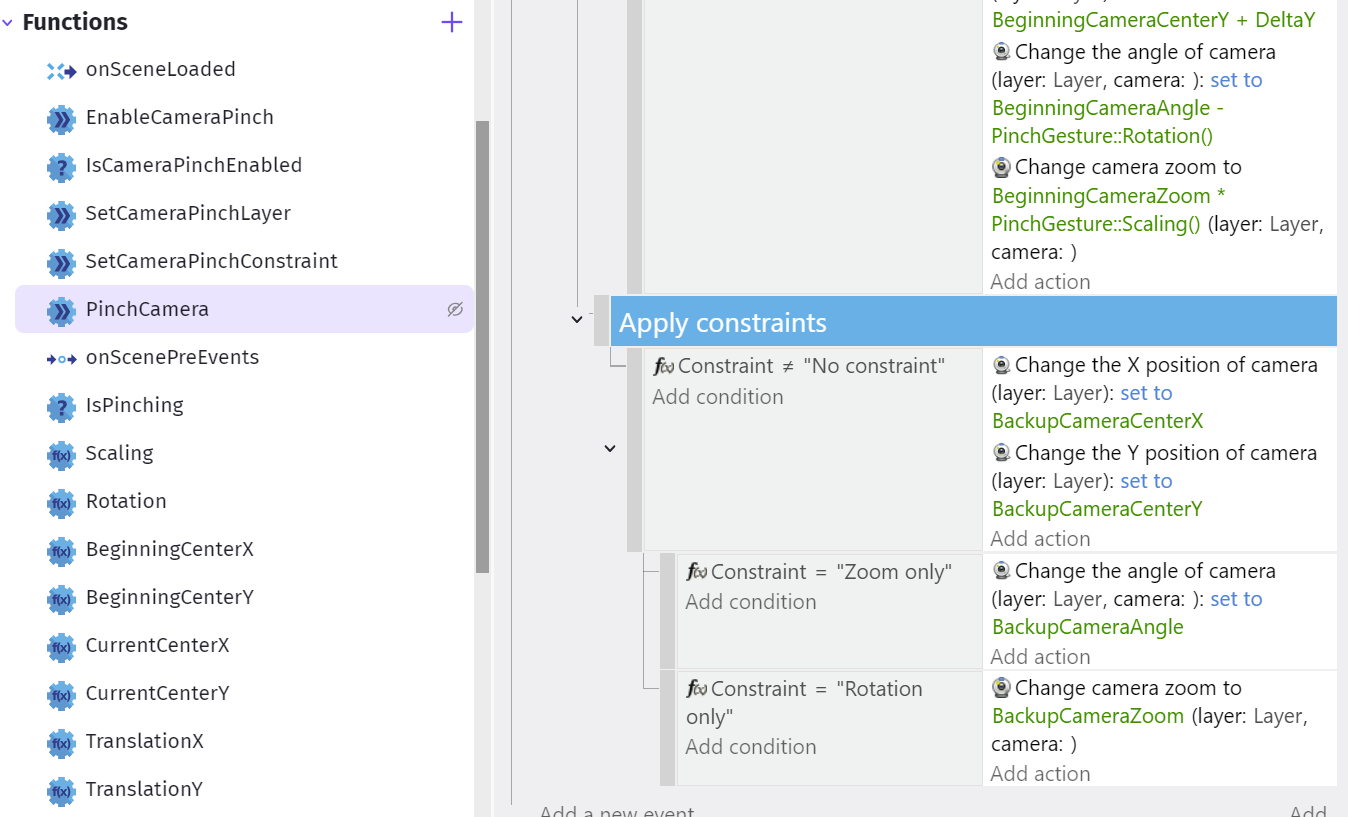
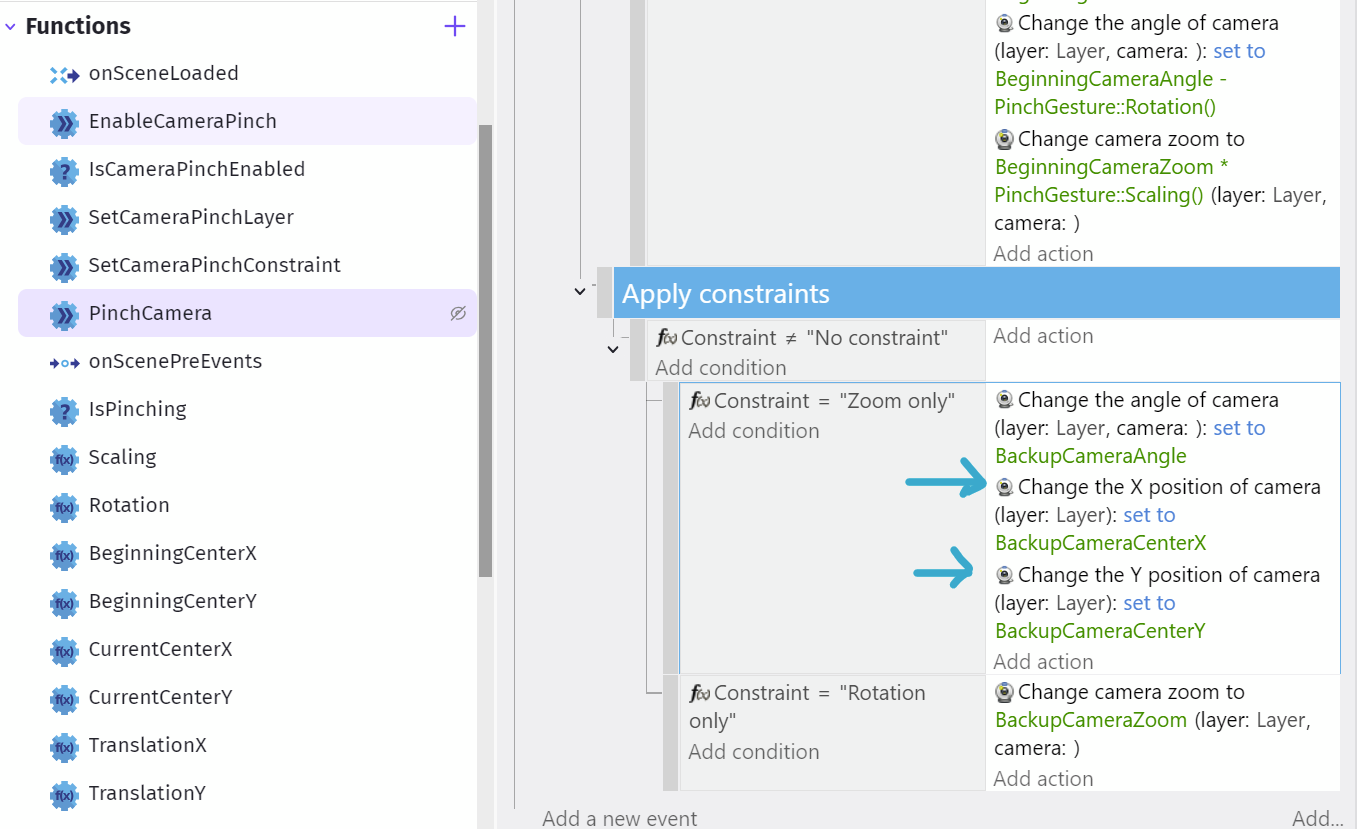
Then move the two actions related to camera position from the first event into the zoom sub event action. Now you can pan the camera while zooming. You can still use the drag with camera extension if you want, I do. It means panning can be done with one or two fingers. In the constraints action, you choose zoom only.
Maybe my way of changing the events is not optimal, that’s why I submitted a request for the extension to be changed.
If you want to limit the zoom, check out this post: Camera Zoom limit - #9 by davy