[SOLVED] Pass a SCENE variabile to custom object

I know the feeling. I am stll getting headache trying to figure out my own extension handling different customObjects and Behavors and Functions and trying to get things working smoothly. To be fair, I have learned a lot by trying to help you today. So thanks for that!

I must admit tho, that I haven’t fully understood yet, what you actually want to achieve. It sounds to me a bit as if you are trying to avoid anything that extensions offer, instead of utilizing it… They are here to let you encapsule logic and make your own buildingblocks of your game. In a way you could think about it as: all available actions and conditions are extensions given to you. Now you can also make your own. But you will need to tell them the name of your weapon. Just as you can only scale a sprite by a factor if you tell the scale-function by which factor it is supposed to scale your object.
2 Likes

I said it, didn’t I, that I’d find a way? I’ve found the solution to my problem, no functions, no behaviors, and done directly from the object.

And no, the solution wasn’t easy to find, it’s not straightforward, and honestly I think it’s some kind of trick to bypass the problems of custom objects… because I’m still testing, but at this point I think I might be able to pass something from the scene.

I’ll try to explain in detail how I solved it.
I just hope this doesn’t cause any issues or get considered harmful. …bcs i absolutely need this in my project…

That said, the trick lies exactly in the “Has animation” option.
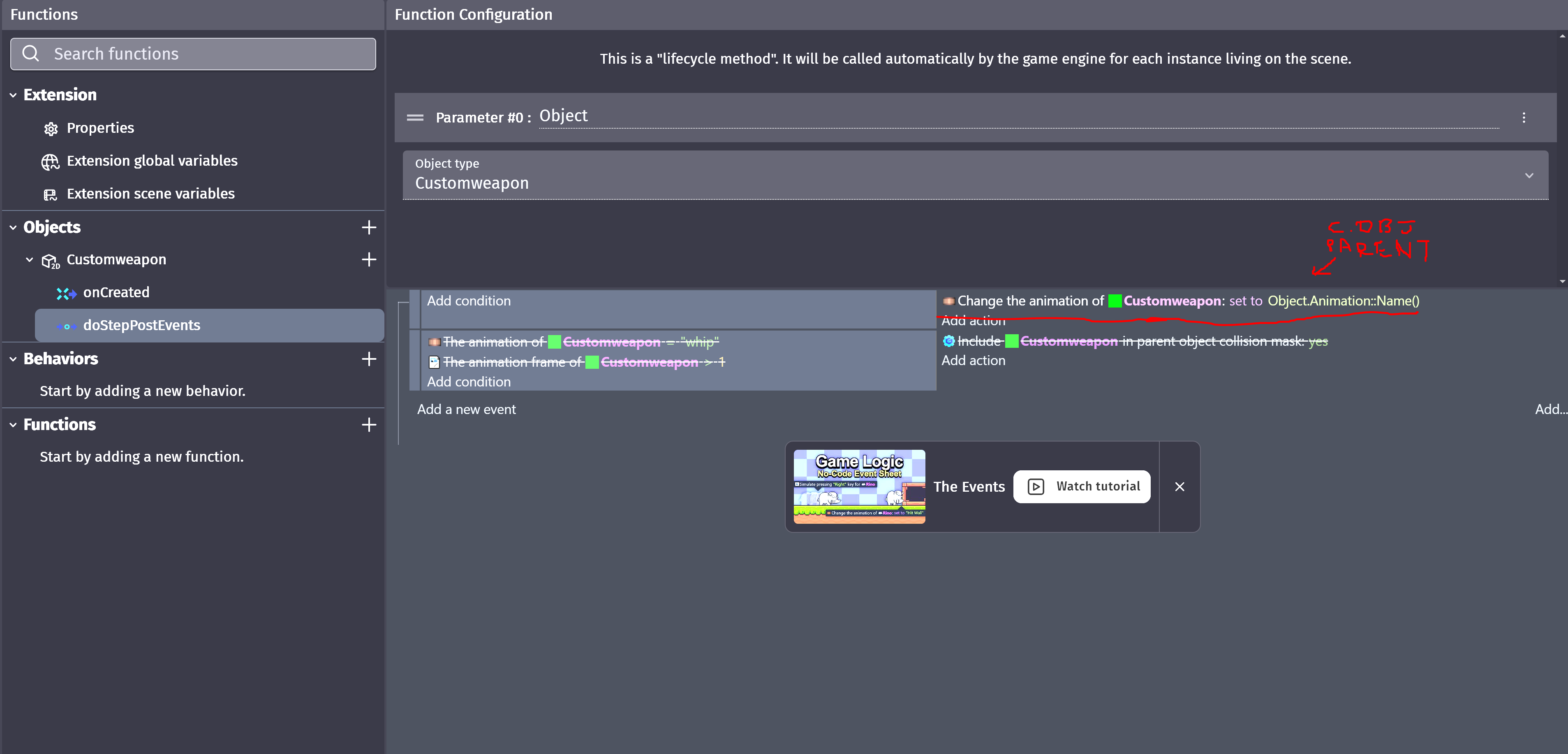
When you check that box, the animation‑change actions become available, but for children, animations can’t be replaced unless you act directly inside the custom object.

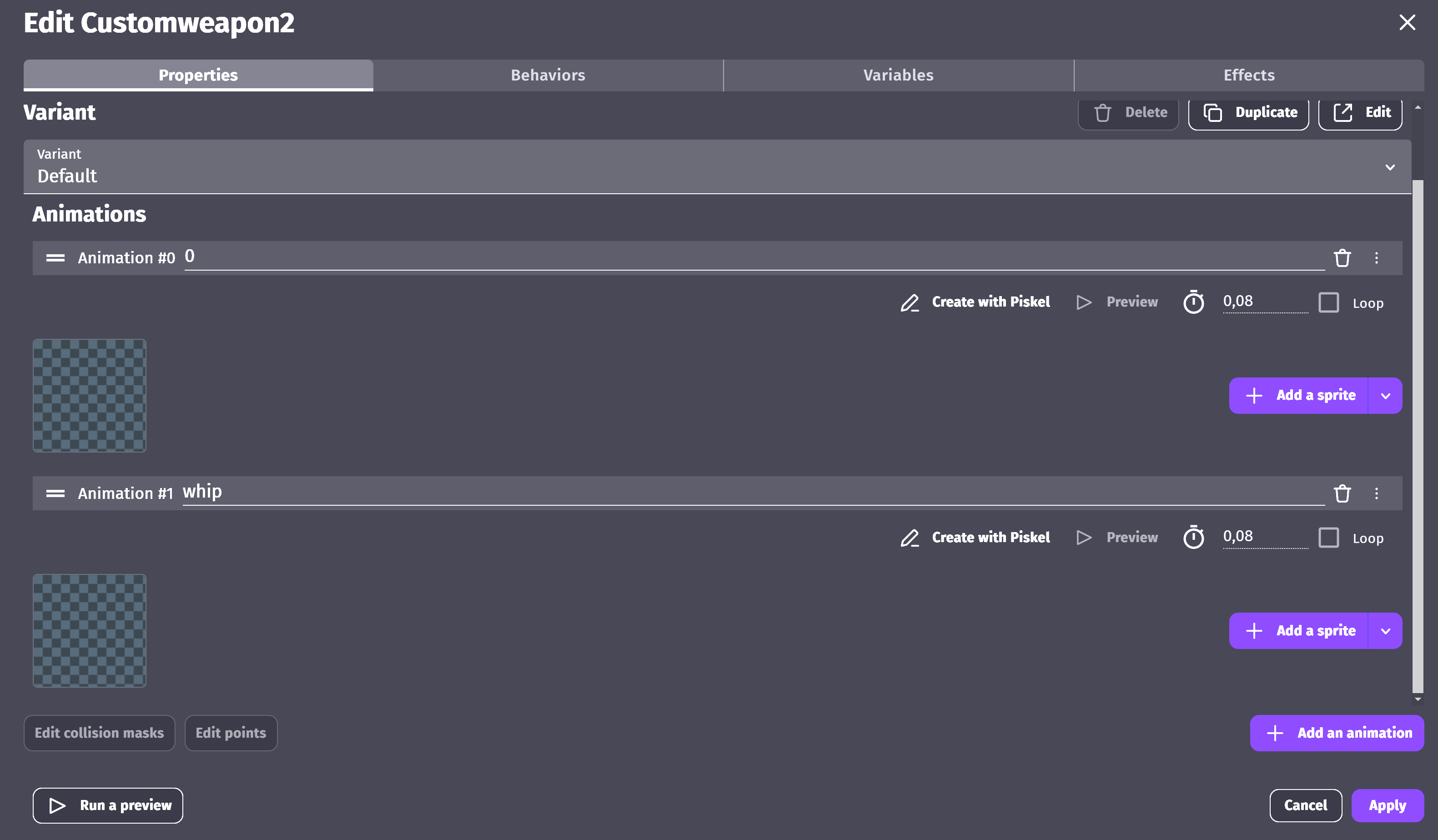
So I created empty animations inside the parent, just to see if I could extract the text from them.

Then, in the behavior’s object section, I added in the DoStepPostEvents a change of the child’s animation to the parent’s (empty) animation.

In the scene, since enabling “Has animation” at least allows animation actions to be inserted, I changed the (empty) animation to whatever variable or text I wanted… and as a result, the child switches to the animation with the same name.

cweapon2

The downside is that I think this only works for one child (in this case), but that’s more than enough for me. At least now I can use the custom object’s collisions as “remove from parent collision” and “add to parent collision” whenever I want.

1 Like

Nice, I love it, how you figured out your own way. Biggest wins really come from experimenting with everything thats available.
I think I will try that checkbox in one of my projects too. It’s probably worth getting some js skills anyways :smiley:

Still didn‘t get why you took the route around one straight-forward action - but do whatever floats your boat :slight_smile:
Thanks for the tinkering with the engine :smiley:

1 Like

thx
I’ve simply succesfullky swapped a c.object children’s animation by a SCENE variable value without using functions.

and i’m start thinking that u can use this anims trick to read any variable

Without properly knowing what’s behind the curtain - I think:

Well you are using a build-in function :smiley:
Its the Animator-Extension, which is build-in in the engine. It gets its parameter value via a number (based on an array), a string, or a list of strings (these are the three available functions to pass a value to the Animator-Extension).

You are using that function to pass a variable for your own use. It’s totally valid, but somewhat …out of box… ^^

EDIT: sorry, I actually have no clue what is happening inside. I need to add „I think“ in the beginning ^^

1 Like

It is advisable to learn JavaScript. I only knew variables and console.log, but after I looked at the code of the extensions and studied it, I now know the code much better and am trying to learn the PIXI.js and FileSystem system for greater functionality in my extensions.

I actually solved this simply by using EXTENDEDVAR EXTENSION doing

but had to create a new VAR for this to work…
sometimes i forget about EXTENSIONS

Out of curiosity, why do you not want to add functions to your object?

If it’s not strictly necessary, I prefer to avoid functions.
I’ve created a few in JavaScript, (mainly for video manipulation), but whenever I can, I skip them because I find the workflow “cleaner” without them.
I don’t risk forgetting they exist, and everything stays self‑contained inside the custom object.

I prefer not to add lines to the scene event sheet unless it’s really necessary… though I’ll admit I went a bit overboard here.
Still, it was fun trying to find an alternative, and in the end, a single variable was all it took.

edit: You could say, “Yeah, but you still had to add an extension and a variable…”
Well, I already had extended variable extension (is just too powerful and too essential). Honestly, it should exist by default.
