No matter what tabs I have open when I save my project and close GDevelop down for the day, when I open it the next day there are 10 tabs loaded and not the ones I was working on. This happens even if I Close the project before exiting.
I tried turning this setting off before exiting, to see if it might help, but it’s always turned back on when I next load GDevelop.
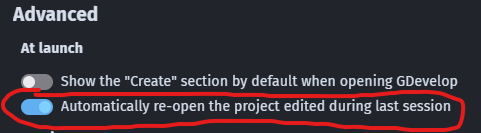
So each time I load GDevelop I have to close all the open tabs and then open the ones I want. I noticed this behaviour yesterday, but it might have been doing it for a little longer than that and I hadn’t noticed. There is no obvious cause.
These 10 tabs are always open when I load GDevelop, and it starts by showing the tenth which is an external layout.

But when I save my project and close GDevelop there is only 2 to 4 tabs open and not any of the 10:

This version of GDevelop is: 5.6.249 (editor full version: 5.6.249-41147f9233445ea667ff0efab0c3f3731d303e36, core version: 5.6.249-0)
Edit. Game settings > Properties don’t stick either. For example, I changed this setting and it set itself back to default when I next loaded GDevelop.
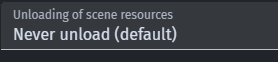
Edit 2: Even if I close my main project, create a new empty project, save it and exit GDevelop, when I load GDevelop again it opens my main project and all 10 tabs again.
