Steam game that's made with GDevelop is asking for GPS / Wi-Fi access before launching

Hi everyone, hope you’re all having a great day!

We have a demo on Steam which was made with GDevelop. After our last update we tried opening the game on Steam (on a Windows PC) to test it, but before the game launched we received a pop up message which we had never seen before that read -

Let desktop apps access your precise location?
The Void Between Demo needs permission to use signals like GPS or Wi-Fi, which can be used to determine your precise location. Allowing will give all desktop apps access to your location. You can change this anytime in settings. - Yes / No

We don’t have any kind of location features in the game that might require this message to appear, and we wondered what might be causing this to happen.

There has been a recent update to Windows which has implemented new location features. One part of their update reads -

A new prompt appears the first time an app attempts to access your location or Wi-Fi information

Although we’re unsure why a game without location / Wi-Fi features would receive this pop up.

If location services are switched on in Windows, we can see that our game appears in the ‘Recent activity’ section on the Location settings menu and the little location icon also pops up in the taskbar when the game runs.

In that recent update for Windows, one part reads - “If you grant permission, apps that use location or Wi-Fi information now appear in Recent activity on the Location settings page, and the location icon is displayed in the taskbar while the app is in-use.

Does anyone have any ideas why our game might be asking permission to use location or Wi-Fi information?

The majority of other Steam games we tried that weren’t made with GDevelop launch without any pop up messages and don’t appear in the recent activity of Windows Location services.

Here is a link to our game if you’d like to see if the same thing happens.

If anyone has any ideas they would be great to hear.

We really love using GDevelop, it’s such a great engine! :+1:

Thanks a lot!

We are using GDevelop version - 5.6.250
The game was exported with GDevelop’s one click packaging for Windows using the Zip folder.

Hello !

Are there Ads in your game?

A+
Xierra

1 Like

Hi there, thanks very much for your reply!

We don’t have any ads in the game or analytics enabled either so it’s a bit of a mystery at the moment, but if you happen to think of any other ideas anytime they’d be great to hear. :slight_smile:

Thanks again for the comment, it’s much appreciated!

Do you have the standard anonymous metrics disabled? Not the gdevelop.io
Io dev analytics?

As far as I know they are enabled by default and must be disabled in your first scene.

If this isn’t disabled, I imagine it’d try to connect to the internet to send the anonymouse metric data

1 Like

Hi there, thanks a lot for your comment!

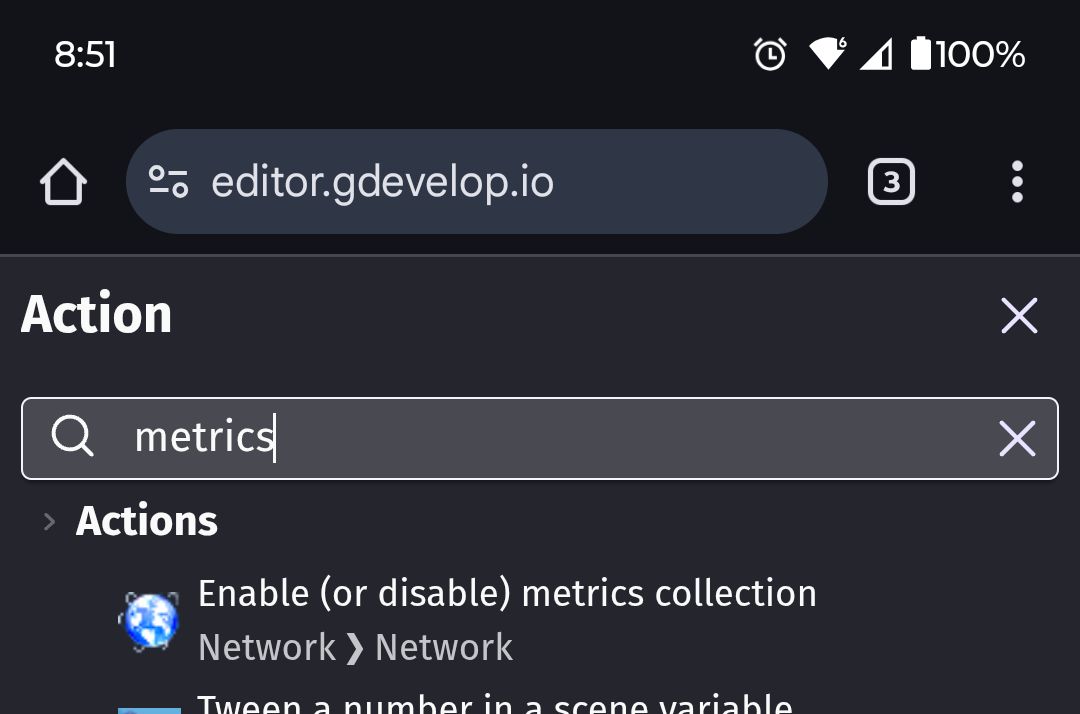
We do already have those metrics disabled in our first scene, which has the condition - “At the beginning of scene”.
Would using this condition be the correct way to disable the metrics?

GDevelopScreenshot1

We do have some Wishlist links in the game’s menu that when pressed, they open the player’s web browser and takes them to our Steam page. However when trying a few other games that also do this, they don’t seem to use the location / Wi-Fi.

Do you think this could be a possibility to what’s triggering the Location / Wi-Fi?

Thanks a lot for your help!

Is that event in the first scene the game loads with?

If so. Then yeah I can’t think of anything else that would be trying to get internet access, even that other event should only be doing it if called.

Do you have tested on another network than yours?

Or even running another GDevelop application on your network and if possible, on the same computer where the initial issue were seen.

And see if the problem persists or not.

A+
Xierra

I have this problem too, though I just make small games for friends and I don’t want them to think I’m doxxing them or something, seriously, why would this be enabled by default?

On Steam too?

If Yes, there is chance it’s linked to Steam compared with GDevelop.

A+
Xierra

No not steam, standalone applications

Hey, thanks for the reply. Yes that event is in the first scene the game loads. Really appreciate you helping out, we’ll post an update if we find anything.
Thanks again!

Hey, thanks for all the suggestions.

When testing the game while on another Wi-Fi network, the same thing will happen. The same occurs when testing a different GDevelop game that we have on Steam.

When testing a standalone .exe version of the game on the same computer, it also seems to be triggering the Location / Wi-Fi.
This seems to be happening on games that are not just on Steam like originally thought.

Thanks a lot for all your suggestions, they’re much appreciated! :slight_smile:
We’ll keep trying and post any updates if we find anything.

Hi there! Just a quick addition to say that the game also seems to be triggering the location / Wi-Fi on standalone versions of the game as well, not just on Steam.
Thanks a lot for all the help received so far, it’s very much appreciated! :+1:

This is due to Windows 11. Not due to a GDevelop update.

GDevelop’s analytics metrics do not retrieve GPS position or WiFi, so it has nothing to do with the Windows 11 popup message.

However, the point of concern could be Electron, which is used to run the game. But I don’t see why Windows would warn about this, as it is a feature that Electron offers, but it is not used in compiled games.

Hey, thanks a lot for that information!

That’s interesting, maybe it could be a bug in the latest update for Windows or Electron.

We’ll wait and see if anything changes in their next updates.

Thanks a lot for the comment, it’s very much appreciated! :slight_smile:
