A new scrollbar feature was added to the objects. However, when I increase the scrollbar to the desired height, the thumb stretches proportionally with it
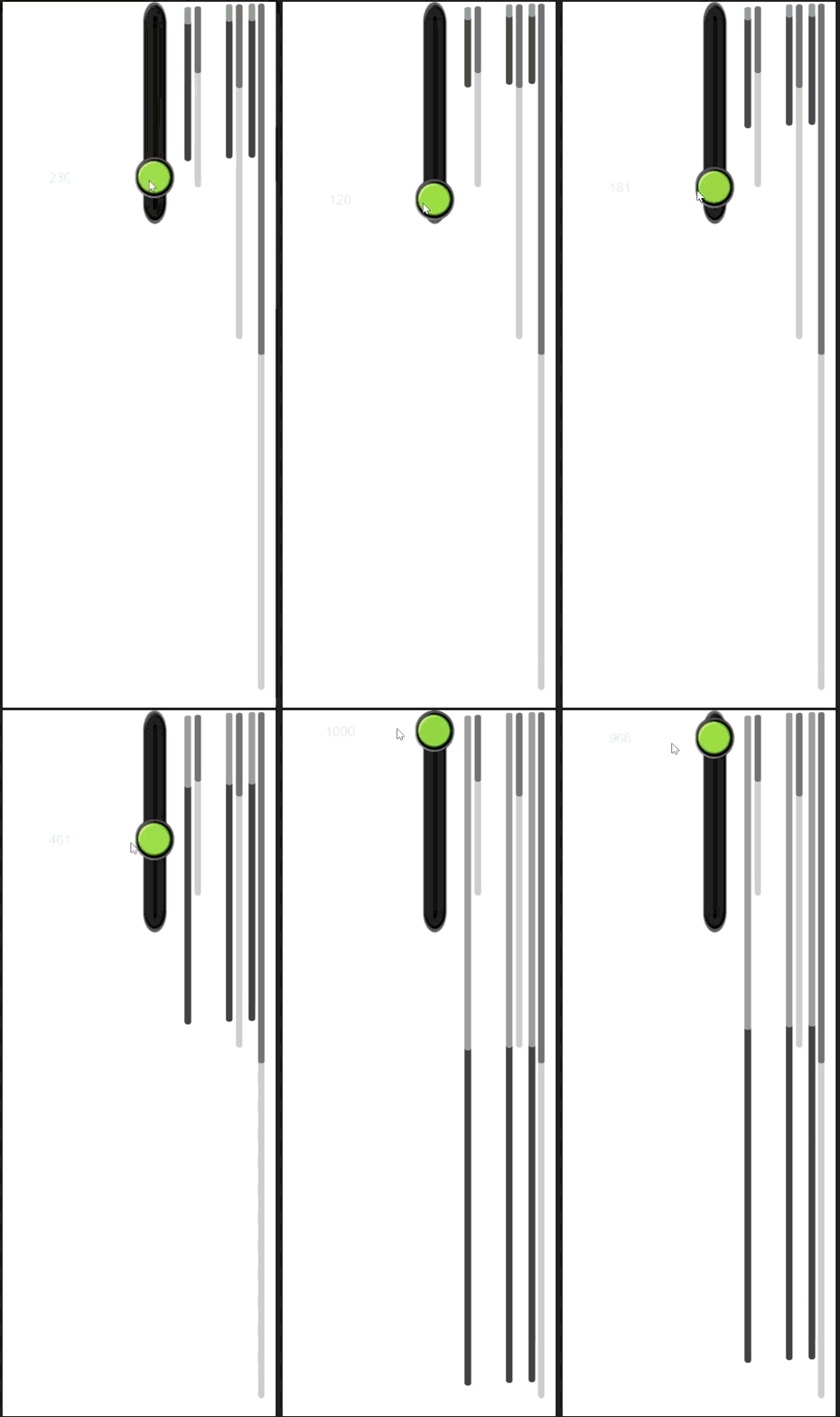

I haven’t used it yet but I’m wondering if that’s intentional because it made for scrolling content. (It doesn’t scroll the content)
You can set the Content length and Min thumb length. I don’t understand the mechanics of how to use it but I have the sense that it’s working as intended.
If you change the height of the scrollbar and not the content size then I think the thumb should scale as well because the thumb represents how much you can scroll the content. I believe it’s proportional. I think that’s how it works in other systems.
If the thumb is small then you can scroll the content a lot but if it’s large then that means most of the content is visible and you can only scroll a little.
But I think it’s proportional. So, making the control longer would give you finer movement but at the same content length. If 50% of the content was visible than the thumb would be 50% of the height of the control. 20 out of 40, 100 out of 200.
“Then shouldn’t the ratio stay the same? Why does the thumb size up from scale1/5 of the scrollbar to scale1/2?”
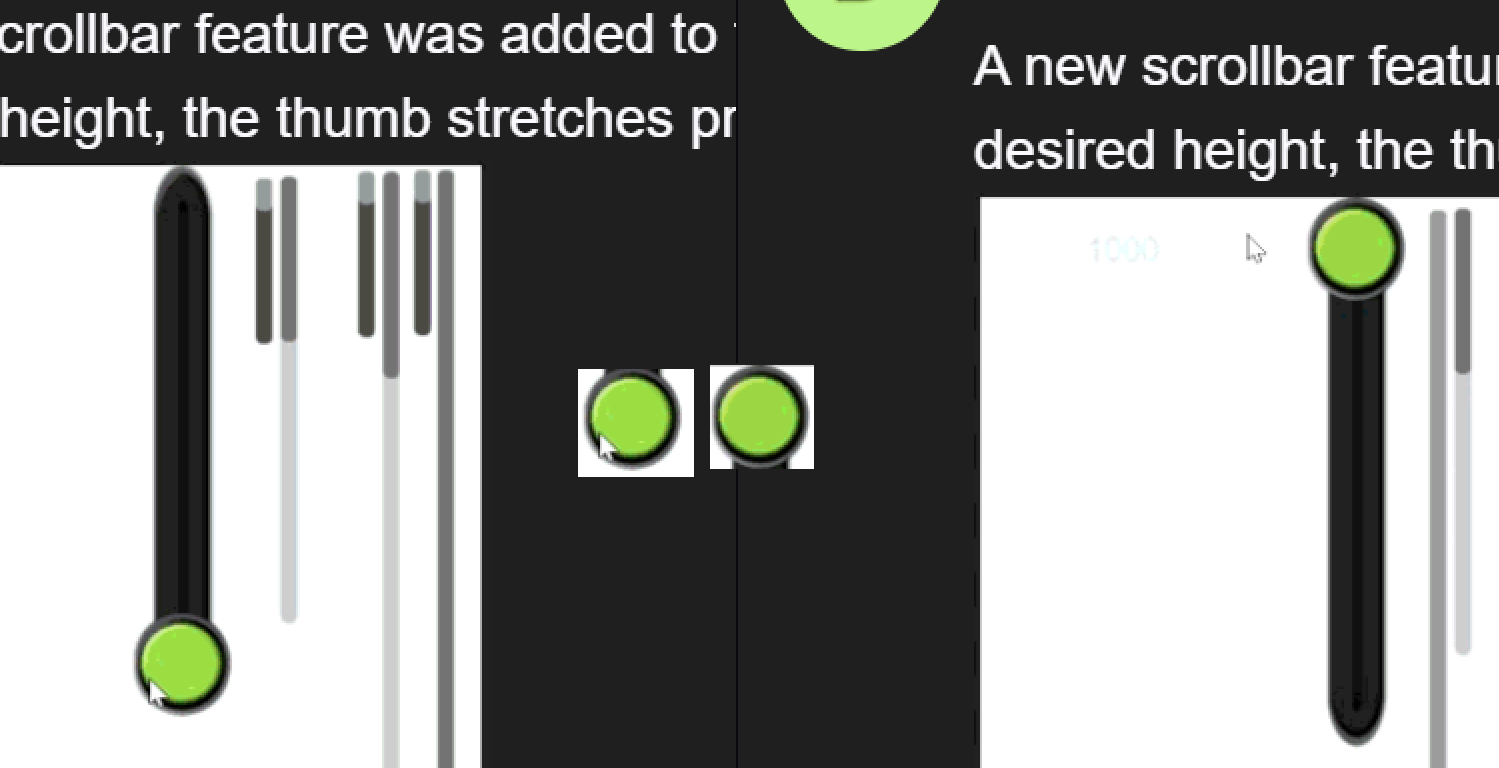
The long black bar on the right is the experimental scrollbar. The green bar is a basic slider used to adjust its height
OMG i was sure it is just some sort of indication you are moving that slider
I was looking at wrong thing that is why i was confused
Ok no question about it this is a bug if it behaves like that
You probably need to dig into the extension to edit unwanted values.
but…i don’t raccomend it if you don’t know how…yet
I apologize, my logic was flawed. I added several scrollbars and changed their length. I never used the object and should’ve done more testing first.
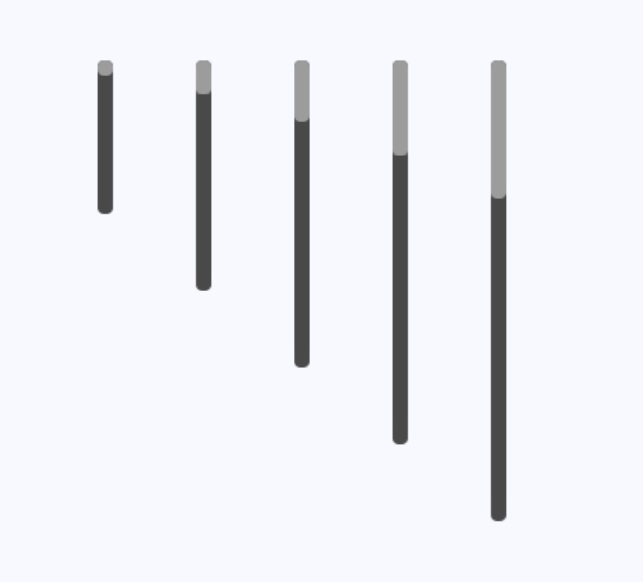
I also used a scrollbar to change their size.
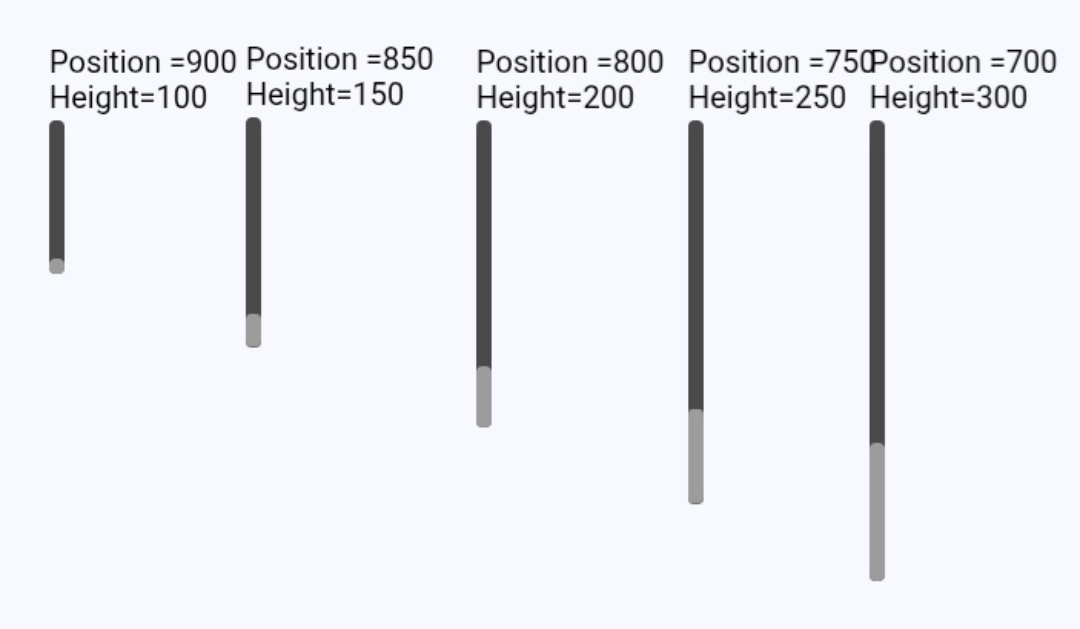
The scrollbars have a content parameter. Say it’s 500. If the scrollbar is 100 then the thumb can be moved the remaining distance of 400. Distance is probably the wrong word. It’s not distance but value or units . If it’s 300 then it can only be moved 200. And so on. If the length exceeds the content parameter then it disappears.
I was trying to compare it to a slider.
I added text objects to show the height and maximum position value. The content value is 1000. I moved the thumbs as low as I could.
1 Like
Will this bug be fixed in the next GDevelop update?
It seems to be the expected behavior. What is the issue?
Keith_1357 has fixed the bug where the thumb length increases up to 1/2 of the scrollbar as the vertical height is extended. I was wondering if this fix will be included in the next GDevelop update.
Keith did not fix anything. I just did some testing and posted my results. I’m still unsure that there’s an issue. It’s a scrollbar not a slider. There’s a different mechanism on purpose.
The thumb is supposed to change size to show how much it can be dragged. It’s all depends on the content size with the size of the control also formulated in. I have no idea if that part is correct.
I’m new to the control but it seems okay.