About the Choose extension, first it was deprecated because we were meant to use Array Tools instead. Then it was removed. But when they made the Community list, they put it in that. Scroll down to the General section.
w…why spectre.css? how does this help in gdevelop? i wanted to add dear imgui to gdevelop in an extension btw, that would be amazing for debugging. but it was hard
IF you want to use anything else than ,commas to separate words
Then set SEPARATOR to whatever you want
Formatter::RandomWord(“1,2,3,4,5,6,7,8”,“SEPARATOR”)
For example
Formatter::RandomWord(“1<2<3<4<5<6<7<8”,“<”)
That is 1 thing i hate gdevelop for
If i don’t want to use boolean variables and instead i want to have 1 sprite object with 2 animations and check that object animations instead
I SHOULD BE ALLOWED TO
And NO ONE should remove that possibility
We should teach ppl to use other stuff
But not take away anything if its still working and someone wants to use it
When i joined gdevelop
For first 2-3 months i had no idea what variables are
For me they were this super advanced stuff that i will need years to understand
I heard about them in other engines but never understood what they are
So i avoided them for these 2-3 months
How i dealt with stuff in that time frame?
I was making sprite objects and giving them animations
If i needed something to be on or off i gave sprite object 2 animations
And either set it to something or check if its something
THAT was my substitute for boolean variable
Now imagine if at that time someone came in and remove spite objects
Taking away only way with which i knew how to achieve what i want
NO WAY TO ARGUE that variables would be better option
But also NO WAY TO ARGUE someone would need to teach me what they are and how to use them
Now imagine array tools
How many users even know how to properly use arrays?
Heck how many users know what are arrays?
I invite you to help channel on discord to find out
You’re right Amigo. I had actually had this problem a while ago and had forgotten. So, back then, I found the extension in one of my old projects and have been using that.
i know how to use arrays (ive never known why array tools is helpful though), and i dont use discord, but i actually do get what you mean. back when i used Clickteam Fusion 2.5, i used counter objects off screen rather than variables, as i just didnt really have much of a need for them unless im storing something across frames…so i just made one. plus counters gave me instant feedback and debugging, so
I should create functions more than i do! im probably just being lazy …and by being lazy …creating more work for myself. My instinct here would be to have an array called choose[] and then ‘pickone’ set to randominrange(0,5) and set the variable to choose[pickone]. This would be straight forward to turn into an extension with number parameters but the tricky thing to do would be having one parameter input as a text and the extension finds and stores the numbers between the brackets by maybe storing each text between commas in an array of arrays numbers[][]and then converting the string ToNumber(numbers[n][0]+numbers[n][1] etc)
I worked a lot with variables a lot as a teenager…coming to this later in life, after no coding whatsoever in between, its been the concept of the picklist that’s been hardest to grasp…when to pick all and for each etc.
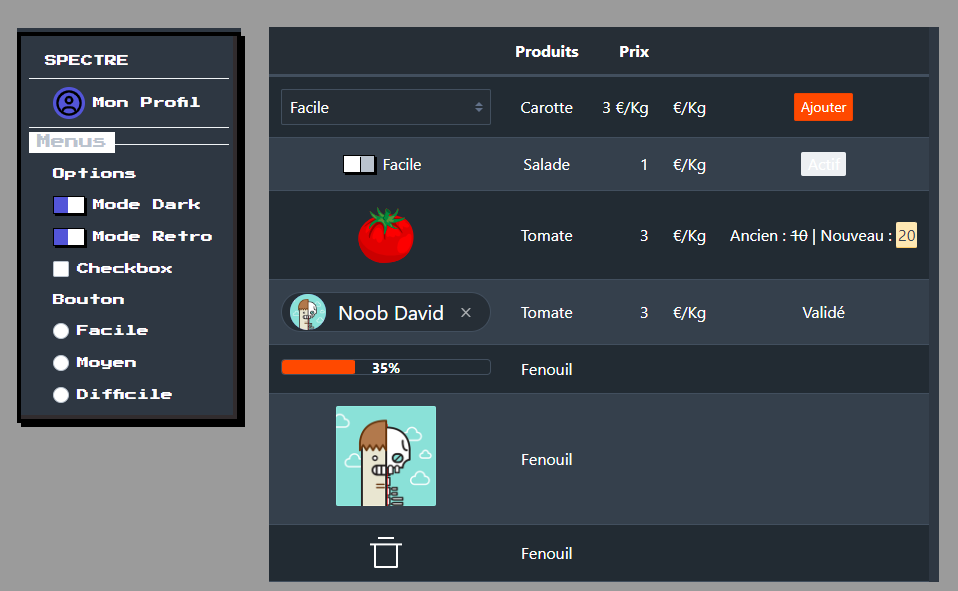
The Spectre.css library is very lightweight and comprehensive.
The problem many designers face is that they don’t want to waste time designing buttons, menus, bars, and so on from scratch.
They just want something beautiful and elegant, without having to tweak every single pixel.
There are other advantages: responsive interface, insensitive to resizing (no blurring), SVG image integration (infinite resizing without blurring), and the use of CSS technology for styling or animation.
Another requirement is that I want to be able to use GDevelop to create software or applications.