Edit: Ease in sine is the only one that does not resolve the shape to full opacity before it considers the tween finished. Linear, cubic, quart etc. all seem to be fine, so I’ll switch to one of those.
Original post: I use a black rectangle for scene transitions. I tween it from 0 to 255 opacity and then initiate the scene change. You should not be able to see artwork underneath this shape when at full opacity, but you can. It’s hard to see, but you can make out shapes from behind the transition shape. It’s like the shape is 5 opacity, or another very small number. My current fix is to set the shape to opacity 255 after the tween has finished. There are no events in my scene that target the rectangle apart from the simple transition events.

What’s the condition for this action? Do you use “tigger once”?
If only it were that easy! I use various conditions for my tweens, and always use trigger once. I clipped the action only, for clarity. I have updated the post because I discovered that the issue is only with one easing type: ease in sine.
yep. @worriedpixels is fully correct in everything. i tested the bug using opacity like he said and i put draggable shapes behind, when i drigged em, i could clearly see what was behind.
it also only breaks with “Ease in sine” any other works perfectly
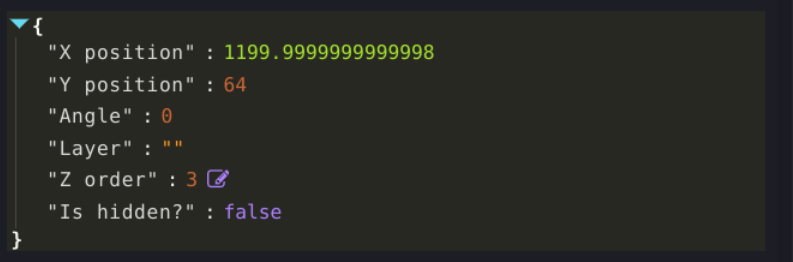
later i tested other variables like position for example tween from 0 to 1200 gave 1199.99999…
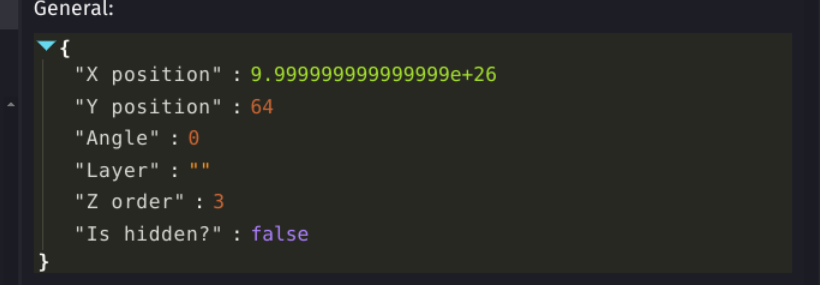
i then did the tween to 1 octillion (1e27) and it gave this
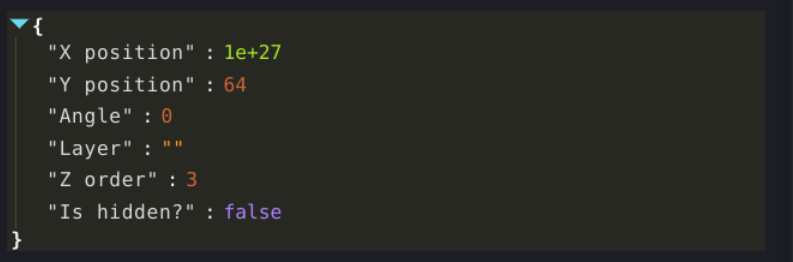
here is with any other tween than “ease in sine”
i suspect some kind of rounding error or smt. but i cannot say for sure
Huh, it looks opaque to me XD. But this is an issue. I haven’t used ease in sine, but I’m sure others do.